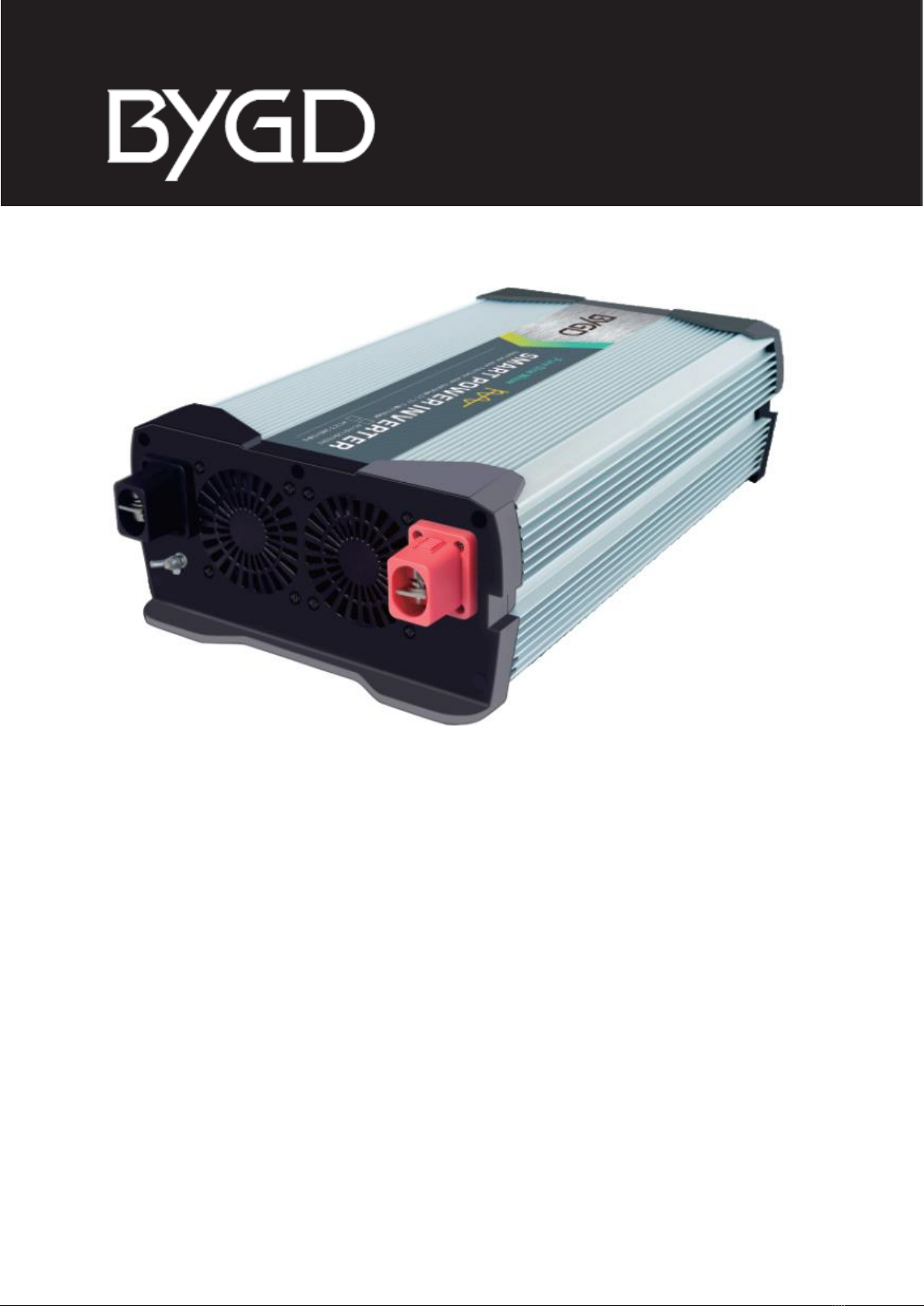
BYGD SW2000 Manual de usuario

OBRÁZEK PRODUKTU
Pure Sine Wave Inverter
SW2000 SW3000
User Manual • Uživatelský manuál •
Užívateľský manuál • Használati utasítás •
Benutzerhandbuch

2
English
3 –13
Čeština
14 –24
Slovenčina
25 –35
Magyar
36 –46

3
Dear customer,
Thank you for purchasing our product. Please read the following instructions carefully
before first use and keep this user manual for future reference. Pay particular attention
to the safety instructions. If you have any questions or comments about the device,
please contact the customer line.
www.alza.co.uk/kontakt
✆+44 (0)203 514 4411
Importer Alza.cz a.s., Jankovcova 1522/53, Holešovice, 170 00 Praha 7, www.alza.cz

4
Thank you for using SW2000,
SW3000 sine wave inverter!
Connect the input battery (12 volts) of the inverter, you can provide 220V AC power
output through the AC (AC) output socket of this Inverter, and reliably provide 220V AC
power output to car emergency starting equipment, civil appliances and other fields
(office equipment: computers, scanners, printers, fax machines, projectors, etc.; digital
products: cell phones, ipod, iphone, ipod, laptops, digital cameras, etc.).Laptop, digital
camera; small and medium power electrical equipment: energy-saving lamps,
refrigerators, air conditioners, computers, printers, air pumps, water pumps, induction
cookers, microwave ovens ... and so on, to provide AC power and USB interface to
provide 5V and 9V DC (direct current) power, you can provide charging for your cell
phone, ipad, iphone, small digital products; at the same time this Inverter with USB-C
fast charging port.
This product has reliable electronic technology, automatic safety monitoring circuit:
over-voltage protection, undervoltage protection, overload protection, short-circuit
protection, over-temperature protection, leakage protection, etc.. Not only protect the
product itself, but also protect your battery from over-discharge.
Before use, please read this manual and save it for future reference; the contents
of this manual include.
•Important safety information
•Safety features
•Panel function descriptions
•Connection instructions
•Operating instructions
•Troubleshooting
•Product specifications
•Warranty and Service
Important Security Information
Before using this product, please read the following safety instructions carefully and pay
special attention to all warnings and cautionary statements in the instruction manual.
Do not abuse or connect the appliance incorrectly may damage this product.

5
WARNINGS AND CAUTIONS
WARNING
•When the product is in use, please ensure that children are kept away from the
product. The inverter works with the same AC power as the mains, please pay
attention to the safety of electricity!
•When this product is loaded with high-power appliances, the product shell will be
hot. When using, please pay attention to the high temperature source.
•Please do not use this product in flammable and explosive environment.
•The risk of electric shock: when the appliance is inserted into the AC outlet,
please ensure that your fingers do not touch the metal piece of the outlet and
ensure safe insertion.
CAUTIONS
•When the inverter AC socket is working, do not use electrical appliances that are
already charged to plug in, this will damage the product.
•Please do not cover the inverter shell, keep ventilation to avoid affecting the heat
dissipation.
OTHER SECURITY GUIDELINES
•Do not insert foreign objects into the AC output port or DC output port of this
product.
•Do not connect this product to other AC power distribution lines.
•Do not use the product for a long time in an ultra-high temperature environment.
•Do not expose the product to water, rain, snow or spray environment for use.
Security Features
The Inverter Contains The Following Protection Functions Safety Features.
This product includes 30A, 40A [SW2000 30A*12,SW3000 40A*12) built-in fuse
•Automatic shutdown for overload protection
•Under-voltage protection automatic shutdown
•Overvoltage protection auto shut-off
•Automatic shut-off for over temperature protection
•Leakage protection auto shut-off
•Load short circuit protection auto shut-off.

6
Part Description (figure 1)
FIGURE 1
FAN PANEL
SOCKET PANEL
Figure 1 Description of SW2000,SW3000 Inverter parts
1Ground screw
7Lithium working indication blue light
2Black negative terminal
8Error indication red light
3Fan
9Battery mode switch
4Red positive terminal
10 Power switch button
5German socket *2
11 In-line connection port
6Working indication green light
12 USB-A,USB-C combination port

7
Connection Instructions
Connect the clip cable to the 12V DC battery, check the battery type and battery voltage
match before connecting the battery.
The inverter connects to the battery schematically
NOTE: DANGER OF REVERSE CONNECTION
•When connecting the red and black clip wire, make sure that the red is connected
to the positive terminal of the battery and the black is connected to the negative
terminal of the battery to avoid blowing the fuse by reversing the connection.
•make sure that the input cable is connected to a 12V battery, 6V batteries are not
allowed.
•connect the load that needs to be run to the AC socket or USB port, see
"Operation Guide" for details.
•Press and hold the switch for 1 second to start the inverter power.
•When the inverter is not in use, please disconnect the clip cable from both ends
of the battery to avoid static loss of battery power.
CONNECT TO THE
EARTH
LITHIUM OR LEAD ACID
BATTERY
POSITIVE ELECTRODE
NEGATIVE ELECTRODE

8
Operation Guide
•After long press the switch for 1 second, the socket outputs 220VAC, connect the
load to be run to AC output socket or USB port.
•If the load power exceeds the rated power, the overload protection will start and
the product will shut down automatically. Please reduce the load and connect a
load with lass than the rated power after the product restarts.
•When the battery voltage drops to 10V, the under-voltage protection function will
start and the product will automatically shut down. This can prevent the battery
from being damaged and ensure that the battery needs enough power when the
car starts.
•If the working temperature of the product exceeds the safe operating
temperature due to poor ventilation or high external temperature, the
overtemperature protection function will be activated and the product will be
automatically shut down, and it will automatically resume working when it
returns to normal temperature.
•If a defective battery charging system causes the battery voltage to rise to a
dangerous level greater than 18.5V, the overvoltage protection function will start
and the product will be automatically shut down.
CAUTION
Although this product is equipped with overvoltage protection, it may still damage the
product if the input voltage exceeds 17V.

9
Troubleshooting
PROBLEM: NO OUTPUT AND ABNORMAL POWER DISPLAY LIGHT
Possible Causes
Measures
Battery defects
Check the battery and replace it if
necessary
Loose battery clips
Check the connections
PROBLEM: OUTPUT VOLTAGE IS TOO LOW
Possible Causes
Measures
A standard average AC voltmeter
measuring the output voltage will result
in a measurement that is off by 5 to 15 V
Inverter output “pure sine wave”,
requiring measurement with a voltmeter
marked “true RMS” or with a voltmeter or
oscilloscope capable of measuring RMS
Battery voltage is too low
Charging the battery
PROBLEM: PRODUCT DOES NOT WORK
Possible Causes
Measures
Load power exceeds the continuous
output power of the product, overload
protection starts shutdown
Please use a load no greater than the
rated one
The load power is lower than the rated
power of the product, capacitive load or
inductive load too high power-on surge
caused by overload protection shutdown
The start-up surge of the load exceeds
the starting capacity of this product,
please choose a suitable 220V power
supply
The product is overheated by poor
ventilation to start the over-temperature
protection shutdown
Unplug the inverter from the output
socket, cool it for 15 minutes and remove
the shade.
Move the product to a cooler location. If
continuous operation is necessary,
reduce the load and restart.
Battery feed
Recharge

10
Product specification
Specifications Are Subject To Change Without Notice
AC OUTPUT
Model
SW2000
SW3000
AC Output Voltage
220V/200V~25V0 AC
AC Continuous Output Power
2000W
3000W
Output overload protection power
2400 Max
3200W Max
AC Output Frequency
Typical values: 50 ±1Hz
Output Waveform
Pure sine wave
Fan control
Temperature 50°C or load>400W
USB-A, USB-C OUTPUT, REMOTE CONTROL FUNCTION
USB-A, USB-C port output
5V/3.1A, 9V/1.67A
Remote control board with LCD screen
Customer optional (not included by
default)
DC INPUT
Battery type
Lead acid
Lithium battery
Operating Voltage
11V-15VDC
10-16VDC
Static Current
<2A
Conversion efficiency (maximum)
>86%
Undervoltage Shutdown Voltage Point
10.0V±0.5VDC
9.0V±0.5VDC
Undervoltage Recovery Voltage Point
11.0V±0.5VDC
11.0V±0.5VDC
Overvoltage Shutdown Voltage Point
15.0V±0.5VDC
16.0V±0.5VDC
Overvoltage Recovery Voltage Point
14.0V±0.5VDC
15.0V±0.5VDC
LED INSTRUCTIONS
Normal Work
Green light on
Over-voltage, under-voltage, over-
temperature protection
Red light flashing
Overload protection
Red light on long
PHYSICAL PROPERTIES
Operating temperature range
0°C-50°C
Dimensions
435*240*115mm
Weight
5400g
5500g
Este manual sirve para los siguientes modelos
1
Tabla de contenidos
Idiomas:
Otros manuales de Inversor de BYGD


