Blue Robotics Ping Manual de usuario

2/7/2019 Ping Installation Guide for the BlueROV2 - Blue Robotics
https://www.bluerobotics.com/learn/ping-installation-guide-for-the-bluerov2/ 1/21
Home (https://www.bluerobotics.com)/Guide (https://www.bluerobotics.com/learn/)/Ping Installation Guide for the BlueROV2
Ping
Installation Guide for the
BlueROV2
Introduction
The
Ping (https://www.bluerobotics.com/store/sensors-sonars-cameras/sonar/ping-r1/)
sonar is a a multipurpose single-beam echosounder
with a 30m sonar range and 300m depth rating. When mounted on a
BlueROV2
and, connected to a
BLUART
(https://www.bluerobotics.com/store/comm-control-power/tether-interface/bluart-r1-rp/) USB to Serial and RS485 Adapter and the
Ping-
Viewer
software application, a
Ping
can be used as an altimeter to see how high the
BlueROV2
is above the seaoor.
Parts and Tools
You Will Need
Ping
Sonar Altimeter and Echosounder
$279.00
(https://www.bluerobotics.com/store/sensors-sonars-
cameras/sonar/ping-sonar-r2-rp/)
Add to Cart (/learn/ping-installation-guide-for-
the-bluerov2/?add-to-cart=13223)
6″ Straight Micro-USB to USB-A
Cable
$8.00
(https://www.bluerobotics.com/store/comm-
control-power/tether-
interface/misc-cab-usb-micro-
BLUART
USB to Serial and
RS485 Adapter
$29.00
(https://www.bluerobotics.com/store/comm-
control-power/tether-
Ping
Sonar Altimeter and
Echosounder
$279.00
(https://www.bluerobotics.com/store/sensors-
sonars-cameras/sonar/ping-
BlueROV2
$2,784.00 – $4,563.00
(https://www.bluerobotics.com/store/rov/blu
Add to Cart
(https://www.bluerobotics.com/store/rov
NEW
Beta
NEW
NEW
NEW
Beta

2/7/2019 Ping Installation Guide for the BlueROV2 - Blue Robotics
https://www.bluerobotics.com/learn/ping-installation-guide-for-the-bluerov2/ 2/21
You will also need:
1 x #1 Phillips head screwdriver (
BlueROV2
kit)
1 x Sharpie or other type of marking pen (not included)
1 x 5.50mm (or 7/32”) drill bit (not included)
1 x Battery Powered Hand Drill (not included)
1 x Bottle of Threadlocker (not included)
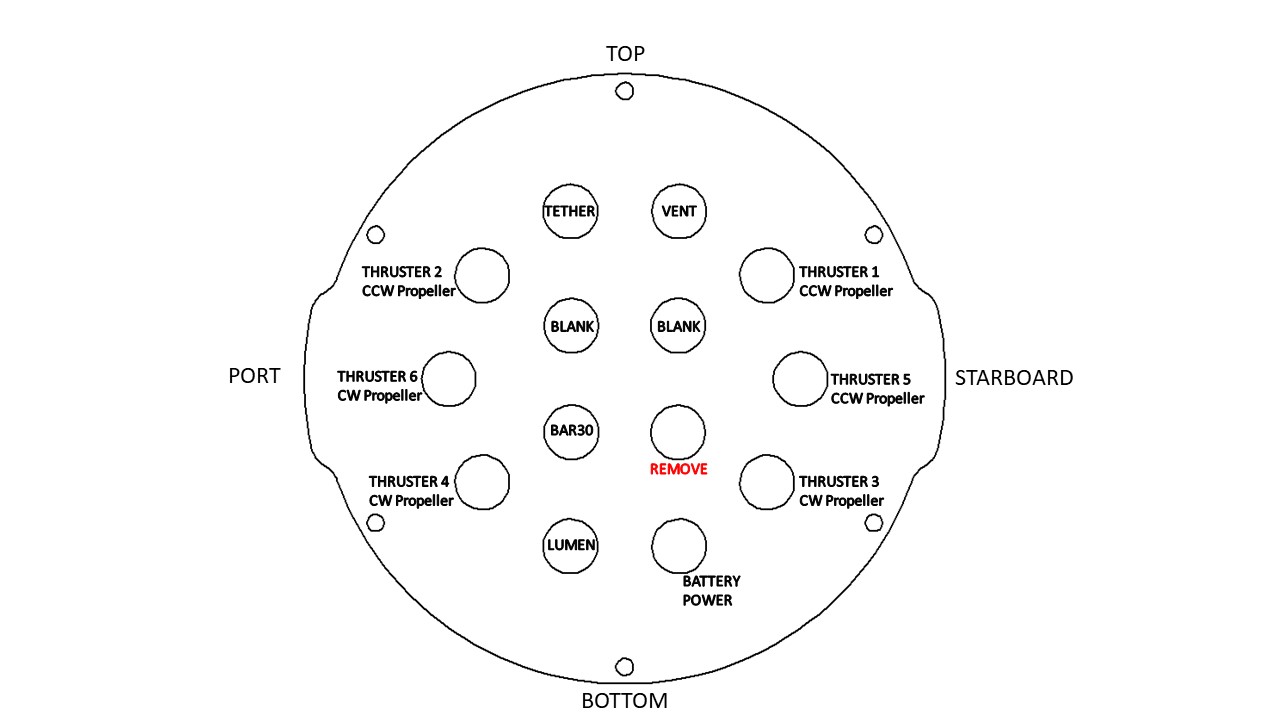
Removing a Blank Penetrator
To remove a blank penetrator from your
BlueROV2
, you will need the following tools:
1 x 2.5 mm hex driver
1 x #1 Phillips head screwdriver
1 x Penetrator wrench
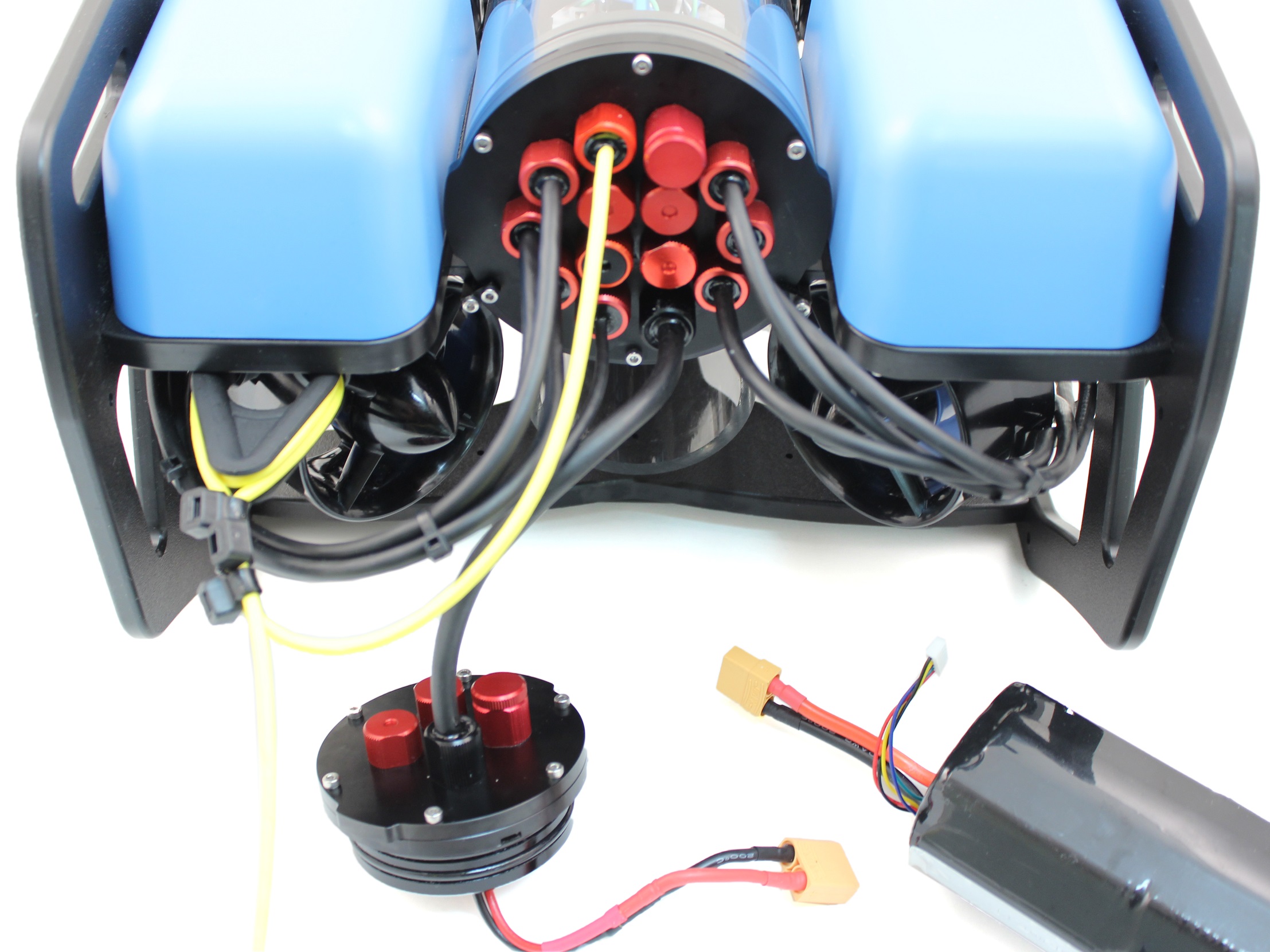
1. To ensure your ROV is completely powered o, please remove the battery completely from the 3” enclosure and place to the side.
straight-6in-r1/)
Add to Cart (/learn/ping-
installation-guide-for-the-
bluerov2/?add-to-
cart=112513)
interface/bluart-r1-rp/)
Add to Cart (/learn/ping-
installation-guide-for-the-
bluerov2/?add-to-
cart=23073)
sonar-r2-rp/)
Add to Cart (/learn/ping-
installation-guide-for-the-
bluerov2/?add-to-
cart=13223)
Hex Key Set
$6.00
(https://www.bluerobotics.com/store/watertight-
enclosures/enclosure-tools-
supplies/tool-hex-set-r1/)
Add to Cart (/learn/ping-
installation-guide-for-the-
bluerov2/?add-to-
cart=1098)
Penetrator Wrench
$12.00
(https://www.bluerobotics.com/store/cables-
connectors/tools/tool-
penetrator-wrench-r1/)
Add to Cart (/learn/ping-
installation-guide-for-the-
bluerov2/?add-to-
cart=9971)

2/7/2019 Ping Installation Guide for the BlueROV2 - Blue Robotics
https://www.bluerobotics.com/learn/ping-installation-guide-for-the-bluerov2/ 3/21
(/wp-content/uploads/2019/01/ping-remove-battery.jpg?x68454)
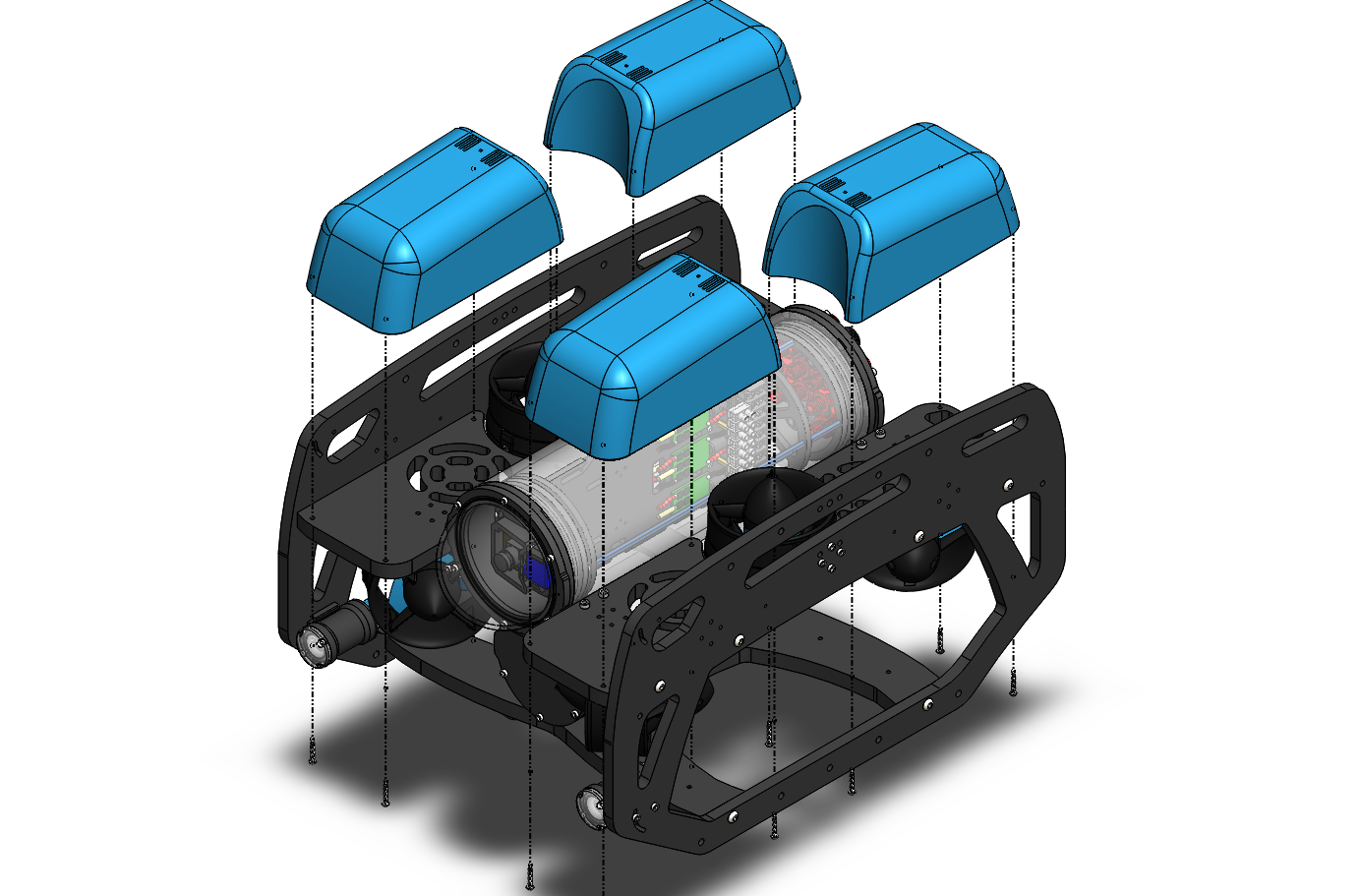
2. Remove the fairings and buoyancy blocks by removing the self-tapping screws that hold the fairings to the frame.

2/7/2019 Ping Installation Guide for the BlueROV2 - Blue Robotics
https://www.bluerobotics.com/learn/ping-installation-guide-for-the-bluerov2/ 4/21
(/wp-content/uploads/2019/01/ping-remove-fairings.png?x68454)
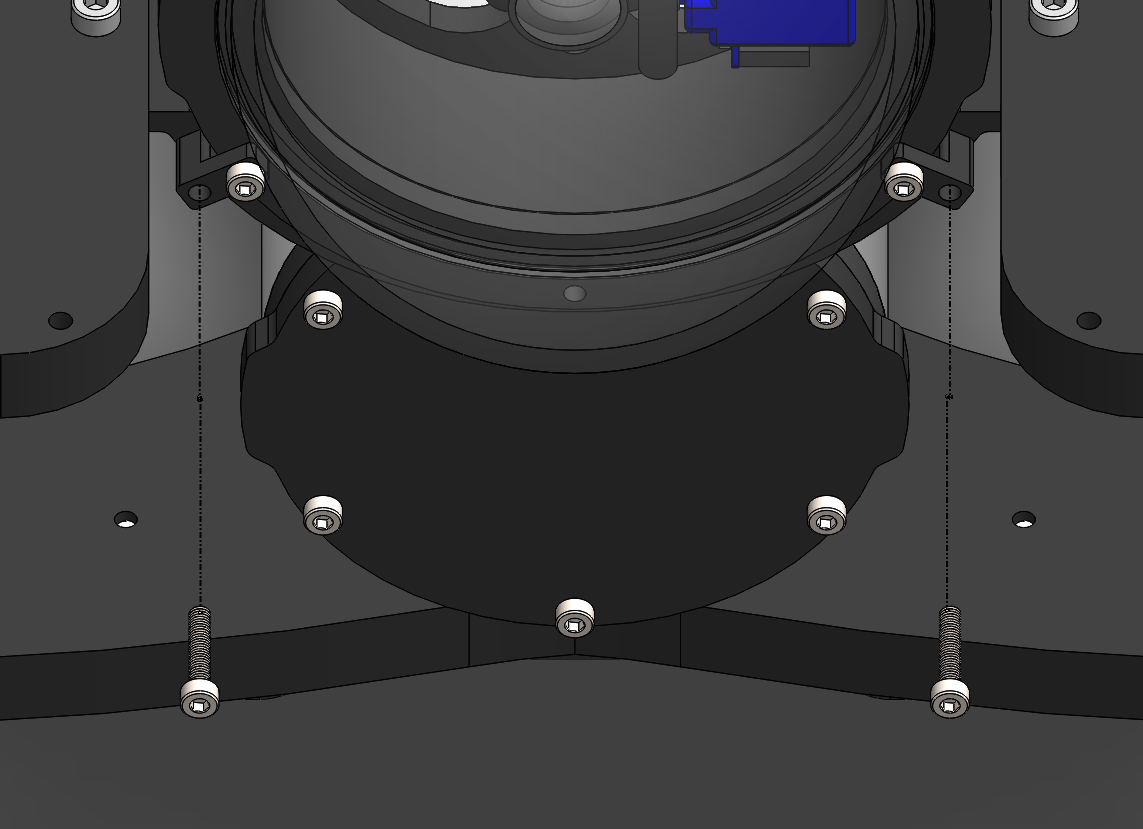
3. Remove the 4” electronics enclosure from the ROV by removing the M3x16 screws that mount the enclosure to the ROV cradle.

2/7/2019 Ping Installation Guide for the BlueROV2 - Blue Robotics
https://www.bluerobotics.com/learn/ping-installation-guide-for-the-bluerov2/ 5/21
(/wp-content/uploads/2019/01/ping-clip-installation.png?x68454)
4. Remove the Vent Plug from the Vent Penetrator Bolt on the electronics enclosure. Remove the 4″ tube and forward dome assembly from
the rear end cap.

2/7/2019 Ping Installation Guide for the BlueROV2 - Blue Robotics
https://www.bluerobotics.com/learn/ping-installation-guide-for-the-bluerov2/ 6/21
(/wp-content/uploads/2019/01/ping-tutorial-remove-vent.jpg?x68454)
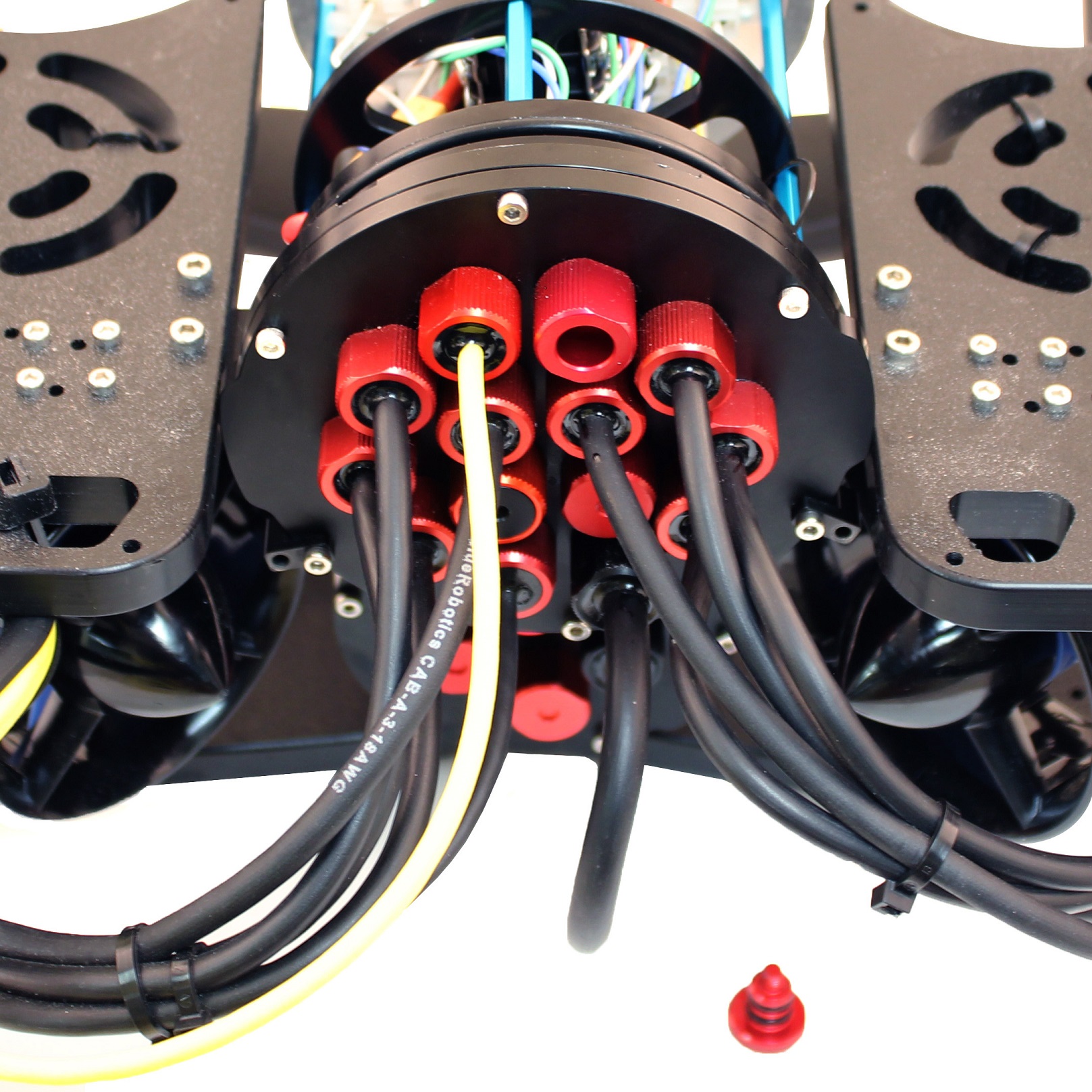
5. Remove the blank penetrator as pictured from the 4” End Cap with the penetrator wrench that came with the BlueROV2 kit.

2/7/2019 Ping Installation Guide for the BlueROV2 - Blue Robotics
https://www.bluerobotics.com/learn/ping-installation-guide-for-the-bluerov2/ 7/21
(/wp-content/uploads/2019/01/ping-end-cap-remove.jpg?x68454)
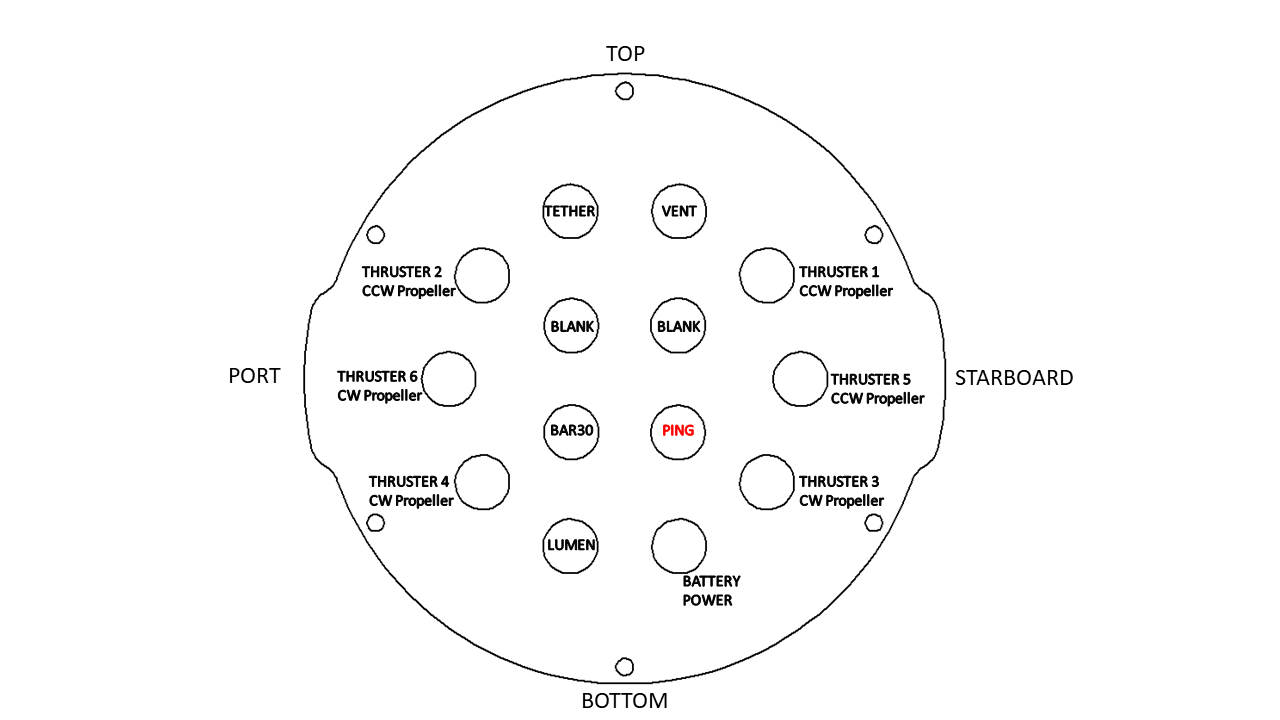
Install Ping Penetrator
To install
Ping
into the end cap, you will need the following parts and tools:
1 x
Ping
Echosounder
1 x Penetrator Nut (Red)
1 x Penetrator O-ring
1 x Silicone Grease – 10g Tube
1 x Isopropyl Alcohol Wipe
1 x Penetrator wrench
1. Wipe the exterior surface of the electronics enclosure endcap clean with isopropyl alcohol or isopropyl alcohol wipes, and make sure it is
free of any particles in the areas where the penetrator O-ring will sit.
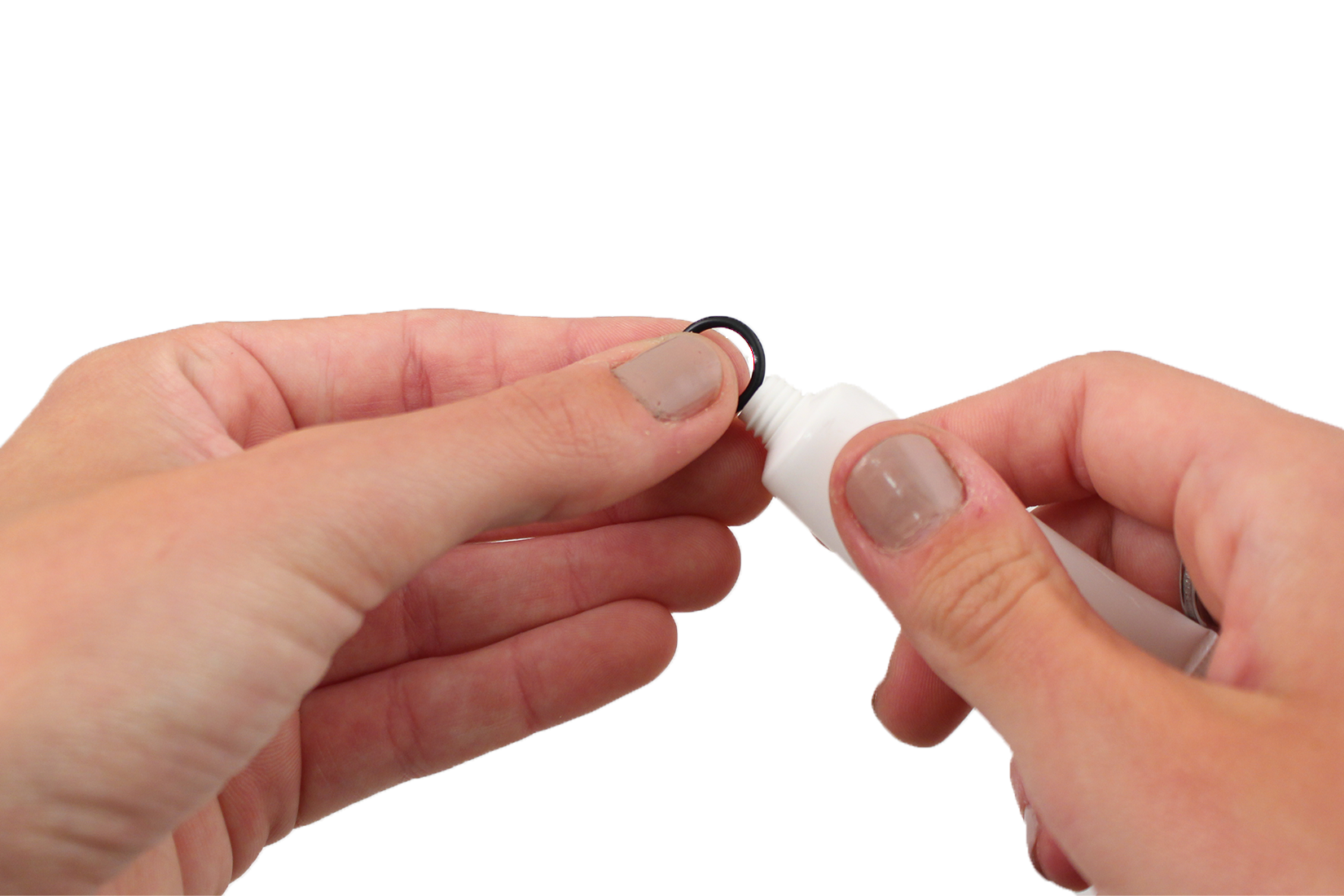
2. Remove the O-ring from the bag and apply silicone grease to it.

2/7/2019 Ping Installation Guide for the BlueROV2 - Blue Robotics
https://www.bluerobotics.com/learn/ping-installation-guide-for-the-bluerov2/ 8/21
(/wp-content/uploads/2019/01/ping-grease-o-ring.png?x68454)
3. Install the O-ring onto the
Ping
cable penetrator.
4. Install the Ping cable penetrator on to the end cap in the hole you previously removed the blank penetrator from. Tighten to nger tight,
then use the provided wrench to tighten it an additional ~1/16 of a turn. If you can’t loosen it with your ngers, it is tight enough.
(/wp-content/uploads/2019/01/ping-end-cap.png?x68454)

2/7/2019 Ping Installation Guide for the BlueROV2 - Blue Robotics
https://www.bluerobotics.com/learn/ping-installation-guide-for-the-bluerov2/ 9/21
(/wp-content/uploads/2019/01/IMG_3721.png?x68454)
Wiring Connections
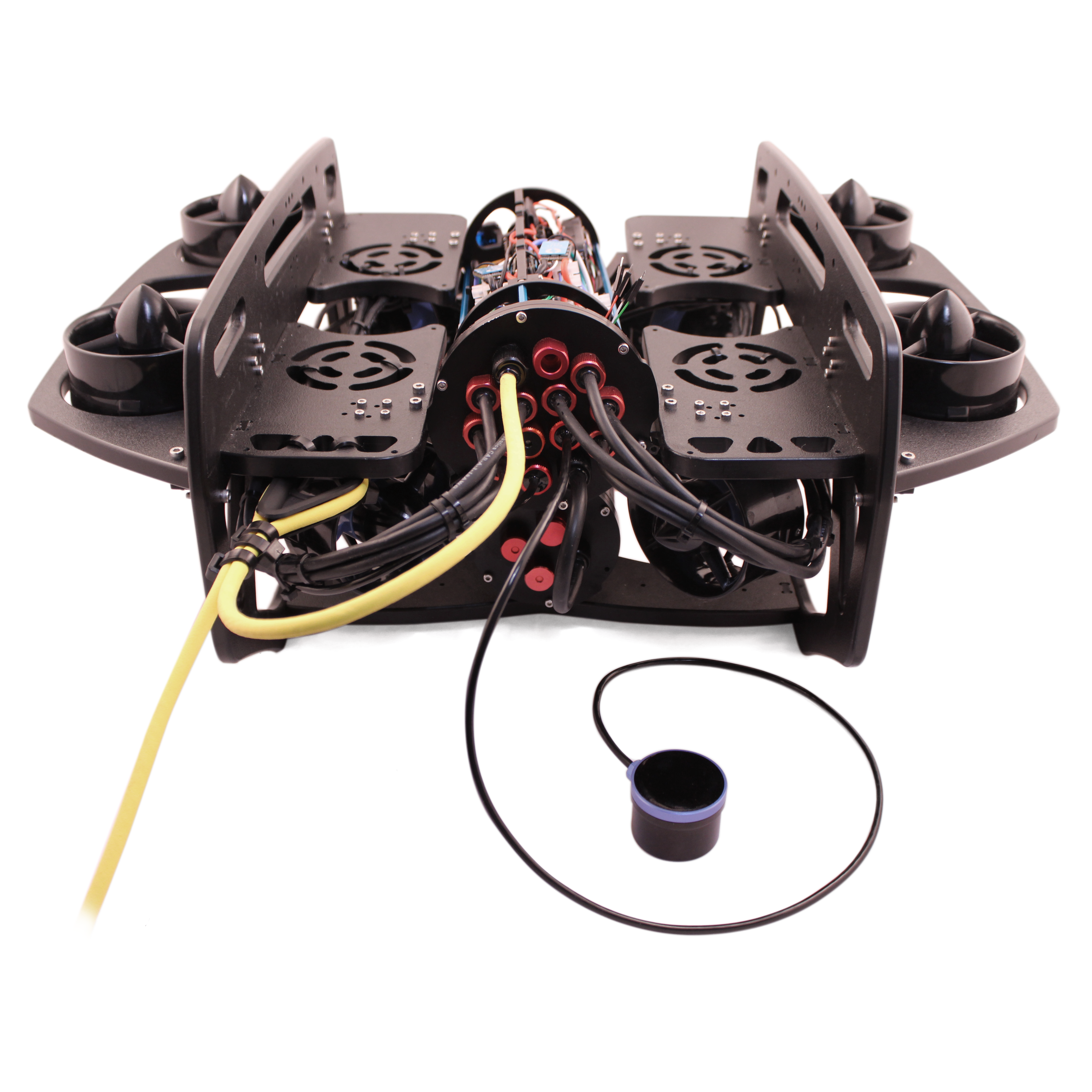
To install the Ping wires into your
BlueROV2
, you will need the following components:
1 x
BLUART
USB to Serial and RS485 Adapter
1 x Header pin to JST-GH Cable Adapter
1 x 6″ Straight Micro USB to USB-A Cable
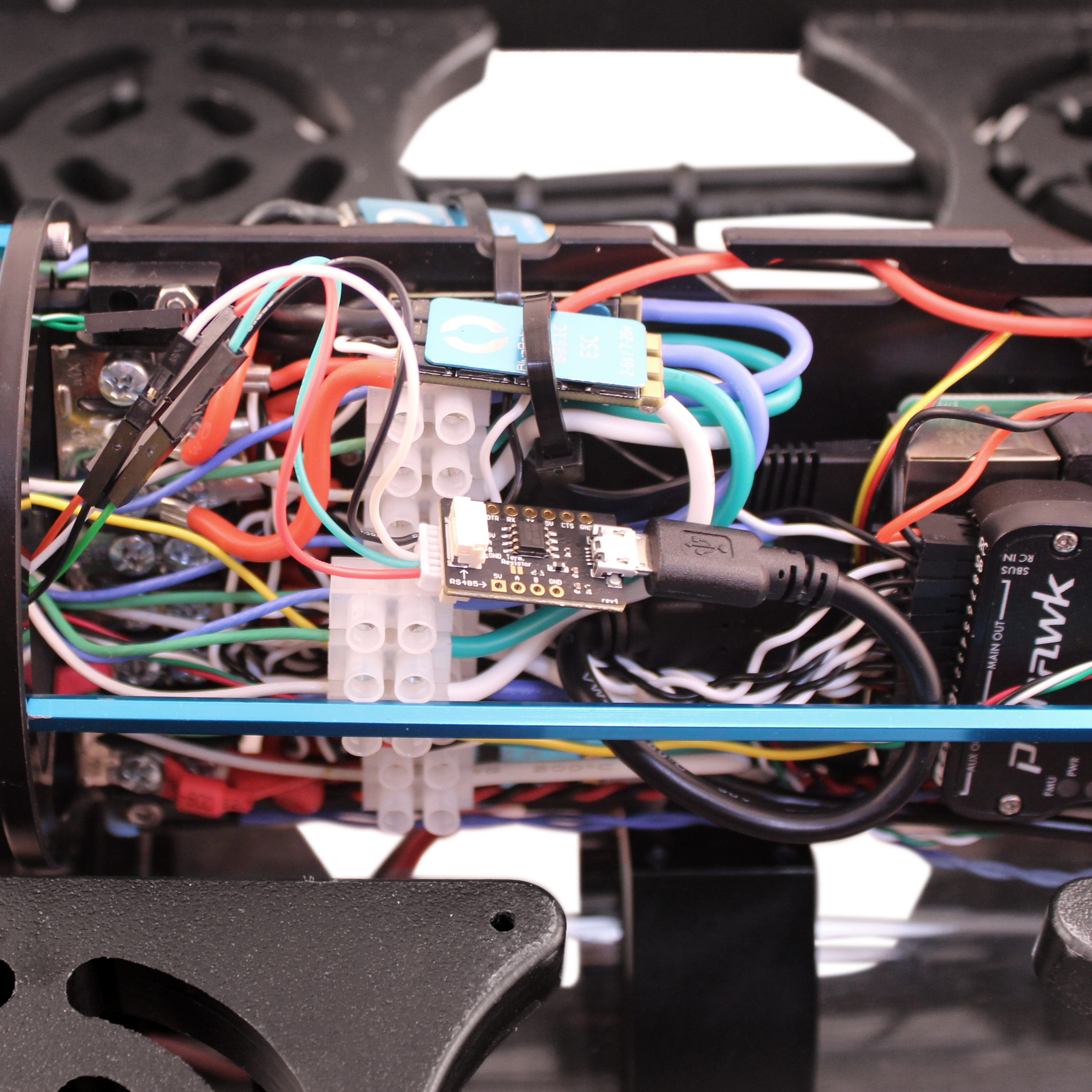
1. Plug the Header pin to JST-GH Cable Adapter into the male header pins coming from the Ping so that the same color wires match up
when plugged in (red-red, black-black, white-white, green-green).
2. Plug the 6-position JST-GH plug into the serial JST-GH receptacle on the
BLUART
serial adapter.
3. Plug the
BLUART
into one of the open USB ports on the Raspberry Pi using the 6″ Straight Micro USB to USB-A Cable.

2/7/2019 Ping Installation Guide for the BlueROV2 - Blue Robotics
https://www.bluerobotics.com/learn/ping-installation-guide-for-the-bluerov2/ 10/21
(/wp-content/uploads/2019/01/IMG_3722.png?x68454)
Reassemble
BlueROV2
Electronics Enclosure
To reassemble your
BlueROV2
Electronics Enclosure, you will need the following parts and tools:
4 x M3x16 screws that were placed o to the side during disassembly
1 x Silicone Grease – 10g Tube
1 x 2.5 mm hex driver
Reinstall 4” Watertight Enclosure onto ROV with the following steps:
1. Apply silicone grease to the two radial O-rings on the O-Ring Flange (4” Series) that is attached to the Electronics Tray then install the
Watertight Enclosure (4” Series) with installed Dome End Cap to the O-Ring Flange (4” Series).
2. Mount the Electronics Enclosure to the frame using the M3x16 screws so that the dome is on the same side as the front center panels
(the center panels without the 3 large holes). Install the M3x16 screws through the clips and into the Enclosure Cradle (4” Series). It is easier
to install these screws if the clips are not fully tightened until all screws are through the clips and threading into the Enclosure Cradle (4”
Series). This allows to clips to rotate so you can nd the threaded hole in the Enclosure Cradle (4” Series) easily.
Tabla de contenidos