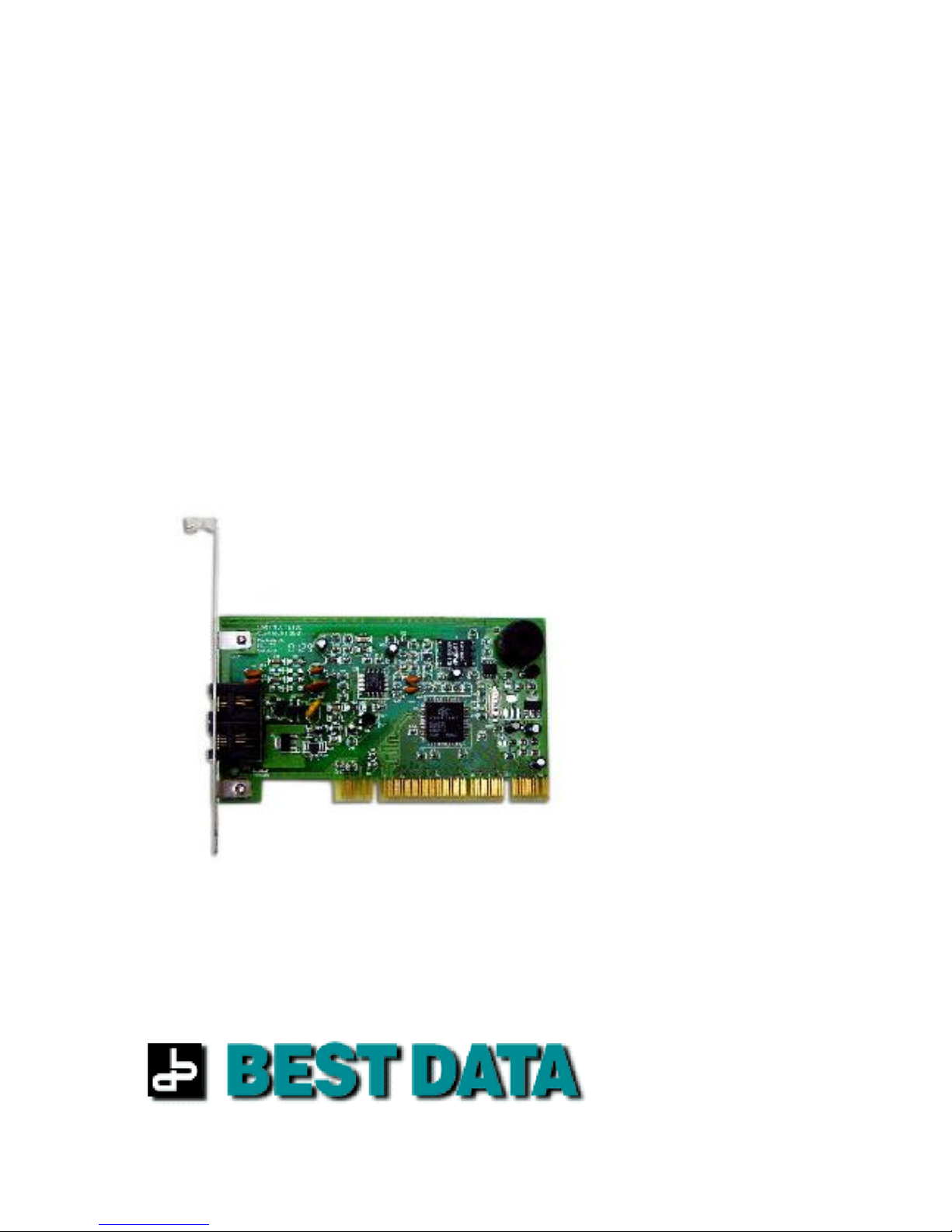
Best Data Smart One 56FW92 Manual de usuario

SMART ONE
Internal PCI V.92 Modem
Model: 56FW92

SMART ONE V.92 MODEM 2

SMART ONE V.92 MODEM 3
Table of Contents
Warranty Statement…………………..…………………………………………4
FCC Statement………………………………………………………………….. 6
About This User’s Guide……………………………………………………….. 7
Safety Notices…………………………………………………………................ 8
Chapter 1 Before you Begin…………………………………………….. 9
Chapter 2 Installing the Modem ………………………………………. 10
Chapter 3 Modem Driver Installation……………................................ 12
Windows 95……………………………………………………………. 13
Windows 98…………………………...……………………………….. 15
Windows ME ………………………………………………………….. 18
Windows 2000…………………………………………………………. 20
Windows XP…………………………………………………………… 23
Chapter 4 Testing the Modem……………..…………………………… 27
Chapter 5 Installing Communications Software…................................ 28
Chapter 6NetWaiting…..………………………………………………. 29
Chapter 7General Troubleshooting…..……………………………….. 30
AppendixA How to Get Technical Assistance........................................... 33

SMART ONE V.92 MODEM 4
Warranty Statement
Five-Year Limited Warranty
The warranty described below is extended only to the original buyer and is not transferable.
1. CustomerObligations
A. CUSTOMER assumes full responsibility that the product purchased and any copies of software included with
it or licensed separately; meet the specifications, capacity, versatilities and other requirements of the
customer.
B. CUSTOMER assumes full responsibility for the installation and effectiveness of the operating environment
in which the product and software are to function.
2. Limited Warranty and Conditions of Sale
A. Best Data warrants that this product is free from all defects in materials and workmanship for five years from
the date of purchase from an authorized dealer.
B. Except as provided herein no employee, agent, franchise, dealer or other person is authorized to give any
warrantiesof any natureon behalf ofBest Data.
3. Repairs and Service
A. If the product proves defective during this warranty period, call Best Data Customer Support in order to
obtain a return Authorization number (RMA#). Be sure you have your proof of purchase on hand when
calling. When returning the product, clearly mark the Return Authorization number on the outside of the
package and includea copy ofyour original proof of purchase.
B. Once a product is returned, Best Data will at its option, repair or replace the defective product or components,
to whatever extent it deems necessary to restore the product or component to proper operating condition.
C. Best Data shall not be liable for any damages caused by delay in delivering the product or its software.
D. Customer is responsible for all shipping costs when returning the product to Best Data.
E. After 90 days from the date of purchase, customer is required to pay a flat fee of nine dollars ($9.00) for
return shipment.
4. Limits of Liabilities
A. THE CUSTOMER SHALL BE SOLELY RESPONSIBLE FOR THE FAILURE OF THIS PRODUCT OR COMPONENT
THEREON, RESULTING FROM ACCIDENT, ABUSE, OR MISAPPLICATION OF THE PRODUCT, AND
MANUFACTURER ASSUMES NO LIABILITY AS A CONSEQUENCE OF SUCH EVENTS UNDER THE TERMS
OF THIS WARRANTY.
B. NO ACTION SHALL BE BROUGHT FOR BREACH OF ANY IMPLIED OR EXPRESSED WARRANTY AFTER 30
DAYS SUBSEQUENT TO THE EXPIRATION OF THE PERIOD OF THE EXPRESSED WRITTEN WARRANTY.
C. INCIDENTAL AND CONSEQUENTIAL DAMAGES CAUSED BY MALFUNCTION, DEFECT OR OTHERWISE
AND WITH RESPECT TO BREACH OF ANY EXPRESSED OR IMPLIED WARRANTY ARE NOT THE
RESPONSIBILITY OF MANUFACTURER, AND TO THE EXTENT PERMITTED BY LAW ARE HEREBY
EXCLUDED BOTH FOR PROPERTY AND TO THE EXTENT NOT UNCONSCIONABLE, FOR PERSONAL
INJURYDAMAGE.
D. IN NO EVENTSHALL BEST DATA LIABILITIES EXCEED THE PRICE PAID FOR THE PRODUCT FROM
DIRECT, INDIRECT, SPECIAL, INCIDENTAL, OR CONSEQUENTIAL DAMAGES RESULTING FROM THE USE
OF THE PRODUCT, ITS ACCOMPANIED SOFTWARE, OR ITS DOCUMENTATION.
E. SOME STATES DO NOT ALLOW THE EXCLUSION OF IMPLIED WARRANTIES OR LIMITATIONS ON HOW
LONG AN IMPLIED WARRANTY MAY LAST, SO THE ABOVE LIMITATIONS MAY NOT APPLY TO YOU.
THIS WARRANTY GIVES YOU SPECIFIC LEGAL RIGHTS. YOU MAY HAVE OTHER RIGHTS, WHICH MAY
VARY FROM STATE TO STATE.
FTHIS WARRANTY APPLIES ONLY TO THIS PRODUCT, AND IS GOVERNED BY THE LAWS OF THE STATE
OF CALIFORNIA. LAWSUITS BASED ON ANY CLAIM ARISING FROM USAGE OF THIS PRODUCT MUST BE
FILED AND PERSECUTED IN A COURT OF COMPETENT JURISDICTION LOCATED IN THE COUNTY OF LOS
ANGELES, STATE OF CALIFORNIA.

SMART ONE V.92 MODEM 5
Best Data reserve the right to revise or update its products, software, or documentation without obligation to notify any
individual or entity. Please direct all Inquiries to:
BEST DATA PRODUCTS, INC.
19748 Dearborn Street
Chatsworth, CA 91311
Trademarks
IBM PC is a trademark for International Business Machines.
Pentium is a trademark for Intel Corporation.
Windows is a trademark of Microsoft Corporation.
All other trademarks are trademarks of their respective companies.

SMART ONE V.92 MODEM 6
FCC Statement
Note: This device complies with Part 15 of the FCC Rules. Operation is subject to the following two
conditions:
•This device may not cause harmful interference.
•This device must accept any interference received, including interference that may cause
undesired operation.
Note: This equipment has been tested and found to comply with the limits for a ClassB digital device,
pursuant to part 15 of the FCC Rules. These limits are designed to provide reasonable protection against
harmful interference in a residential installation. This equipment generates, uses, and can radiate radio
frequency energy and, if not installed and used in accordance with the instructions, may cause harmful
interference to radio communications. However, there is no guarantee that interference will not occur in a
particular installation. If this equipment does cause harmful interference to radio or television reception,
which can be determined by turning the equipment off and on, the user is encouraged to try to correct the
interference by one or more of the following measures:
•Reorient or relocate the receiving antenna.
•Increase the separation between the equipment and receiver.
•Connect the equipment into an outlet on a circuit different from which the receiver is connected.
•Consult the dealer or an experienced radio/TV technician for help.
CE Marking Warning
This is a Class B product. In a domestic environment this product may cause radio interference in which
case the user may be required to take adequate measures.

SMART ONE V.92 MODEM 7
About This User’s Guide
This manual is written for users who wish to install the Smart One V.92 modem
themselves. It contains step by step instructions on how to configure it for different
operating systems. We urge you to read the safety page of this manual before you
proceed.

SMART ONE V.92 MODEM 8
Safety Notices
To avoid a shock hazard, do not connect or disconnect any cables or
perform installation, maintenance, or reconfiguration of this
product during an electrical storm.
To avoidshock hazard:
•The power cord must be connected to a properly wired and
earthed receptacle.
•Any equipment to which this product will be attached must
also be connected
To Prevent static discharge:
Discharge static electricity from your body before you touch this
product or any part inside your computer and periodically while
you work inside your computer. You can do so by touching the
unpainted back part of your computer chassis.
You can also take the following steps to prevent static damage:
Do not remove items from their antistatic packaging material until
you are ready to install them in your computer. Just before
unwrapping the antistatic packaging, be sure to discharge static
electricity from your body.

SMART ONE V.92 MODEM 9
Chapter 1
Before You Begin
Make sure you have the following items available before you start your modem
installation:
Package Contents:
1. 56FW 92 Internal PCI Modem
2. Quick Start Guide
3. Warranty Card
4. RJ-11 Telephone Cable
5. Modem Installation CD
6. AOL Installation CD
Recommended PC Configuration
1. Pentium class 266mhz MMX or equivalent PC
2. Windows95, 98, ME, NT 4.0, 2000, XP
3. 30 MBHard Disk space
4. CD ROM Drive

SMART ONE V.92 MODEM 10
Chapter 2
Installing the Modem
Before inserting the modem into the computer there are a few things to examine on your
system. The following is a list of items that you may want to check prior to installing the
card into the computer.
1. Remove any existing modem drivers from your computer.
2. Turn off your computer.
3. Take off the cover to the computer. If you are not familiar with this procedure,
please consult your computer's instruction manual.
4. Locate an available PCI slot. If there is a slot cover blocking the slot please
remove it and save the screw for later.
5. Plug the modem firmly into the slot. Be sure that the bracket is lined up properly;
then anchor the bracket in place using the screw you removed. Be sure that gold
contacts are seated evenly into the connector.
Tabla de contenidos
Otros manuales de Módem de Best Data
Manuales populares de Módem de otras marcas

US Robotics
US Robotics 3453C Manual de usuario

MaxTech
MaxTech Plug & Play Internal Voice/FAX/Data/SVD... Manual de usuario

Zte
Zte MF823 Manual de usuario

Four-Faith
Four-Faith F1403 Manual de usuario

Sierra Wireless
Sierra Wireless AIRLINK MP595W Manual de usuario

Gemtek
Gemtek WiMAX WIXFBR-103 Manual de usuario