
Bellnet Belleds MB8800 Manual de usuario

BELLNET Technologies. ---- MB8800 Belled User Guide
- 1 -
Belleds MB8800
2.4G+WiFi Smart Router
User Guide
(Firmware: mb8800_r74.bin)
2014-08-08
Bellnet Technologies Co., Ltd., any modification of this product will not issue a separate notice.
All Rights Reserved.

BELLNET Technologies. ---- MB8800 Belled User Guide
- 2 -
CONTENT
1INTRODUCTION ....................................................................................................... 3
1.1 VERIFY KIT CONTENTS..........................................................................................3
1.2 CONNECTION........................................................................................................ 3
2CONFIGURATION..................................................................................................... 4
2.1 CONFIGURATION IN PC.......................................................................................... 4
2.2 CONFIGURATION IN DETAIL..................................................................................... 6
2.2.1 Music Service .............................................................................................. 6
2.2.2 Basic Settings..............................................................................................9
2.2.3 Internet Connection ................................................................................... 15
2.2.4 Upgrade Firmware..................................................................................... 20
3BELLEDS IN MOBILE............................................................................................. 25
3.1 PREPARATION (HARDWARE &SOFTWARE)............................................................ 25
3.2 CONFIGURATION IN MOBILE .................................................................................27
3.3 PLAY MUSIC ....................................................................................................... 28
3.3.1 Music List...................................................................................................28
3.3.2 Music Play.................................................................................................29
3.3.3 Music & LEDs synchronize........................................................................32
3.4 LED CONTROL.................................................................................................... 33
3.4.1 ON and OFF.............................................................................................. 34
3.4.2 Adjust Color of LEDs ................................................................................. 34

BELLNET Technologies. ---- MB8800 Belled User Guide
- 3 -
1 Introduction
MB8800 Belleds is a product that can make the LEDs blinking synchronously with the
rhythm of your music which is in your mobile. Just install the application called “belleds” in
your mobile. Then you can control the music play, the color of the LEDs by your mobile.
1.1 Verify Kit Contents
MB8800 kit includes the following components.
1. MB8800 Router
2. Power Adaptor
3. LAN Cable
4. Audio Cable
1.2 Connection
Make sure the device and the cables are connected correctly.
1. MB8800 Router’s power line interface connects to Power Adaptor with the power
line.
2. MB8800 Router’s LAN interface connects to network interface of PC with the LAN
cable.
3. MB8800 Router’s Audio interface connects to audio interface of the earphones or
speaker with the audio cable.
BELLNET Technologies. ---- MB8800 Belled User Guide
- 4 -
2 Configuration
You can set the MB8800 Router WIFI related configuration in PC or mobile.
The details are as below.
2.1 Configuration in PC
1. Connect your computer to MB8800 using the attached Ethernet cable and set your
computer “Obtain an IP address automatically”.
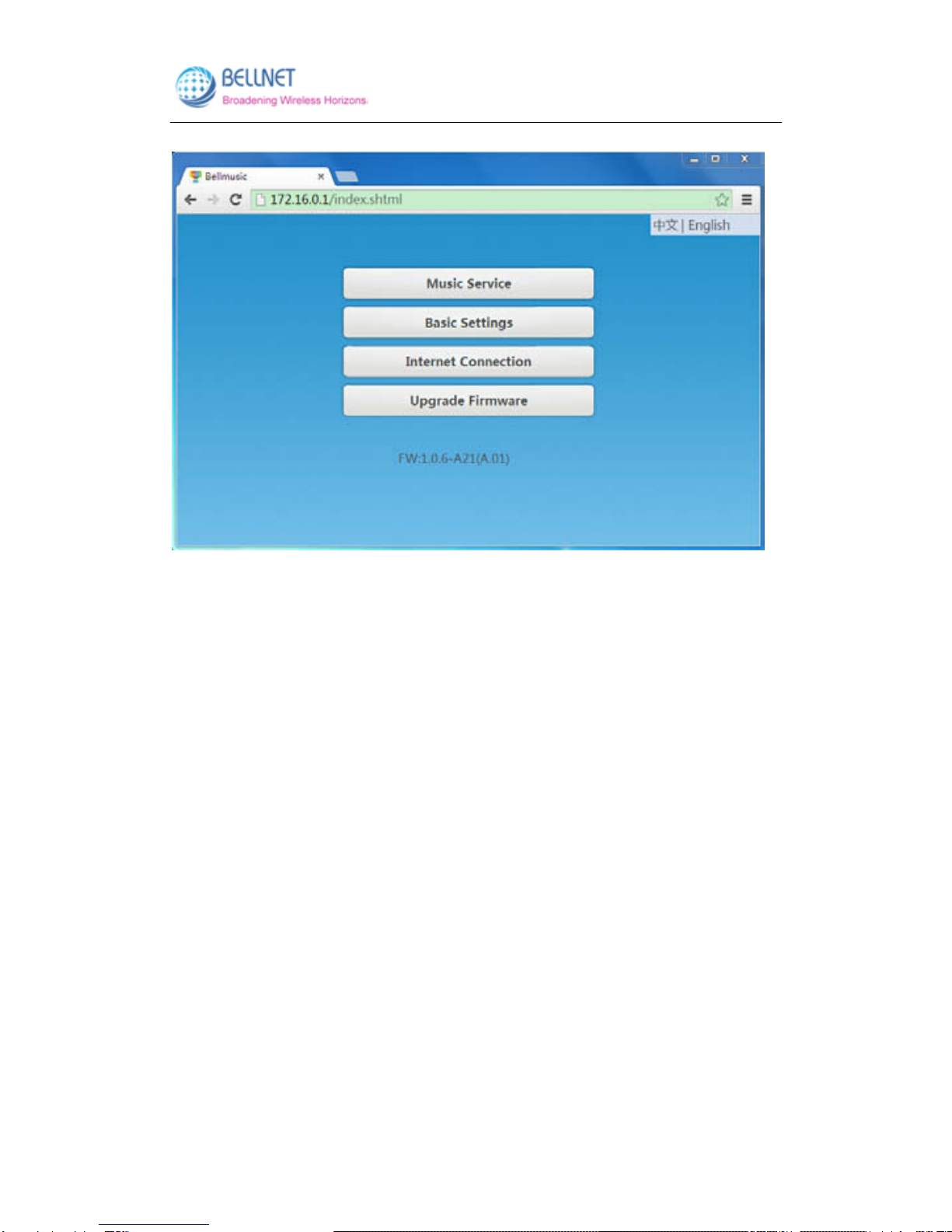
2. Make sure that your computer has got IP address from the MB8800, then open the
web browser and enter “http://172.16.0.1”(by default). Press Enter key, the MB8800
configuration home page will appear (Figure 2-1).
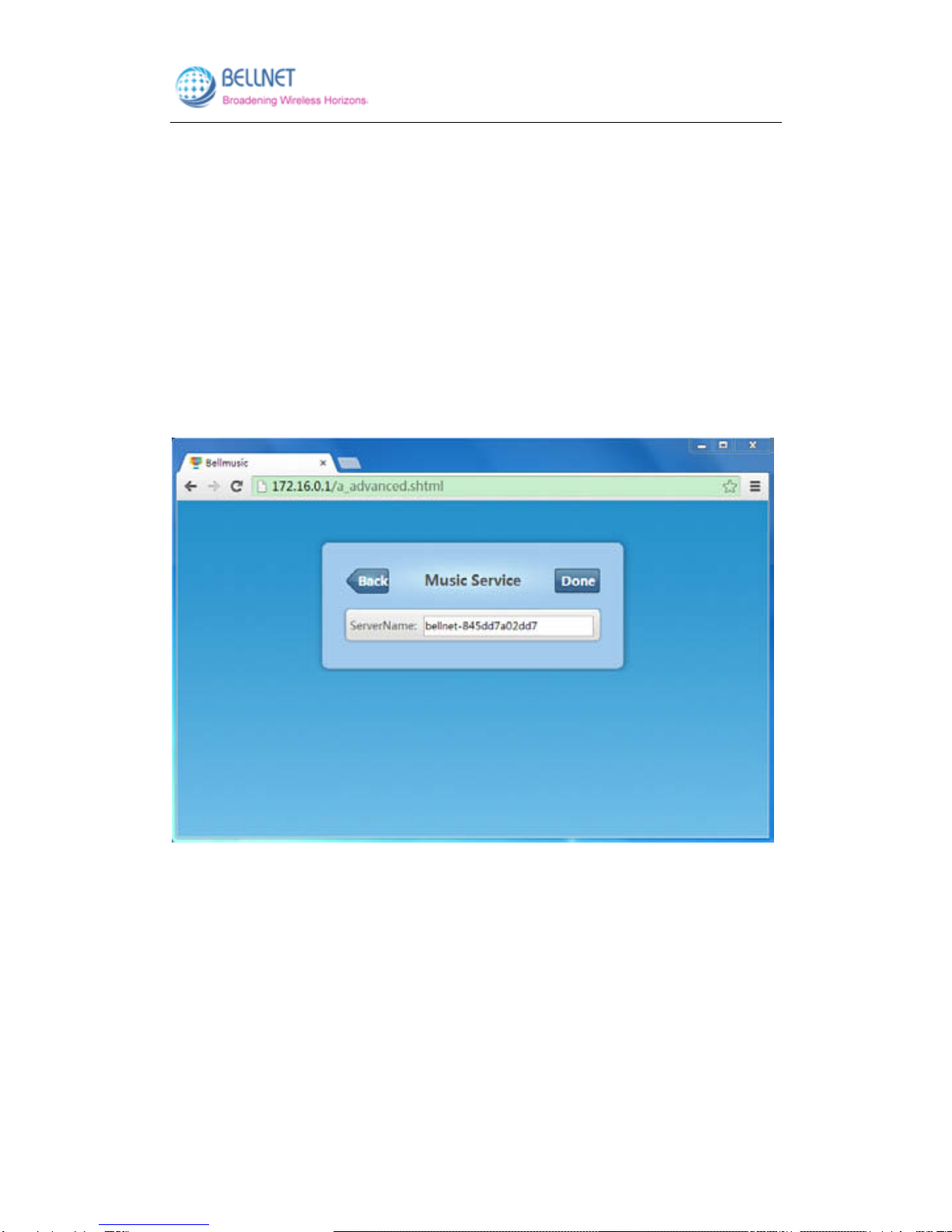
3. The default language is Chinese. You can click “English” on the top right corner. Then
you will enter English interface (Figure 2-2).
Figure 2-1 MB8800 configuration home page (Chinese)
BELLNET Technologies. ---- MB8800 Belled User Guide
- 5 -
Figure 2-2 MB8800 configuration home page (English)
BELLNET Technologies. ---- MB8800 Belled User Guide
- 6 -
2.2 Configuration in detail
2.2.1 Music Service
This function controls the renderer name in belleds.
(The belleds is one application in mobile that can make the led synchronize with the
music.)
Click “Music Service”, to enter the management page (Figure 2-3).
Click “Back”, to go back to MB8800 configuration home page (Figure 2-2).
Figure 2-3 Music Service screen
You can change the Server Name:
1. Input the Server Name which you want in the field. (Figure 2-4)
2. Click “Done” (Figure 2-5), after 10 seconds it will pop-up a window (Figure 2-6):
3. Click “Yes”, and refresh the page. Then the Server Name has been changed
successfully. (Figure 2-7)

BELLNET Technologies. ---- MB8800 Belled User Guide
- 7 -
Figure 2-4 Input the Server Name you want in field
Figure 2-5 Click “Done”

BELLNET Technologies. ---- MB8800 Belled User Guide
- 8 -
Figure 2-6 After 10 seconds, it will pop-up a window.
Figure 2-7 Click Yes, then refresh the page. Then Server Name is changed successfully.

BELLNET Technologies. ---- MB8800 Belled User Guide
- 9 -
2.2.2 Basic Settings
In this function, you can change the MB8800 Router’s WIFI SSID.
Also, you can set the encryption mode and password for the WIFI.
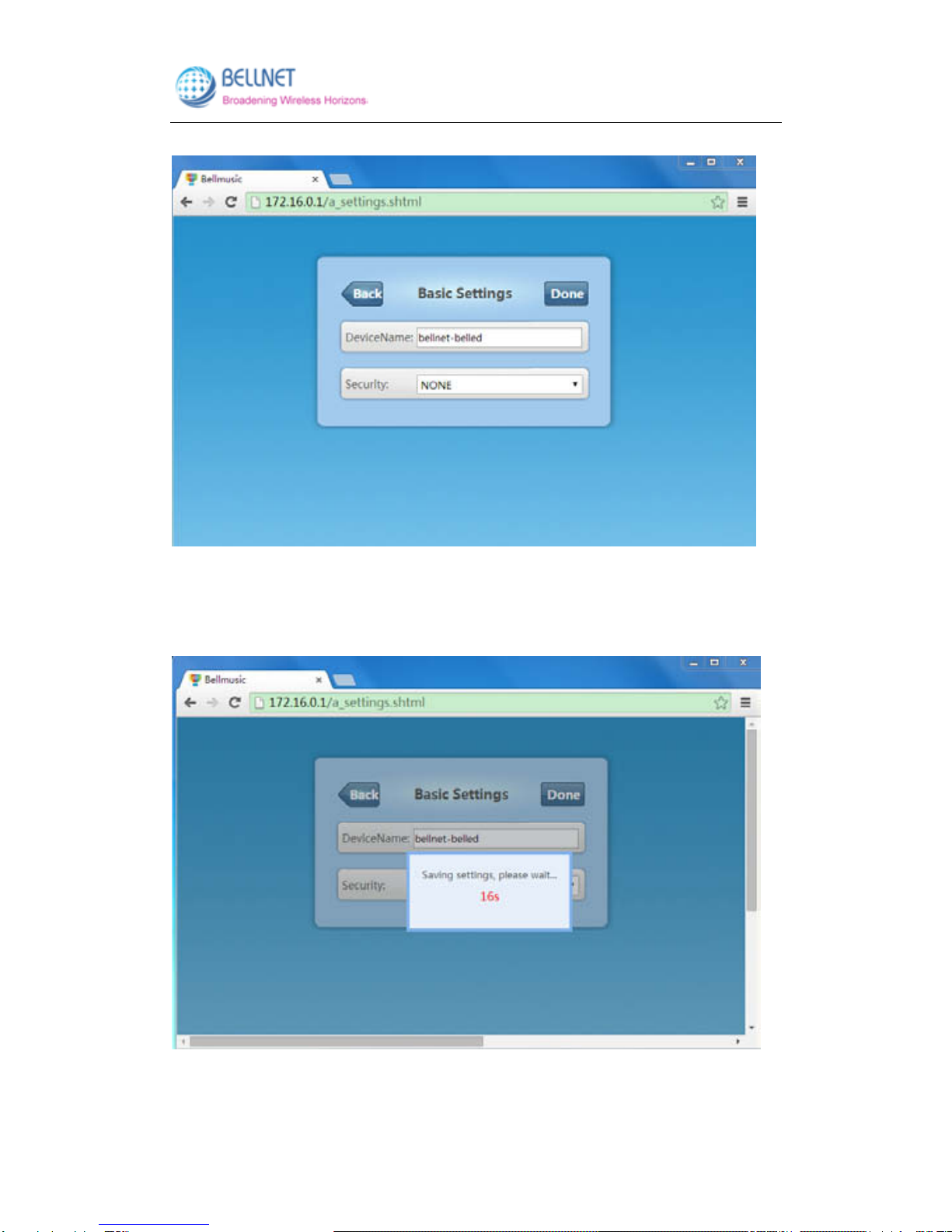
Click “Basic Settings”, to enter the management page (Figure 2-8).
Click “Back”, to go back to MB8800 configuration main page (Figure 2-2).
Figure 2-8 Basic Settings screen
Currently:
The WIFI SSID is bellnet-r74.
Encryption Mode is NONE (no encryption).
You can change the Device Name (Known as WIFI SSID):
1. Input the Device Name which you want in the field. (Figure 2-9)
2. Click “Done” (Figure 2-10), after 20 seconds, it will pop-up a window (Figure 2-11):
Please refresh the page or reconnect your device.
3. Click “Yes”, and refresh the page. Then the Device Name has been changed
successfully. (Figure 2-12)
BELLNET Technologies. ---- MB8800 Belled User Guide
- 10 -
Figure 2-9 Input the Device Name you want in field
Figure 2-10 Click “Done”
Tabla de contenidos


