Specifications
Hotkey Function
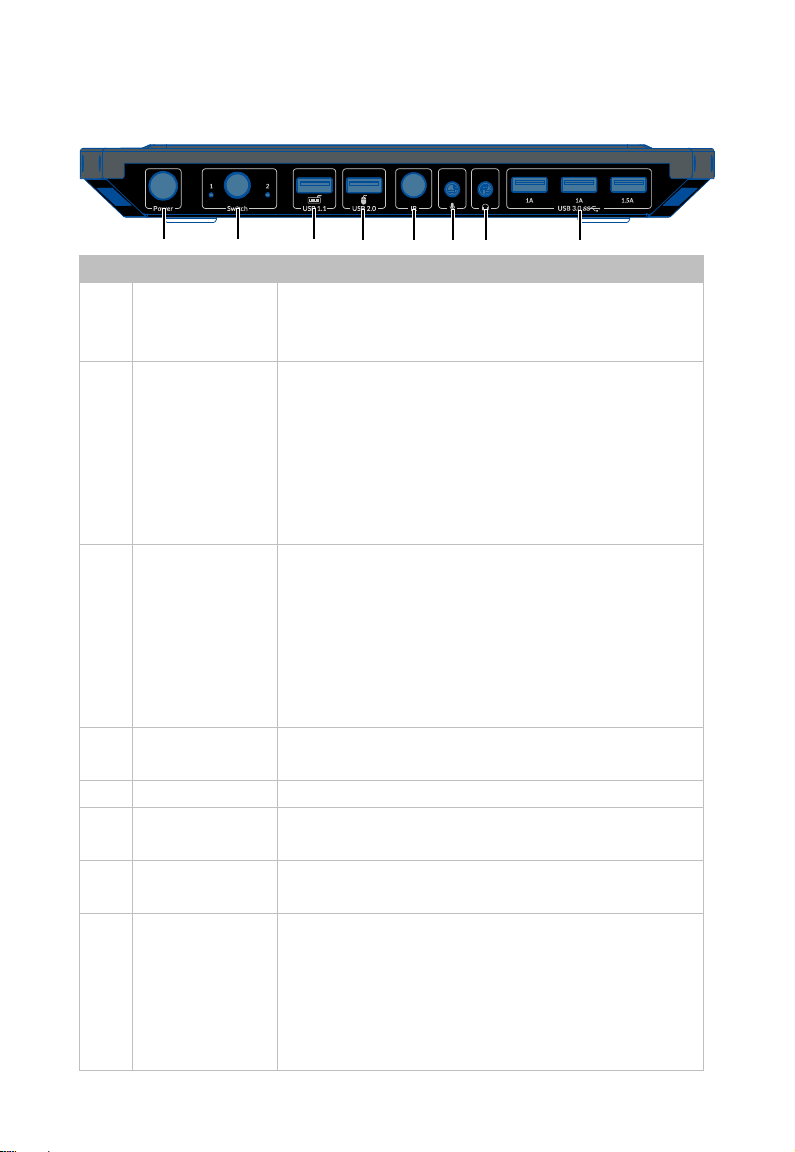
One USB 1.1 port on rear panel of the switcher supports keyboard Hotkey
function.
Supported Hotkey: Tab (default), Left Ctrl, Right Ctrl and Caps Lock
Press the “Hotkey” twice quickly
Press “Hotkey” + “Left” Switch to previous input group (Cycle
Switch to next input group (Cycle group
1->2).
For example:
If you want to use the “Left Ctrl” as a hotkey, press the “Left Ctrl” key twice
quickly to switch the hotkey to it, and other hotkeys are invalid. If you need
to use other hotkeys, please repeat the above steps.
Specifications
Video Signal DP in/out supports DP 2.0/1.4a standard, up to
USB Data USB 3.0, up to 5Gbps data transfer rate. With one
high - power of 5V/1.5A port included.
Input/Output
Resolution
Supported
800 x 6006, 1024 x 7686, 1280 x 7686, 1280 x 8006,
1280 x 9606, 1280 x 10246, 1360 x 7686, 1366 x 7686,
1440 x 9006, 1600 x 9006, 1600 x 12006, 1680 x 10506,
1920 x 12006, 2048 x 11526, 2560 x 14406,7,8,9,10,
3440 x 14406,7,8,9,10
CTA:
1280x720P5,6, 1920x1080P1,2,3,4,5,6,7,8,9,10,11,
3840x2160P1,2,3,4,5,6,7,8, 4096x2160P1,2,3,4,5,6,7,8,
5120x28801,2,3,5,6,8,7680x43201,2,3,5,6,7,8
1 = at 24 (23.98) Hz, 2 = at 25 Hz, 3 = at 30 (29.97) Hz,
4 = at 48 Hz, 5 = at 50 Hz, 6 = 60 (59.94) Hz,
7 = at 100Hz, 8 = at 120Hz, 9 = 144Hz, 10 = 165Hz,