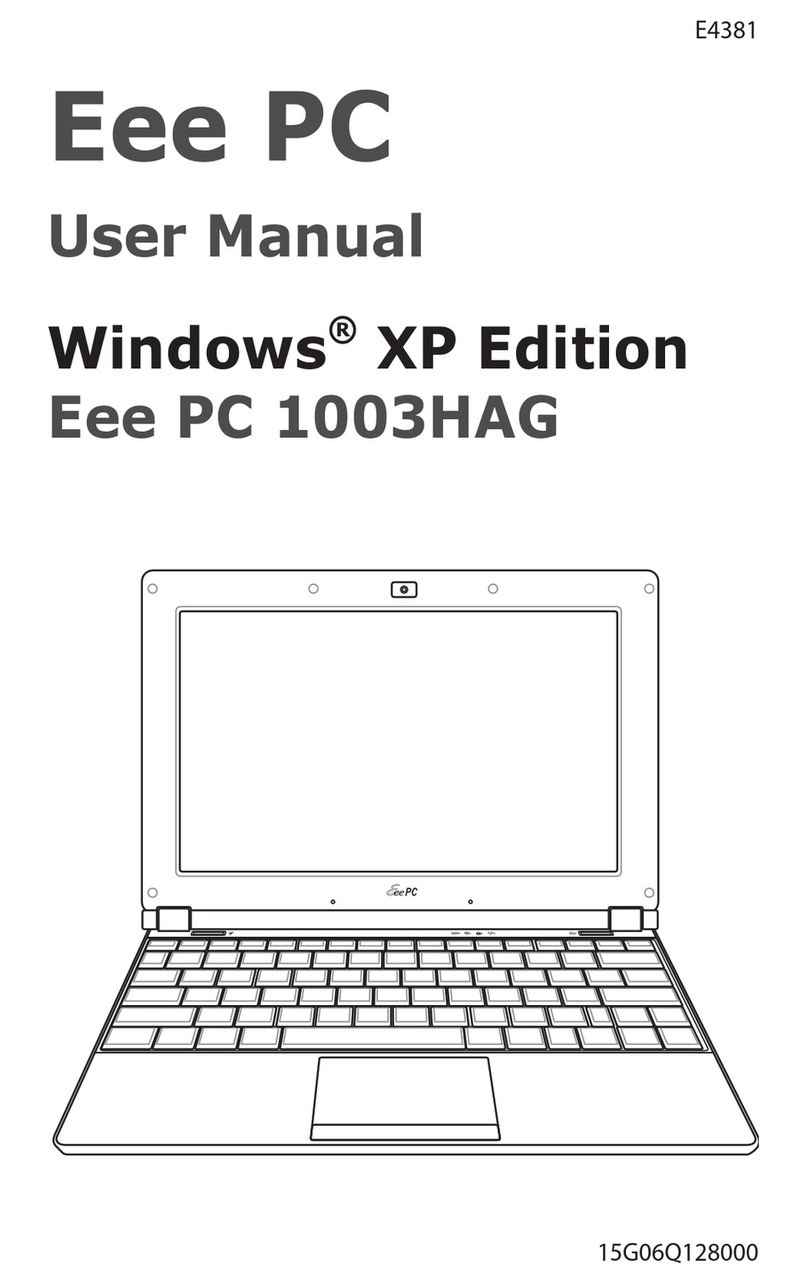
Asus ROG STRIX G533Z Guía

More info:
E18763
First Edition / October 2021

2
Notebook PC E-Manual
COPYRIGHT INFORMATION
No part of this manual, including the products and software described in it, may be reproduced,
transmitted, transcribed, stored in a retrieval system, or translated into any language in any form or by
any means, except documentation kept by the purchaser for backup purposes, without the express
written permission of ASUSTeK COMPUTER INC. (“ASUS”).
ASUS PROVIDES THIS MANUAL“AS IS”WITHOUT WARRANTY OF ANY KIND, EITHER EXPRESS OR IMPLIED,
INCLUDING BUT NOT LIMITED TO THE IMPLIED WARRANTIES OR CONDITIONS OF MERCHANTABILITY OR
FITNESS FOR A PARTICULAR PURPOSE. IN NO EVENT SHALL ASUS, ITS DIRECTORS, OFFICERS, EMPLOYEES
OR AGENTS BE LIABLE FOR ANY INDIRECT, SPECIAL, INCIDENTAL, OR CONSEQUENTIAL DAMAGES
(INCLUDING DAMAGES FOR LOSS OF PROFITS, LOSS OF BUSINESS, LOSS OF USE OR DATA, INTERRUPTION
OF BUSINESS AND THE LIKE), EVEN IF ASUS HAS BEEN ADVISED OF THE POSSIBILITY OF SUCH DAMAGES
ARISING FROM ANY DEFECT OR ERROR IN THIS MANUAL OR PRODUCT.
Products and corporate names appearing in this manual may or may not be registered trademarks or
copyrights of their respective companies, and are used only for identication or explanation and to the
owners’benet, without intent to infringe.
SPECIFICATIONS AND INFORMATION CONTAINED IN THIS MANUAL ARE FURNISHED FOR INFORMATIONAL
USE ONLY, AND ARE SUBJECT TO CHANGE AT ANY TIME WITHOUT NOTICE, AND SHOULD NOT BE
CONSTRUED AS A COMMITMENT BY ASUS. ASUS ASSUMES NO RESPONSIBILITY OR LIABILITY FOR ANY
ERRORS OR INACCURACIESTHAT MAY APPEAR IN THIS MANUAL, INCLUDING THE PRODUCTS AND
SOFTWARE DESCRIBED IN IT.
Copyright © 2021 ASUSTeK COMPUTER INC. All Rights Reserved.
LIMITATION OF LIABILITY
Circumstances may arise where because of a default on ASUS’part or other liability, you are entitled to
recover damages from ASUS. In each such instance, regardless of the basis on which you are entitled to
claim damages from ASUS, ASUS is liable for no more than damages for bodily injury (including death)
and damage to real property and tangible personal property; or any other actual and direct damages
resulted from omission or failure of performing legal duties under this Warranty Statement, up to the
listed contract price of each product.
ASUS will only be responsible for or indemnify you for loss, damages or claims based in contract, tort or
infringement under this Warranty Statement.
This limit also applies to ASUS’suppliers and its reseller. It is the maximum for which ASUS, its suppliers,
and your reseller are collectively responsible.
UNDER NO CIRCUMSTANCES IS ASUS LIABLE FOR ANY OF THE FOLLOWING: (1) THIRD-PARTY CLAIMS
AGAINST YOU FOR DAMAGES; (2) LOSS OF, OR DAMAGE TO,YOUR RECORDS OR DATA; OR (3) SPECIAL,
INCIDENTAL, OR INDIRECT DAMAGES OR FOR ANY ECONOMIC CONSEQUENTIAL DAMAGES (INCLUDING
LOST PROFITS OR SAVINGS), EVEN IF ASUS, ITS SUPPLIERS OR YOUR RESELLER IS INFORMED OF THEIR
POSSIBILITY.
SERVICE AND SUPPORT
Visit our multi-language website at https://www.asus.com/support/.
MyASUS oers a variety of support features including troubleshooting, products performance
optimization, ASUS software integration, and helps you to organize personal desktop and increase
storage space. For more details, please visit https://www.asus.com/support/FAQ/1038301/.

Notebook PC E-Manual
3
Table of Contents
About this manual.....................................................................................................7
Conventions used in this manual ............................................................................. 8
Icons .................................................................................................................................... 8
Typography....................................................................................................................... 8
Safety precautions.....................................................................................................9
Using your Notebook PC.............................................................................................. 9
Caring for your Notebook PC..................................................................................... 10
Proper disposal................................................................................................................ 11
Battery safety information...........................................................................................12
Chapter 1: Hardware Setup
Getting to know your Notebook PC ...................................................................16
Top View (lid open).........................................................................................................16
Top View (lid closed)...................................................................................................... 21
Bottom View..................................................................................................................... 22
Right View.......................................................................................................................... 24
Left View............................................................................................................................. 25
Rear View ........................................................................................................................... 26
Replacing your Customizable Armor Cap.............................................................. 29
Chapter 2: Using your Notebook PC
Getting started ...........................................................................................................32
Charge your Notebook PC........................................................................................... 32
Lift to open the display panel .................................................................................... 35
Press the power button................................................................................................ 35
Using the touchpad..................................................................................................36
Using the keyboard...................................................................................................43
Function keys................................................................................................................... 43
Windows keys .................................................................................................................. 45
Using the NumberPad .................................................................................................. 46

4
Notebook PC E-Manual
Chapter 3: Working with Windows
Starting for the rst time.........................................................................................48
Start menu ...................................................................................................................49
Windows apps ............................................................................................................51
Working with Windows apps...................................................................................... 52
Customizing Windows apps ....................................................................................... 52
Task view.......................................................................................................................54
Widgets .........................................................................................................................55
Snap feature ................................................................................................................57
Snap hotspots.................................................................................................................. 57
Action Center ..............................................................................................................59
MyASUS Splendid......................................................................................................61
Setting the OLED display........................................................................................63
Setting the Dark Mode ................................................................................................. 63
Turning o the display when not in use.................................................................65
Adjusting display brightness...................................................................................... 67
Auto-hide the taskbar................................................................................................... 69
Setting the Dark Mode in Microsoft Oce............................................................ 71
Other keyboard shortcuts ......................................................................................72
Connecting to wireless networks ........................................................................74
Wi-Fi..................................................................................................................................... 74
Bluetooth........................................................................................................................... 75
Airplane mode................................................................................................................. 76
Connecting to wired networks.............................................................................77
Turning your Notebook PC o..............................................................................79
Putting your Notebook PC to sleep ....................................................................80

Notebook PC E-Manual
5
Chapter 4: Power-On Self-Test (POST)
The Power-On Self-Test (POST).............................................................................82
Using POST to access BIOS and Troubleshoot...................................................... 82
BIOS ................................................................................................................................82
Accessing BIOS ................................................................................................................ 82
Recovering your system..........................................................................................83
Performing a recovery option.................................................................................... 84
Tips and FAQs
Useful tips for your Notebook PC ........................................................................88
Hardware FAQs...........................................................................................................90
Software FAQs.............................................................................................................93
Appendices
Overview............................................................................................................................ 96
Network Compatibility Declaration......................................................................... 96
Non-Voice Equipment .................................................................................................. 96
Federal Communications Commission Interference Statement................... 98
FCC Radio Frequency (RF) Exposure Caution Statement................................. 99
Compliance Statement of Innovation, Science and Economic
Development Canada (ISED)...................................................................................... 100
Déclaration de conformité de Innovation, Sciences et Développement
économique Canada (ISED)........................................................................................ 100
Radiation Exposure Statement.................................................................................. 101
Déclaration d’exposition aux radiations................................................................. 101

6
Notebook PC E-Manual
UL Safety Notices............................................................................................................ 102
Power Safety Requirement.......................................................................................... 103
TV Notices ......................................................................................................................... 103
Macrovision Corporation Product Notice.............................................................. 103
Prevention of Hearing Loss......................................................................................... 103
Nordic Lithium Cautions (for lithium-ion batteries)........................................... 104
CTR 21 Approval (for Notebook PC with built-in Modem) .............................. 105
Declaration of Compliance for Product Environmental Regulation............. 107
EU REACH and Article 33.............................................................................................. 107
EU RoHS.............................................................................................................................. 107
Japan JIS-C-0950 Material Declarations ................................................................. 107
India RoHS......................................................................................................................... 107
Coating Notice................................................................................................................. 108
ASUS Recycling/Takeback Services.......................................................................... 108
Rechargeable Battery Recycling Service in North America............................. 108
Vietnam RoHS.................................................................................................................. 108
Regional notice for Singapore................................................................................... 108
Ecodesign Directive....................................................................................................... 109
EPEAT Registered Products......................................................................................... 109
Notices for removable batteries................................................................................ 109
Avis concernant les batteries remplaçables..........................................................109
Simplied EU Declaration of Conformity............................................................... 110
Simplied UKCA Declaration of Conformity......................................................... 110

Notebook PC E-Manual
7
About this manual
This manual provides information about the hardware and software
features of your Notebook PC, organized through the following
chapters:
Chapter 1: Hardware Setup
This chapter details the hardware components of your Notebook
PC.
Chapter 2: Using your Notebook PC
This chapter shows you how to use the dierent parts of your
Notebook PC.
Chapter 3: Working with Windows
This chapter provides an overview of using Windows in your
Notebook PC.
Chapter 4: Power-On Self-Test (POST)
This chapter shows you how to use POST to change the settings
of your Notebook PC.
Tips and FAQs
This section presents some recommended tips, hardware FAQs,
and software FAQs you can refer to for maintaining and xing
common issues with your Notebook PC.
Appendices
This section includes notices and safety statements for your
Notebook PC.

8
Notebook PC E-Manual
Conventions used in this manual
To highlight key information in this manual, some text are presented as
follows:
IMPORTANT! This message contains vital information that must be
followed to complete a task.
NOTE: This message contains additional information and tips that can
help complete tasks.
WARNING! This message contains important information that must be
followed to keep you safe while performing tasks and prevent damage to
your Notebook PC’s data and components.
Typography
Bold = This indicates a menu or an item that must be selected.
Italic = This indicates sections that you can refer to in this manual.
= Use the touchpad.
= Use the keyboard.
Icons
The icons below indicate the devices you can use for completing a
series of tasks or procedures on your Notebook PC.

Notebook PC E-Manual
9
Safety precautions
Using your Notebook PC
This Notebook PC should only be used in
environments with ambient temperatures between
5°C (41°F) and 35°C (95°F).
Refer to the rating label on the bottom of your
Notebook PC and ensure that your power adapter
complies with this rating.
Your Notebook PC can get warm to hot while in use
or while charging the battery pack. Do not leave
your Notebook PC on your lap or near any part
of your body to prevent injury from heat. When
working on your Notebook PC, do not place it on
surfaces that can block the vents.
Do not use damaged power cords, accessories, and
other peripherals with your Notebook PC.
While powered on, ensure that you do not carry or
cover your Notebook PC with any materials that can
reduce air circulation.
Do not place your Notebook PC on uneven or
unstable work surfaces.
You can send your Notebook PC through x-ray
machines (used on items placed on conveyor belts),
but do not expose them to magnetic detectors and
wands.
Contact your airline provider to learn about related
in-ight services that can be used and restrictions
that must be followed when using your Notebook
PC in-ight.

10
Notebook PC E-Manual
Caring for your Notebook PC
Disconnect the AC power and remove the battery
pack (if applicable) before cleaning your Notebook
PC. Use a clean cellulose sponge or chamois cloth
dampened with a solution of nonabrasive detergent
and a few drops of warm water. Remove any extra
moisture from your Notebook PC using a dry cloth.
Keep any liquids from entering the chassis or
keyboard gap to prevent short circuit or corrosion.
Do not use strong solvents such as thinners,
benzene, or other chemicals on or near your
Notebook PC.
Do not place objects on top of your Notebook PC.
Do not expose your Notebook PC to strong
magnetic or electrical elds.
Do not use or expose your Notebook PC near
liquids, rain, or moisture.
Do not expose your Notebook PC to dusty
environments.
Tabla de contenidos
Otros manuales de Computadora portátil de Asus

Asus
Asus ROG STRIX G733Z Manual de usuario

Asus
Asus ZenBook Flip 14 Manual de usuario

Asus
Asus Eee PC 701SD Series Manual de usuario

Asus
Asus L402NA-GA047TS Guía

Asus
Asus I7914 Manual de servicio

Asus
Asus Eee PC X101 Manual de usuario

Asus
Asus U80V Manual de usuario

Asus
Asus BU201 Guía

Asus
Asus A40JK Manual de usuario

Asus
Asus G series Manual de usuario

Asus
Asus UX301LA Guía

Asus
Asus Eee PC 4G Surf Manual de usuario

Asus
Asus L84L Manual

Asus
Asus Eee PC T91 Manual de usuario

Asus
Asus ExpertBook B9 Guía

Asus
Asus U32U Manual de usuario

Asus
Asus K72JK Manual de usuario

Asus
Asus ROG Strix GL553VE Manual de usuario

Asus
Asus E7386 Manual de usuario

Asus
Asus UX30 Manual de usuario