
AGPtek W06 Manual de usuario

Smart Watch User Manual

CONTENT
English
Deutsch
Français
Italiano
Español
日本語
01/07
08/15
16/23
24/31
32/39
40/45

1
Before Use
Thank you for purchasing this product. Please read this user manual carefully
before use and keep this instruction for future reference. If you have any
problem about this product, please feel free to contact us at
How to wear
Generally wear at 1-2 finger width from wrist join. The sensor of smart watch
should be close to skin. Sensor for accurate heart rate monitoring result, it is not
recommended to wear tightly and does not shake. Otherwise, it will affect the
blood circulation.
Notes
With the functions of water resistant, sweat proof, rain-proof, it can be used
directly in daily washing, shower (cold water) and other daily environments.
Do not use in bath, sauna, hot spring or other hot environments with hot water
and steam, which will lead to product failure.
Owing to the action of water pressure, do not wear it while swimming or diving.
Turn On/Off
1.Turn On: When in Power off, hold the Multi-Function Button(MFB) for 5s to
turn on the watch.
2.Turn Off: When in Power on, find the On/Off shutdown interface, hold the
MFB for 5s and select “yes” to turn off.
Note:When LED indicator is flashing, it means the watch is monitoring heart
rate,blood pressure. Do not directly look at the blinking sensor light when
detecting, which may cause eye irritation.
2
Charging Watch
1.Attach the equipped magnetic charger to the metal contact on the back of
the watch, and insert the other end of the charger into USB wall charger or USB
interface of computer.
Charge under the following circumstances:
Use at the first time;
When the battery is low and power off automatically.
2.Screen displays in charging state.
Note: Do not directly look at the blinking sensor light when charging, which may
cause eye irritation.
Operation
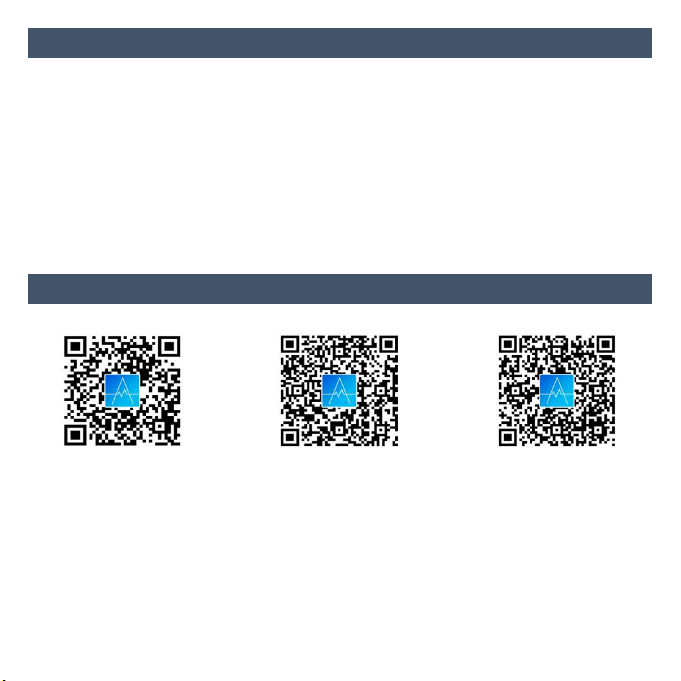
1.App Download & Supported System.
iOS Google Play Android
You can download and install the App “AGPTEK” by scanning the QR code
above or search “AGPTEK” in “App store” on iPhones or in “Google play” on
Android phones. When successfully connected to your phone, it will
automatically sync data and analyze your activities.
Note: Mobile phone must support Android 4.4 or iOS 8.2 or above and
Bluetooth 4.0 or above.
2.Bind Smart Watch to App.

3
1) Click “Mine” in the“AGPTEK”App.
2) Click “Connect to tracker”, and select “W06” in the scanned device list to
connect.
At this moment, there are two situations:
•iOS system: A pairing request will Appear, so you just click "Confirm" to
connect.
•Android phones: No pairing request, directly connect.
3) Binding is complete.
Note: You need to bind your watch in this App, not directly via phone's Bluetooth
connection.(Take Android phone as an example)
☆Bluetooth Auto Reconnection
1.There is no reminder on the watch when out of the Bluetooth connection
range. However, Bluetooth will automatically reconnect when the watch reaches
the valid range of the Bluetooth connection.
2.If you close the background application or restart the phone or click on“one
click clean-up”of the phone, you need to enter into
“AGPTEK”App again. And

4
Bluetooth will automatically reconnect within the valid range of Bluetooth
connection.
Features
1.Time Synchronization
When the watch and App are first paired and connected, the time, date, steps
and calorie symbols of the watch will be synchronized to mobile phone. If they
disconnect for a long time, the data of time can not update. It needs to bind App
once again to update the data.
2.Lift Wrist to Activate Screen
Turn on the function of Lift wrist to activate display, generally off by default. Note:
App can turn on/off this function on the watch.
3.Multiple Time Dial
In Clock interface, hold MFB for 4s in turns to cycle through 4
different dials.
Default Once Twice Third
4.SMS Reminder
The watch will vibrate to remind you when receiving new messages pushed by

5
the Apps. These messages will save in the message interface of watch. It can
store up to 3 message. If the watch has received over 3 messages, it will be
replaced the previous messages one by one.
5.Sleep Monitor
Record your sleep from 22:00 pm of the current day to 8:00 am of the next day.
The watch exits sleep monitoring mode after generating the data. The sleeping
data detected by the watch will be synchronized and updated to the “Sleep” in
App through manually pulling down the the “Today” interface of App.
6.Heart Rate & Blood Pressure Monitor
Find the Heart rate/Blood pressure interface, the watch will automatically
monitor your heart rate/blood pressure for about 30s. In addition, you can turn
on Continuous heart rate monitoring in App’s “Device Management”(Mine -
Device Management - select to turn on “Continuous heart rate monitoring”).
After that, the watch will automatically start to continuously monitor your heart
rate every 5 minutes, and synchronize the data to App.
Note:
1) When you are monitoring your heart rate in watch, the endurance of the
watch will decrease.
2) Although this product is used to dynamically detect heart rate in real time,
please keep your body inactive or stilly sit while detecting heart rate. Otherwise
the time for heart rate monitor will be prolonged or no data can be measured.
After the watch had gotten the measuring data, You can view the real-time
dynamic heart rate data or move. If there is a big difference in the measured
data, please take a break to re-measure. The average value obtained after 5
consecutive measurements will be more accurate.

6
3) This product is a real-time dynamic heart rate measurement, so the heart rate
will be different when talking, eating, drinking, etc. The monitoring value may be
closer to your actual situation when you are peaceful.
4) The data of blood pressure measurement are for reference only. It cannot be
used as a basis for medical related aspects.
7.Alarm Clock Setting
Five alarm clocks can be set in App. Delete the alarm clock that you want to in
App via sliding the alarm clock left. After setting, it will be synchronized to the
watch. When the alarm is activated, the watch will vibrate to remind you. Just
hold MFB for 3s to stop alarming.
8.Shake Snapshot
Click “Shake Snapshot” in App. Control your mobile phone via shaking the
watch to capture the moment.
9.MultiI-Sports Modes
Turn on Location information of your mobile phone. Select Sport and click Start
to begin to run.
Sports modes: Running, Mountaineering, Riding, Swimming, Ping Pong,
Basketball, Badminton, Football.
Select one of sports that you want to access to via holding MFB for 3s in the
watch. Hold it for 3s again to start to detect your status when you doing this sport.
Hold it for 3s once again to exit this sports.

7
Specifications
Dimensions
41.4*32.7*9.8mm
Product weight
40.2g
Screen
1.3 TFT color screen
Resolution
240*240 dpi
Body material
Metal
Band material
TPU
Battery
170mAh
Standby time
20 days
Working time
6-8 days
Bluetooth effective
distance
10m(In the open space)
Charging
5V/500mA USB charger; Computer USB
Charging time
3 hours
Waterproof
IP67
Support message
notification
QQ/Wechat/Linkedin/Skype/Facebook/Twitter/Whats
App/Viber/Line
Compatibility
iOS8.2+/Android4.4/Smartphones with
Bluetooth 4.0 or above;
PC/iPad/Tablet/HuaweiP8/SamsungS7&S8&J3/LG
/Windows Phone/PC/Tablet computer

8
Vor Gebrauch
Vielen Dank, dass Sie sich für dieses Produkt entschieden haben. Bitte lesen Sie
diese Bedienungsanleitung vor der Verwendung sorgfältig durch und bewahren
Sie diese zum späteren Nachschlagen auf. Wenn Sie Probleme mit diesem
Produkt haben, wenden Sie sich bitte an support@agptek.com.
Wie zu tragen
Tragen Sie im Allgemeinen 1-2 Fingerbreite vom Handgelenk. Der Sensor der
Smart Watch sollte hautnah sein. Sensor für genaue Überwachung der
Herzfrequenz, es wird empfohlen, nicht zu fest und nicht zu lose zu sein.
Andernfalls wird die Durchblutung
Hinweise
Mit den Funktionen wasserfest, schweißfest und regenfest kann es direkt beim
täglichen Waschen, Duschen (kaltes Wasser) und anderen täglichen
Umgebungen verwendet werden.
Nicht in Badewannen, Saunen, Spas oder anderen heißen Umgebungen mit
heißem Wasser und Dampf verwenden, da dies zu Produktfehlern führen kann
An/Ausschalten
1.Einschalten: Halten Sie im ausgeschalteten Zustand die Multifunktionstaste
(MFB) 5 Sekunden lang gedrückt, um die Uhr einzuschalten.
2.Ausschalten: Suchen Sie die Ein-/Aus-Schnittstelle, halten Sie den MFB 5
Sekunden lang gedrückt und wählen Sie „Ja“, um ihn auszuschalten.
Hinweis: Wenn die LED blinkt, zeigt sie an, dass die Uhr die Herzfrequenz und
den Blutdruck überwacht. Schauen Sie während des Tests nicht direkt auf die
blinkende LED, da dies zu Augenreizungen führen kann..
Otros manuales para W06
1
Tabla de contenidos
Idiomas:
Otros manuales de Mirar de AGPtek

AGPtek
AGPtek G20 Instrucciones de funcionamiento y seguridad

AGPtek
AGPtek W3 Manual de usuario

AGPtek
AGPtek W06 Manual de usuario

AGPtek
AGPtek LW11 Manual de usuario

AGPtek
AGPtek LW11 Instrucciones de funcionamiento y seguridad

AGPtek
AGPtek W20 Manual de usuario

AGPtek
AGPtek LW31 Manual de usuario

AGPtek
AGPtek SW03 Manual de usuario

AGPtek
AGPtek LW31 Manual de usuario

AGPtek
AGPtek LW11 Instrucciones de funcionamiento y seguridad


