
Aetechron T1000 Manual de usuario

T1000 Transformer Instructions page 1 Information subject to change.
97-8002536 - 6-20-2023 www.aetechron.com
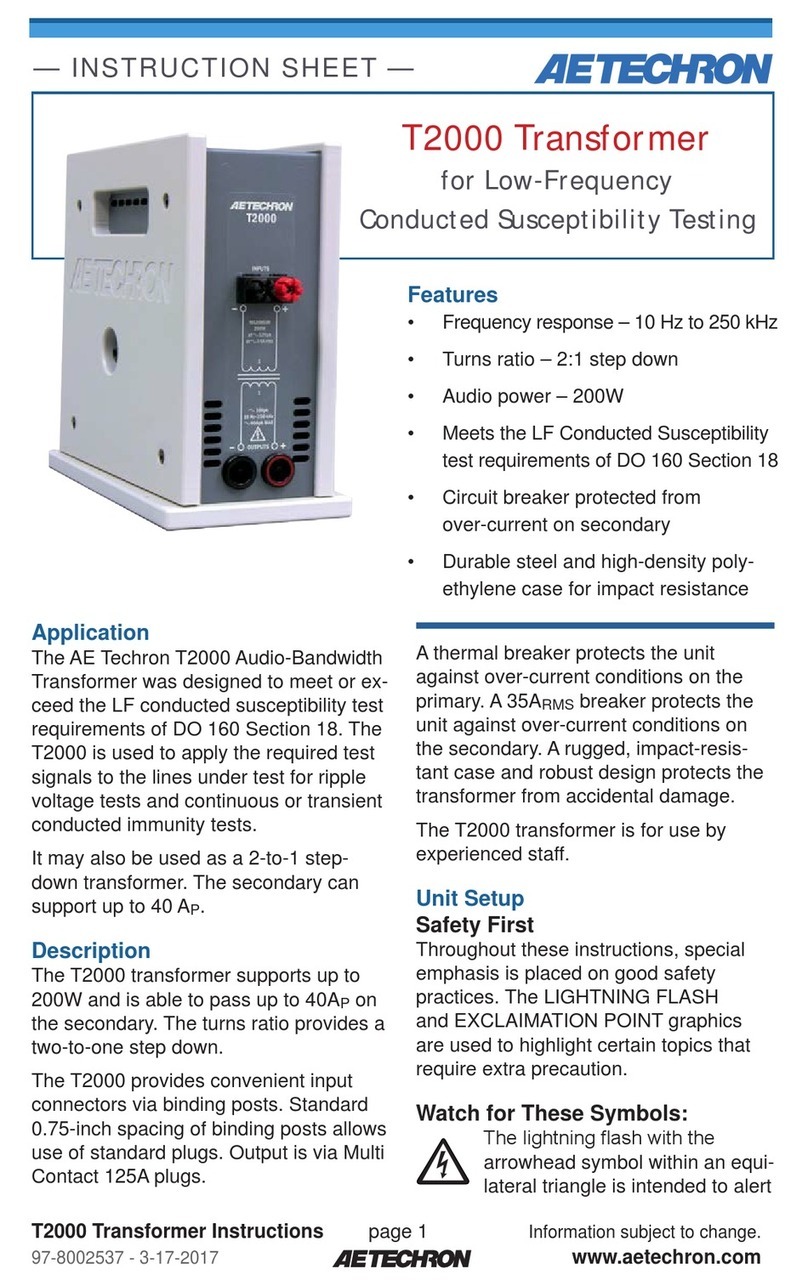
T1000 Transformer
for Magnetic-Field
Susceptibility Testing
Application
The AE Techron T1000 Magnetic-Field
Susceptibility Transformer was designed
to exceed the AF Magnetic Field sus-
ceptibility test requirements of DO 160
Section 19 and Boeing D6-16050-5
Section 7.2.
It may also be used as 10-to-1 step-down
transformer for output currents of up to
100 ARMS.
Description
The T1000 transformer provides up to
300 A-m and is able to generate up to
100ARMS. The turns ratio provides a
ten-to-one step down to the secondary
winding.
The T1000 provides convenient input
connectors via binding posts. Standard
0.75-inch spacing of binding posts allows
use of standard plugs. Output is via 150A
feed-through terminal block connectors.
The connectors accept up to 1/0 AWG
wire.
Features
• Up to 100ARMS secondary current
• ExceedsAF Magnetic Field test
requirements of DO 160 Section 19
and Boeing D6-16050-5 Section 7.2
• Circuit breaker protected from
over-current
• Durable steel and high-density poly-
ethylene case for impact resistance
A 12-amp circuit breaker protects the
unit against over-current conditions. A
rugged, impact-resistant case and robust
design protects the transformer from
accidental damage.
The T1000 transformer is for use by
experienced sta.
Unit Setup
Safety First
Throughout these instructions, special
emphasis is placed on good safety
practices. The LIGHTNING FLASH
and EXCLAIMATION POINT graphics
are used to highlight certain topics that
require extra precaution.
Watch for These Symbols:
The lightning ash with the
arrowhead symbol within an
equilateral triangle is intended to
alert the user to the presence of “danger-
— INSTRUCTION SHEET —

T1000 Transformer Instructions page 2 Information subject to change.
97-8002536 - 6-20-2023 www.aetechron.com
ous voltage” inside the product that may
constitute a risk of electric shock.
The exclamation point within an
equilateral triangle is intended
to alert the user to the presence
of important operating and maintenance
instructions in the literature accompany-
ing the product.
Important Safety Instructions
1. Read and keep these instructions.
Follow all instructions and heed all
warnings.
2. Do not use this apparatus near
water. To reduce the risk of re or
electric shock, do not expose this
apparatus to rain or moisture. Do
not expose this equipment to drip-
ping or splashing and ensure that
no objects lled with liquids, such as
vases, are placed on the equipment.
3. Disconnect this product from all
sources of electrical power before
cleaning. Use a damp cloth for
cleaning. Clean the outside of the
product only.
4. Care should be taken so that ob-
jects do not fall into the product.
5. Do not block any ventilation open-
ings. Install in accordance with the
manufacturer’s instructions.
6. Do not install near any heat sources
such as radiators, heat registers,
stoves, or other apparatus (including
ampliers) that produce heat.
7. Only use attachments/accessories
specied by the manufacturer.
8. Refer all servicing to qualied ser-
vice personnel. Servicing is required
when the apparatus has been dam-
aged in any way, such as liquid has
been spilled or objects have fallen
into the apparatus, the apparatus
has been exposed to rain or mois-
ture, does not operate normally, or
has been dropped.
9. Do not remove product covers.
No user serviceable parts inside.
Refer servicing to qualied service
personnel.
10. Always use the appropriate wire
size and insulator for maximum
voltage and current expected.
11. Operating conditions: 10°C to 40°C;
Humidity: 70% or less, non-con-
densing.
Unpacking
Carefully unpack and inspect the unit.
Please note any damage for future ref-
erence and notify the shipping company
immediately if damage is found. Also,
please save the shipping carton and
materials as evidence of damage and/or
for returning the unit for repair.
Connecting the T1000
Transformer (see Figure 1)
1. Before connecting the T1000, make
sure all equipment you are connect-
ing is disconnected from AC power.
2. Connect from a power amplier, an-
other power source, or a simulated
load to your equipment under test.
3. Connect from a power amplier
to the T1000 4-way binding post
input connectors. Connection can
be made with cables terminated
with spade lugs, banana plugs, pin
connectors or bare wire.
4. Create a cable usingAWG 3 to
1/0 wire. Connect from the T1000
output connectors to the radiating
wire loop.
Equipment Maintenance
To prevent electric shock, do
not remove product covers. No

T1000 Transformer Instructions page 3 Information subject to change.
97-8002536 - 6-20-2023 www.aetechron.com
T1000 Transformer
Primary
Connect
Transformer
to Output of
Power
Amplifier
Primary
70 turns
Secondary
7 turns
+ effective
turns
Secondary
0-100Arms
HI HI
Low Low
Unit Under Test
Unit or Simulated
Load of System
Under Test
Connect
to Signal
Generator
Figure 1 – DO 160 Section 19 Test Load Wiring
user serviceable parts inside. Internal
fuses should only be replaced by a
service technician. Refer all servicing
to qualied service personnel.
Disconnect this product before cleaning.
Use a damp cloth for cleaning. Clean the
outside of the product only.
Factory Service
If the unit fails to perform, it may need to
be returned for Factory Service. All units
under warranty will be serviced free of
charge (customer is responsible for one-
way shipping charges as well as any cus-
tom fees, duties, and/or taxes). Please
review the Warranty included with this
Instruction Sheet for more information.
All service units must be given Return
Authorization by AE Techron, Inc. before
being returned. Return Authorizations
can be requested on our website or by
contacting our Customer Service Depart-
ment.
Please take extra care when packaging
your unit for repair. It should be returned
in its original packaging or a suitable
alternative. Replacement packaging
materials can be purchased for a nominal
fee.
Please send all service units to the
following address and be sure to include
your Return Authorization Number on the
box.
AE Techron, Inc.
Attn: Service Department / RMA#
2507 Warren Street
Elkhart, IN 46516
Specications
Performance Specications
Primary:
200 VPmaximum input
Secondary:
20.0 VPmaximum output
Dielectric Test:
1200 VDC
Turns Ratio:
Ten-to-one step down
Protection:
Input power-protected via circuit breaker
Controls and Connectors
(see Figure 2)
Input Terminals:
4-way binding posts

T1000 Transformer Instructions page 4 Information subject to change.
97-8002536 - 6-20-2023 www.aetechron.com
Output Terminals:
Feed-through terminal block (150A)
Circuit Breaker:
Primary input limited to 12A via circuit
breaker; push to reset
Physical Characteristics
Case:
Steel interior shell with a durable
external shell made from high-density
polyethylene for impact resistance.
Operating Conditions,
Temperature: 10°C to 40°C (50°F to
104°F)
Humidity: 70% or less, non-condensing
Recommended Ambient Temperature:
25°C (77°F)
Cooling:
Natural air convection
Weight:
15 lbs. (6.8 kg)
Dimensions (HxWxD):
9.75 in. x 5.25 in. x 10.375 in. (24.8 cm x
13.3 cm x 26.4 cm)
Additional Product Information
This manual does not include all of the
details of design, production, or varia-
tions of the equipment. Nor does it cover
every possible situation which may arise
during installation, operation or mainte-
nance.
Additional information may be included
with your unit via digital media and is
also available at the AE Techron website
at www.aetechron.com.
INPUTS
OUTPUTS RESET
Figure 2 – T1000 Controls and Connectors

T1000 Transformer Instructions page 5 Information subject to change.
97-8002536 - 6-20-2023 www.aetechron.com
Information Accuracy
The information provided in this manual
was deemed accurate as of the publi-
cation date. However, updates to this
information may have occurred. To obtain
the latest information for your unit, please
visit the AE Techron website at www.
aetechron.com.
Figure 3 – T1000 Maximum SOA (safe operating area)
Trademark Notice
AE Techron is a registered trademark of
AE Techron, Inc. Other trademarks are
the property of their respective owners.

T1000 Transformer Instructions page 6 Information subject to change.
97-8002536 - 6-20-2023 www.aetechron.com
Three-Year, No-Fault Warranty
defects or damage caused by the use of
unauthorized modications, accessories,
parts, or service.
WHAT WE WILL DO
We will remedy any defect, regardless of
the reason for failure (except as exclud-
ed), by repair or replacement, at our
sole discretion. Warranty work can only
be performed at our authorized service
centers or at our factory.
Expenses in remedying the defect will
be borne by AE TECHRON INC., in-
cluding one-way surface freight shipping
costs within the United States. (Purchas-
er must bear the expense of shipping
the product between any foreign country
and the port of entry in the United States
and all taxes, duties, and other customs
fees for such foreign shipments.
HOW TO OBTAIN
WARRANTY SERVICE
When you notify us of your need for
warranty service, we will give you an au-
thorization to return the product for ser-
vice. All components must be shipped
in a factory pack or equivalent which, if
needed, may be obtained from us for a
nominal charge. We will take corrective
actions within a reasonable time of the
date of receipt of the defective product.
If the repairs made by us are not satis-
factory, notify us immediately.
SUMMARY OF WARRANTY
AE TECHRON INC., of Elkhart, Indiana
(Warrantor) warrants to you, the ORIGI-
NAL COMMERCIAL PURCHASER and
ANY SUBSEQUENT OWNER of each
NEW AE TECHRON INC. product,
for a period of three (3) years from
the date of purchase, by the original
purchaser (warranty period) that the
product is free of defects in materials
and workmanship and will meet or ex-
ceed all advertised specications for
such a product. We further warrant
the new AE Techron product regard-
less of the reason for failure, except
as excluded in the Warranty.
ITEMS EXCLUDED
FROM WARRANTY
This AE Techron Warranty is in eect
only for failure of a new AE Techron
product which occurred within the War-
ranty Period. It does not cover any prod-
uct which has been damaged because
of any intentional misuse, or loss which
is covered under any of your insurance
contracts. This warranty does not extend
to any product on which the serial
number has been defaced, altered, or
removed. It does not cover damage to
loads or any other products or acces-
sories resulting from AE TECHRON
INC. product failure. It does not cover

T1000 Transformer Instructions page 7 Information subject to change.
97-8002536 - 6-20-2023 www.aetechron.com
DISCLAIMER OF CONSEQUENTIAL
AND INCIDENTAL DAMAGES
You are not entitled to recover from us
any consequential or incidental damages
resulting from any defect in our product.
This includes any damage to another
product or products resulting from such
a defect.
WARRANTYALTERATIONS
No person has the authority to enlarge,
amend, or modify this warranty. The
warranty is not extended by the length
of time for which you are deprived of the
use of this product. Repairs and replace-
ment parts provided under the terms of
this warranty shall carry only the unex-
pired portion of this warranty.
DESIGN CHANGES
We reserve the right to change the
design of any product from time to time
without notice and with no obligation to
make corresponding changes in products
previously manufactured.
LEGAL REMEDIES OF PURCHASER
There is no warranty that extends
beyond the terms hereof. This written
warranty is given in lieu of any oral or
implied warranties not contained herein.
We disclaim all implied warranties,
including, without limitation, any warran-
ties of merchantability or tness for a par-
ticular purpose. No action to enforce this
Warranty shall be commenced later than
ninety (90) days after expiration of the
warranty period. This statement of war-
ranty supersedes any others contained in
this manual for AE Techron products.
AE Techron, Inc.
Customer Service Department
2507 Warren Street
Elkhart, IN 46516
U.S.A.
574.295.9495
www.aetechron.com
Tabla de contenidos
Otros manuales de Transformador de Aetechron



Manuales populares de Transformador de otras marcas


Delta Electronics
Delta Electronics Current Sense Transformers TCE1906H Manual de usuario

Hobart
Hobart 6T28-600CL Manual de usuario

Shinkawa
Shinkawa LS Series Manual de usuario

Huawei
Huawei JUPITER-3000K-H1 Manual de usuario

Monacor
Monacor IMG STAGELINE LTR-102 Manual de usuario

Lionel
Lionel ZW Manual de usuario


