
AdventistSat Fortec Mercury II Manual de usuario
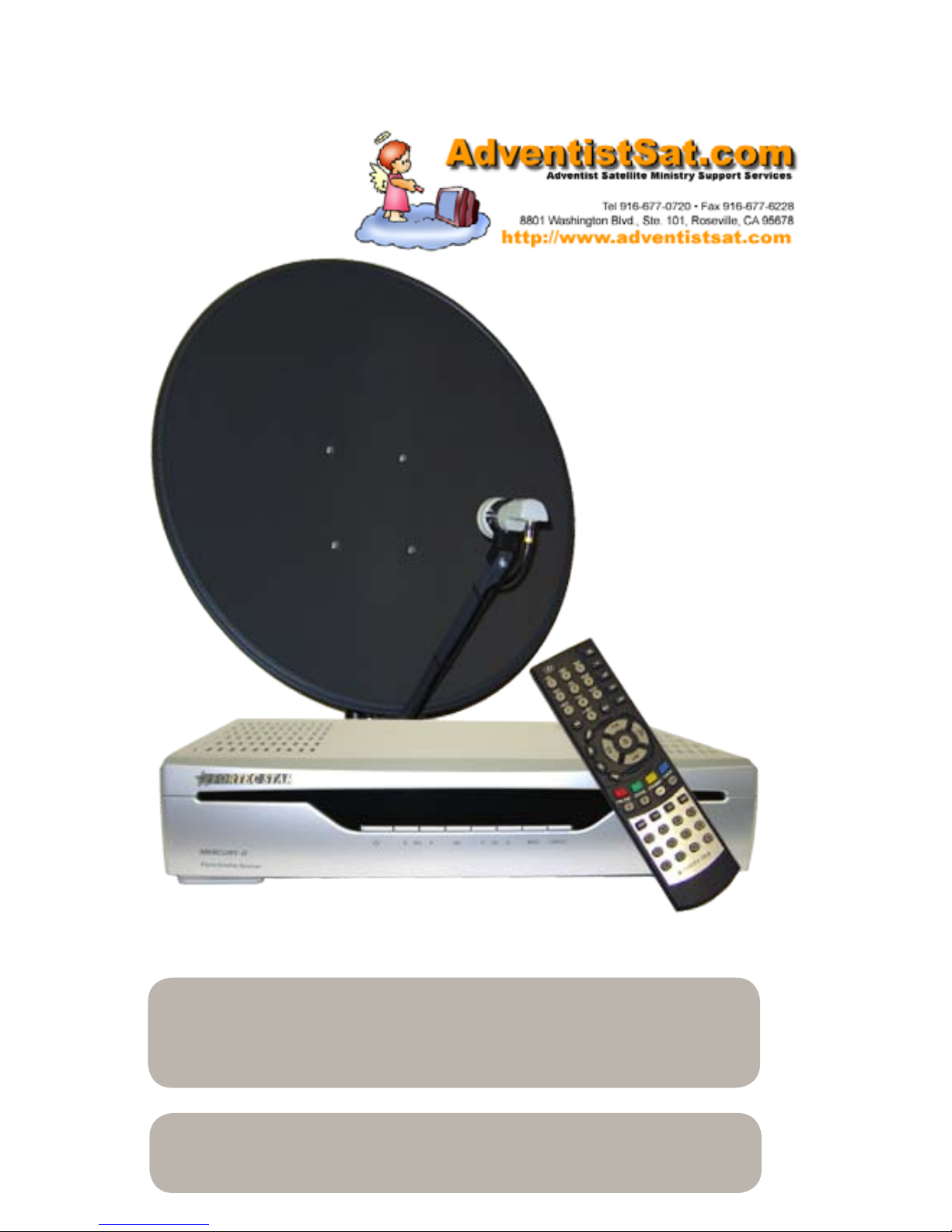
AdventistSat Installation Guide
Satellite System for Reception of Satellite AMC4
Fortec Mercury II
v.6 4.29.2008
Important Notice: Your equipment must be
activated before installation. Please follow the simple
activation process on page 23 of this manual.
Professional Installers:
Quick Install Guide on Pages 34 - 36

Important Installation Notice: The Federal Communications
Commission (FCC) has ruled that local government zoning or
homeowner’s associations may not prevent the installation of
satellite antennas one meter (39”) or smaller in diameter, unless
legitimate safety restrictions such as fire codes are in effect.
For more information: www.fcc.gov/cgb/satellite.html
Important Notice: Your equipment must
be activated before installation. Please follow
the simple activation process on page 23 of this
manual.

www.AdventistSat.com Toll Free 866-552-6882
1
Table of Contents AdventistSat V.101 Page
Parts List 4
Important Safeguards 5
Site Survey 10
Dish Assembly 14
Universal Post Mount Assembly and Install 18
Dish Aiming Angles 20
Connect Receiver and Television 22
Activate Preprogrammed Channels 23
Locate Satellite and Peak Signal Quality 24
Grounding the System 27
Basic Operation 28
Frequently Asked Questions 29
Connection Examples 31
Accessories 32
Limited Warranty 33
Quick Install Guide for Professional Installers 34
Site Check: Elevation Finder Tool 37
Note: Save all original boxes, manuals, accessories
and packaging materials in case it is necessary to return
the merchandise. You have 30 days from the date of
delivery to return the equipment for refund or exchange to
AdventistSat.
Before unpacking or assembly of any item, review the
warranty, exchange and refund policy on page 33 of this
manual.
Please call 866-552-6882 with any questions.
Materials contained in this installation manual are the property of:
AdventistSat.com
8801 Washington Blvd., Suite 101
Roseville, CA 95678
www.adventistsat.com ©2008 AdventistSat.com

©2008 AdventistSat.com
2
www.AdventistSat.com Toll Free 866-552-6882
3
The receiver has a serial number located on the rear panel. Record
the model and serial numbers and retain for your records.
Model Name or Number _____________________________
Serial number _____________________________________
AdventistSat requires that you carefully read through
these pages before beginning the installation.
This guide is intended for an individual experienced in performing
the various tasks described, including:
Determining an antenna location with a view of the satellites positions.
Climbing a ladder and working on your roof.
Observing safe working practices around heights and electrical hazards.
Determining if water pipes, gas lines or wires are hidden before drilling.
Using a power drill to drill holes into your house.
Routing cable through walls, crawl spaces or attics.
Safely lifting and securing the 25 lb. antenna assembly.
Grounding the system as recommended in the National Electric Code.
•
•
•
•
•
•
•
•
NOTE: If you don’t feel completely comfortable with these tasks,
please contact AdventistSat toll free at 866-552-6882 or local 916-
677-6228 for information on having your system installed by a local
installer.
Local installers that are experienced with the installation of Free to
Air satellite equipment are often available and listed in your local
telephone directory Yellow Pages or on our Free Installer Referral
Website http://www.FTAinstall.com. There also may be members
of your local church or community that install these systems as an
outreach.
©2008 AdventistSat.com
4
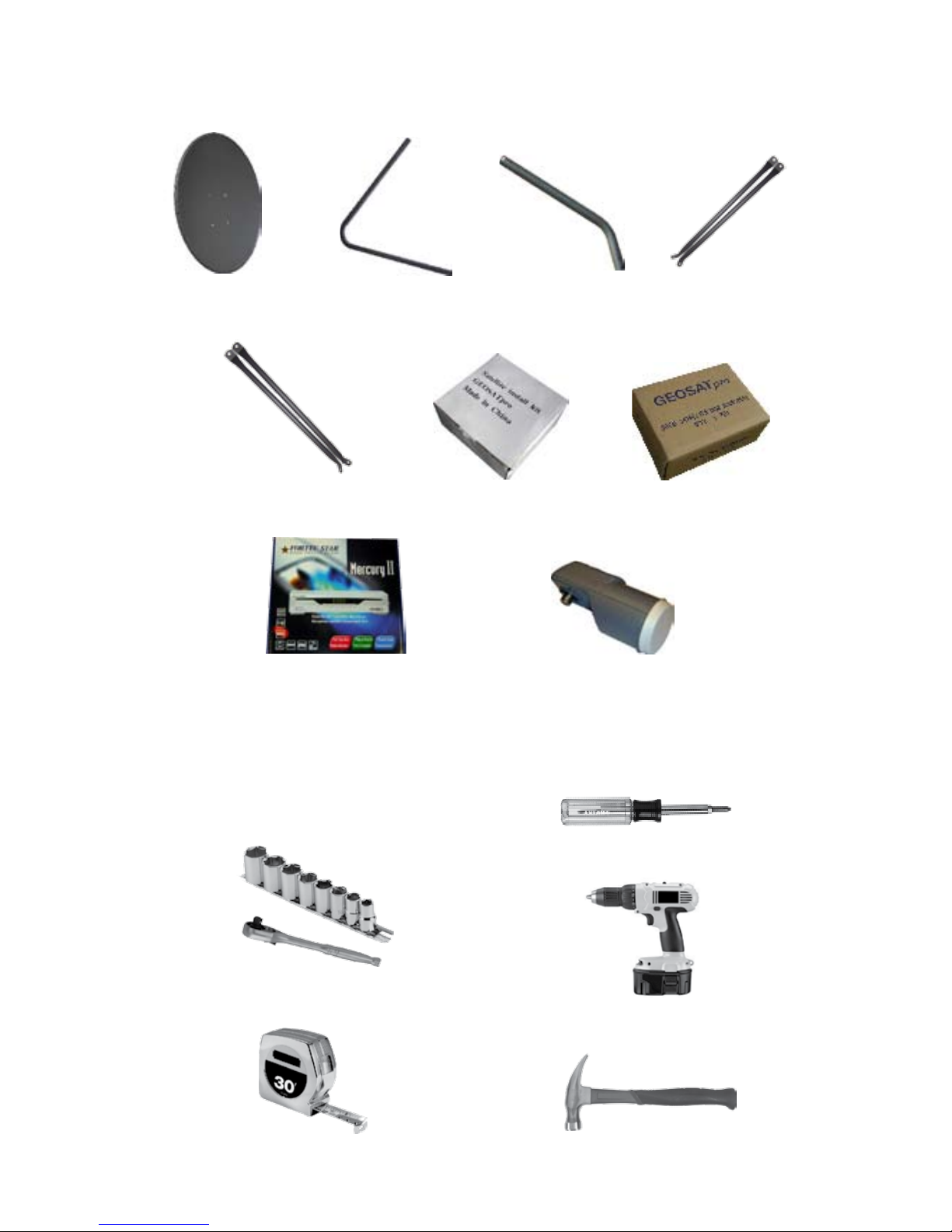
Reflector (1) LNBF ARM (1) Post (1) Tripod Support Leg (2)
Installation Kit (1)
LNBF (1)
Tools Required
Phillips Screwdriver
Drill and Bits
Hammer
Deluxe AdventistSat Satellite System Parts
Measuring Tape
10, 11mm Socket
Dish Accessory Kit (1)
4
Satellite Receiver (1)
LNBF Arm Supports (2)
www.AdventistSat.com Toll Free 866-552-6882
5
WARNING: To reduce the risk of fire or electrical shock, do not
expose your receiver to rain or moisture.
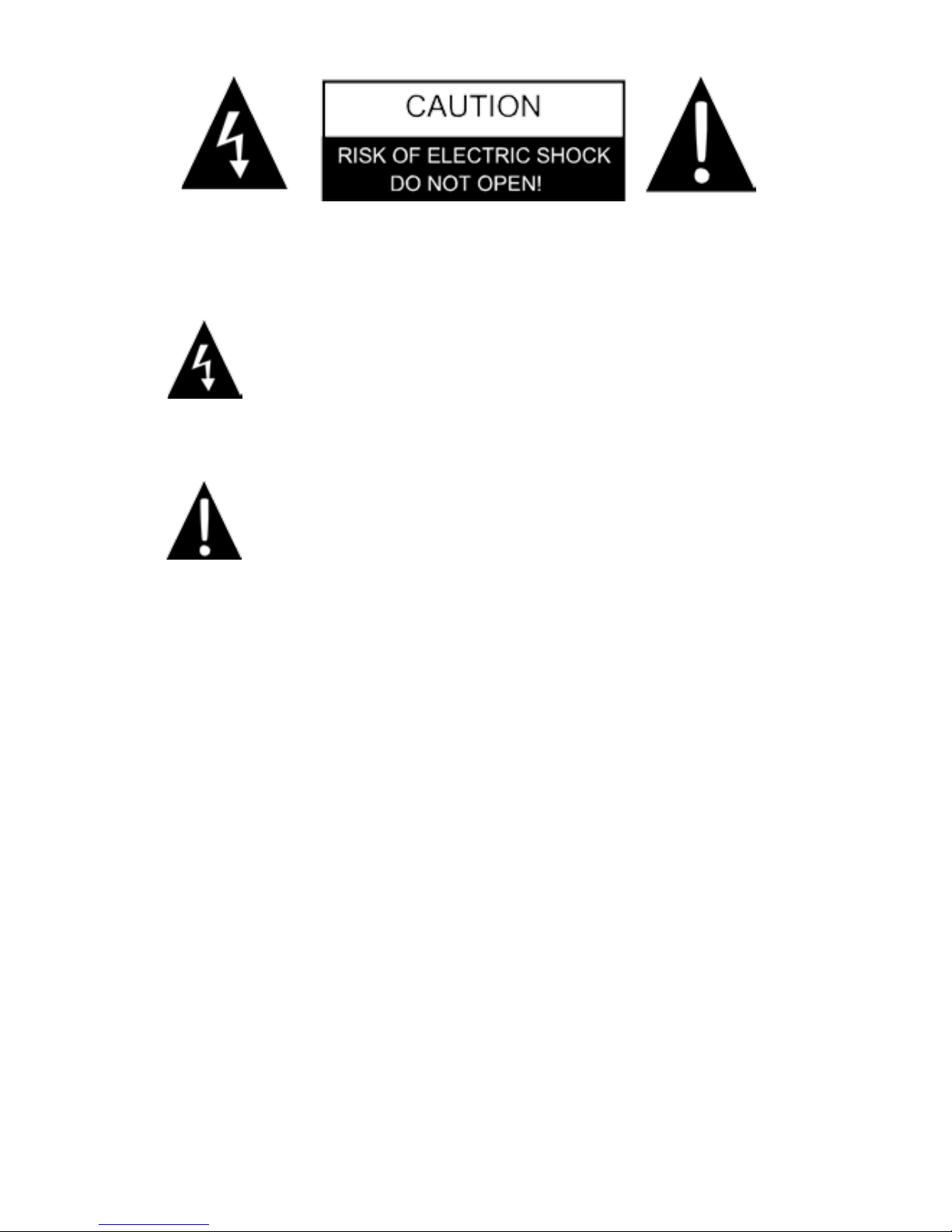
CAUTION: Do not remove cover. No user serviceable parts are
inside. Please refer servicing to qualified service personnel only.
Note: Hardware / software modifications not expressly authorized
by AdventistSat will void any system warranty.
CAUTION: To prevent electric shock, do not use your receiver’s
(polarized) plug with an extension cord receptacle or other outlet
unless the blades can be fully inserted to prevent blade exposure.
Notice to System Installer: This is a reminder to the system installer
to follow Article 820-40 of the NEC that provides guidelines for
proper grounding and, in particular, specifies that the cable ground
shall be connected to the grounding system of the building, as close
to the point of cable entry as practical.
Important Safeguards
The lightning flash with arrowhead symbol within a
triangle is intended to alert the user to the presence of
uninsulated “dangerous voltage” within the product’s
enclosure—voltage that may be of sufficient magnitude
to constitute a risk of electrical shock.
The exclamation point within a triangle is intended to
alert the user to the presence of *important* operational
and maintenance (servicing) instructions in the literature
accompanying the appliance.
©2008 AdventistSat.com
6
CAUTION: Read all of these Instructions. Save these Instructions
for later use. Follow all Warnings and Instructions marked on the
equipment.
Read Instructions All the safety and operating instructions should
be read before the product is operated.
Retain Instructions The safety and operating instructions should be
retained for future reference.
Heed Warnings All warnings on the product and in the operating
instructions should be adhered to.
Follow Instructions Follow all operating and usage instructions.
Cleaning Unplug this product from the wall outlet before cleaning.
Do not use liquid cleaners or aerosol cleaners. Use a damp cloth for
cleaning.
Attachments Do not use attachments not recommended by the
product manufacturer as they may cause hazards.
Water and Moisture Do not use this product near water. For example,
near a bath tub, wash bowl, kitchen sink, or laundry tub; in a wet
basement, near a swimming pool, etc.
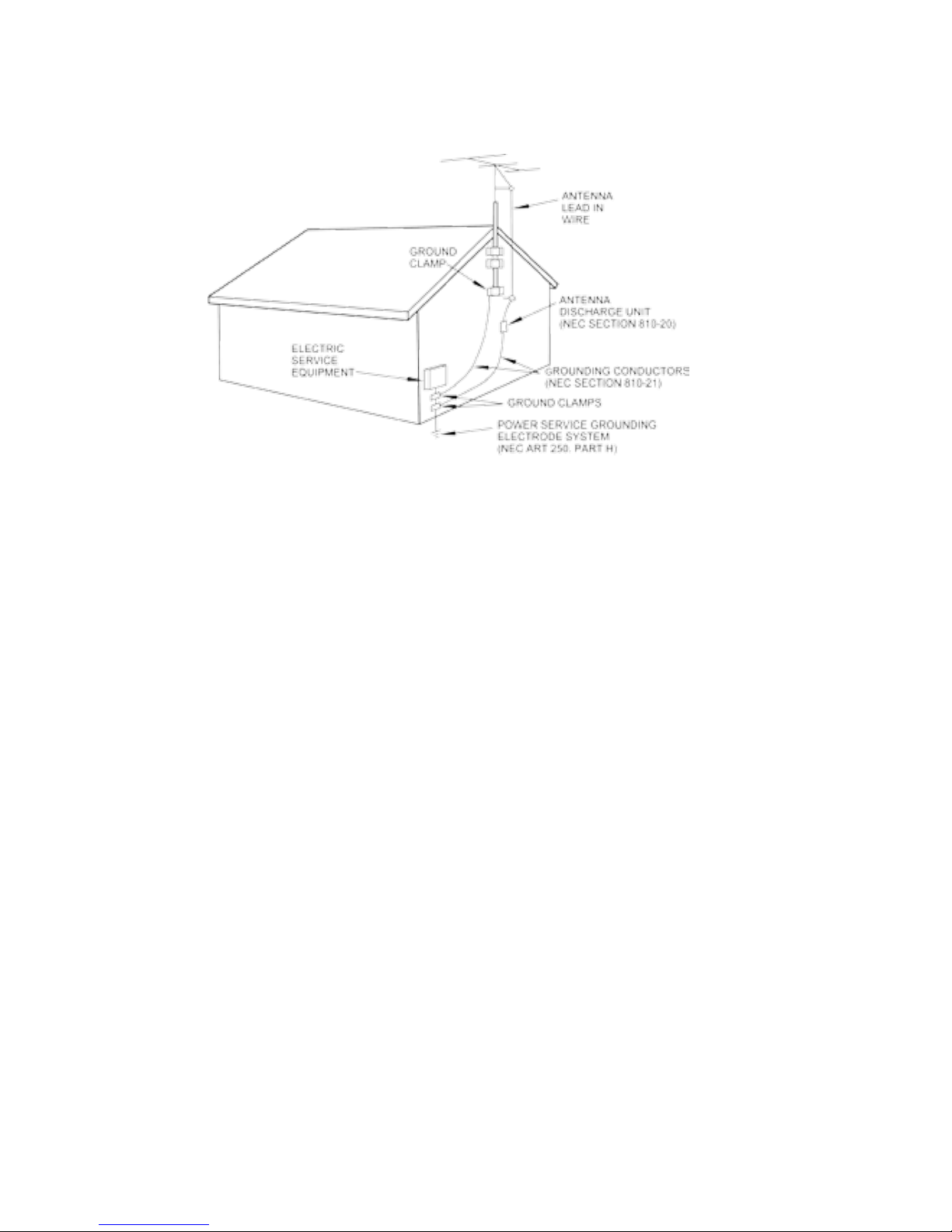
Example of Antenna Grounding NEC, ANSI/NFPA 70

www.AdventistSat.com Toll Free 866-552-6882
7
Accessories Do not place this product on an
unstable cart, stand, tripod, bracket, or table. The
product may fall, causing serious injury to a child or
adult, and serious damage to the product. Use only
with a suitable cart, stand, tripod, bracket, or table.
Any mounting of the product should follow the manufacturer’s
instructions, and should use a mounting accessory recommended by
the manufacturer. A product and cart combination should be moved
with care. Quick stops, excessive force, and uneven surfaces may
cause the product and cart combination to overturn.
Ventilation Slots and openings in the cabinet are provided for
ventilation and to ensure reliable operation of the product and to
protect it from overheating. These openings must not be blocked
or covered. The openings should never be blocked by placing the
product on a bed, sofa, rug, or other similar surface. This product
should not be placed in a built-in installation such as a bookcase
or rack unless proper ventilation is provided or the manufacturer’s
instructions have been adhered to.
Power Sources This product should be operated only from the
type of power source indicated on the marking label. If you are
not sure of the type of power supply to your home, consult your
product dealer or local power company. For products intended to
operate from battery power, or other sources, refer to the operating
instructions.
Grounding or Polarization This product may be equipped with
a polarized alternating current line plug (a plug having one blade
wider than the other). This plug will fit into the power outlet only
one way. This is a safety feature. If you are unable to insert the plug
fully into the outlet, try reversing the plug. If the plug should still
fail to fit, contact your electrician to replace your obsolete outlet. Do
not defeat the safety purpose of the polarized plug.
Power Cord Protection Power supply cords should be routed so
that they are not likely to be walked on or pinched by items placed
upon or against them, paying particular attention to cords at plugs,
convenience receptacles, and the point where they exit from the
product.

©2008 AdventistSat.com
8
Outdoor Antenna Grounding When an outside antenna or cable
system is connected to the product, be sure the antenna or cable
system is grounded so as to provide some protection against voltage
surges and built-up static charges. Article 810 of the National
Electrical Code, ANSI/NFPA 70, provides information with regard
to proper grounding of the mast and supporting structure, grounding
of the lead-in wire to an antenna discharge unit, size of grounding
conductors, location of antenna discharge unit, connection
to grounding electrodes, and requirements for the grounding
electrode.
Lightning For added protection for this product during a lightning
storm, or when it is left unattended and unused for long periods
of time, unplug it from the wall outlet and disconnect the antenna
or cable system. This will prevent damage to the product due to
lightning and power line surges.
Power Lines An outside antenna system should not be located in
the vicinity of overhead power lines or other electric light or power
circuits, or where it can fall into such power lines or circuits. When
installing an outside antenna system, extreme care should be taken
to keep from touching such power lines or circuits as contact with
them might be fatal.
Overloading Do not overload wall outlets, extension cords, or
integral convenience receptacles as this can result in risk of fire or
electric shock.
Object and Liquid Entry Never push objects of any kind into
this product through openings as they may touch dangerous voltage
points or short-out parts that could result in a fire or electric shock.
Never spill liquid of any kind on the product.
Heat The product should be placed away from heat sources such as
radiators, heat registers, stoves, or any product that produces heat.
Tabla de contenidos


