
ACTi Outdoor Hemispheric Manual de usuario

2013/12/03
Outdoor Hemispheric
Mounting on a Straight Wall
using the Tilted Mount
Installation Guide
For Models:
KCM-7911

www.acti.com
Installation Guide
2
Table of Contents
Cabling Options .................................................................3
Installation Procedures .....................................................3
Step 1: Prepare the Tilted Mount.............................................................. 3
Step 2: Prepare the Camera...................................................................... 4
Step 3: Prepare for Waterproof Installation............................................. 5
Step 4: Connect the Cable(s).................................................................... 6
Waterproof Solution with Naked Cable ................................................... 6
Waterproof Solution with Conduit............................................................ 9
Step 5: Install the Camera to the Tilted Mount...................................... 14
Step 6: Close the Cover .......................................................................... 14
Step 7: Access the Camera Live View.................................................... 15
Appendices.......................................................................16
Connecting a Power Adaptor (Optional)................................................ 16
Connecting DI/DO Devices (Optional).................................................... 18
Connecting Audio In / Out Devices (Optional) ...................................... 21
Safety Information............................................................22

www.acti.com
Installation Guide
3
Cabling Options
It is highly recommended to mount the camera with a 10 tilt so there would be maximum
coverage of the floor in the field of view. The camera can be mounted on a straight wall using the
Tilted Mount accessory. There are two cabling options:
Cable goes through the wall
Cable goes along the wall
Installation Procedures
This section covers the step-by-step procedures in mounting the camera on a straight wall using
the Tilted Mount accessory and the cables go through the wall.
Step 1: Prepare the Tilted Mount
1. Using the drill template (included in the Tilted Mount package), mark the location of the two (2)
screw holes on the wall. If necessary, drill the holes and insert the plastic plugs.
IMPORTANT! Note that the tilted mount must be installed with the pre-cut cable hole facing
up.
2. Determine how the cables will be routed: pass through a hole on the wall or along the
wall.
If the cables will pass through the wall, drill the cable hole on the wall.
If the cables will be routed along the wall, skip this step.

www.acti.com
Installation Guide
4
3. Install the tilted mount using the two (2) supplied screws.
Step 2: Prepare the Camera
1. If the cables will pass through the wall, remove the cap covering the bottom hole of the
camera, and attach the cap to the side hole to close it. The network cable will pass the
bottom hole to the camera. If the cables will be routed along the wall, skip this step.
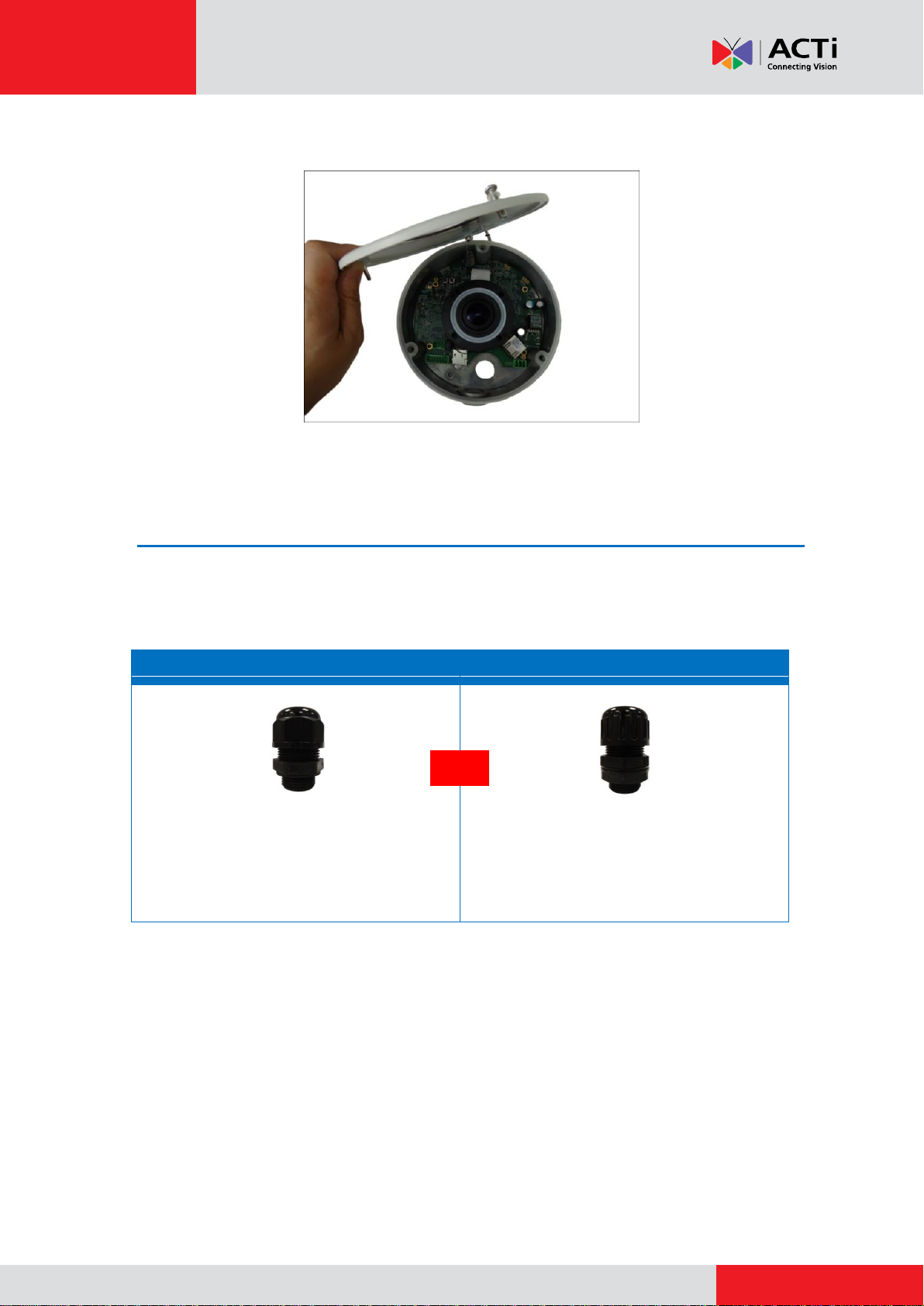
2. Loosen the three (3) screws using the supplied hex wrench.
www.acti.com
Installation Guide
5
3. Lift to open the cover.
NOTE: Do not abruptly lift the cover; it is attached to the camera body with a spring wire.
Step 3: Prepare for Waterproof Installation
The camera comes with two (2) glands used for waterproof installation: Cable gland and Conduit
Gland. Determine the type of waterproof solution that is applicable to your installation
requirements and prepare the necessary accessories or purchase extra materials.
Cable Gland
Conduit Gland
For use with an EXTERIOR-GRADE
Ethernet cable. Exterior-grade Ethernet
cables are already waterproof.
For use with 3/8” flexible conduit.
Recommended when an exterior-grade
Ethernet cable is not available or when other
input/output devices or an external power
adaptor will be connected to the camera.
and

www.acti.com
Installation Guide
6
Step 4: Connect the Cable(s)
There are two ways to do the waterproof cabling installation:
Waterproof with Naked Cable: This installation uses the supplied cable gland and an
exterior-grade Ethernet cable (not supplied). Exterior-grade cables are already
waterproof and thus, do not require a conduit. To use this solution, see Waterproof
Solution with Naked Cable below.
Waterproof with Conduit: This installation uses the supplied conduit gland and a 3/8”
flexible conduit (not supplied). This is the recommended solution if other input / output
devices or an external power adaptor will be connected to the camera. To use this
solution, see Waterproof Solution with Conduit on page 9.
Waterproof Solution with Naked Cable
This section describes the procedures to waterproof the cabling connections using an
exterior-grade Ethernet cable.
1. Disassemble the cable gland as shown below:
2. Insert the clamping nut into the Ethernet cable.
Body
(with Washer)
Sealing Insert
with Claw
Clamping
Nut

www.acti.com
Installation Guide
7
3. Insert the sealing insert with claw.
4. If the cable will be routed along the wall, attach the cable gland body to the side hole of the
camera. If the cable will pass through a hole on the wall, attach the cable gland body to the
bottom hole of the camera.
Attach to Camera Side Hole Attach to Camera Bottom Hole
5. Insert the Ethernet cable through the cable gland body and connect it to the Ethernet port of
the camera.
For Cable Going Along the Wall
For Cable Passing Through the Wall
or

www.acti.com
Installation Guide
8
For Cable Going Along the Wall
For Cable Passing Through the Wall
6. Insert the sealing insert with claw into the cable gland body and then attach the clamping nut
to complete the cable solution.
For Cable Going Along the Wall
For Cable Passing Through the Wall
NOTE: Make sure the clamping nut is tightly attached to the cable gland body.

www.acti.com
Installation Guide
9
Waterproof Solution with Conduit
This section describes the procedures to waterproof the cabling connections using a flexible
conduit with 3/8” trade size (not supplied). This is the recommended solution when connecting an
external power adaptor, audio in/out, or digital input/output (DI/DO) devices to the camera.
1. Disassemble the cable gland as shown below:
2. Pull the Ethernet cable and other cables (if any) through the flex conduit.
NOTE: To connect an external power adaptor, audio in/out, or digital input/output (DI/DO)
devices, insert the cables without connectors through the flex conduit together with the
Ethernet cable at this point.
3. Insert the clamping nut through the flex conduit.
Lock Nut
Body
(with Washer)
Sealing
Rubber
Clamping
Nut

www.acti.com
Installation Guide
10
4. Insert the sealing rubber and attach it at the end of the flex conduit.
5. If the cable will be routed along the wall, attach the conduit gland body (with washer) to the
side hole of the camera. If the cable will pass through a hole on the wall, attach the conduit
gland body (with washer) to the bottom hole of the camera.
Attach to Camera Side Hole Attach to Camera Bottom Hole
NOTE: Make sure the washer is attached to the conduit gland body.
6. Attach the lock nut to secure the conduit gland body to the camera.
For Cable Going Along the Wall
For Cable Passing Through the Wall
or
Tabla de contenidos
Otros manuales de Rack y soporte de ACTi


