
Actall ATLAS Manual de usuario

ATLAS | Crisis Controller User Manual
Version 5.06
www.actall.com

Copyright © 2018 Actall Corporation | www.actall.com
2
©Copyright 2018by Actall Corporation®. All rights reserved. Crisis
Controller©™ is a registered trademark of Actall Corporation. (U.S.
Patent No.: 5,708,417) MicrosoftP®P and WindowsP®P are registered
trademarks of MicrosoftP®P Corporation. Crisis Controller©™P Version
5.00 software and documentation developed by Actall Corporation®,
Denver, Colorado. (TUwww.actall.comUT) This manual is subject to
change and may not be reproduced in any way or form, electronic or
mechanical.
Software License Agreement:
The use of this software product is limited to the terms and conditions
below. Use by the purchaser of Crisis Controller©™ Alarm Monitoring
software indicates acceptance of these terms.
Grant of Rights:
This software may only be used on the computers for which it is licensed.
This license may not be transferred from its original site. You may not
copy or otherwise distribute this software, except to make a backup
copy. You may not modify, alter, or transfer the software in any way.
Limitation of Liability:
Licensor shall not be liable for any claim or demand by Licensee for
damages of any kind, including, but not limited to special, general,
incidental, direct or consequential dam-ages, for loss of business
prots, business interruption, loss of business information, or any other
pecuniary loss arising out of the subject matter of this agreement Some
jurisdictions do not allow excluding or limiting implied warranties or
limiting liability or consequential damages, and some jurisdictions have
special statutory consumer protection provisions that may supersede
this limitation. As a result, this limitation of liability may not apply to you
if prohibited by the laws of your jurisdiction.
General:
Any violation of this Agreement is subject to criminal and civil prosecution.
If any provision is found to be unlawful, void, or unenforceable, then that
provision shall be severed from this Agreement and will not aect the
validity and enforceability of any of the remaining provisions. The laws of
the State of Colorado shall govern this Agreement.
COPYRIGHT & LIMITATIONS CONTACT
Inquiries should be
directed to:
Actall Corporation
2017 Curtis St.
Denver, CO 80205
Phone:
303-226-4799
Toll-free:
1-800-598-1745
For technical support,
please call us direct
during regular
business hours
(Monday through
Friday, 8:00 a.m. to
5:00 p.m. Mountain
Standard Time) or
Emai us 24/7.
303-226-4799

3
Crisis Controller—ATLAS System User Manual
SOFTWARE REGISTRATION CARD MUST BE FILLED OUT
Actall® Technical Support needs the informaon on this card to verify authencity of requests for service and to be able to
provide mely and accurate technical assistance to our customers.
In addion, it is in the customer’s interest for Actall® to have a duplicate record of soware serial numbers and Hardware
Key codes. It also protects the customer if quesons of soware licensing arise. Addional informaon, such as computer
type, operang system, and general applicaon informaon can save a great deal of valuable me in troubleshoong and
responding to customer needs.

4
Crisis Controller Main Screen……………………………………………………………………............ 5
Aendants………………………………………………………………………………………………….......... 7
Add/Edit Aendants ……………………………………………………………………........... 8
Staons……………………………………………………………………………………………………............ 13
Data Servers……………………………………………………………………………………………….......... 14
MGEs……………………………………………………………………………………………………................ 17
Add/Edit MGE Template…………………………………………………………………......... 17
Discover MGEs…………………………………………………………………………………....... 19
Add/Edit MGEs…………………………………………………………………………………....... 20
Pager Services……………………………………………………………………………………………......... 23
Intercom Systems……………………………………………………………………………………….......... 25
Contact Input/Outputs………………………………………………………………………………........... 27
HDT (ATLAS) ......………………………………………………………………………………................... 31
HDT Profile………………………………………………………………………………………....... 32
HDT Template ……………………………………………………………………………….......... 34
Add/Edit HDT………………………………………………………………………………............ 38
HDT Programming………………………………………………………………………………………......... 41
Cricket Alarm Prole....................................................................................42
Cricket Template..........................................................................................44
Add/Edit Cricket...........................................................................................47
LDNs…………………………………………………………………………………………………………........... 48
LDN Templates…………………………………………………………………………………....... 51
Add/Edit LDNs……………………………………………………………………………………..... 55
Entering People……………………………………………………………………………………………....... 60
Guard Routes…………………………………………………………………………………………………...... 62
Maps…………………………………………………………………………………………………………........... 64
Adding a Map…………………………………………………………………………………......... 65
Map Layout..................................................................................................66
Opons/Sengs………………………………………………………………………………………............ 68
Network…………………………………………………………………………………………......... 69
Alarm Processing (FPT, HDT)………………………………………………………….......... 70
Alarm Output (Printer logging Serial I/O)……………………………………….......... 71
Locaon logging………………………………………………………………………………........ 72
Alarm Monitoring.................................................................................................... 73

5
Crisis Controller—ATLAS System User Manual
Aer logging into Crisis Controller, the Main menu opon will be available. The drop down menus are as follows:
HDT
Change the current user.
Exit the system (Actall Special user and password need to exit the
system).
Access to ATLAS transmitters, LDNs and related options.
Access to Stations, MGEs and outside hardware interfaces.
Access to HDT assignment menus.
Access to Map and Mapping functions as well as other system options.
Start and stop alarm monitoring mode.
Access to system reports.
Allows the user to arrange the open windows
Access to the Help file and Crisis Controller version information.

6
There are ve windows on the status bar that contain informaon. From le to right they are
If the Crisis Controller system is operang in as a network version, the soware will monitor the network and
database connecvity. In the event Primary database connecon fails the system will display a warning screen
stang the database is no longer found. The system will then look for the backup database (located on any computer
running Crisis Controller). If the database can not be located the system will revert to it’s local backup copy
of the database. When the fault is corrected the system can than be reconnect to the primary database.
1
2
3
If you mouse over the window the path of the database will be shown.
There are three possible database that may be shown
1) (for networked system only)
This database is the network database congured in the (Actall.CrisisController.FormsUI.exe.cong) le.
2) (for networked system only)
This database is the network backup database congured in the (Actall.CrisisController.FormsUI.exe.
cong) le.
3) (stand alone and network versions)
This database is the database congured in the (Actall.CrisisController.FormsUI.exe.cong) le.
4 C
5 C
Crisis Controller—ATLAS System User Manual
7
Crisis Controller—ATLAS System User Manual
These attendants can only assign or de-assign HDT and print reports. All other functions are inaccessible
These aendants can only do alarm monitoring. Operators can not stop Alarm Monitoring or exit the
system.
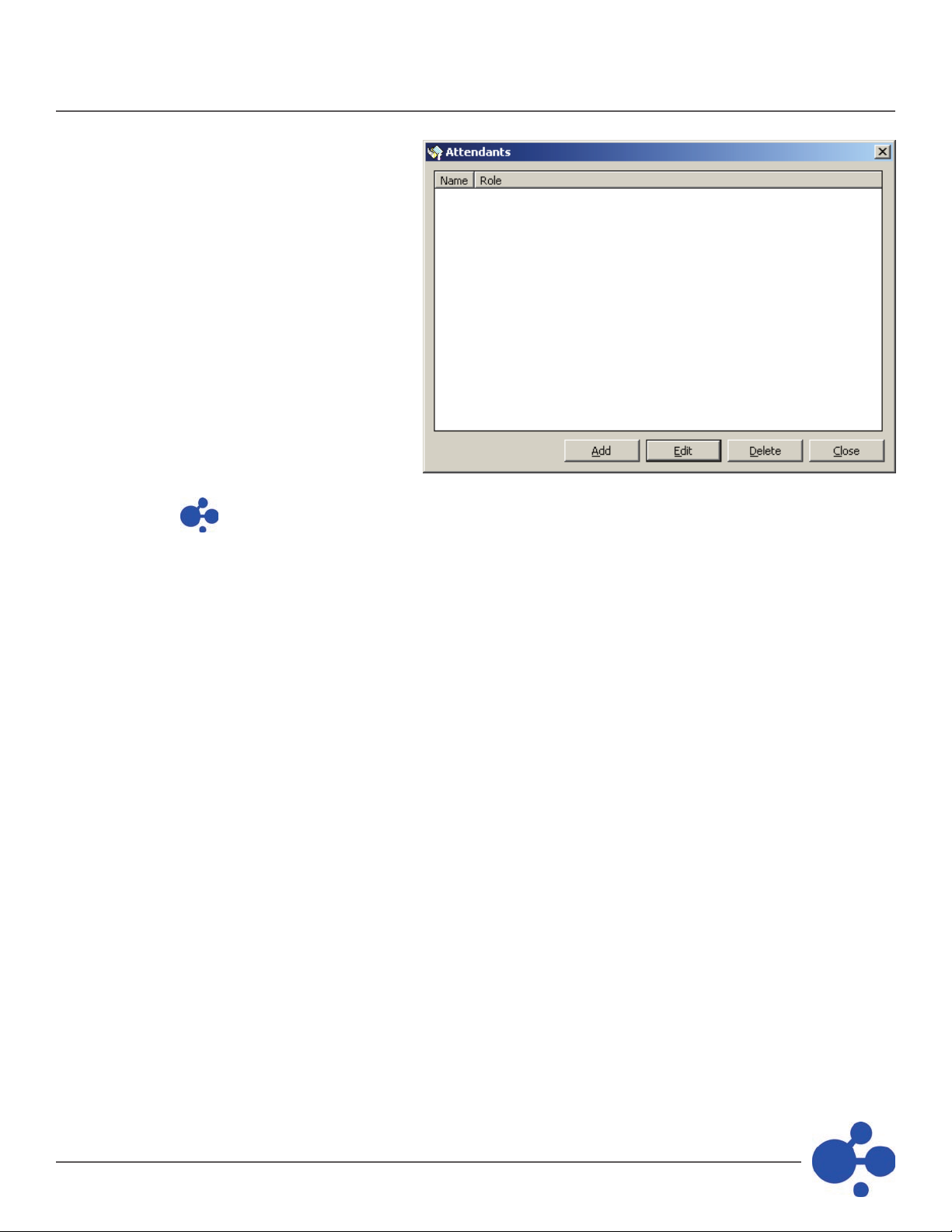
Aendants operate and control all
funcons of the Crisis Controller soware.
Users are entered into Crisis Controller at
Admin, Operator, and Supervisor levels.
Use this buon to add in a new aendant.
Use this buon to edit and excing aendant.
Use this buon to delete a aendant from the system.

8
Under alarm monitoring mode there are access rights that can be assigned.
View Status and System Message tabs
Enable and disable Transmier Groups and start and top the Guard Tour opon.
Change the Time Mode (Day, Evening and Night).
Seng this opon does not show the Acon Taken/ Notes window.
Users set at this level have full access to all system opons. They can start and stop Alarm Monitor-ing as well as
perform system conguraon.
When adding aendants the following informaon is required:
Aendants login name (ex: Sgt.Smith)
Aendants password.
(Blank password are permied)
Crisis Controller—ATLAS System User Manual

9
Crisis Controller—ATLAS System User Manual
This secon indicates to the system what right the aend will have.
These attendants can only assign or de-assign HDT and print reports. All other functions are inac-cessible.
These aendants can only do alarm monitoring. Operators can not stop Alarm Monitoring or exit the system.
Under alarm monitoring mode there are access rights that can be assigned.
Users set at this level have full access to all system options. They can start and stop Alarm Monitoring and do
system conguraon.
This secon allows you to assign rights to Monitoring mode funcons.
Allows the aendant to enable and disable Transmier Groups and start and stop the Guard Tour opon.
Allows the aendant to change the Time Mode (Day, Evening and Night).
Checking this will allow the aendant to view the FPT Status Tab.
Checking this will allow the aendant to view the System Messages Tab.
Checking this will allow the attendant to view the HDT Status Tab.
Seng this opon does not show the Acon Taken/Notes window.

10
Operators are individuals whose primary function is to monitor the ATLAS In the
event of an alarm, Operators will access system information and monitor responses. Once logged in as an
Operator, the monitoring screen cannot be minimized or exited by the Operator.
Operator-level personnel may be authorized to access various levels of informaon, as well as per-form several
selecve tasks. The degree of access is determined by opons set by a Supervisor on the
screen.
Operators respond to informaon generated by the Crisis Controller soware. Informaon about the system is
displayed on the system monitor in Windows®-based informaon screens. Incoming alarm or trouble messages
appear in the display with oponal warning sounds, congured for each device.
Operators are responsible for acknowledging incoming alarms and determining that proper re-sponses are
generated. This can include alarm vericaon and/or documentaon of incoming data, depending upon the
operang requirements of the Owner.
Crisis Controller—ATLAS System User Manual
Tabla de contenidos
Otros manuales de Controladores de Actall


