
YEYIAN Sigurd 2503 Manual de usuario


WELCOME TO YEYIAN
A NEW LEVEL OF WORLD GAMING
PRODUCT REGISTRATION
You’re one of the millions of gamers. You can be the socially engaged, the sport
fun, the explorer, the soldier, the builder or the strategist. All require sobrenatural
reexes, powerful machines, consistency and a strong tolerance for suffering
hundreds of defeats at the hands of other players before the fun kicks in. But there is
something unique required in a game, disruptive and exciting; a moment that allows
you to control what happens next; the millisecond you feel intimidated, the move
that will set you apart from the rest. Your decision in that moment, your condence,
your passion, and your determination to win, will take you to the monumental Victory.
Informatio n
and releases
Promotions
and update s
Giveaways
and gifts
Choose big, don’t settle and always keep going.
Be part of the game.
Thank you for choosing us and welcome to our family.
Registering your products, you can enjoy exclusive news, contest, and giveaways.
USA I MX I ES:
www.yeyiangaming.com

The terms HDMI®, HDMI® High-Denition Multimedia Interface, and the HDMI® Logo
are trademarks or registered trademarks of HDMI® Licensing Administrator, Inc.
WARNINGS
POWER
Only use the power unit provided to power the device. Check mains rating before
plugging the power unit in.
Do not pull the cable to unplug the device.
SAFETY PRECAUTIONS
Keep the device away from rain and humidity to prevent risk of re and
electrocution.
Do not introduce material (solid or liquid) inside. If this should accidentally occur,
disconnect the device from the mains and have it inspected by qualied personnel.
Never open the device. In all cases, contact the qualied personnel or authorized
service center for repairs.
Keep the device away from children, to prevent accidental damage.
Do not touch the device with wet hands to prevent electrical shock or mechanical
damage.
Do not use the device if it should fall or the external casing is damaged. Risk of
electrocution if the device is used in such conditions. Contact the retailer or
authorized installer.
It is advisable to disconnect the power wire if the monitor is not used for a certain
time.
INSTALLATION PRECAUTIONS
To prevent overheating the device, arrange it in a position allowing the ow of air
through the slots in the casing. Ensure at least 5 cm of free space when installing
inside a rack. For the same reason, do not install near sources of heat, such as
radiators or hot air ducts.
Keep away from direct sunlight. Do not install in areas subject to excessive dust,
mechanical vibrations or shocks.
Do not arrange this device on an unstable surface, such as a tottering or slanted
table. The device could fall causing injury or mechanical failures.
Do not install the device in a place where it could be exposed to humidity or

water. Do not direct a jet of water onto the device: risk of re, electrocution or
mechanical failure.
Stop using the device if water or other material should penetrate inside: risk of re
and electrocution. Contact the retailer or authorized installer.
Slots and openings in the cabinet are provided for ventilation. These openings
must not be blocked or covered.
Do not place heavy or heat generating objects on top of the device: this could
damage the casing and/or increase internal temperature causing faults.
Do not cover the device with a cloth while it is running to prevent deforming the
external casing and overheating the internal parts: risk of re, electrocution and
mechanical failure.
Keep magnets and magnetized objects away from the device to prevent faults.
Do not use the device in presence of smoke, vapor, humidity, dust or intense
vibrations.
Wait for a while before operating a device immediately after transporting it from a
cold place to a warm place and vice versa. Wait on average for three hours: this will
allow the
device to adapt to the new ambient (temperature, humidity, etc.).
The monitor is provided with a plastic base and rubber feet. It can be positioned
on a horizontal surface, such as a desk or a table. Make sure that the device
is fastened rmly and that it is not resting on unstable supports or surfaces.
Dropping could cause severe injury and damage the device.
Remember to adjust the brightness and contrast to obtain a perfect image.
The monitor can also be installed on the wall by means of a bracket (not provided).
CLEANING THE DEVICE
Rub delicately with a dry cloth to remove dust and dirt.
Dip the cloth in neutral detergent if dirt cannot be eliminated with a dry cloth alone.
Do not use volatile liquids (such petrol, alcohol, solvents, etc.) or chemically treated
clothes to clean the device to prevent deformation, deterioration or scratches to
the paint nish.

INTRODUCTION
General
Thank you for purchasing the latest GAMING MONITOR SIGURD, with the
advantages of high display performance and lightweight etc. Meanwhile with the
power saving and none-radiation features, the latest GAMING MONITOR SIGURD will
bring you comfortable, safe and environmental protection and a brand new visual
experience.
Your purchase and use of this product is highly appreciated!
Packing List
Please make sure the following items are included with your GAMING MONITOR
SIGURD before installation:
If any of these items are missing, please contact with your dealer for technical
support and customer service.
NOTE: Be sure to save original box and all packaging material
for transport in future if the display need.
To get the fastest frequency response (200 Hz) from your Yeyian YMC-70804
Monitor, please connect your device video output and your Monitor with a Display
Port cable version 1.2 or newer
Note: HDMI Cable connection max refresh rate it’s 144 Hz
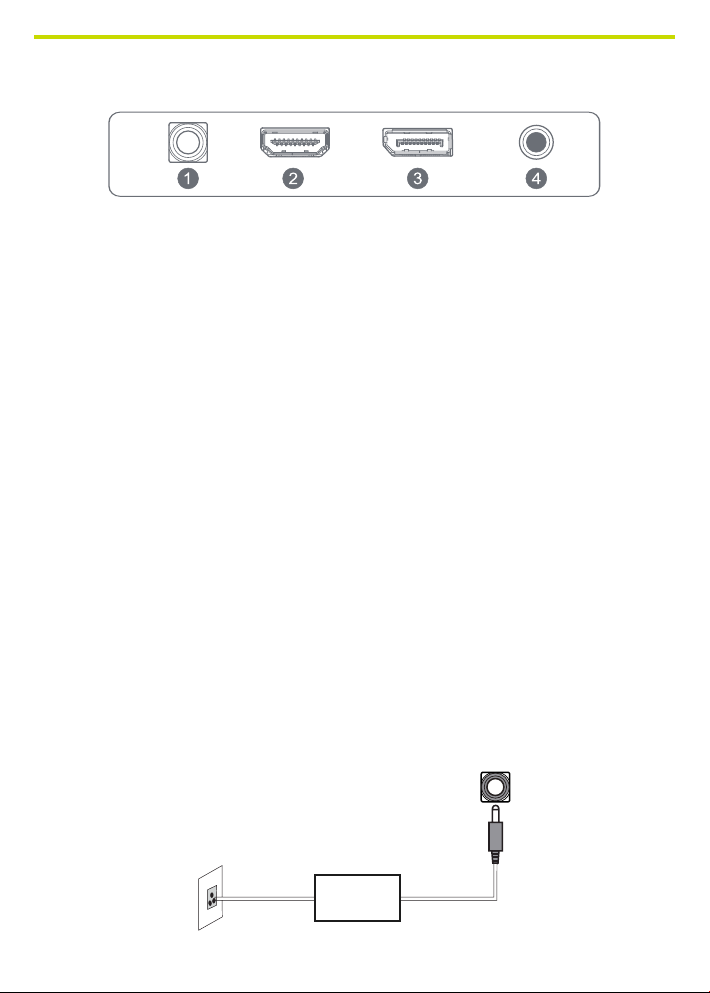
MONITOR INPUTS
1 . Power
2. HDMI
3. Displayport
4. Audio Out
Connection of the Display Port Cable
Insert one end of the display port cable into the monitor’s input connector, and
the other end to the video output of your computer (either dedicated or integrated
video card).
Connecting the HDMI® Cable
Insert one end of the HDMI® cable into the monitor’s input connector, and the other
end to the video output of your computer (either dedicated or integrated video
card).
Audio Output
You can connect headphones or speakers directly to the audio output of the
monitor through an audio cable with 3.5mm connectors.
Power Cord Connection
First, insert one end of power cord cable into the power input jack of the monitor,
and another end into the power outlet.

MONITOR CONTROLS
How to use the monitor button
When the monitor displays nothing, the monitor button could be used as below.
MONITOR BUTTON ACTION
MOpen the Main OSD Menu and select submenu.
E Select signal souce or exit OSD.
Up
Go up on the main menu, incrase the value of a
selected item.
Down
Go down on the main OSD menu, decrase the value of
a selected item.
Turn the monitor on or off.
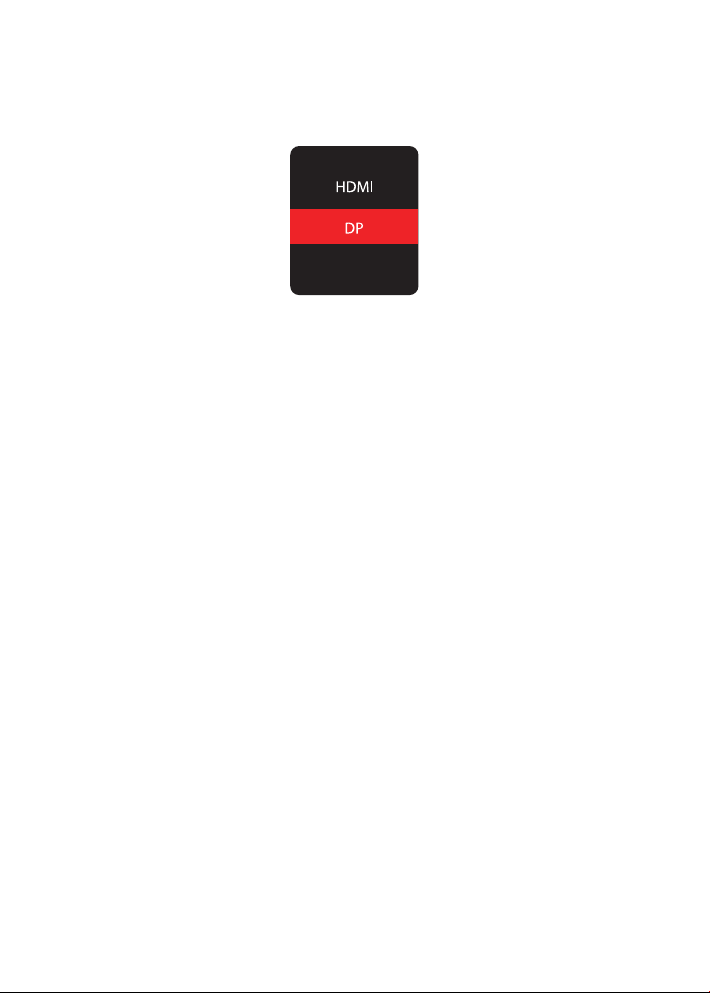
Video Source Slection button
To select the desire signal (“Auto select”, DP, HDMI”) press the monitor button to
select the desired item. Press the “power” button to conrm.

OSD MENU
View mode
OPTION DESCRIPTION
Standard Enter standard mode
Game The game mode is divided into FPS1, FPS2, RTS, Night
vision, Gamer 1, Gamer 2, Gamer 3.
Movie Enter Movie mode
Web Enter web mode
Text Enter text mode

Manual image adjust
OPTION DESCRIPTION VALUE
Sharpness Adjust the clarity 0 - 100
Blue light lter Adjust the display blue light 0 - 100
Aspect ratio Adjust the aspect ratio for the screen 4:3 / 5:4 / 16:9 /
16:10
Advance DCR Set the dynamic contrast ratio feature 0-100
Response time Set the response time feature Off, High, Middle,
Low
Adaptative-sync Set the adaptative-sync feature ON / OFF
MPRT Set the MPRT feature ON / OFF
Tabla de contenidos
Idiomas:
Otros manuales de Monitor de YEYIAN


