
XPROHELI DYS 3X Manual de usuario
User Manual
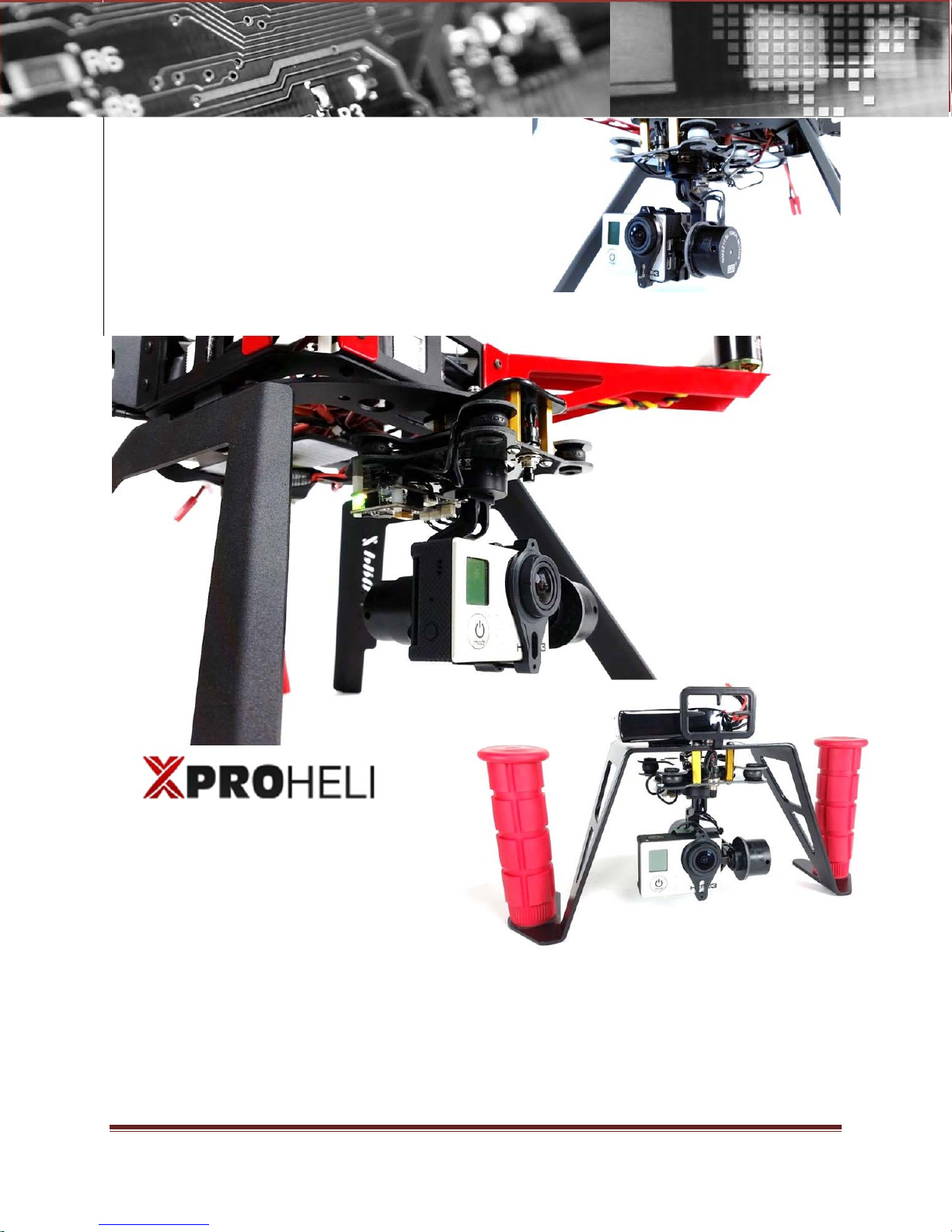
XProHeli DYS 3X Brushless Gimbal
DYS 3X Brushless Gimbal For GoPro Page i
©2014 XPROHELI. All Rights Reserved.
TheAppTimes
[DYS 3 Axis Gimbal User Manual]
This user manual provides information on the specifications, installation and functions of
the DYS 3 Axis Brushless Gimbal system.

User Manual
XProHeli DYS 3X Brushless Gimbal
DYS 3X Brushless Gimbal For GoPro Page ii
©2014 XPROHELI. All Rights Reserved.
Revision History
Version Date Revision Description
1.0 8/05/2014 Manual Creation

User Manual
XProHeli DYS 3XBrushless Gimbal
DYS 3XBrushless Gimbal Page 0
©2013 XPROHELI. All Rights Reserved.
Table of Contents
Revision History .......................................................................................................................................ii
1. Welcome..............................................................................................................................1
Warning & Disclaimer! ............................................................................................................2
2. QUICK START ........................................................................................................................4
Unpacking your DYS 3X .........................................................................................................5
Mounting Your GoPro .............................................................................................................6
XP2 / Multi-rotor Installation...................................................................................................8
Overview..................................................................................................................................8
Powering On DYS 3X.............................................................................................................10
Operating Modes..................................................................................................................12
3. SimpleBGC SOFTWARE......................................................................................................13
Overview................................................................................................................................14
Connecting DYS 3X to Your Computer ..........................................................................................14
USING SimpleBGC GUI........................................................................................................................15
SimpleBGC GUI Layout ......................................................................................................................16
Performance Tuning..............................................................................................................18
Overview..............................................................................................................................................18
Tuning Follow Modes..........................................................................................................................19
Manual PID Tuning..............................................................................................................................22
Setup for 2
nd
Operator / Tilt Control.....................................................................................25
DYS 3X Recovery Procedures..............................................................................................28
Overview..............................................................................................................................................30
Recovery Steps:...................................................................................................................................30
Troubleshooting.....................................................................................................................32

User Manual
XProHeli DYS 3XBrushless Gimbal
DYS 3X Brushless Gimbal For GoPro Page 1
©2014 XPROHELI. All Rights Reserved.
1. Welcome
Message from CEO:
On behalf of XProHeli I would like to thank you for your
purchase of the DYS 3X gimbal for GoPro.
Our team at XProHeli respectfully requests that you take the
time to read this manual to the fullest extent before using
your new DYS 3X for the first time.
The DYS 3X gimbal is a great step up from the XPG as it adds
a new cinematic dimension to your shots with the addition of
a 3
rd
axis of stabilization. We have tested several 3 axis
gimbals and feel this gimbal when setup properly is the best
solution for our applications.
While the XPG has been and is still an excellent performing
top leading 2-Axis gimbal, the competition in this market with
the new gimbals coming out of China has forced us to go
into the obsolescence phase with the XPG after only 1 short
year. We still have plenty of parts available for these units so
don’t hesitate to contact us for replacement frame parts,
motors or controllers if needed.
If you have any questions, concerns or need help please
do not hesitate to email or call us:
Phone:
541-639-8828
Mailing Address:
XProHeli
20810 Sockeye Place
Suite #110
Bend, OR 97701
Customer satisfaction is our priority. If your not happy were
not happy!
Thanks,
Hans Skjersaa

User Manual
XProHeli DYS 3XBrushless Gimbal
DYS 3X Brushless Gimbal For GoPro Page 2
©2014 XPROHELI. All Rights Reserved.
Warning & Disclaimer!
The DYS 3Xgimbal is capable of capturing incredible footage,
and as exciting as it is we at XProHeli want to remind
customers that operating RC aircraft with the DYS 3X should
be done with great care and precaution.
There have been several incidences of people throughout the
world seriously injured by RC Helicopters (even some deaths!)
Multi-rotors are not a toy. People under the age of 18 years old
should not operate any multi-rotor unless supervised by an
experienced adult. The props on the XP2 like other multi-rotors are
sharp and can cause serious damage to people and property.
Never fly around people who are unaware of the damage
these devices can cause.
Liability Disclaimer
XProHeli shall not be responsible for any special, incidental, or
consequential damages, including but not limited to personal
injuries, damage to property, injury to others, including that to
life and health, resulting from any application and use of any
XProHeli products, including but not limited to camera
stabilization systems, multi-rotors, quadcopters, hexcopers or
octocopters. The Purchaser and any Pilot in Command (PIC)
assumes full and unlimited responsibility for all applications
and uses of any products sold by XProHeli.

User Manual
XProHeli DYS 3XBrushless Gimbal
DYS 3X Brushless Gimbal For GoPro Page 3
©2014 XPROHELI. All Rights Reserved.
INDEMNITY
XPROHELI AGENTS, REPRESENTATIVES AND EMPLOYEES ARE TO BE
HELD HARMLESS FROM ANY AND ALL CLAIMS, LIABILITIES, DAMAGES,
AND EXPENSES (INCLUDING ATTORNEYS’ FEES ACTUALLY INCURRED)
ON ACCOUNT OF DEATH OR INJURY TO ANY PERSON OR DAMAGE
TO ANY PROPERTY ARISING FROM OR IN CONNECTION WITH ANY
PRODUCTS SOLD OR SUPPLIED BY XPROHELI.
THIS INDEMNITY SHALL APPLY WITHOUT REGARD TO WHETHER THE
CLAIM, DAMAGE, LIABILITY OR EXPENSE IS BASED ON BREACH OF
CONTRACT, BREACH OF WARRANTY, NEGLIGENCE, STRICT LIABILITY,
OR OTHER TORT.

User Manual
XProHeli DYS 3XBrushless Gimbal
DYS 3X Brushless Gimbal For GoPro Page 4
©2014 XPROHELI. All Rights Reserved.
2. QUICK START
Overview
The DYS 3X is configured and custom tuned by XProHeli with the
addition of a custom soldered mode button to access different
features in the software. Setup of this gimbal is done in a few steps,
mounting the gimbal, installing the camera and finally powering
the unit on.
Please take care in unpacking the contents and be conciencious
of how you handle the gimbal. Gimbals are not yet bullet proof so
be careful not to snag a loose wire or neglect the gimbal. Water
will damage the gimbal as will lots of dirt / debris.
Never power the gimbal with any power source other than a 3S
rated voltage (11.1 – 12.5 volts). Doing so will ruin the control board.
Specifications
Supported Camera: GoPro Hero 3/3+
Weight: 238g (316g with GoPro Hero 3)
Working Rotation Range: Tilt Axis: +-90
o
Roll Axis: +- 40
o
Yaw Axis: +- 270
o
Input Power: 3 S (11.1V)
Software Requirements: Windows XP, Vista/7/8, Mac OSX
Motors: Brushless, rewound 14 poles
Run-Time: 45 min (800mA battery)
100% Tested & Configured in Bend, OR USA
Important!
Never power up
your DYS 3X gimbal
without your GoPro
mounted to it!
Doing so can cause
damage.
User Manual
XProHeli DYS 3XBrushless Gimbal
DYS 3X Brushless Gimbal For GoPro Page 5
©2014 XPROHELI. All Rights Reserved.
Unpacking your DYS 3X
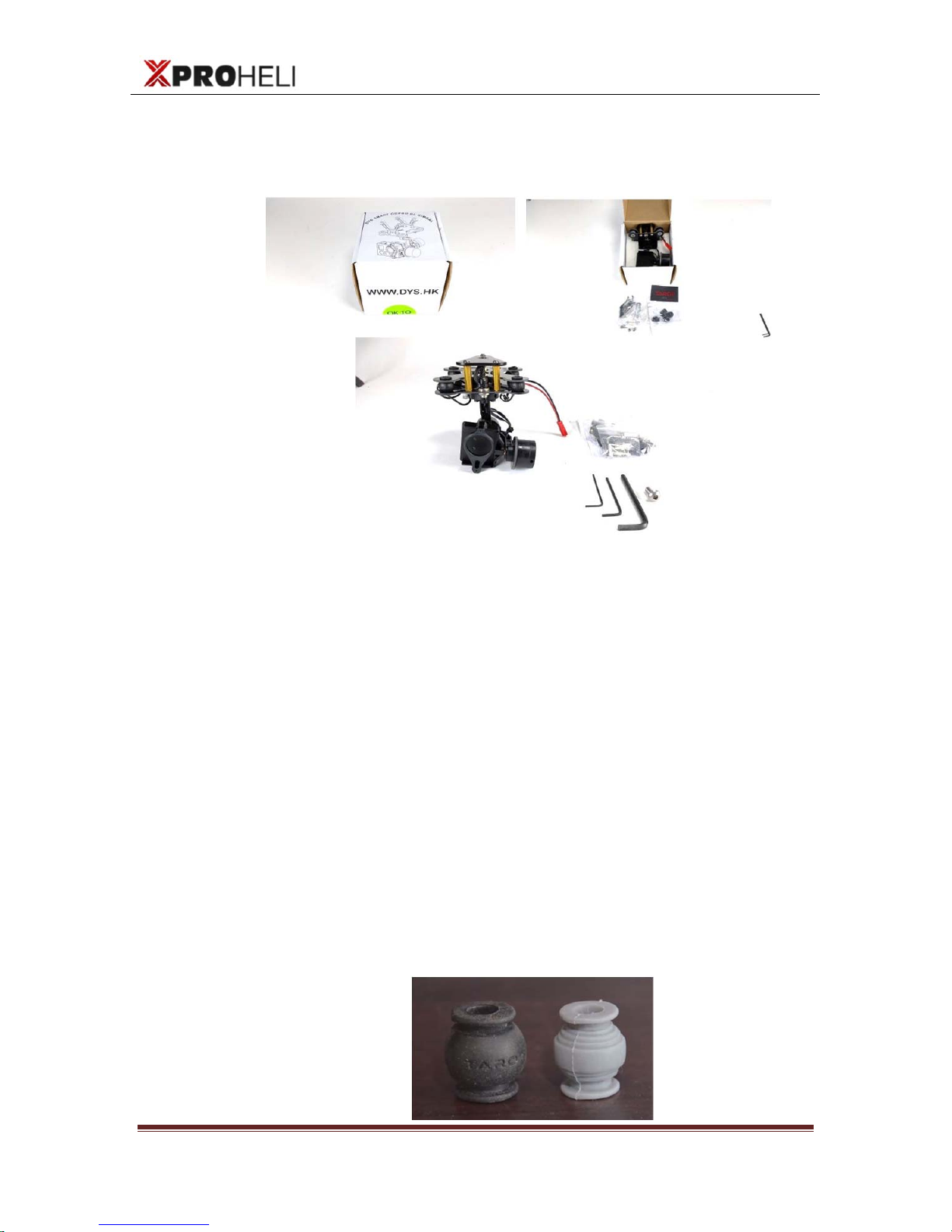
The DYS 3X comes packed as shown below:
Packed Contents:
(1) DYS 3X Gimbal with XP Lander mounting plate
(1) Bag of accessory mounts (for other multirotors)
(1) 1.5mm Allen Key
(1) 2mm Allen Key
(1) 5/32” Allen Key
(1) ¼-20” x ½” Hex Button Head Screw
(1) Mounting Band (rubber) – optional for GoPro
(1) Pack Black Tarot dampeners (recommended for best
footage)
XProheli provides additional optional dampeners from Tarot that
we feel are superior to the stock DYS dampeners. You can
experiement with each set or combination but we feel the black
works best.
User Manual
XProHeli DYS 3XBrushless Gimbal
DYS 3X Brushless Gimbal For GoPro Page 6
©2014 XPROHELI. All Rights Reserved.
Mounting Your GoPro
Overview
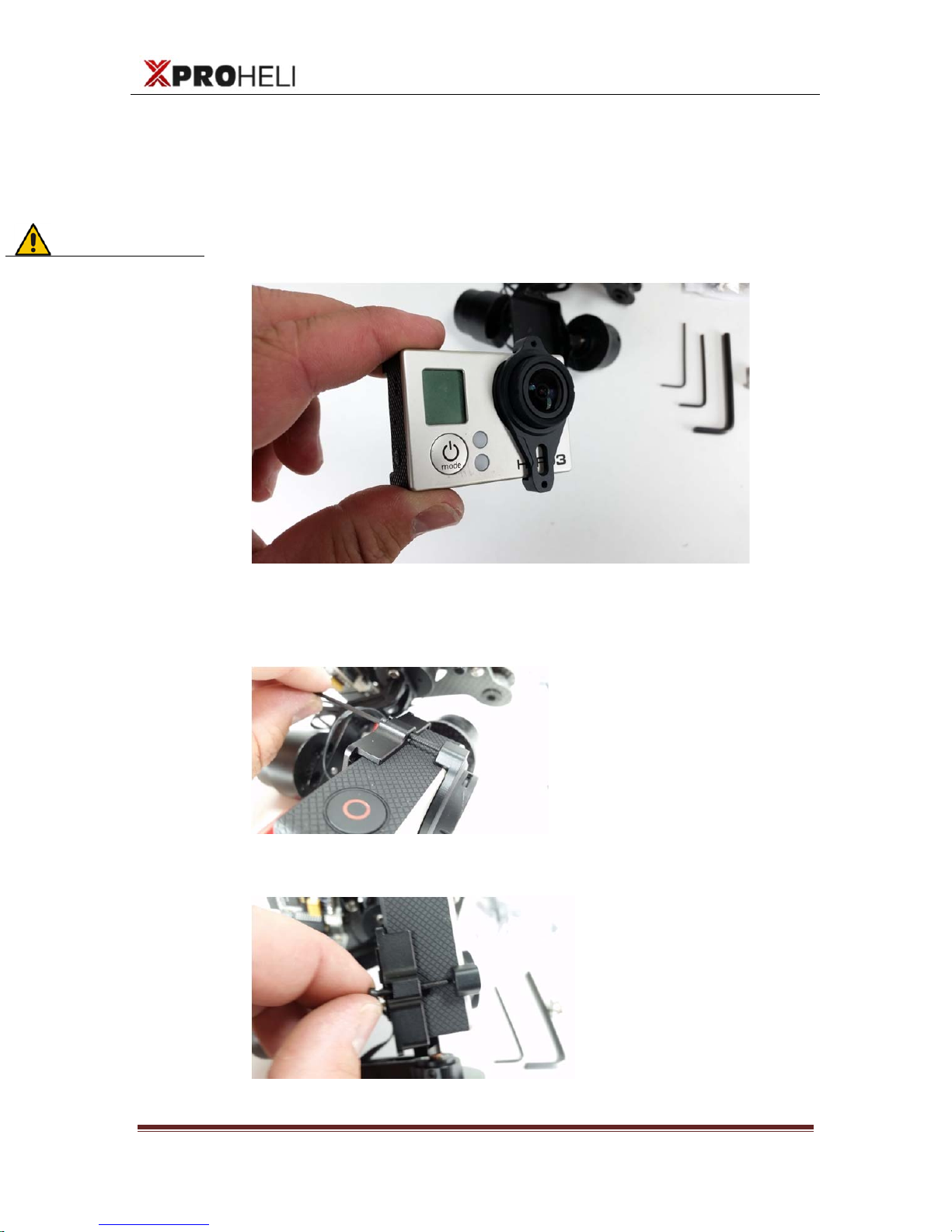
The DYS 3X comes with a machined retaining lens housing to
secure the GoPro to the camera tray of the gimbal:
Install the camera onto the gimbal by using the (2) small 1.5mm
allen screws and 1.5mm allen key. These screw into the back of the
retaining ring, one on the top and one on the bottom:
Screw in bottom:
Should look like this when mounted properly:
Quick Tip!
For best
performance
always make sure
you adjust the Roll
plate for balance
when changing to
different GoPro
configurations!
User Manual
XProHeli DYS 3XBrushless Gimbal
DYS 3X Brushless Gimbal For GoPro Page 7
©2014 XPROHELI. All Rights Reserved.
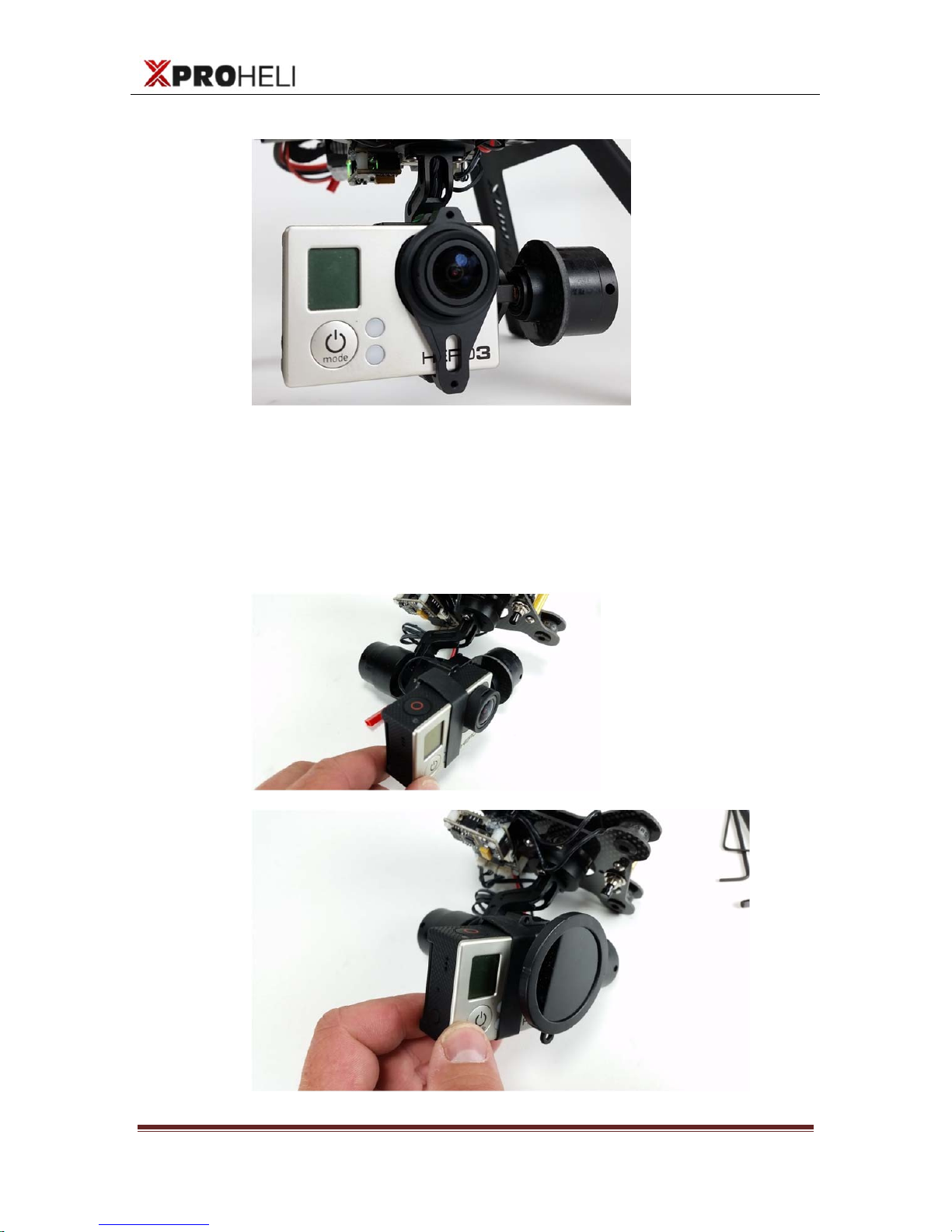
Mounting for ND / Polarizing Filters:
You can also use the provided mounting band to secure the GoPro
to the gimbal. This is a good mounting solution if you are using a
light weight filter from Snake River or Polar Pro. We recommend a
filter with a weight of 20 grams or less (minimal impact on PID
settings)
Tabla de contenidos


