
Widex RC4-1 Manual de usuario

RC4-1
User’s instructions
RC4-1 remote control

2
3
e remote control and any other parts shown in
these user’s instructions may not look the same as
the one(s) you have. We furthermore reserve the
right to make any changes considered necessary.
Hearing aids and their accessories should
not be disposed of with normal house-
hold waste. Please consult your national
Widex distributor for advice on how to
dispose of your hearing aid.
Federal Communications Commission
and Industry Canada Statement
is device complies with part 15 of the FCC Rules and RSS-210 of the Cana-
dian Rules. Operation is subject to the following two conditions:
(1) this device may not cause harmful interference, and (2) this device must ac-
cept any interference received, including interference that may cause undesired
operation.
NOTE: is equipment has been tested and found to comply with the limits
for a Class B digital device, pursuant to Part 15 of the FCC Rules. ese limits
are designed to provide reasonable protection against harmful interference in a
residential installation. is equipment generates, uses and can radiate radio fre-
quency energy and, if not installed and used in accordance with the instructions,
may cause harmful interference to radio communications. However, there is no
guarantee that interference will not occur in a particular installation. If this equip-
ment does cause harmful interference to radio or television reception, which can
be determined by turning the equipment off and on, the user is encouraged to try
to correct the interference by one or more of the following measures:
-- Reorient or relocate the receiving antenna.
-- Increase the separation between the equipment and receiver.
-- Connect the equipment into an outlet on a circuit different from that to which
the receiver is connected.
-- Consult the dealer or an experienced radio/TV technician for help.
NOTE:
Changes or modifications not expressly approved by the party responsible for
compliance could void the user’s authority to operate the equipment

4
5
Contents
Your new remote control ............................5
e battery .......................................9
Battery type ....................................9
Inserting the batteries ...........................10
Changing the batteries ..........................10
Switching the RC4-1 on ...........................11
Volume .........................................14
Adjusting the volume ..........................14
Mute ........................................16
Listening programs................................17
Event log .......................................22
Alarm ..........................................23
Caring for your RC4-1.............................25
Good advice .....................................27
In case of malfunction .............................28
Accessories ......................................29
Your new remote control
We hope you will be pleased with your Widex hear-
ing aid remote control. ese user’s instructions ex-
plain how your remote control should be operated
and we recommend that you read the entire booklet
to get full satisfaction from your new remote con-
trol.
e remote control gives simple access to hearing
aid functions for those who have difficulty operating
the controls of BTEs and ITEs, or for second par-
ties (partners, healthcare workers and care-givers)
who might be responsible for hearing aid use.
e remote control is pre-programmed during your
fitting so it can function as best as possible in differ-
ent situations.

6
7
Your remote control is an accessory for your hearing
aid. You can easily operate your hearing aid without
the remote control; it is just an alternative way of
operating your hearing aid.e advantages of a Wi-
dex remote control are:
Unlike the buttons on your hearing aid when it•
is placed in/on the ear, you can easily see the keys
on the remote control.
e larger keys on the remote control are easier to•
manipulate than the small buttons on the hearing
aid.
e remote control enables you to operate your•
hearing aid discreetly, e.g. from your pocket or
handbag.
You can adjust the volume and choose programs•
for hearing aids without volume and program
buttons.
Your remote control is a small computer that con-
tains data for different hearing aid settings. It also
contains a radio transmitter which sends messages
to the hearing aid. e remote control and hearing
aid do not need to be in view of each other. e op-
erating range is approximately 3 feet.
6.
1. 2.
4.
5.
3.

8
9
1. Volume control. e [+] and [–] keys are used for
volume adjustment.
2. Program selection. e [1], [2] and [3] keys are
used for program selection. Your RC4-1 can op-
erate a maximum of three programs.
3. On function. e [1] key is used to turn on the
remote control. e [1] key also sets the remote
control to the initial setting: P1 V9.
4. Display. is shows the currently selected pro-
gram [P], volume [V] and the remote control’s
battery level.
5. Transparent key guard with holes for the keys.
With the cover closed, the risk of accidental key-
presses is reduced. e key guard can be flipped
open to make the remote control easier to hold.
e keys are then higher and easier to feel.
6. Battery cover.
e battery
Battery type
e recommended battery type for your RC4-1 re-
mote control is:
Lithium CR 2032
Your RC4-1 uses two CR2032 batteries.
To obtain replacement batteries, please consult your
hearing care professional. Please note the expiration
date and the recommendations regarding disposal
of used batteries on the battery pack. e battery
life will depend on how much you use your remote
control.

10
11
Inserting the batteries
e plus (+) sign on the batteries for your RC4-1
must face upwards when placed in the battery com-
partment.
Changing the batteries
Always change both batteries at the same time.
When the battery is nearly exhausted, the
symbol will be continuously displayed. If
the symbol is only briefly displayed, you
need not change the batteries.
Switching the RC4-1 on
e RC4-1 remote control is switched on by press-
ing the [1] key. By default, the remote control auto-
matically switches off after 30 seconds.
Your hearing care professional can help you select
another time-out setting, if required.

12
13
When the hearing aid is switched on, you will hear a
speech message or a tone to confirm that the remote
control is active.
e hearing aid is now set to the same program and
at the same volume level that was in use last time
the remote control was used.
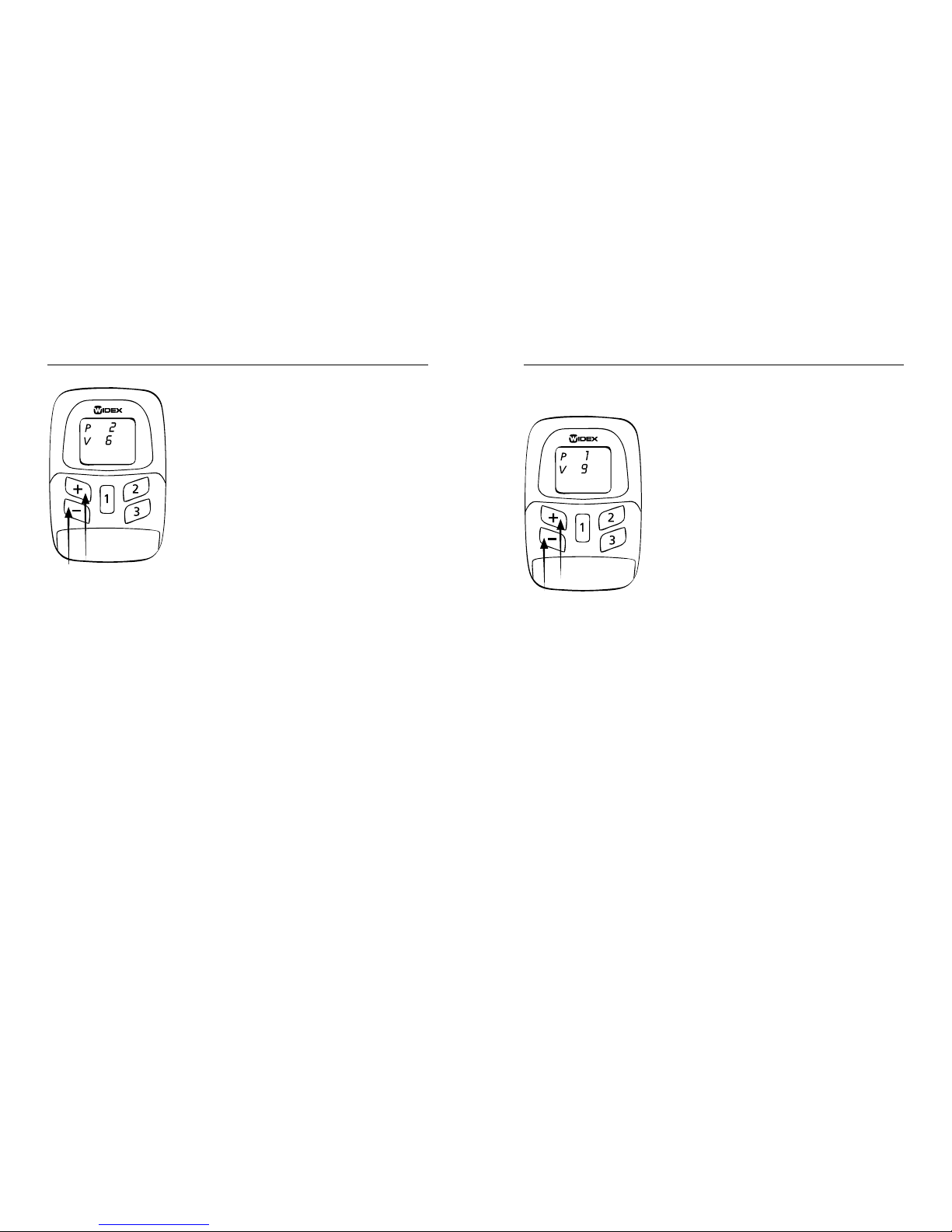
Explanation of the remote control screen symbols:
P Program. e numbers after P show the select-
ed program. You can choose between programs
1, 2 and 3
V Volume (level). e numbers after V show the
volume level from 1 (minimum) to 13 (maxi-
mum). If 0 is shown after V, then the volume
is completely turned off but the hearing aid is
not switched off.
14
15
Volume
Adjusting the volume
Each time you adjust the volume
you will hear a beep tone.
You turn up the volume by press-
ing the [+] key.
You turn down the volume by
pressing the [-] key.
e volume level appears on the screen.e number
after V shows the volume level.
Maximum volume level is 13.•
Minimum volume level is 1.•
0 means that the volume is turned off completely.•
Adjusting the volume
Press the [1] key. e initial set-
ting, P1 V9, should now be dis-
played. Use the [+] [–] keys to
adjust the volume as required.
e remote control automatical-
ly turns off after approximately
30 seconds.

16
17
Mute
You can also use your RC4-1 to mute your hearing
aid completely.
Press the [1] key. e initial
setting, P1 V9, should now be
displayed. en press and hold
down the [1] key while pressing
the [–] key. e number 0 is dis-
played next to V. To turn up the
volume again, press the [+] key.
is will reset the volume to the
initial setting (9).
Listening programs
With your RC4-1 remote control, you can choose
from up to three listening programs. Together with
your hearing care professional you should have es-
tablished which programs are of use to you. If your
needs change over time, the combination of listen-
ing programs can be changed.
You choose between programs
1- 3 with a short press on the [1],
[2] and [3] key.e number after
P shows the selected program.

18
19
A spoken message will indicate your program choice
each time you switch to another program. If you
have chosen the tone indication setting instead of a
spoken message, the different sounds tell you which
program you have chosen:
Program 1: One brief beep
Program 2: Two brief beeps
Program 3: ree brief beeps
In these instructions, you and your hearing care pro-
fessional can make a note of the programs you have
chosen.
Program Program name in
the hearing aid
Comments
1
2
3
Tabla de contenidos
Otros manuales de Mando a distancia de Widex

Widex
Widex DEX RC-DEX Manual de usuario

Widex
Widex M-DEX Manual de usuario

Widex
Widex TV-DEX Manual de usuario

Widex
Widex RC3-1 Manual de usuario

Widex
Widex RC-Dex Manual de usuario

Widex
Widex RC DEX Manual de usuario

Widex
Widex RC4-2 Manual de usuario

Widex
Widex RC-Dex Manual de usuario

Widex
Widex TV-DEX Instrucciones de montaje

Widex
Widex RC3-2 Manual de usuario


