Wadia 270 Manual de usuario

Information and Operation Manual


All of us at Wadia would like to offer thanks and congratulations
to you for purchasing the
Wadia
270 Compact Disc Transport.
We sincerely believe that your Wadia 270 is an intelligent investment
that will bring you many years of musical pleasure and satisfaction.
While every new owner is anxious to begin listening,
we encourage you to take a few minutes to read this manual
and familiarize yourself with the full capabilities of
the
Wadia
270 Compact Disc Transport.
v
If you are in a hurry to listen, please at least read the sections
of this manual that are highlighted with an
Q


A Brief History
/,
_,I,,&
,,,,,,,,,, ;3,,
bar
id
!l’l
ij
,I
(I
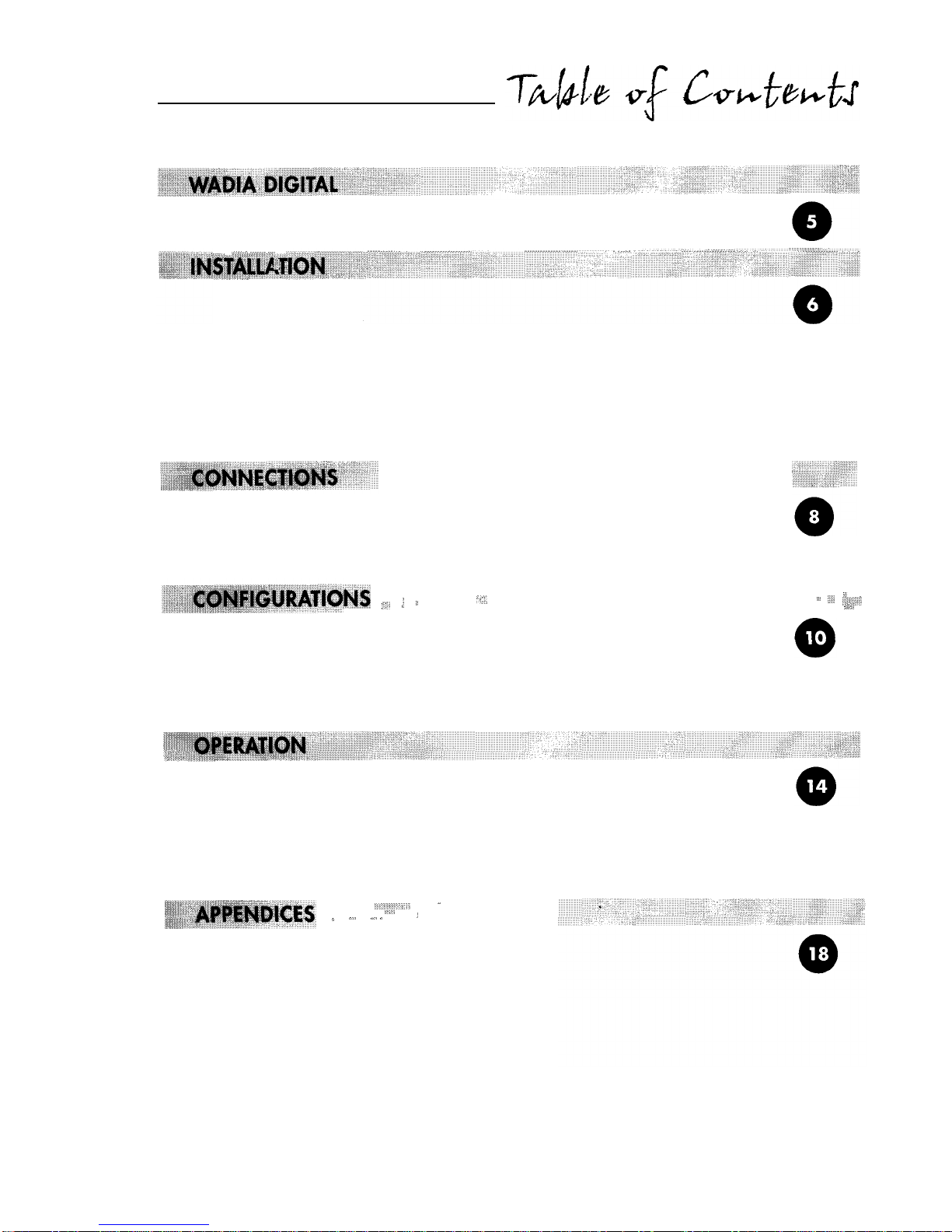
Unpacking
The Accessory Kit
Unlocking the Transport Mechanism
Locking the Transport Mechanism
Installing the Spiked Feet
Installing Batteries in Remote Control
Connecting to AC Power
Choosing a Digital Cable
Connecting to a Decoding Computer
Using the
ClockLink
Connection
“‘I’,
‘8,
((
p&
:,,,
((
))
”
.,:’
llll,l,,,,_
A:,,
Configuring the Digital Outputs
Configuring Clocklink
Configuring Resolution Enhancement
Changing Configuration Settings
Front Panel Controls
Display Functions
Remote Control Functions
Programming The Wadia 270 CD Transport
Operating a Wadia Decoding Computer
‘(/(I,,
.
‘1,s
:
j
-,
,,<,
((
Important Safety Precautions
Environmental Care
Frequently Asked Questions
Trouble Shooting
Specifications
Warranty


l&h&a
DIGITAL
Wadia Digital Corporation was founded in 1988, making it one of the oldest digital audio
companies in existence. Wadia was formed by a group of engineers from the
Minneapolis-
based 3M Corporation (Minnesota Mining and Manufacturing) who had compiled many
years of experience in advanced digital and telecommunications research and development.
In the early
1980’s,
this group had become intrigued by the emerging CD technology.
Disappointed by the sound of early CD players, they examined the designs and found them
to be unsophisticated compared with the technology available in other areas of digital design.
In response, they founded Wadia Digital
-
a company based on the philosophy of applying
advanced technology to improve the performance of digital home entertainment equipment.
Wadia’s first product, the Wadia 2000 Decoding Computer, was a breakthrough.
For many listeners, it proved the viability of Compact Disc as a musically involving format.
Ever since, Wadia has continued to develop the original technology; refining, listening
and improving along the way. Since the Wadia 2000, new generations of even higher
performance designs have been introduced. Each step of the way, Wadia has raised
the standard for performance of CD playback.
Here is a brief list of the technological innovations the Wadia engineers
have pioneered over the past 10 years:
l
First outboard Digital-to-Analog converter
l
DigiMaster patented algorithm (filter optimized for reproducing music)
l
First company to apply glass fiber-optics to home audio
l
First company to recognize jitter as a source of audible distortion
l
First to perfect digital volume control
l
First high-end CD player competitive with expensive separates
l
ClockLink
proprietary jitter reduction technology
Although Wadia’s digital expertise and track record exceed those of any audio company,
technology alone does not guarantee musical performance. Wadia designs are born of a
delicate balance of technology shaped by a passion for music.
Now past our tenth year, Wadia continues to redefine the limits of digital music playback.
We are proud to introduce the Wadia 270
-
a breakthrough in sonic performance
and a strong statement of our years of dedication to music.

Use care in unpacking your Wadia 270 Compact Disc Transport.
Inspect it for any signs of shipping damage and call your dealer immediately if any is found.
Q
Do not plug your
Wadia
270
Compact Disc Transport into any outlet if you find shipping damage.
Please save all packing materials so unit can be easily and safely shipped if the need arises.
Included in the carton, you will find an accessory kit that contains the following:
l AC power cord
lFour steel spiked feet with threaded studs
l Four steel coasters
l RCA/BNC adapter
lTransport Locking /Unlocking Key
l Remote Control
lThree type AAA batteries
l Glass Fiber-optic cable
Q
Do not tip the unit onto the back panel. This can damage input and/or output connectors.
Place the Wadia 270 Compact Disc Transport on its side on a surface that will not scratch the
side panel. Using the Transport Locking/Unlocking Key found in the accessories kit, unlock the
transport laser assembly as shown on the label on the bottom of the unit. Note that the transport
key need only be turned a small distance to either lock or unlock the transport.
B
Once he transport has
been
unlocked, do not tilt the unit forward as it may cause
the
laser
assembly to become lodged in the disc clamping system.
In the event the unit requires shipping, the transport must be returned to the locked position.
To lock the transport:
1.
2.
3.
4.
Turn off the AC power switch.
Lift the front of the unit several inches up off the shelf to slide
the laser mechanism towards the back of the unit.
Rotate the unit onto one of the sides.
Using the transport locking key, turn the locking mechanism
into the locked position as shown on the label on the bottom of the unit.

With unit positioned on its side, screw one of the spiked feet into the bottom of each corner post.
Position the Wadia 270 where you would like it to reside in your system. We recommend
choosing a solid, non-resonant, level surface for best performance. If this surface is susceptible
to damage, place one of the steel coasters under each spiked foot.
You can adjust the spiked feet so that the Wadia 270 sits firmly on all four feet. Place your
hand on top of the unit and gently rock it back and forth. If the unit moves, notice which foot
is raised, then adjust it by screwing it down from the chassis (clockwise looking from the top
of the unit). Repeat until the unit is stable.
The Wadia 270 remote control requires three type-AAA batteries, which you will find in
the accessories kit. To install the batteries, remove the battery cover on the back of the remote
by removing the cross-head screw. Insert the batteries as indicated on the battery holders,
and replace the cover.
-
CHECK
VOLTAGE
A.
HERE!
v
Check
to
make sure your Wadia 270 Compact Disc Transport has been manufactured for
operation at your AC line
voltage.
Attempting to use your Wadia 270 Compact Disc Transport
at any voltage other than specified on the rear of
the
unit may damage the unit. Damage
caused by improper operation is not covered by Wadia warranty. If the voltage specified
is different from your AC voltage, contact your Wadia dealer.
USING AC
LINE
CONDITIONERS
In most cases, best performance is obtained when the Wadia 270 is plugged directly into the
wall outlet using the AC power cord provided. The Wadia 270 employs extensive power-line
filtering and noise suppression technology. It should not be necessary to use power conditioners
or after-market power cords. If you wish to experiment with any of these devices, work closely
with your dealer and most of all, trust your own ears.
USING A “SURGE PROTECTOR”
Although the Wadia 270 will resist significant voltage spikes, it can still be damaged by extreme
voltage overload such as a lightening strike. This type of damage is not covered by warranty.
In some circumstances, a “surge protector” can help prevent this type of damage. However,
surge protectors often degrade sound quality. Each Wadia owner must weigh the protection
offered by a surge protector against the sonic degradation.

v
Avoid allowing static shocks to be applied to the inputs or
oufputs.
To prevent static shocks,
touch any grounded surface, such as the Wadia 270 chassis, before connecting or removing
a cable. It is
unlikely
that
a
static
shock
will
damage the unit, but it may cause he Wadia 270
Compact Disc
transport
circuitry
to
“lock-up” (see
Lock-Up
under Trouble Shooting in
Appendices).
While the Wadia 270 CD Transport supports all currently accepted high-quality transmission
formats for digital audio, we recommend using the ST glass-optical cable that is included
in your accessory kit or another high-quality ST glass-optical cable.
Wadia Digital was the first company to use glass fiber-optic data transmission in digital audio.
We have continually improved this format and believe that it offers the best, most consistent
performance of all the available options. Based on our experience, here is a list of digital
interface methods in descending order of performance:
1.
ST-type Glass optical (as implemented by Wadia, with high quality glass-optical cable)
2. AES/EBU using XLR connector
3. Coaxial
S/PDIF
cable using BNC connector
4. *Coaxial
S/PDIF
cable using RCA connector
5. TOSLINK plastic-optical cable
* These
lower quality formats are not supported by the Wadia 270.
The quality of any of these transmission methods depends on the quality of the cable and the
sophistication of the transmitter and receiver. For example, a high-quality coaxial
S/PDIF
cable
can out-perform a low-quality AES/EBU cable. A high-quality AES/EBU cable may out-perform
a poorly-implemented glass-optical system.
We recommend that if you are using a coaxial
S/PDIF
connection, have the cable terminated
with a BNC connector. This will provide higher performance than an RCA connector.
Your Wadia 270 comes with an RCA/BNC adapter that can be used for experimentation
between different types of coaxial
S/PDIF
cables.
Again, we highly recommend that you take advantage of your dealer’s experience and,
most importantly, trust your ears.
Connect your chosen cable from the appropriate digital output on the Wadia 270
to the corresponding digital input on your Decoding Computer.
Tabla de contenidos
Otros manuales de Reproductor de CD de Wadia

Wadia
Wadia 830 Manual de usuario

Wadia
Wadia 581 Manual de usuario

Wadia
Wadia 381 Manual de usuario

Wadia
Wadia 581 Manual de usuario

Wadia
Wadia 7 Manual de usuario

Wadia
Wadia 381 Manual de usuario

Wadia
Wadia 781I Manual de usuario

Wadia
Wadia 860 Manual de usuario

Wadia
Wadia 302 Manual de usuario

Wadia
Wadia 581 Manual de usuario