
Voyager VYCDVD7 Manual de usuario

Instruction Manual
VYCDVD7 / VYCDVD9


03
TABLE OF CONTENTS
TABLE OF CONTENTS
PRECAUTIONS
CAUTIONS ON USING THIS PRODUCT
PACKAGE CONTENTS
PARTS & CONTROLS
GETTING STARTED
MAINS ADAPTOR
TURN THE DVD PLAYER ON
INSERT DISK
ROTATE & SWIVEL THE SCREEN
INTERNAL BATTERY
REMOTE CONTROL
USING THE REMOTE CONTROL
USB MEDIA PLAYBACK
VIDEO COMPRESSION FORMATS
SYSTEM SETUP MENU
PRODUCT SPECIFICATION
SMASHED SCREEN IDENTIFICATION
PIXEL STATEMENT
TROUBLE SHOOTING
..........................................................................................
......................................................................................................
...............................................................
..........................................................................................
............................................................................................
.............................................................................................
...........................................................................
....................................................................................................
...................................................................
..............................................................................................
..............................................................................................
.........................................................................
........................................................................................
......................................................................
........................................................................................
.................................................................................
.................................................................
................................................................................................
..........................................................................................
03
04
05
07
08
11
12
12
12
13
14
18
19
20
21
26
27
27
28
This manual covers the following VOYAGER models:
1) VYDVD7-BLK: Voyager 7" Clamshell DVD Player BLACK
2) VYDVD7-PNK: Voyager 7" Clamshell DVD Player PINK
3) VYDVD9-BLK: Voyager 9" Clamshell DVD Player BLACK
4) VYDVD9-PNK: Voyager 9" Clamshell DVD Player PINK

PRECAUTIONS
Thank you for choosing this VOYAGER portable DVD player. Please read this manual
carefully before operation and keep it for future reference. It will be helpful should you
encounter any operational problem.
CAUTION:
WARNING: Do not expose this product to rain, moisture or water under any
circumstances, doing so may result in the risk of electric shock or fire.
To reduce the risk of electric shock, do not perform any servicing other
than that contained in the instruction manual unless you are qualified
to do so.
Have the unit serviced by a qualified service technician if;
The unit has been exposed to rain or water.
The unit does not seem to operate normally.
The unit exhibits a marked changes in performance.
This product contains a Class 1M Laser. Due to possible eye injury
only qualified service technicians should remove the cover or attempt
to service this device.
DO NOT ATTEMPT TO SERVICE THE UNIT BY YOURSELF!
LASER:
LASER:
Type
Wave Length
Output Power
Beam Divergence
Semiconductor laser GaAIAs
650nm / 780nm
5mW
60 degrees
LASER RADIATION
DO NOT VIEW DIRECTLY WITH
OPTICAL INSTRUMENTS
CLASS 1M LASER PRODUCT
AUDIO:
WARNING
RISK OF ELECTRIC SHOCK
DO NOT OPEN
To prevent possible hearing damage, do not listen at high volume levels
for long periods.
When using earphones listen at a reasonable volume for reasonable
lengths of time.
Do not turn the volume so high that you cannot hear what is around you.
WEEE: Disposal of Waste Electrical and Electronic Equipment and/or
Battery by users in private households in the European Union.
This symbol on the product or on the packaging indicates that this can
not be disposed of as household waste. You must dispose of your waste
equipment and/or battery by handing it over to the applicable take-back
scheme for the recycling of electronic equipment and/or battery.
For more information please contact your local household waste
disposal office.
04

CAUTIONS ON USING THIS PRODUCT
• For household use only. Do not use outdoors.
• Danger! Excessive sound pressure from earphones and headphones can cause
hearing loss. If you listen to loud music for a long time, your hearing may be
impaired. Set to a moderate volume.
• Danger of suffocation! Keep all packaging material away from children.
• Only use under normal room temperature and humidity conditions.
• Do not move the product from cold into warm places and vice versa. Condensation
can cause damage to the product and electrical parts. If condensation does occur
leave the DVD player for 30 minutes to stabilise, before use.
• Do not use attachments or accessories other than recommended by the
manufacturer or sold with this product. Install in accordance with this user manual.
• When installing the product, leave sufficient space for ventilation. Do not install in
bookcases, built-in cabinets or the like.
• Do not impede ventilation by covering the ventilation openings with items, such as
newspapers, table-cloths, curtains, etc. Do not insert any objects.
• Do not install near any heat sources such as radiators, heat registers, stoves or
other products (including amplifiers) that produce heat.
• Do not shake the product when powered on.
• Do not touch, push or rub the surface of the product with any sharp or hard objects.
• Danger! To reduce the risk of fire or electric shock, do not expose this product to
rain or moisture.
• The product shall not be exposed to dripping or splashing and no objects filled
with liquids, such as vases, shall be placed on the product.
• Care should be taken so that no objects or liquids enter the enclosure through
openings.
• No naked flame sources, such as lighted candles, should be placed on the product.
05

CAUTIONS ON USING THIS PRODUCT (CONTD.)
• Before connecting the supplied mains adaptor to a socket outlet, make sure
the voltage indicated on the product corresponds to your local mains supply.
• If the supplied mains adaptor is damaged, it must be replaced by the
manufacturer or its service agent or similarly qualified person in order to avoid
hazard.
• Place the supplied mains adaptor and, if necessary, an appropriate extension
cable in such a way that pulling or tripping over it is impossible.
• Do not jam, bend or pull the supplied mains adaptor cable over sharp edges.
• Only use the supplied mains adaptor with the Voyager DVD player.
• Protect the supplied mains adaptor cable from being walked on or pinched
particularly at the plug, convenience receptacles and the point where it exits
from the product.
• The product may not function properly or not react to the operation of any
control due to electrostatic discharge. Switch off and disconnect the appliance;
reconnect after a few seconds.
• Danger! Before cleaning, switch the product off and disconnect the supplied
mains adaptor plug from the socket.
• Refer all servicing to authorised service agent. Do not attempt to repair the
product yourself. Servicing is required when the product has been damaged
in any way, such as the supplied mains adaptor has been damaged, liquid has
been spilled, objects have fallen into the product, the enclosure is damaged,
the product has been exposed to rain or moisture, does not operate normally,
or has been dropped.
The model number and serial number are located on the back housing of the
DVD player, please record these details below along with the date of purchase.
Model Number:
Serial Number:
Date of Purchase:
06
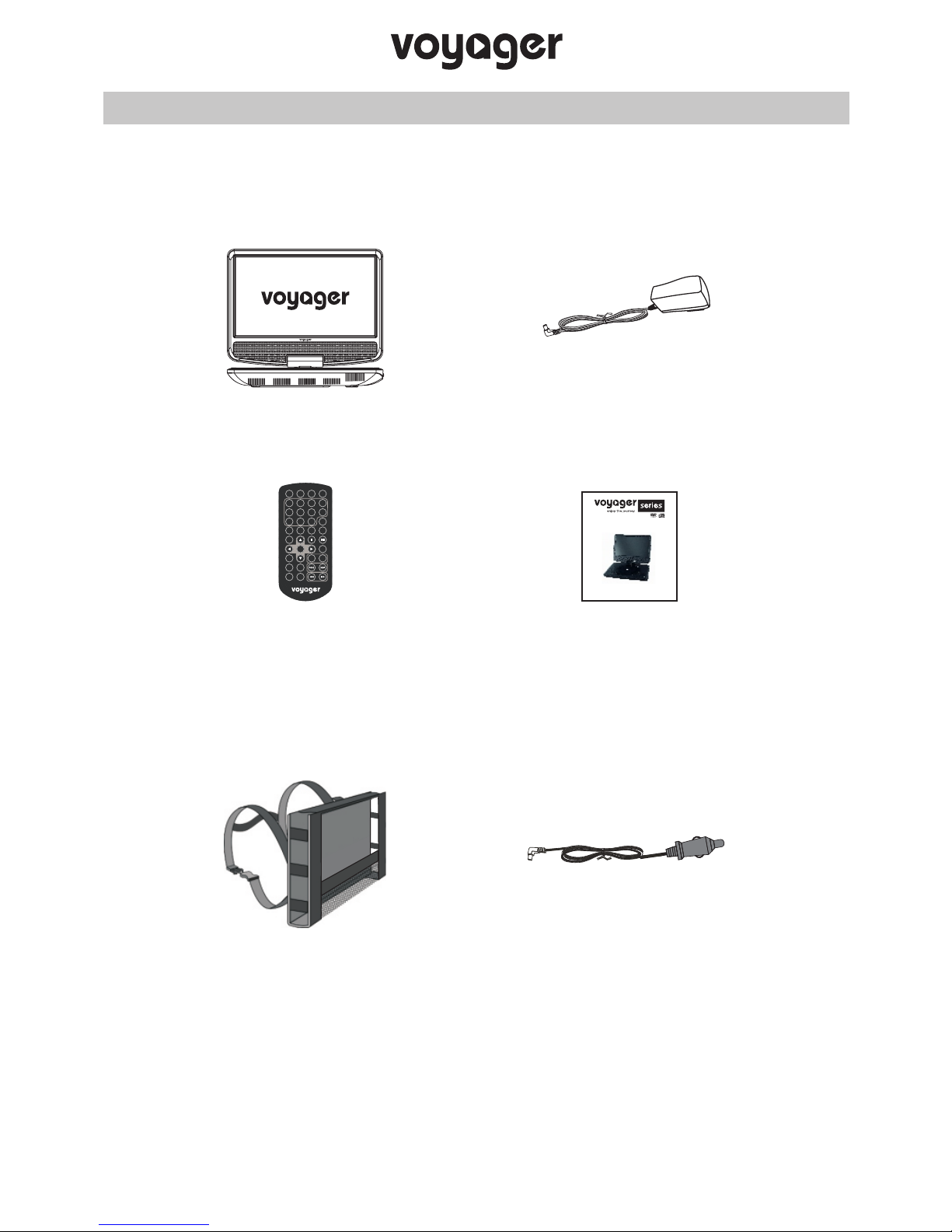
Please check the contents of your purchased model using the guide below.
In the event of an item being missing please contact your retailer.
Available accessories (sold separately), please contact your local
VOYAGER retailer.
Note:
The actual products might appear slightly different from pictures shown above.
PACKAGE CONTENTS
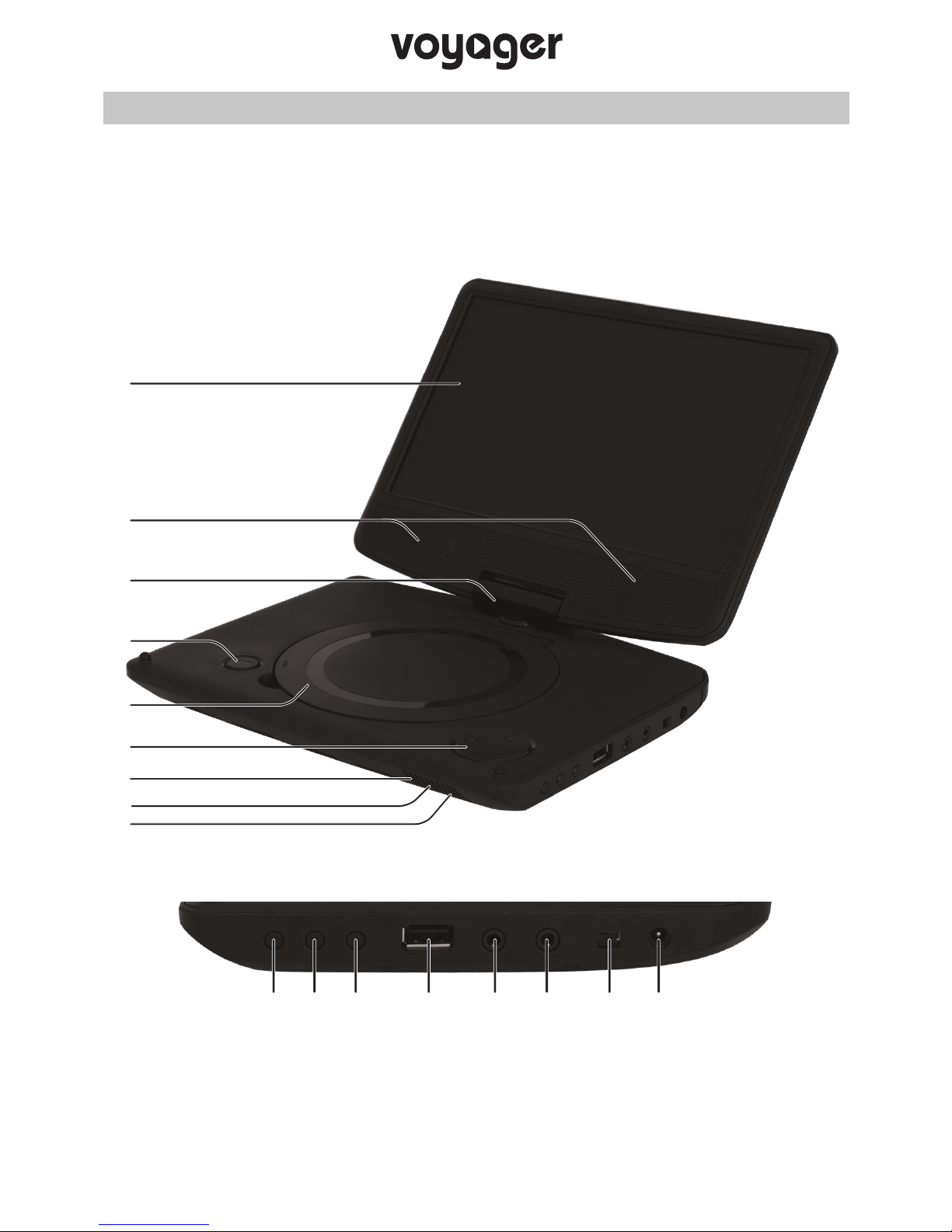
Remote Control
DVD Player
Instruction Manual
Instruction Manual
VYCDVD7 / VYCDVD9
Car Headrest Bag Car Power Cable
Should you experience any difficulties, please do not hesitate to call our English
speaking technical support team on +44 (0)2920 866429, lines are open during
normal business operating hours: 09:00-21:00hrs.
Email: [email protected]
07
Mains Adaptor
A-B
STEP
MUTE
SOURCESEARCH
1 2 3 4
5 6 7 8
9 0 10+
DISPLAY
SUBTITLE
ANGLE AUDIO
TITLE
MENU
SETUP
ZOOM
REPEAT
PROGRAM
VOL+
SLOW
VOL-
ENTER
08
PARTS AND CONTROLS
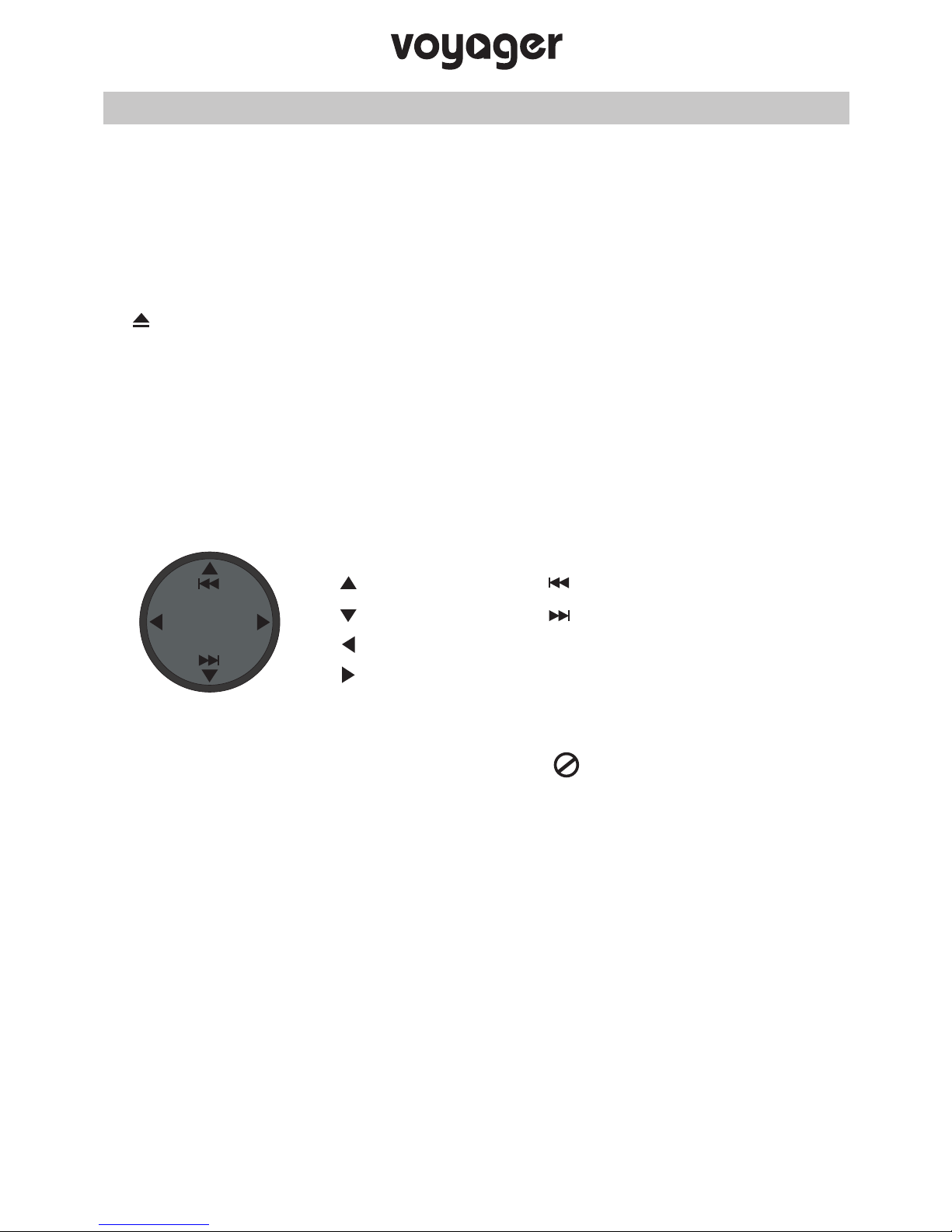
The parts and controls for the VYCDVD7 and VYCDVD9 are identical, please see the
diagram below and the following pages for details.
1
2
3
4
5
6
7
8
9
10 11 12 13 14 15 16 17
09
PARTS AND CONTROLS (CONTD.)
1. LCD screen
2. Stereo speakers
3. 2 Axis hinge
4. button
Push to open disc compartment cover.
NOTE:
Take care not to force cover open beyond it’s design limits.
Damage caused is easily identifiable and not covered under
the manufacturers warranty.
5. Disc compartment
6. Multi-function button
Note:
Short press functions are not available during movie playback, as indicated
by the following symbol appearing on screen .
Use the remote control for full disk navigation functions.
7. Dual colour battery LED indicator
Green flashing = Charging.
Green = Charged.
8. Receiver for remote control
Point remote control here.
9. Power LED indicator
LED will be illuminated RED when the DVD player is turned on.
Previous
VOL- VOL+ Next
Volume +
Volume -
VOL-
VOL+
Long press (playback):
Short press (menus):
Up
Down
Right
Left

10
PARTS AND CONTROLS (CONTD.)
10. Play / Pause & Enter button
Press to stop play / pause playback.
Press when in a menu to confirm selection.
11. Setup button
Press to enter the Setup menu.
12. Source button
Press to select the mode, with choice of DVD or MEDIA (USB).
13. USB port
Insert USB memory stick here. For direct connection of USB flash memory sticks
only. NOT for PC connection or for an external hard drive / alternative device.
For further information on USB playback please see pages 19 and 20.
14. Earphone socket
Connect earphones (not supplied) here, note that connecting earphones will
mute the speakers.
- To prevent possible hearing damage, do not listen at high volume
levels for long periods.
- When using earphones listen at a reasonable volume for reasonable
lengths of time.
- Do not turn the volume so high that you cannot hear what is around
you.
- Do not use Multimedia headphones with an integrated microphone,
as they will not work correctly.
15. AV Out socket
Connect the DVD player to an external device, such as a television.
Contact you local VOYAGER retailer to purchase the correct AV cable.
16. On / Off switch
17. DC IN socket
Connect the supplied mains adaptor here.
10 11 12 13 14 15 16 17
Este manual sirve para los siguientes modelos
1
Tabla de contenidos
Otros manuales de Reproductor de DVD portátil de Voyager


