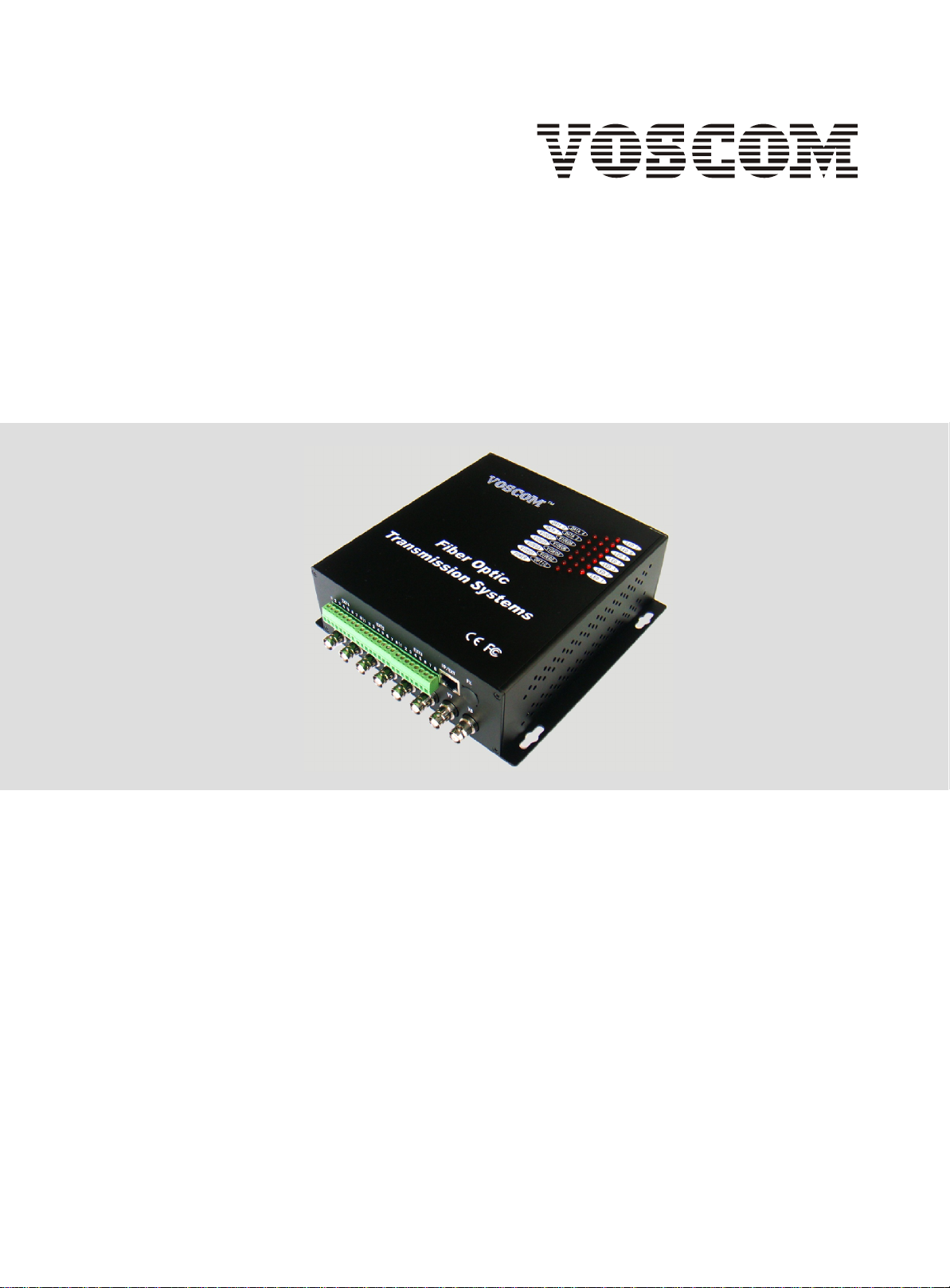
Voscom VOS-88101FFDE Series Manual de usuario

VOS-88101FFDET/R series
8-Channel Video + 8 Simplex Audio + 1 Duplex Data
+ IP Ethernet
Installation Manual
Fiber Optic Transmission Systems
VOSCOM TECHNOLOGIES CO.,LIMITED
WWW.VOSCOM.COM
TM

Important Safety Instructions EN_1
1. Readthese instructions. Keep these instructions. Heed allwarnings. Follow all instructions.
5. Donot use this apparatus near water. Cleanonly with dry cloth.
7. Donot block any ventilation openings. Install in accordance with the manufacturers
instructions.
8. Donot install near any heat sources such as radiators, heatregisters, stoves,or other
apparatus (includingamplifiers) that produce heat.
9. Donot defeat the safety purpose of the polarized or grounding-type plug. A polarized plug
has twoblades withone wider than the other. Agrounding type plug has two blades and a third
grounding prong. The wideblade or the third prong are provided for your safety. Ifthe provided
plug doesnot fitinto your outlet consult an electrician for replacement of the obsolete outlet.
10. Protectthe power cord from being walked on or pinched particularly at plugs,convenience
receptacles, andthe points where they exit from the apparatus.
13. Referall servicingto qualifiedservice personnel. Servicing is required when the apparatus
has beendamaged in any way, suchas power-supply cord or plug is damaged, liquid has been
spilled or objects havefallen into the apparatus,the apparatushas been exposed to rain or
moisture, doesnot operatenormally,or has been dropped.
14. Apparatusshall not be exposed to dripping or splashing and that no objects filled with liquids,
such asvases shall be placed on the apparatus.
15. WARNING: To reduce the risk of fire or electric shock, do not expose this apparatusto rain or
moisture.
16. Installation should be done only by qualified personnel and conform to all local codes.
20. CAUTION: These servicing instructions arefor useby qualified service personnel only.To
reduce therisk of electric shock do not perform any servicing other than that contained in the
operating instructionsunless youare qualifiedto do so.
Website:www.voscom.com

Product Overview En_2
The VOS-88101FFDET/R can transmission8-Channel
vide, 8 simplex analog auido, 1duplex data and
10M/100M IP Ethernet overSM or MM optical cable.
Stand-alone orrack-mount. The cards can be inserted
into our 14 slots,19inch 4U or 6U rack-mountable
card cage (VOS-CH04 or VOS-CH06). The card of this model require two slots widths.
System Diagram:
Model Number
Transmitter Receiver Fiber Mode Wavelengths Optical
Power
Budget
Maximum
Transmission
Distance
Multi-Mode 1310nm/1550nmVOS-88101FFDEMRVOS-88101FFDEMT
•The OpticalPower Budgetdata fitMulit-mode(62.5/125 m),Single-Mode(9/125 m).
•When using50/125 m multimode fiber, subtract3 dBfrom the optical power budget.
•Optical transmissiondistance is limited to optical loss of thefiber and any additional loss introduced by connectors,
splices andpatch panels.
•Maximum transmissiondistance is also limited by fiber bandwidth.
Note:
12dB 1.2km
Single-Mode
VOS-88101FFDESRVOS-88101FFDEST 12dB 20km
VOS-88101FFDEST-4
VOS-88101FFDEST-6
VOS-88101FFDESR-4
VOS-88101FFDESR-6
Single-Mode
Single-Mode
18dB
25dB
40km
60km
Models and Optical Power Budget:
•Uncompressed Digital Composite Video over onefiber
•Compatible with all PAL,NTSC,SECAM Video Systems
•Multi-mode Fiber Support for Distances up to 1.2 km
•Single-Mode Fiber Support for Distances up to 100 km
•No EMI or RFI and noground loops
•Stand alone or rack-mount
Features:
1310nm/1550nm
1310nm/1550nm
1310nm/1550nm
88
Video Audio
88
Data
11
Ethernet
11
1 Fiber opticCable
Monitor
VOS-88101FFDET
Transmitter VOS-88101FFDER
Receiver
8 x Video
8 x Video
IP Ethernet IP Ethernet
8 xSpeaker
Keyboad
1 x Duplex Data 1 x Duplex Data
.
.
.
.
.
.
.
.
8 xPTZ Camera
8 x Microphone
.
.
.
.

1
1
2
3
Fiber OpticConnector, FC/PC or ST/PC
V1~V8 BNCConnector, 75-ohmanalog video input (Transmitter)/output (Receiver)
Stand-alone Power supply Connector, DC5V3A Input.
Panel & Cable Connection En_3
NOTE1: Digital video optic transmitterand receivershould be used in pairs, one is Transmitter
(LED is red), theother is Receiver (LED is green).
NOTE2: Avoid simultaneously connecting video signals to both the front BNC and rear BNC of the
same channel.Also, since each video channel is factory terminated to 75 ohm, unused BNCs
should notbe used for loop-through video connections.
4Audio Connector, Terminal Block,analog audio input (Transmitter)/output (Receiver)
FRONT PANEL
FTX
REAR PANEL
DC5V
V1 V2 V3 V4
1 2 3 4 5 6 7 8 1 2 3 4 5 6 7 8 1 2 3 4 5 6 7 8
EXT1 EXT2 EXT3 IP/EXT
2
13
45
5Data Connector, Terminal Block,Data support one duplex Rs485 orRs232.
V5 V6 V7 V8
6
6IP Ethernet Connector, StandardRJ-45, Automatic support MDI / MDI-X.

Panel & Cable Connection En_4
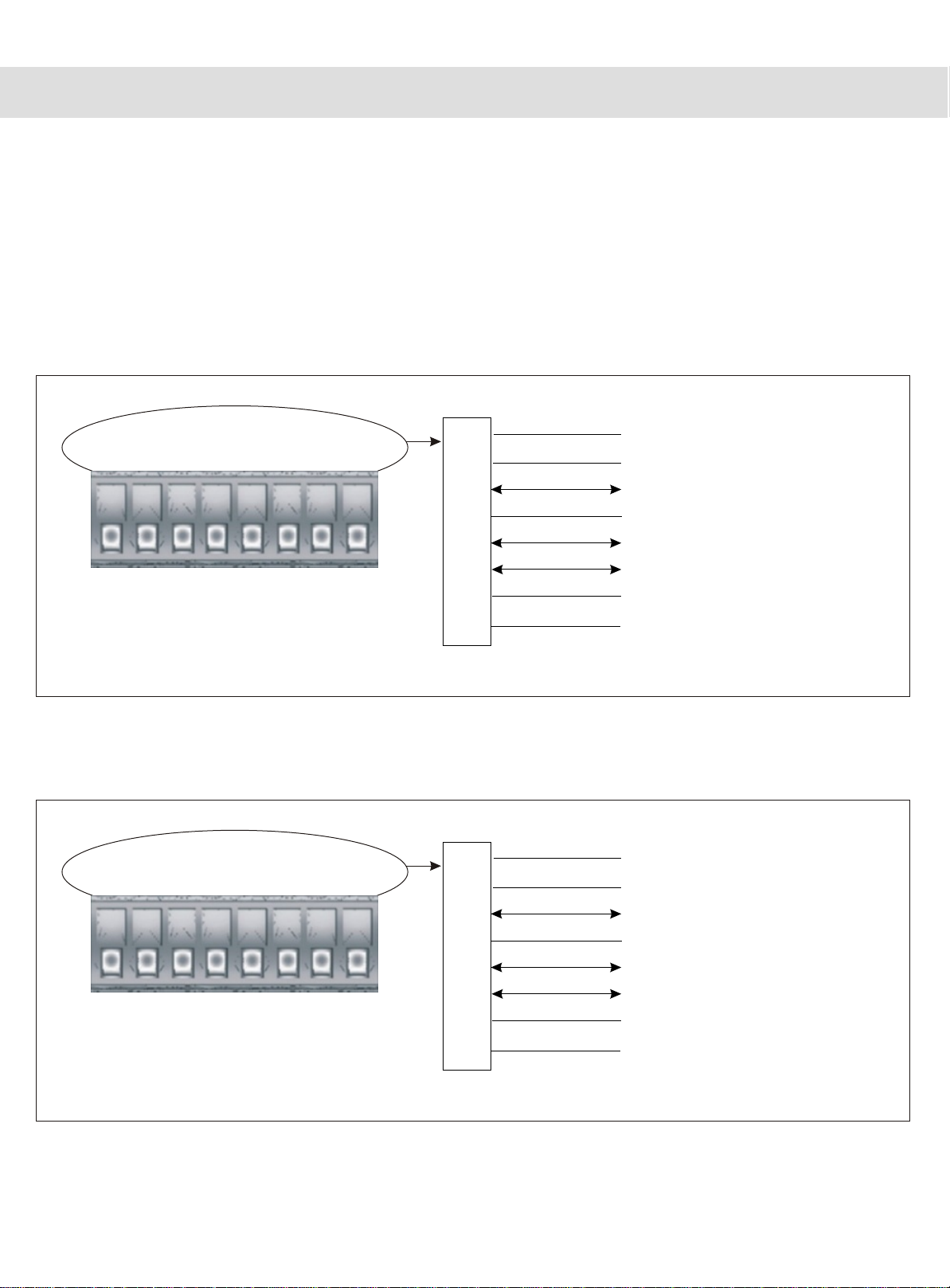
Transmitter (Audio): 8-Channel Simplex Audio Connection (Input)
NOTE: AUDIO SIGNAL AND IMPEDANCE MODE
1) Audio Signal: The audio is Mono Audio in default, can support Stereo audio, but you
should consultfor us before the order.
2) Impedance Mode: The audiois unbalanced mode in default, can support 600 ohm
balanced audio, but you should consult for us before the order
Connect Audio1
Connect GND1
Input
8 Pin Terminal Block
1
2
3
4
5
6
7
8
Connect GND2
PIN
Connect Audio2
Connect Audio4
Connect GND4
Connect Audio3
Connect GND3
Input
1 2 3 4 5 6 7 8
EXT1
Input
Input
Input
Input
Input
Input
Connect Audio5
Connect GND5
Input
8 Pin Terminal Block
1
2
3
4
5
6
7
8
Connect GND6
PIN
Connect Audio6
Connect Audio8
Connect GND8
Connect Audio7
Connect GND7
Input
1 2 3 4 5 6 7 8
EXT2
Input
Input
Input
Input
Input
Input
Transmitter EXT1 Terminal Block: 1ch~4ch audio input
Transmitter EXT2 Terminal Block: 5ch~8ch audio input
Website:www.voscom.com

Panel & Cable Connection En_5
Receiver (Audio): 8-Channel Simplex Audio Connection (Output)
NOTE: AUDIO SIGNAL AND IMPEDANCE MODE
1) Audio Signal: The audio is Mono Audio in default, can support Stereo audio, but you
should consultfor us before the order.
2) Impedance Mode: The audiois unbalanced mode in default, can support 600 ohm
balanced audio, but you should consult for us before the order
Connect Audio1
Connect GND1
Output
8 Pin Terminal Block
1
2
3
4
5
6
7
8
Connect GND2
PIN
Connect Audio2
Connect Audio4
Connect GND4
Connect Audio3
Connect GND3
Output
1 2 3 4 5 6 7 8
EXT1
Output
Output
Output
Output
Output
Output
Connect Audio5
Connect GND5
Output
8 Pin Terminal Block
1
2
3
4
5
6
7
8
Connect GND6
PIN
Connect Audio6
Connect Audio8
Connect GND8
Connect Audio7
Connect GND7
Output
1 2 3 4 5 6 7 8
EXT2
Output
Output
Output
Output
Output
Output
Receiver EXT1 Terminal Block: 1ch~4ch audio output
Receiver EXT2 Terminal Block: 5ch~8ch audio output
Website:www.voscom.com

Panel & Cable Connection En_6
Receiver (Rs485): One duplexRs485 Data Connection (Input/Output)
Note: If you need the Rs422 or RS485(4-wire) data connection,
Transmitter (Rs485):One Duplex Rs485 Data Connection (Input/Output)
Conect DataRs485+ (A)
Conect DataRs485- (B)
Input/Output
NOTE1:Digital video optic transmitterand receiver should be used in pairs, one is transmitter
(LED is red), the other is receiver (LEDis green).
NOTE2: Avoid simultaneously connecting video signals to both the front BNC andrear BNC of the
same channel.Also,since each video channel is factory terminated to 75 ohm, unused BNCs
should notbe used for loop-through video connections.
8 Pin Terminal Block
1
2
3
4
5
6
7
8
None
PIN
None
None
None
None
None
Input/Output
1 2 3 4 5 6 7 8
EXT3
Conect DataRs485+ (A)
Conect DataRs485- (B)
Input/Output
8 Pin Terminal Block
1
2
3
4
5
6
7
8
None
PIN
None
None
None
None
None
Input/Output
1 2 3 4 5 6 7 8
EXT3

Panel & Cable Connection En_7
Transmitter (Rs232): One DuplexRs232 Data Connection (Input/Output)
Receiver (Rs232):One duplex Rs232 Data Connection (Input/Output)
Note: If you need the Rs422 or RS485(4-wire) data connection,
NOTE1:Digital video optic transmitterand receiver should be used in pairs, one is transmitter
(LED is red), the other is receiver (LEDis green).
NOTE2: Avoid simultaneously connecting video signals to both the front BNC andrear BNC of the
same channel.Also,since each video channel is factory terminated to 75 ohm, unused BNCs
should notbe used for loop-through video connections.
None
None
Input/Output
8 Pin Terminal Block
1
2
3
4
5
6
7
8
None
PIN
None
None
Input/Output
1 2 3 4 5 6 7 8
EXT3
Input/Output Conect DataRs232 TXD
Conect DataRs232 RXD
Conect Ground(GND)
None
None
Input/Output
8 Pin Terminal Block
1
2
3
4
5
6
7
8
None
PIN
None
None
Input/Output
1 2 3 4 5 6 7 8
EXT3
Input/Output Conect DataRs232 TXD
Conect DataRs232 RXD
Conect Ground(GND)

Stand-alone Installation En_8
The VOS-88101FFDET transmitter/VOS-88101FFDER receivercan be mounted into a rackor can
be used as astand-alone module. As a stand-alone module, the unit can be placed on a desktop
or canbe mountedto awall.
NOTE: Before mounting the VOS-88101FFDET transmitter/VOS-88101FFDER receiver, please
ensure that there is adequate space at both ends forviewing the front-panel LEDsand for making
the variousrear-panel cableconnections.
Stand-alone Mounting Size: 176.5mm x 158mm x 59mm
Website:www.voscom.com

Rack-mount Installation En_9
Installation Instructions
Typical Configurations:
1:Install the video card into a standard 19inch rack, usinguser-supplied rack-mounting
hardware. Becareful to not damage exposed objects on the back of the card cage unit.
2:If asecondary earth ground connectionis needed, a grounded wire with a ground lug can be
attached to the rackusing the protruding screw provided on the right side of the chassis.
3:If desired, blank panels may beinstalled to cover unused slots. A single blank panel coversa
single slot opening.
4:Each fiber optic plug-in module is equipped with a POWER LED indicator that illuminates
when power is applied to the rack unit.
5:Fiber optic plug-in modules(video cards) can be installed into anyof theavailable 14slots
of thecard cage. Most modules require onlya single slot width, but others, such as the 8-Ch
video Series, require two slot widths.
VOS-CH04:
19 inch4U,14 video card slots, suit for 1-ch,2-ch,4-ch,8-ch(two slots)video cards.
Support oneslide-in power supply AC100V~AC240V
VOS-CH06:
19 inch6U,16 video card slots, suit for 1-ch,2-ch,4-ch,8-ch(two slots)video cards.
Support two slide-in power supply AC100V~AC240V, one for redundancy.
Website:www.voscom.com
The VOS-88101FFDETtransmitter/VOS-88101FFDER receivercan be installed into our rack mount
chassis,VOS-CH04 orVOS-CH06, whichcan be mounted into an industry-standard 19-inch
equipment rack.
Este manual sirve para los siguientes modelos
8
Tabla de contenidos
Otros manuales de Multiplexor de Voscom
Manuales populares de Multiplexor de otras marcas

ADTRAN
ADTRAN Frameport 768 Manual de usuario

Elo TouchSystems
Elo TouchSystems E247 Manual de usuario

Paradyne
Paradyne Hotwire 8786 Manual de usuario

RFL Electronics
RFL Electronics 9508D UCC Manual de usuario

Miranda
Miranda AMX-101i Manual de instrucciones

ShipModul
ShipModul MiniPlex-AIX NMEA-0183 Manual de usuario