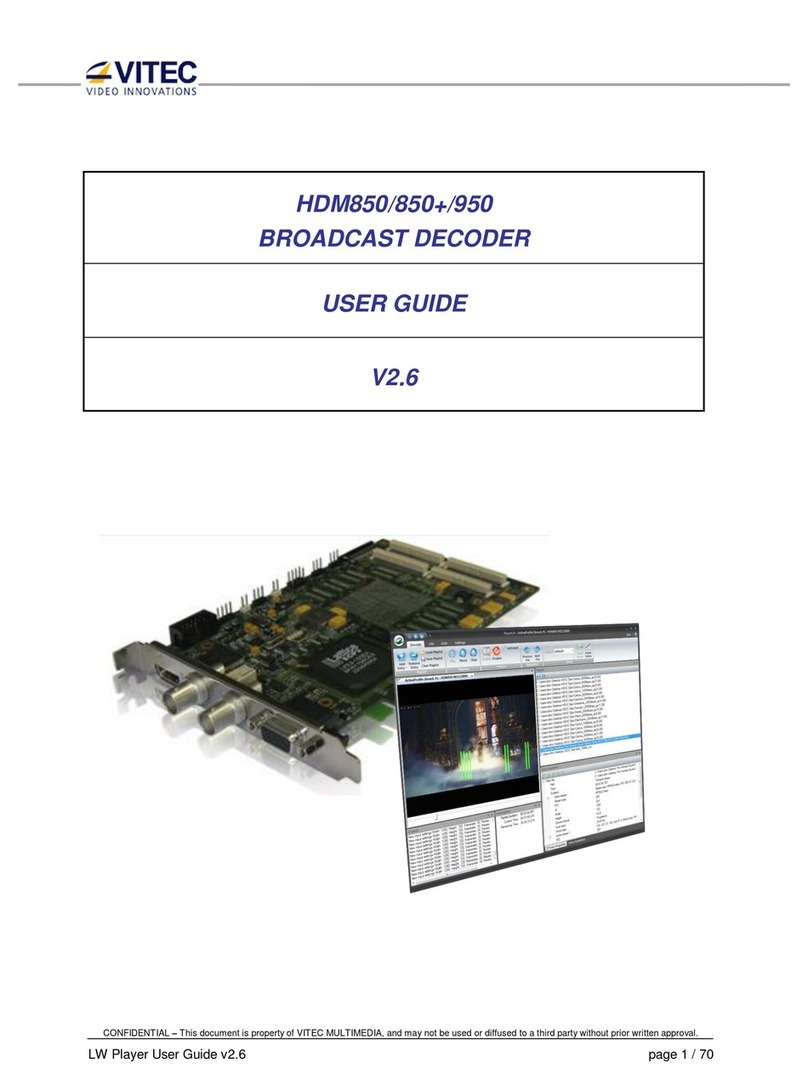
Vitec Multimedia MGW Manual de usuario

User Manual, Version 1.0 i
MGW Ace Decoder
HEVC Decoding Appliance
User Manual
Version 1.0
Date: November 7, 2016
Doc Rev: <A>

User Manual, Version 1.0 ii
Contents
Chapter 1 About This Manual ...........................................................................................5
General ..........................................................................................................................5
Manual Structure and Use............................................................................................5
Chapter 2 MGW Ace Decoder Overview ..........................................................................6
The Product...................................................................................................................6
System Requirements ..................................................................................................7
I/O Specification............................................................................................................8
MGW Ace Decoder Front Panel ..............................................................................8
MGW Ace Decoder Rear Panel .............................................................................10
Chapter 3 Getting Started ...............................................................................................11
Initial Connection and Setup .....................................................................................11
Retrieving or Setting Network Parameters through a USB Thumb Drive ..............13
Chapter 4 Setup and Operations ....................................................................................15
Using the MGW Ace Decoder Interface ....................................................................15
MGW Ace Decoder Functions...............................................................................15
The Main Menu.......................................................................................................16
Dashboard Frame .......................................................................................................17
The Dashboard Page ..................................................................................................19
The Channel Page.......................................................................................................21
Input Channel Configuration ................................................................................24
The Decoder Settings Page .......................................................................................28
The Live Preview Page ...............................................................................................32
The System Page ........................................................................................................33
The Event Log Page ...................................................................................................36
The Configurations Page ...........................................................................................37
The General Page .......................................................................................................39
Chapter 5 Firmware Upgrade..........................................................................................41
Upgrading the Firmware.............................................................................................41
Appendix A Technical Specifications ............................................................................44
Appendix B Technical Support.......................................................................................46
Appendix C Warranty ......................................................................................................47

User Manual, Version 1.0 iii
Index .................................................................................................................................49

User Manual, Version 1.0 i
Safety Instructions
Use the following safety guidelines to help protect your MGW ACE unit from potential
damage and to ensure your own personal safety.
Make sure that only authorized personnel installs, connects and maintains MGW ACE
and its components.
Read and follow all instructions marked on the product and in the documentation
before you operate your system. Retain all safety and operating instructions for future
use.
As a power switch is not incorporated in the equipment, the power plug must be
disconnected to shut down the unit.
When using MGW ACE
Install the system on a secured and stable surface.
To help prevent electric shock, plug the power cable into properly grounded sources.
Use only properly grounded extensions and adapters as the need arises.
Make sure that nothing rests on your MGW ACE power cable and that the cables are not
located where they can be stepped or tripped over.
Do not spill food or liquids on your MGW ACE unit.
Keep your MGW ACE unit away from radiators and heat sources. Do not place your
MGW ACE unit on a bed, sofa, or rug.
When you disconnect a power cable, pull on its connector or on its strain relief loop not
on the cable itself.
ESD Warning: Normal handling precautions should be taken to avoid static discharge.
WARNING:
Do not try to open or replace parts as this will void your warranty.

User Manual, Version 1.0 ii
Declaration of Conformity and Regulatory Compliance
USA: FCC Part 15 Class A
This equipment has been tested and found to comply with the limits for a Class A digital
device, pursuant to part 15 of the FCC Rules. These limits are designed to provide
reasonable protection against harmful interference when the equipment is operated in a
commercial environment. This equipment generates, uses, and can radiate radio
frequency energy and, if not installed and used in accordance with the instruction manual,
may cause harmful interference to radio communications. Operation of this equipment in
a residential area is likely to cause harmful interference in which case the user will be
required to correct the interference at his own expense.
Operation is subject to the following two conditions: (1) This device may not cause harmful
interference, and (2) this device must accept any interference received, including
interference that may cause undesired operation.
WARNING:
Modifying the equipment without VITEC authorization may result in the equipment no longer complying with FCC
requirements for Class A digital devices. In that event, your right to use the equipment may be limited by FCC regulations, and
you may be required to correct any interference to radio or television communications at your own expense.
Canada: ICES-003
This Class A digital apparatus complies with Canadian ICES-003.
Cet appareil numérique de la classe A est conforme à la norme NMB-003 du Canada.
European Union - European Economic Area (EEA):
This product fulfills the essential requirements of the below European directives and thus
bears the CE marking.
2004/108/EC Electromagnetic Compatibility (EMC)
2014/35/EU Low voltage (LVD)
2011/65/EU Restriction of the use of certain hazardous substances in electrical and
electronic equipment (RoHS recast)
The following relevant harmonized standards were used during the assessment process:

User Manual, Version 1.0 iii
EN 60950-1 Information technology equipment - Safety -- Part 1: General
requirements
EN 61000-3-2 Limits for harmonic current emissions
EN 61000-3-3 Limitation of voltage changes, voltage fluctuations and flicker in public
low-voltage supply systems
EN 55022 Information technology equipment - Radio disturbance characteristics - Limits
and methods of measurement
EN 55024 Information technology equipment - Immunity characteristics - Limits and
methods of measurement
Per directive 2012/19/EU (Waste of Electrical and Electronic Equipment - WEEE), this
product must not be disposed of as unsorted waste and must be collected separately.
For more information on Vitec’s compliance to material restriction regulations or to

User Manual, Version 1.0 iv
Copyright Notice
VITEC, AND ITS AFFILIATES ("COMPANY") FURNISH THIS DOCUMENT "AS IS," WITHOUT
WARRANTY OF ANY KIND. THE COMPANY DISCLAIMS ALL WARRANTIES, EXPRESS OR IMPLIED,
INCLUDING, WITHOUT LIMITATION, THE IMPLIED WARRANTIES OF MERCHANTABILITY, FITNESS
FOR A PARTICULAR PURPOSE, NON-INFRINGEMENT AND THOSE ARISING FROM A COURSE OF
PERFORMANCE, A COURSE OF DEALING, OR TRADE USAGE. THE COMPANY SHALL NOT BE LIABLE
FOR ANY ERROR, OMISSION, DEFECT, DEFICIENCY OR NONCONFORMITY IN THIS DOCUMENT AND
DISCLAIMS ALL LIABILITY, INCLUDING LIABILITY FOR INFRINGEMENT OF ANY INTELLECTUAL
PROPERTY RIGHTS RELATED TO THE INFORMATION CONTAINED IN THIS DOCUMENT.
No license, expressed or implied, to any intellectual property rights is granted under this document.
This document, as well as the software described in it, are furnished under a separate license and
shall only be used or copied in accordance with the terms of the applicable license. The information
in this document is furnished for informational use only, is subject to change without notice, and
should not be construed as any commitment by the company. Except as permitted by the applicable
license, no part of this document may be reproduced, stored in a retrieval system, or transmitted in
any form or by any means without the express written consent of the company.
Names and logos identifying products of VITEC in this document are registered trademarks or
trademarks of VITEC respectively. All other trademarks mentioned in this document are the property
of their respective owners.
Copyright © 2016 VITEC. All rights reserved.
http://www.vitec.com/

User Manual, Version 1.0 5
CHAPTER 1
In This Chapter
General.........................................................................................................5
Manual Structure and Use ...............................................................................5
General
Information in this document is subject to change without notice. VITEC assumes no
responsibility for any errors that may appear in this manual. Companies, names and data
used in examples herein are fictitious unless otherwise noted. No part of this document
may be copied or reproduced in any form, or by any means, electronic or mechanical, for
any purpose, without the express written permission of VITEC. VITEC provides no
warranties with respect to this documentation and disclaims any implied warranties of
merchantability or fitness for a particular purpose. From time to time changes may occur
in the file names and in the files actually included on the distribution disks. VITEC provides
no warranties that such files or facilities, as mentioned in this documentation, exist on the
distribution disks or as part of the materials distributed.
Manual Structure and Use
This manual is structured in a modular format, containing the following sections:
MGW Ace Decoder Overview (on page 6)
Describes the MGW ACE product, its system requirements and I/O specifications.
Getting Started (on page 11)
Describes how to connect to the appliance for the first time.
Setup and Operations (on page 15)
Describes how to set and configure MGW ACE appliance, obtain an event log and
upgrade software and firmware versions.
Firmware Upgrade (on page 41)
Describes how to upgrade MGW ACE firmware.
About This Manual

User Manual, Version 1.0 6
CHAPTER 2
In This Chapter
The Product ...................................................................................................6
System Requirements .....................................................................................7
I/O Specification ............................................................................................7
The Product
MGW Ace Decoder is an advanced industrial-grade, HEVC (H.265) decoding appliance.
MGW Ace Decoder is the preferred Hardware decoder for the MGW Ace HEVC Encoder. The
MGW Ace Decoder is designed for low latency decoding of high-definition and
standard-definition video sources across the enterprise, utilizing minimal bandwidth while
preserving broadcast-quality video up to full HD 1080p60 resolution.
The decoding and streaming appliance supports a wide range of streaming protocols
including UDP TS, RTP TS, RTP ES, Pro-MPEG and Zixi™ streaming with Error Correction
mechanism for ensuring secure, error-free video over public networks.
Pro-MPEG SMPTE-2022
Pro-MPEG SMPTE-2022 is an industry standard Forward Error Correction (FEC)
protocol that uses a one or two dimensional XOR algorithm. It sends redundant
information to accommodate for packet-loss during real-time video streaming. This
FEC dictates that at least one column, and at most twenty, and at least four rows, and
at most twenty, can be present. Also, the total number of packets in one matrix cannot
exceed hundred packets. The Pro-MPEG SMPTE-2022 streaming mode is capable of
correcting network errors up to 5% with an average end-to-end latency of 1.5 seconds.
Pro-MPEG technology is included with the product.
Zixi™
Zixi™ error correction is a unique proprietary technology offers secure, reliable
transmission of broadcast-quality HD/SD video over unmanaged internet connections
and private IP networks. The Zixi™ protocol provides real-time protection from
network jitter, packet-loss and latency to ensure error-free video transmission.
MGW Ace Decoder Overview

MGW Ace Decoder HEVC Decoding Appliance
User Manual, Version 1.0 7
The Zixi™streams can be sent to any Zixi™-enabled decoder including hardware
appliances and software platforms. The MGW Ace Decoder appliance’s Zixi™ streaming
mode is capable of correcting high rates of network errors up to 30%. The end-to-end
latency of such IPTV service is configurable and ranges between 500 milliseconds to 6
seconds. Zixi™ technology is included with the product when used in conjunction with
VITEC compatible encoders for point to point streaming or with Zixi™ Broadcaster
server.
The MGW Ace Decoder package includes:
The MGW Ace Decoder appliance
Power supply with cable.
Breakout cable for RS232, genlock input, balanced and unbalanced stereo audio,
AES digital audio.A CD containing the MGW Ace Decoder user manual.
System Requirements
Operating System:
Microsoft ® Windows 2003 ®
Microsoft ® Windows 2008 ®
Microsoft ® Windows 2012 ®
Microsoft ® Windows 7 ®
Microsoft ® Windows 8.0 / 8.1 ®
Microsoft ® Windows 10.0 ®
Apple ® MAC OS ® 10.8 or higher
Internet Browser:
Internet Explorer 10 ® or higher
FireFox 36.0 ® or higher (Windows and Mac)
Safari 8.0 ® or higher (Mac)
Google Chrome ™ 49.0 or higher
Tabla de contenidos
Otros manuales de Convertidor de medios de Vitec Multimedia

Vitec Multimedia
Vitec Multimedia MGW Ace Decoder OG Manual de usuario

Vitec Multimedia
Vitec Multimedia MGW Diamond Manual de usuario

Vitec Multimedia
Vitec Multimedia MGW Ace Manual de usuario

Vitec Multimedia
Vitec Multimedia HDMI2SDI Manual de usuario

Vitec Multimedia
Vitec Multimedia MGW Diamond OG Manual de usuario

Vitec Multimedia
Vitec Multimedia ProHD BR-DE800 Manual de usuario

Vitec Multimedia
Vitec Multimedia DCM Manual de usuario

Vitec Multimedia
Vitec Multimedia HDM850+ Manual de usuario