
VEVOR EV-A30-EU007A Manual de usuario

Support and E-Warranty Certificate https://www.vevor.com/support
EV CHARGER
USR MANUAL
We continue to be committed to provide you tools with competitive price.
"Save Half", "Half Price" or any other similar expressions used by us only represents an
estimate of savings you might benefit from buying certain tools with us compared to the major
top brands and doses not necessarily mean to cover all categories of tools offered by us. You
are kindly reminded to verify carefully when you are placing an order with us if you are
actually saving half in comparison with the top major brands.

- 1 -
MODEL:EV-A30-EU007A EV-A30-EU011A EV-A30-EU011B
EV-A30-EU022B
Have product questions? Need technical support? Please feel free to
contact us:
CustomerService@vevor.com
NEED HELP? CONTACT US!
This is the original instruction, please read all manual instructions
carefully before operating. VEVOR reserves a clear interpretation of our
user manual. The appearance of the product shall be subject to the
product you received. Please forgive us that we won't inform you again if
there are any technology or software updates on our product.
EV CHARGER

- 2 -
Before operation, please read the operation manual carefully to know the
equipment the correct method of use. Please keep it for future reference.
SAFETY PRECAUTIONS
1. Before installation, please check the grid for single-phase 230 v ±10%
(50 Hz) or "three-phase" 400 v ±10% (50 HZ) ". Otherwise unable to use
it.
2. Detection of the charging device has the function of user network circuit
load capacity; When the electric grid circuit of the user cannot bear the
charging power of the charging device, the device will automatically reduce
the charging power and then charge the electric vehicle. This function can
solve the problem of frequent tripping caused by the user's grid voltage
instability, circuit aging and other problems; At the same time, it can reduce
the safety problems caused by the user's circuit problems. If the charging
power is reduced in use, it is a normal phenomenon.
3. This equipment has over-voltage, under-voltage protection; It also has
overload protection function. After the device automatically adjusts the
charging power, the device will automatically shut down the charging and
stop using if the user's grid voltage is still abnormal.
4. Install the equipment, the total input of the front-end must be installed
circuit breakers.
5. Do not use flammable, explosive, or combustible materials, chemicals,
combustible gas and other dangerous goods near the charging pile.
6. Keep dry and clean on the charging point. If there is any dirt, please use
a clean, dry cloth to wipe it. It is forbidden to touch the point pin.

- 3 -
7. Hybrid car, please recharge again after flame out. In the process of
charging, vehicle driving is prohibited.
8. Children do not get close to the process of charging so as not to cause
harm.
9. In case of rain, thunder, or weather, be a cautious charge, please.
10. It is strictly prohibited that the charging cable breaks, wear and tear,
charging cable nudity, charging pile has obviously been knocked down,
damaged, etc. If the charging post is used, please stay away from the
charging post immediately and contact the staff.
11. If there is a fire in the process of charging electric shock and other
abnormal situation occurs, immediately press the stop button to ensure
personal safety.
12. Please do not try to remove, maintain, or modify the charging pile.
Improper use may cause damage, leakage, and so on and so forth.
PRODUCT INTRODUCTION
1.0 Product Introduction
EV-A30-EU series AC charging pile is designed for the pain points of the
charging pile industry. It has the characteristics of convenient installation
and debugging, simple operation and maintenance, accurate
measurement, perfect protection function, etc., with good compatibility, and
meets the charging requirements of national standards.
EV-A30-EU series AC pile protection grade IP66, with good dust-proof,
waterproof functions, can be safe for indoor and outdoor operation.

- 4 -
1.1 Product Parameters
Type no.
EV-A30-EU0
07A
EV-A30-EU0
11A
EV-A30-EU0
11B
EV-A30-EU
022B
Input voltage
220-240V~
50Hz
220-240V~/380-400V~ 50Hz
Output voltage
220-240V~
50Hz
220-240V~/380-400V~ 50Hz
Power output
7KW
7KW/11KW
7KW/11KW
7KW/22KW
Maximum
output current
32A
32A
32A
32A
Class of
protection
IP66
Protection
Function
Fire protection, over current, over voltage, under voltage,
ground protection, over temperature protection, self
monitoring and recovery, emergency stop
Indicator light
Standby - Green on; Charging - Yellow blinking; Alarm - red
on
Liquid crystal
screen
4.3-inch LCD
4.3-inch LCD
4.3-inch
touchscreen
4.3-inch
touchscreen
Mode of
charging
Charge it by swiping your
card
Swipe card charging /APP
charging/Password
charging/Appointment
charging
Charging
interface
European standard charging gun
Material of
case
Sheet metal + acrylic
Operating
temperature
-30℃~50℃
Relative
humidity
5% to 95% no condensation
- 5 -
TOUCH SCREEN CHARGING INSTRUCTIONS
2.0Touch screen Charging Instructions (EV-A30-EU011B/EV-A30-EU022B
only)
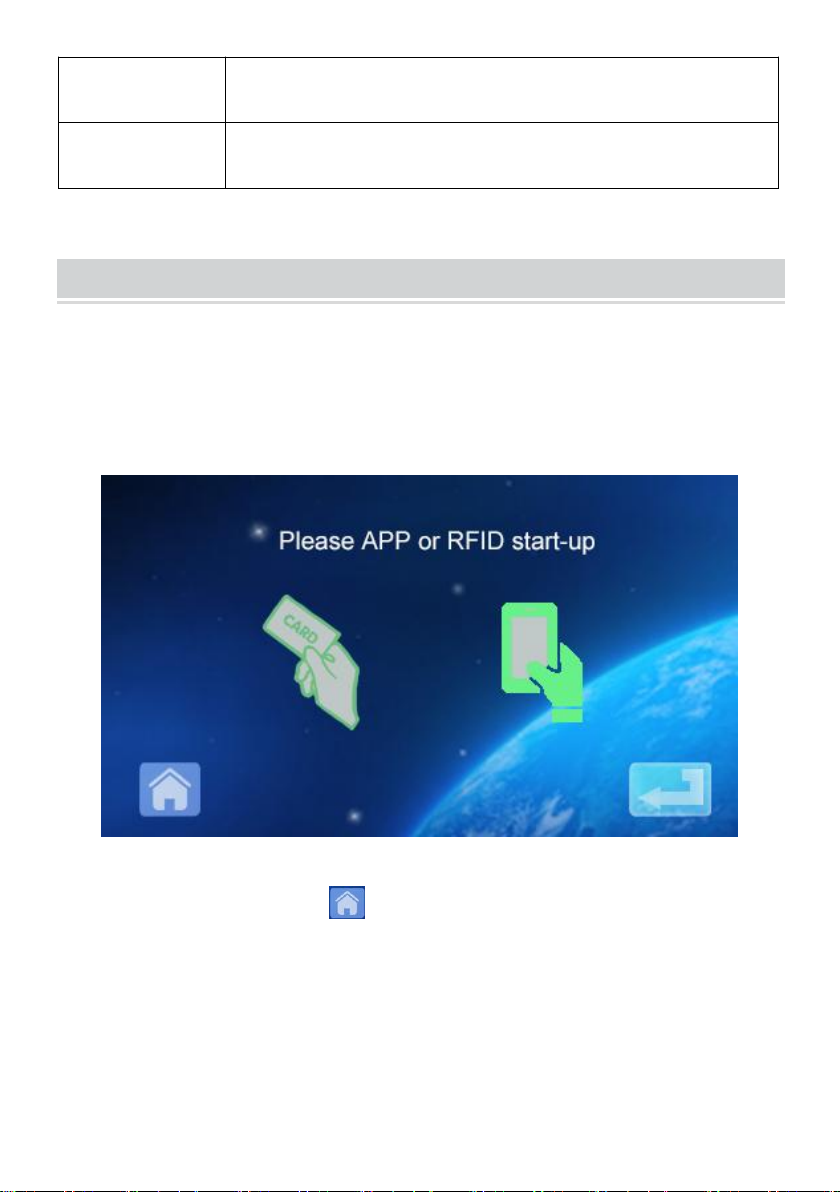
2.1 After powering on the device, the device enters the standby state. The
standby screen is shown as follows:
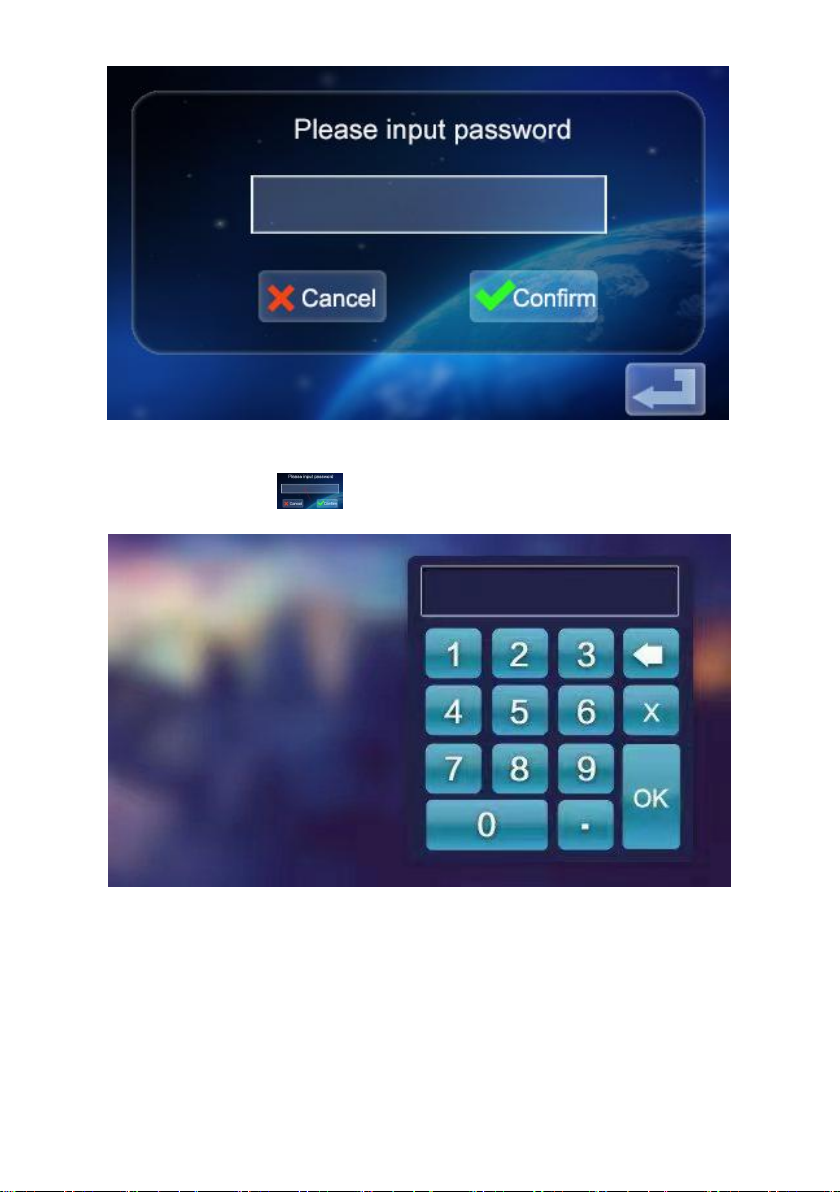
2.2 Click the lower left icon to enter the password input interface:
Overall
dimensions
333*213*92mm(H*W*D)
Standard of
reference
IEC 62196-2:2017
- 6 -
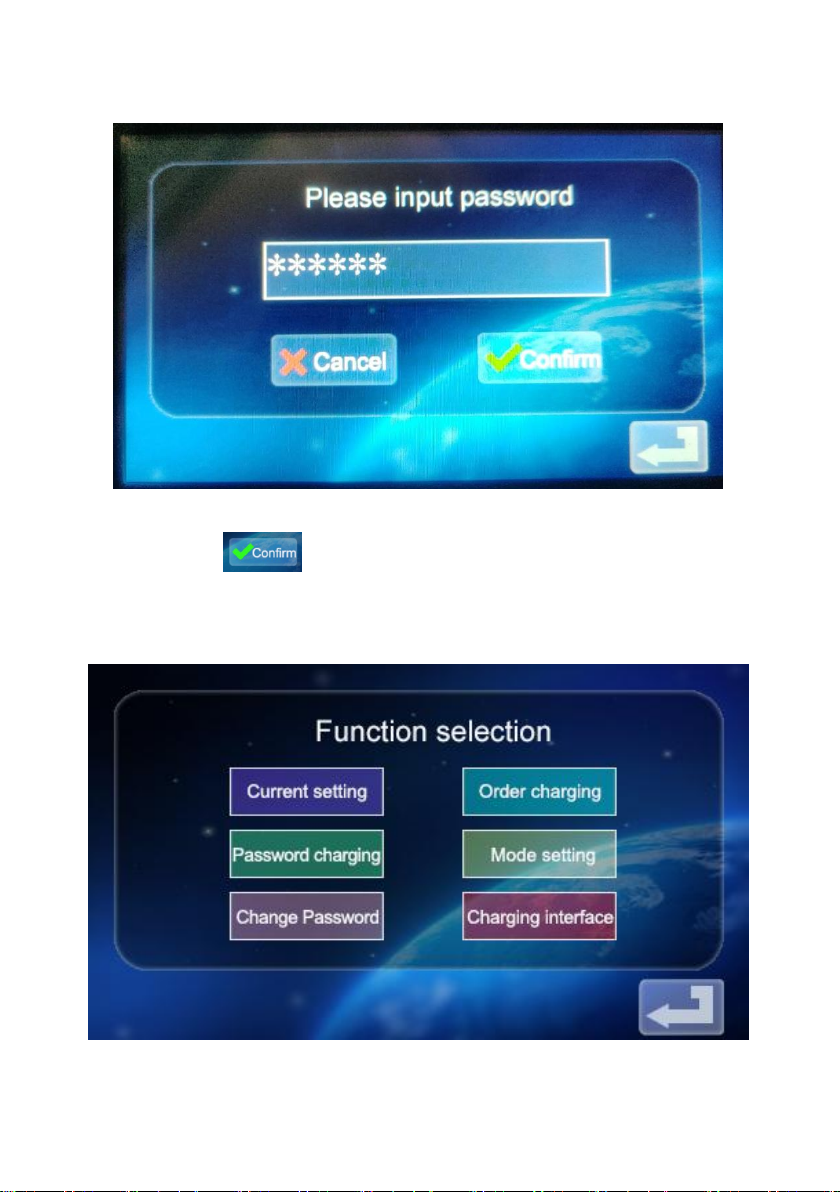
2.3 Click the password input box to pop up the keyboard:
- 7 -
2.4 Enter the six-digit password on the keyboard (factory password is
123456) and press ok to enter the confirmation interface:
2.5 Click the icon to enter the main interface of the function setting,
as shown below:

- 8 -
2.6 Function Setting Description:
Current setting: Click to set the charging current (the maximum
current is 32A, the overlimit setting is invalid)
Reservation function: Click to enter,and you can set the
reservation charging time; The reservation time is between 0 and 12 hours.
Set (integer), automatically start charging after reaching the set time.
Password charging: You can directly start charging or end
charging by clicking on it.
Charging mode setting: Click to enter to modify the charging
mode: plug and charge or RFID card charging
Modify device password: Click to enter to change the password of entering
the main interface of device function setting;
Charging status interface: Click to enter to view the current
charging status.
Note: Before setting the function, the charging gun of the device cannot be
inserted into the charging port of the EV vehicle. After setting the function,
the charging gun can be inserted into the charging port of the EV vehicle
for charging use.
Este manual sirve para los siguientes modelos
3
Tabla de contenidos
Idiomas:
Otros manuales de Cargador de baterías de VEVOR


