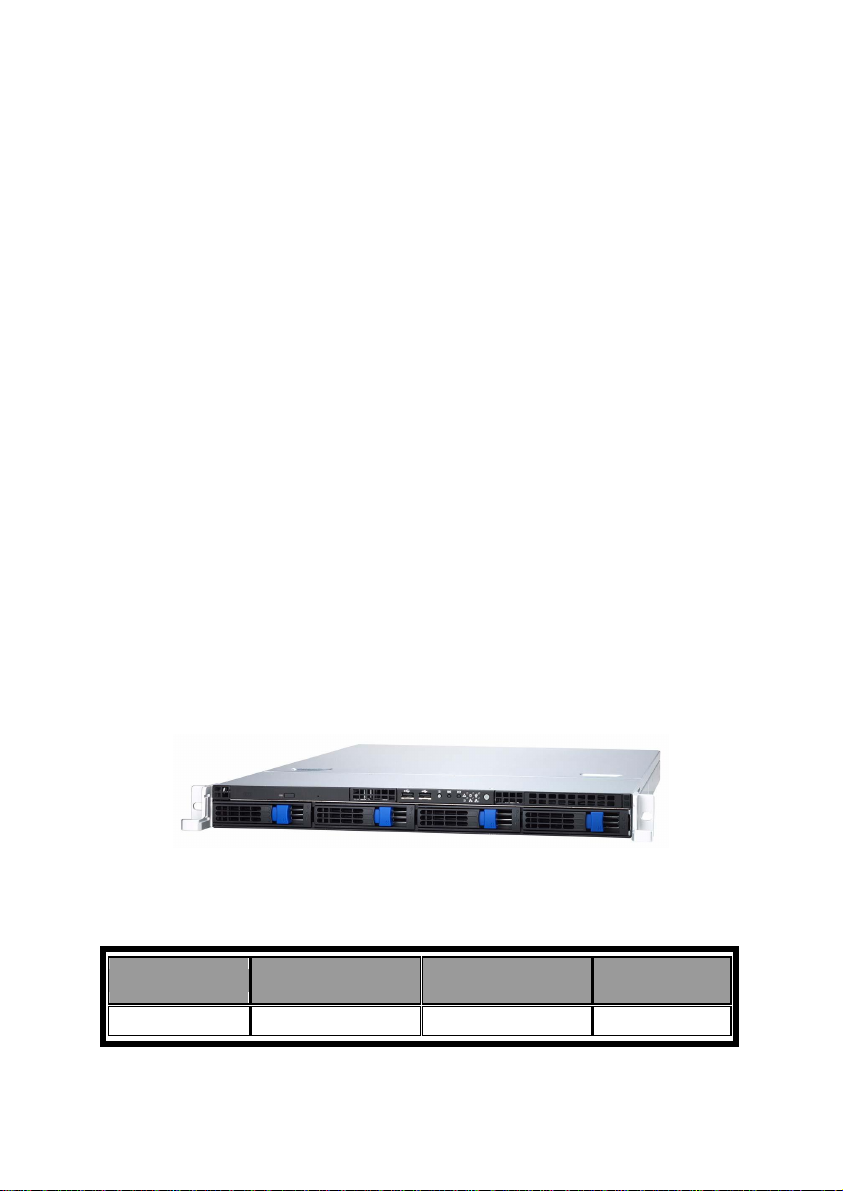
TYAN Tank GT20 (B5211) Manual de usuario

Tank GT20
B5211
Service Engineer’s Manual


Table of Contents
Chapter 1: Overview
1.1 About the Tank GT20 B5211…………………….……...…………… 1
1.2 Product Models…………………..……………………….………....... 1
1.3 Features……………………………………………………………….. 2
1.4 Standard Parts List……………….…….……..………......................... 4
1.4.1 Box Contents……………………...……………………………. 4
1.4.2 Accessories…………………………………………………….. 5
1.5 Optional Parts………………………………………………………… 7
1.6 About the Product……….………………………..……....................... 8
1.6.1 System Front View…………………………..…………………. 8
1.6.2 System Rear View………………………………….................... 8
1.6.3 LED Definitions………………………………………………... 9
1.6.4 Motherboard Layout…………………………............................. 11
1.6.5 Jumpers & Connectors……………………………………......... 12
1.6.6 System Block Diagram……......................................................... 13
1.6.7 Internal View…………………………………………………… 14
Chapter 2: Setting Up
2.0.1 Before You Begin………..…………………………................... 15
2.0.2 Work Area…………………………………………………….... 15
2.0.3 Tools …………….……………………....................................... 15
2.0.4 Precautions …………………………………………………...... 16
2.1 Installing Motherboard Components...………………..………............ 17
2.1.1 Removing the Chassis Cover…………………………………... 17
2.1.2 Installing the CPU, Heatsink and Air Duct…………………….. 18
2.1.3 Installing the Memory……………..…………………………… 21
2.1.4 Installing the Expansion Card.…………………………………. 22
2.1.5 Installing the Hard Drive……………………………………….. 23
2.2 Rack Mounting………………….......................................................... 25
2.2.1 Installing the Server in a Rack………………............................. 25
2.2.2 Rack Mount Instructions…………………….............................. 29
Chapter 3: Replacing Pre-Installed Components
3.1 Introduction…………………………………………………………… 31
3.1.1 Work Area…………………………………………………….... 31
3.1.2 Tools…………………………………………….………............ 31
3.1.3 Precautions……………………………………………………... 32
i

3.2 Disassembly Flowchart…………………………..…………………… 33
3.3 Removing the Cover……………………………..…….……………... 34
3.4 Replacing Motherboard Components……………..………………….. 35
3.4.1 Disconnecting All Motherboard Cables…………………........... 35
3.4.2 Removing the Motherboard…………………………………….. 36
3.5 Replacing the Slim DVD-ROM……..…………………....................... 37
3.6 Replacing the LED Control Board..…………………………………... 39
3.6.1 M1003 LED Control Board Features…………………............... 40
3.6.2 M1003 LED Control Board Connector Pin Definition..……...... 41
3.7 Replacing the M1012 Adapter Board…………………………............ 42
3.7.1 M1012 Adapter Board Features………….…………………...... 44
3.7.2 M1012 Adapter Board Connector Pin Definitions……………... 45
3.8 Replacing the SATA Backplane (M1208-3-SN)…...…………............ 50
3.8.1 SATA Backplane (M1208-3-SN) Features…………………….. 51
3.9 Replacing the System Fan…...…..…………........................................ 53
3.10 Replacing the Power Supply..…..…………........................................ 54
Appendix I: BIOS Differences
Appendix II: Cable Connection Tables
Appendix III: Installing SMDC Cards
Appendix IV: FRU Parts Table
ii

PREFACE
Copyright
This publication, including all photographs, illustrations, and software, is
protected under international copyright laws, with all rights reserved.
Neither this manual, nor any material contained herein, may be
reproduced without written consent of manufacturer.
Copyright 2007
Version 1.00
Disclaimer
Information contained in this document is furnished by TYAN Computer
Corporation and has been reviewed for accuracy and reliability prior to
printing. TYAN assumes no liability whatsoever, and disclaims any
express or implied warranty, relating to sale and/or use of TYAN
products including liability or warranties relating to fitness for a particular
purpose or merchantability. TYAN retains the right to make changes to
product descriptions and/or specifications at any time, without notice. In
no event will TYAN be held liable for any direct or indirect, incidental or
consequential damage, loss of use, loss of data or other malady
resulting from errors or inaccuracies of information contained in this
document.
Trademark Recognition
All registered and unregistered trademarks and company names
contained in this manual are property of their respective owners
including, but not limited to the following.
TYAN and Tank GT20 B5211 are trademarks of TYAN Computer
Corporation.
Intel, Xeon, and combinations thereof are trademarks of Intel Corporation.
Phoenix, PhoenixBIOS, and combinations thereof are trademarks of
Phoenix Technologies.
Microsoft Windows is a trademark of Microsoft Corporation.
IBM, PC, AT, PS/2 are trademarks of IBM Corporation.
InfiniBand is a trademark of Mellanox Technologies.
Winbond is a trademark of Winbond Electronics Corporation.
Portable Document Format (PDF) is a trademark of Adobe Corporation.
iii

Federal Communication Commission (FCC)
Notice for the USA Compliance Information
Statement (Declaration of Conformity
Procedure) DoC FCC Part 15: This device
complies with part 15 of the FCC Rules
Operation is subject to the following conditions:
1) This device may not cause harmful interference;
2) This device must accept any interference received including
interference that may cause undesired operation. If this
equipment does cause harmful interference to radio or
television reception, which can be determined by turning the
equipment off and on, the user is encouraged to try one or
more of the following measures:
– Reorient or relocate the receiving antenna.
– Increase the separation between the equipment and the receiver.
– Plug the equipment into an outlet on a circuit different from that of
the receiver.
Consult the dealer on an experienced radio/television technician for
help.
Notice for Canada
This apparatus complies with the Class B limits for radio interference
as specified in the Canadian Department of Communications Radio
Interference Regulations. (Cet appareil est conforme aux norms de
Classe B d’interference radio tel que specifie par le Ministere
Canadien des Communications dans les reglements d’ineteference
radio.)
Notice for Europe (CE Mark)
This product is in conformity with the Council
Directive 89/336/EEC, 92/31/EEC (EMC).
CAUTION: Lithium battery included with this board. Do not puncture,
mutilate, or dispose of battery in fire. Danger of explosion if battery is
incorrectly replaced. Replace only with the same or equivalent type
recommended by manufacturer. Dispose of used battery according
to manufacturer instructions and in accordance with your local
regulations.
iv

About this Manual
This manual provides you with instructions on installing your
Tank GT20. This Manual is intended for experienced users and
integrators with hardware knowledge of personal computers.
This manual consists of the following parts:
Chapter1: Provides an introduction to the GT20 B5211
barebones, packing list, describes the external
components, gives a table of key component,
and provides block diagrams of the system.
Chapter2: Covers procedures on installing the CPU,
memory modules, PCI-E card and hard drives.
Chapter3: Covers removal and replacement procedures for
pre-installed components.
Appendix I: BIOS Differences
Appendix II: Cable Connection Tables
Appendix III: Installing SMDC Cards
Appendix IV: FRU Parts Table
v

SAFETY INFORMATION
Before installing and using the Tank GT20, take note of the following
precautions:
– Read all instructions carefully.
– Do not place the unit on an unstable surface, cart, or stand.
– Do not block the slots and opening on the unit, which are
provided for ventilation.
– Only use the power source indicated on the marking label. If
you are not sure, contact the power company.
– The unit uses a three-wire ground cable, which is equipped
with a third pin to ground the unit and prevent electric shock.
Do not defeat the purpose of this pin. If you outlet does not
support this kind of plug, contact your electrician to replace
your obsolete outlet.
– Do not place anything on the power cord. Place the power
cord where it will not be in the way of foot traffic.
– Follow all warnings and cautions in this manual and on the
unit case.
– Do not push objects in the ventilation slots as they may
touch high voltage components and result in shock and
damage to the components.
– When replacing parts, ensure that you use parts specified
by the manufacturer.
– When service or repairs have been done, perform routine
safety checks to verify that the system is operating
correctly.
– Avoid using the system near water, in direct sunlight, or
near a heating device.
– Cover the unit when not in use.
vi

Chapter 1: Overview
1.1 About the Tank GT20 B5211
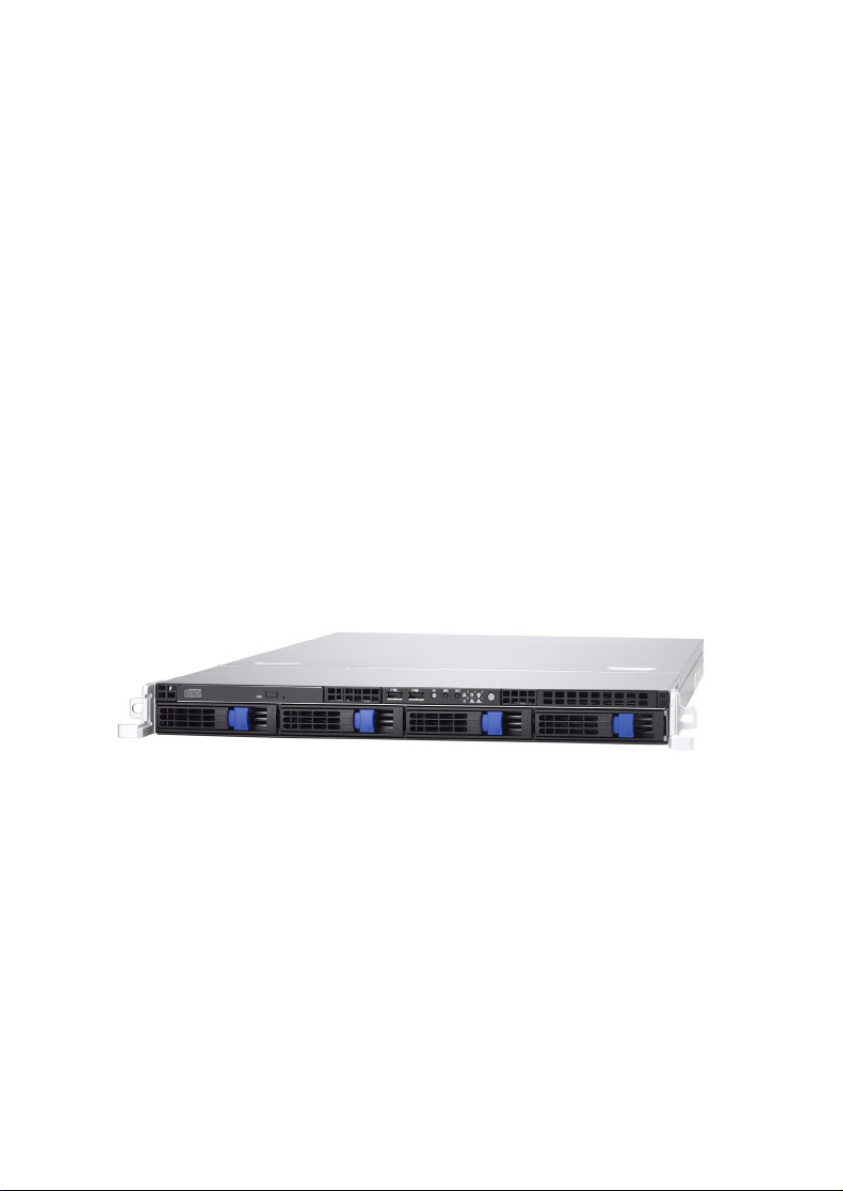
Congratulations on your purchase of the TYAN Tank GT20
B5211, a highly-optimized rack-mountable barebone system.
The Tank GT20 B5211 is designed to support Intel®
Kentsfield/Yorkfield/Conroe/Wolfdale processors, providing a
rich feature set and incredible performance. Leveraging
advanced technology from Intel, the Tank GT20 B5211
server system is capable of offering scalable 32 and 64-bit
computing, high-bandwidth memory design, and a
lightning-fast PCI-E bus/PCI-X slot and Tyan IPMI SMDC
implementation. The Tank GT20 B5211 not only empowers
your company in today’s demanding IT environment but also
offers a smooth path for future application usage.
TYAN is also proud to deliver the Tank GT20 B5211 in
SATAII flavor while supporting up to four hot-swappable
SASA HDD, one slim DVD-ROM. The Tank GT20 B5211
uses TYAN’s latest tooling-made chassis featuring a robust
structure, tool-less and modularized design, and a solid
mechanical enclosure. All of this provides the Tank GT20
B5211 the power and flexibility to meet the needs of nearly
any server application.

1.2 Product Models
Model Supported HDD
type & quantity Hot-swappable Power supply
B5211G25V4H SATAII (4) Yes 400W single
Chapter 1: Overview
1

1.3 Features
Enclosure
•Industry 19” rack-mountable 1U
chassis
•Dimension:
D 22.4 x W 17.2 x H1.72 inch (568
x 436 x 43.6mm)
Processors
•Single LGA775 socket
•Support Intel® Kentsfield/Yorkfield
/Conroe/Wolfdale processors
(lower than 105W)
•1333/1066/800 FSB supported
Chipset
•Intel Bigby-V MCH
•ICH9R south bridge
•SMSC SCH5027 super I/O chip
•EZ-USB AT2 (CY7C68300C)
Ultra ATA controller
Memory
•(4) 240-pin DDR2 DIMM sockets
•Maximum of 8GB DDR2-667/800
•Supports Un-buffered
ECC/non-ECC DIMMs
Expansion Slots
•(1) PCI-E x16 slot with PCI-E x8
bus Via M2083-RS (support full
profile PCI-E card w/o SMDC)
or (1) PCI-X slot via M2061
(option)
•(1) 200 pin vertical SO-DIMM for
optional Tyan IPMI SMDC
Back I/O Ports
•Stacked PS/2 mouse & keyboard
ports
•Stacked (2) USB 2.0 ports and
(RJ45 port for OPMA
•(1) 15-pin VGA port
•(1) 9-pin COM port
•side-by-side RJ45 10/100/1000
Front Panel Features
•I/O
– (2) USB2.0 ports
•LED indicators
– Power LED
– (2) LAN LEDs
– HDD active LEDs
–ID LED
–Warning LED
•Switches
–Power
–Reset
–NMI
–ID
Integrated Storage Controller
•Support (6) SATA II ports running
at 3Gbps
•Single Ultra ATA Channels(from
CY7C68300C) for Single ATA
devices
Storage
•Support (4) hot-wrapped SATA
HDD with RAID 0, 1, 5 and 10
support for Windows only
•Pre-installed (1) slim type
DVD-ROM
Networking
•(2) Intel i82573 GbE NICs
( 1*82573V+1*82573L)
Video
•XGI Z9S
•32MB DDR2 frame buffer
memory
Motherboard
•TYAN Toledo i3200R S5211
system board
•ATX footprint (12” x 9.6”) (305
x244m)
2
Chapter 1: Overview
Otros manuales para Tank GT20 (B5211)
1
Este manual sirve para los siguientes modelos
3
Tabla de contenidos
Otros manuales de Placa de servidor de TYAN

TYAN
TYAN Tank TA26 (B5383) Service Manual de usuario

TYAN
TYAN Transport GT20 (B2865) Manual de usuario

TYAN
TYAN Transport TX46 (B4985) Service Manual de usuario

TYAN
TYAN Thunder n3600T Manual de usuario

TYAN
TYAN Transport TX46 (B4985) Service Manual de usuario

TYAN
TYAN TIGER I7320, D, R, RD Manual de usuario

TYAN
TYAN Transport TX46 (B4985) Service Manual de usuario

TYAN
TYAN Transport GS12 (B5103G12S2) Manual de usuario

TYAN
TYAN Transport GT24 (B2912) Service Manual de usuario

TYAN
TYAN B3095 Guía de inicio rápido