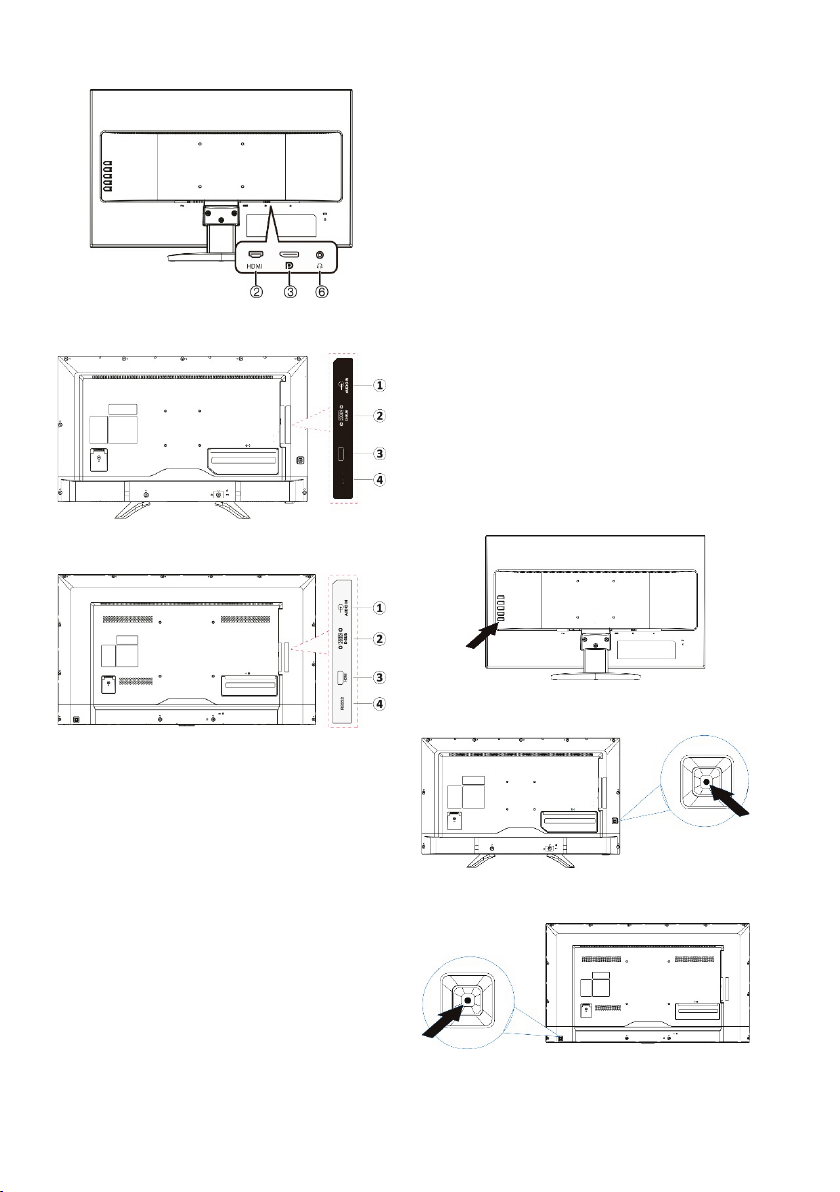
2 User Manual
before cleaning. Clean with a clean dry
cloth. Wet a soft and dry cloth in water
and wring thoroughly to clean the
exterior of the monitor. Do not apply a
cleaning agent that contains alcohol,
solvent, or surfactant to the monitor.
Connect the power cord to the monitor
when cleaning is finished.
6. Servicing: Do not attempt to service this
unit yourself. Opening or removing
covers may expose you to dangerous
voltage or other hazards. Refer all
servicing to qualified service personnel.
7. Lightning: For added protection during a
lighting storm or when this unit is left
unattended and unused for long periods
of time, unplug the unit from the wall
outlet and disconnect the cable system.
This will prevent damage to the unit due
to lightning and power line surges.
8. Children: Do not install the monitor
within reach of children. The monitor
may fall and injure children.
9. Mains plug (2 pin/3 pin):
•Only use the power chord provided
with the monitor.
•Do not remove the grounding or
earth connection from the power
supply / mains plug.
•Always remember to unplug the
monitor from the power supply
under the following circumstances if
the monitor will not be used for a
long period of time, if the power
supply cable or plug/connector is
damaged or if the monitor housing
is damaged or broken.
CAUTION: Do not attempt to dismantle this
product. Any attempt to dismantle or remove
the covers from this product will invalidate the
warranty and may also result in serious injury.
Screen maintenance
Before using the monitor, please read and
understand all the instructions. Damage
resulting from nonobservance of the
instructions is not covered by the warranty.
Avoid leaving the screen fixed on a
stationary image for more than two hours
as this may cause afterimage burn-in or
defective pixels. To avoid this problem,
reduce the screen brightness and
contrast of the stationary image.
Disconnect the power cord from the
power socket if you do not plan on using
the product for an extended period of
time (vacation, etc).
When you watch 4:3 programs for a long
time, you leave different marks on the
left and right sides of the screen and the
edges of the image Avoid using this
mode for an extended time.
Unpacking
This manual explains how to correctly install,
operate and get the best performance from
your monitor. Please read this user manual
carefully before installing your monitor then
keep it near your monitor for quick reference.
Check that the contents of the box correspond
with the following checklist:
• LED monitor
• Power cord
• User manual
• HDMI cable (TVM-2403/ TVM2413/
TVM-2733/ TVM-4313 only)
• Remote control (TVM-3213/ TVM-4313
only)
• Battery (x1) (TVM-3213/ TVM-4313 only)
• Pedestal (x1) (TVM-2733/ TVM-3213/
TVM-4313 only)