
Trocen AWC708PLUS Manual de instalación

AWC708PLUS LCD Display Operation Manuals V1.1
2015-7-15
A
AW
WC
C7
70
08
8P
PL
LU
US
S
L
LC
CD
D
D
DI
IS
SP
PL
LA
AY
Y
O
OP
PE
ER
RA
AT
TI
IO
ON
N
M
MA
AN
NU
UA
AL
LS
S
V
V1
1.
.1
1
Shenzhen Trocen Automation CO.,LTD
ADD : 408 B Block,Huameiju Business Centre,Xinhu Road,
82District Baoan,Shenzhen City,China
TEL : 0755-27958262
FAX : 0755-27117913-608
WEBS : www.sztrocen.com

AWC708PLUS LCD Display Operation Manuals V1.1
Category
A
AW
WC
C7
70
08
8P
PL
LU
US
S
L
LC
CD
D
D
DI
IS
SP
PL
LA
AY
YO
OP
PE
ER
RA
AT
TI
IO
ON
N
M
MA
AN
NU
UA
AL
LS
S
V
V1
1.
.1
1
1.
Panel Preview ....................................................................................................................................................................................... 1
2.
Buttons Function Introduction.......................................................................................................................................................... 1
3.
Main Menu Function Introduction.................................................................................................................................................... 2
4.
Main Menu Function Settings ............................................................................................................................................................ 2
4.1Document parameters settings.................................................................................................................................................... 3
4.2 Layer Parameters Settings........................................................................................................................................................... 4
4.3 Cleaning Total Count..................................................................................................................................................................... 5
4.4 Set Work Property......................................................................................................................................................................... 6
5.
Main Menu Function Settings ............................................................................................................................................................ 7
5.1 U Disk Files...................................................................................................................................................................................... 7
5.1.1U Disk Work Files ....................................................................................................................................................................8
5.1.2 Config Files............................................................................................................................................................................... 9
5.1.3 Upgrade Files........................................................................................................................................................................... 9
5.1.4 Save Current Config to U Disk............................................................................................................................................10
5.1.5 U Disk Format........................................................................................................................................................................10
5.2 Origin Manage...............................................................................................................................................................................11
5.3 Jog Control.....................................................................................................................................................................................12
5.4 Cut Box...........................................................................................................................................................................................13
5.5 Axes Control..................................................................................................................................................................................14
5.6 Motion Parameters Settings ......................................................................................................................................................14
5.7 Common Parameters Settings...................................................................................................................................................15
5.7.1 Work Mode ............................................................................................................................................................................15
5.7.2 Common Parameters ...........................................................................................................................................................17
5.7.3 Axis Speed Parameters........................................................................................................................................................18
5.7.4 Rotate Engraving & Cutting................................................................................................................................................18
5.8 Network Settings..........................................................................................................................................................................19
5.9 Language........................................................................................................................................................................................20
5.10 System Version...........................................................................................................................................................................20
6.
Manufacturer Parameters Settings.................................................................................................................................................21
6.1 Axis Parameters ...........................................................................................................................................................................21

AWC708PLUS LCD Display Operation Manuals V1.1
6.2 Laser Parameters.........................................................................................................................................................................23
6.3 IO Parameters...............................................................................................................................................................................24
6.4 AutoReset Settings.......................................................................................................................................................................25
6.5 HardLimit Settings.......................................................................................................................................................................26
6.6 MultiHead Settings.......................................................................................................................................................................26
6.7 Function Config ............................................................................................................................................................................27

AWC708PLUS LCD Display Operation Manuals V1.1
1
1.Panel Preview
2.Buttons Function Introduction
【Rest】No matter what the state of the machine is,pressing this button will make it enter the resetting
state.
【File】Browsing the files stored in the controller main board.
【Pulse】For optical testing.Once pulse pressed,once co2 laser tube output.It is for optic way
adjustment.
【Box】Testing the working area and origin point of the current file.
【Origin】Setting machine’s starting point.
【Menu】To present the main menu.
【Stop】Once it has been pressed,the working machine will be stopped.And location would be back to
the planned origin point.
【Shift】The second function switching button.To be used for exchange the Max and mini power of the
four laser sources in the main menu.
【Start/Pause】Pause the machine and keep it stay at location.
【Z↑】【Z↓】Directly control the upward,downward,left and right movement in the main menu.When
not covered by cursor,it can be used for parameters changing.When Cursor covered the 【↑】【↓】
【←】【→】,it could be used for moving the cursor。

AWC708PLUS LCD Display Operation Manuals V1.1
2
【↑】【↓】【←】【→】For moving the XY Axes.Also could be used for the current cursor in current
view.What’s more,you may use it to change the options in the current view.
【Z/U】Z axis with auto focus.And Z,U,V,W axes movement functions.
【ESC】Exit edit mode ( Exit cursor ).Return to previous menu.
【Enter】Enter edit mode(start cursor).Confirm the current operation.
【Numbers 1-9】Quickly modify the parameters, as well as quick access to digital corresponding menu
item.
【C】For backspace when you modify the parameters.
3.Main Menu Function Introduction
【Top bar】To display control system software version, date and time.
【File】To display the file name currently being processed.(Not allowed Chinese name)
【Count】To show the finished number
【Speed】To display the default speed of this current file.
【MaxPower 1 MinPower1 MaxPower2 MinPower2】To display max and mini power of laser 1 and 2.
Max power means working power.Mini power means turning power.
【Time】To display the time machine already worked with this task..
【Status】To display the machine states.Including working state,idle state,pause state.There will
be a percent way to show the working process of the current file under working state.
【PX PY】To display the XY coordinate in the working state.
4.Main Menu Function Settings

AWC708PLUS LCD Display Operation Manuals V1.1
3
4.1Document parameters settings
In the Main menu area press 【Enter】to make the file name be anti-color displayed.
Second press【Enter】to enter file parameters setting area.Move cursor to【Document Params Settings】,
Press 【Enter】to enter the document parameters settings area.
Move cursor to the options you want to change,input numbers,then press【enter】to finish it.

AWC708PLUS LCD Display Operation Manuals V1.1
4
【Repeat Count】Machine repeat working times.
【Repeat Delay(s)】The period between the front file finished and the next repeat working the same
file.
【Feed Distance(mm)】Distance of each movement of the feeding axis .
【X Size(mm)】The size in the X direction of the file
【Y Size(mm)】The size in the Y direction of the file
4.2 Layer Parameters Settings
In the file parameters setting area,press 【↓】to move the cursor to 【Layer Params Settings】,Press
【Enter】to enter Layer Parameters Settings area.

AWC708PLUS LCD Display Operation Manuals V1.1
5
【Work Mode】To choose the working state of the processed file.
【Speed(mm/s)】The speed of the processed file.
【Max Power】The max power of the laser head also means the working power of laser.
【Min Power】The mini power of the laser head also means the turning power of laser.
In the layer parameters area,move cursor to the options you want to change,input numbers then
press【Enter】to finish it.
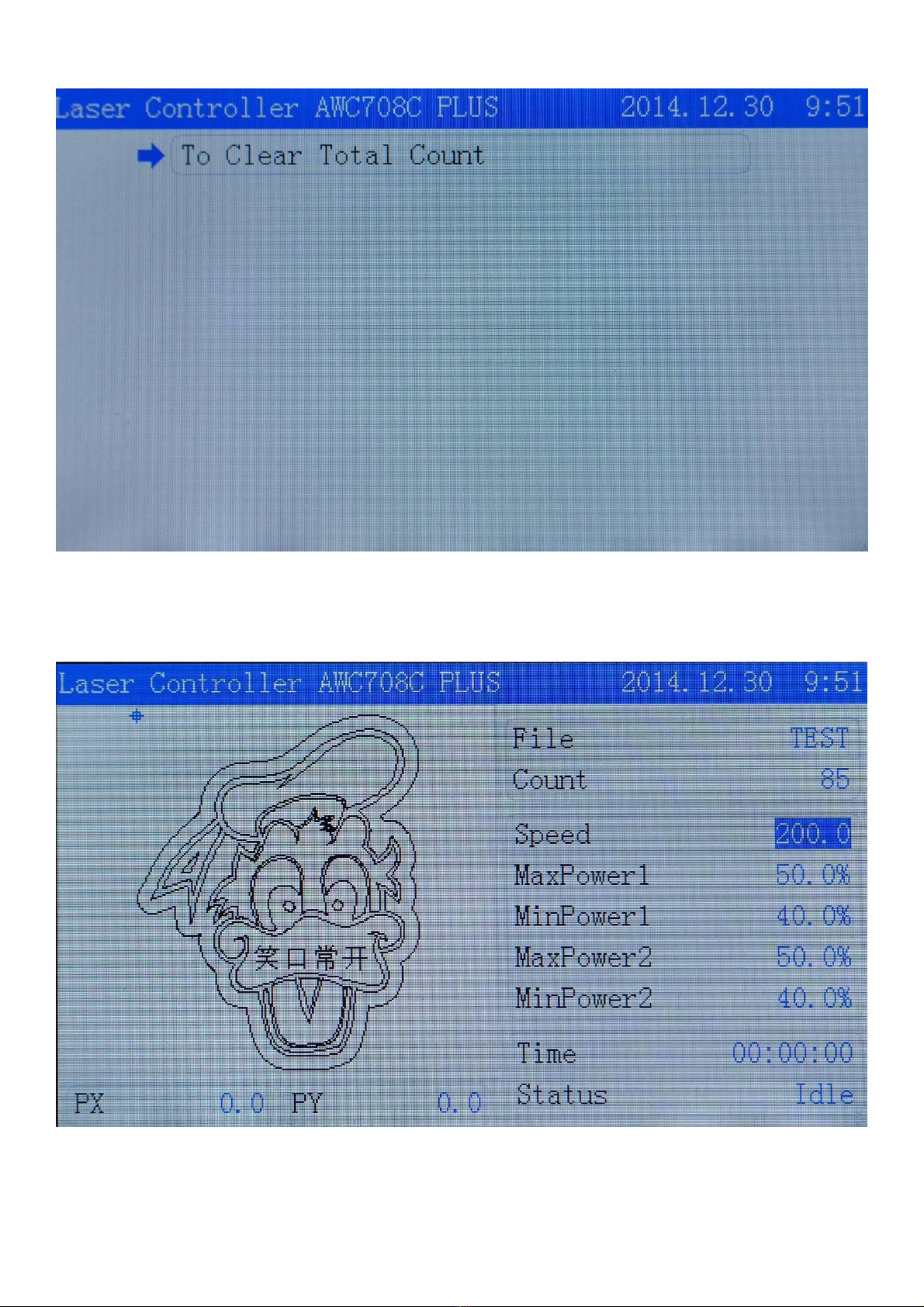
4.3 Cleaning Total Count
In the main menu press 【Enter】to make the cursor anti-color displayed.And move it to 【Count】,then
Press【Enter】to move it to 【To Clear Total Count】and press【Enter】
AWC708PLUS LCD Display Operation Manuals V1.1
6
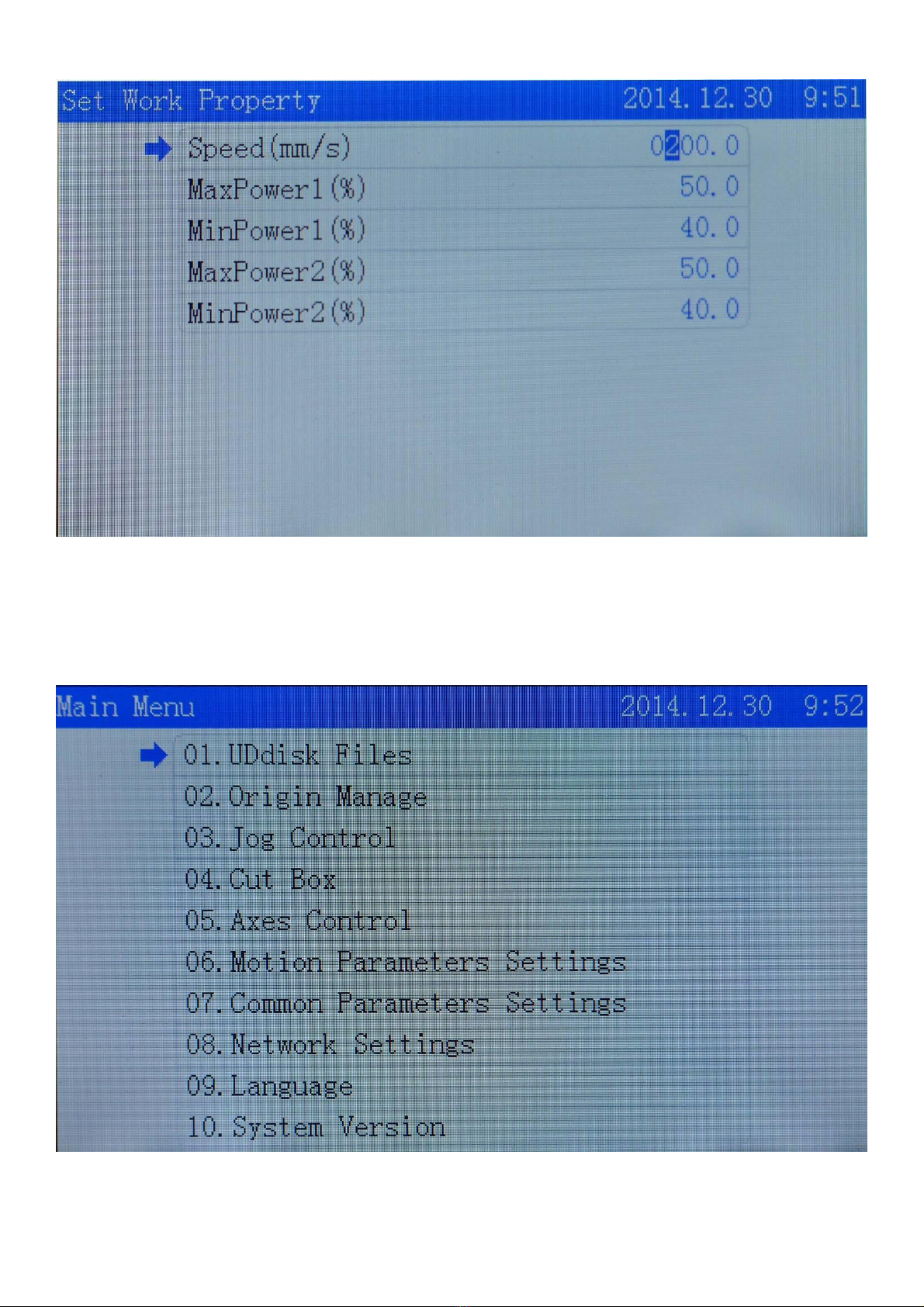
4.4 Set Work Property
In the main menu press 【Enter】to make the cursor anti-color displayed.Move it to 【Speed】,press
【Enter】then find【Set Work Property】.
Move cursor to the options you want to change,input numbers then press【Enter】to finish it.
AWC708PLUS LCD Display Operation Manuals V1.1
7
5.Main Menu Function Settings
5.1 U Disk Files
Insert U disk to USB port. After U disk indicator worked,press【Menu】to enter the main menu,move cursor
to【U Disk Files】then press【Enter】to enter U disk files management.
※U disk should be formatted to FAT 32 File system.Quick Format is forbidden .Any other files formations
are not supported.
※Recommend use U disk with Indicator to ensure if U disk connected successfully with main board
Tabla de contenidos
Otros manuales de Monitor de Trocen


