
TRETTITRE TreSound1 Manual de usuario

If you encounter any issues or have any questions regarding your new product,
feel free to contact our helpful Customer Support Team. Your satisfaction is our goal!
Wenn Sie auf Probleme oder Fragen zu Ihrem neuen Produkt haben,
können Sie sich gerne an unser hilfsbereites Kundendienstteam wenden. Ihre Zufriedenheit ist unser Ziel!
Si vous rencontrez des problèmes ou avez des questions concernantnos nouveaux produits,
n’hésitez pas à contacter notre équipe d’assistance à la clientèle.
Votre satisfaction est notre objectif!
新製品に関して問題が発生したり、質問がある場合は、
お力添えできるカスタマーサポートチームにお気軽にお問い合わせください。あなたの満足が私たちの目標です!
TRETTITRE (SHENZHEN)TECHNOLOGY CO., LTD.
903-905, Bldg A, Zhonghengsheng Hightech Park, No.3, Xinyu Road, Baoan District, Shenzhen, CN
纯粹声学(深圳)科技有限公司
trettitre_officials
Trettitre
trettitre_sound
trettitre_sound
Trettitre
©TRETTITRE. All Rights Reserved. Designed & Developed by TTT.
Discover the beauty of sound.
TreSound

ENGLISCH
• Make sure all items listed in <Box Contents> are included in the package.
• Avoid positioning your item in areas where there is high humidity, high heat, poor ventilation, excessive
dust, or where there will be excessive vibration.
Placement Guidelines:
For best Bluetooth performance, place your mobile device within 33 ft. (10m) of your speaker,
and make sure there is a clear line of sight between you and your speaker.
Moving your device farther away, or not having a clear line of sight may impact sound quality,
and your device may disconnect from your speaker.
• Keep other wireless equipment at least 3 ft. (1m) away from your speaker.
• Place your speaker and your device away from other audio/video components and direct heat sources.
BOX CONTENTS
Lift the speaker carefully out of the packing.
When setting up your speaker, please consider the following precautions:
• The Speaker • USB-C Cable • User Guide

Long press for 2 seconds: on / off; Auto off after 10 minutes of standby;
CAMPING LIGHT
1 2
Long Press (2S):
ON / OFF
When turned on, the camping light will automatically turn on at the first level of
brightness. When manually turned off, the camping light will also turn off. The camping
light can be turned on separately.
Short Press:
Adjust the brightness of the camping light.
Long Press (2S):
Activate the SOS flashing mode.
Note:
Pressing and holding or short-pressing again
will restore normal mode.
Short Press: Volume -
Double Press: Prev Song
Short Press: Pause / Play
Short Press: Volume +
Double Press: Next Song
POWER ON

Pairing Your Mobile Device. When you power on your speaker, the speaker automatically
searches for your mobile device.
menu BLUETOOTH
Bluetooth
Not connected
TreSound Q
1. On your device, turn on the Bluetooth feature. Tip: The Bluetooth feature is usually found in the Settings menu.
2. Select your [ TreSound Q ] speaker from the device list.
Support only 2 devices, support left and right channels stereo;
TWS pairing distance <10m
How to Connect:
How to Disconnect:
Press and hold the pairing button on either speaker for 2 seconds to disconnect the pairing.
3TWS PAIRING
TIPS:
Pairing search: white indicator light flashes slowly;
Pairing successfully (Bluetooth searching): white indicator light flashes quickly;
Pairing successfully (Bluetooth connected): white indicator light stays on;
The pairing can be maintained even after the speaker restarts.
1. After turning on both speakers, press and hold the pairing button on one of the speakers for 2 seconds
(no need to operate the other speaker). The devices will automatically pair, and you will hear a prompt
when the pairing is successful.
2. When connecting to the speaker via Bluetooth, only one "TreSound Q" will appear in the Bluetooth list.
4
TIPS:
In pairing mode: The blue indicator light flashes rapidly;
Pairing successfully: The blue indicator light remains on.
Short Press:
Disconnect Bluetooth and search again. Long Press (2S): TWS pairing for stereo sound.
BLUETOOTH PAIRING

CHARGING INSTRUCTIONS
It is recommended to use the original USB-C power cable of
TRETTITRE for charging. Using other cables may cause the
device to fail to work properly during charging.
Battery level ≦10%: The orange indicator light flashes slowly.
Battery level ≦5%: The orange indicator light flashes quickly.
You can check the battery level of the TreSound Q on your phone.
To protect the battery, we recommend that you charge the device for 10 minutes before turning it back on
after it shuts down due to a completely depleted battery.
USB-C 5V/2A
TIPS:
Charging after power off: The green ambient light flashes slowly
Charging complete: The green indicator light will stay on steadily.
5
When the orange indicator light flashes, it means that the device needs to be charged. When powered on, your speaker tries to reconnect with the one most recently
connected device.
Note: The devices must be within range and powered on.
RECONNECTING A DEVICE 6
MADE IN CHINA
TreSound Q
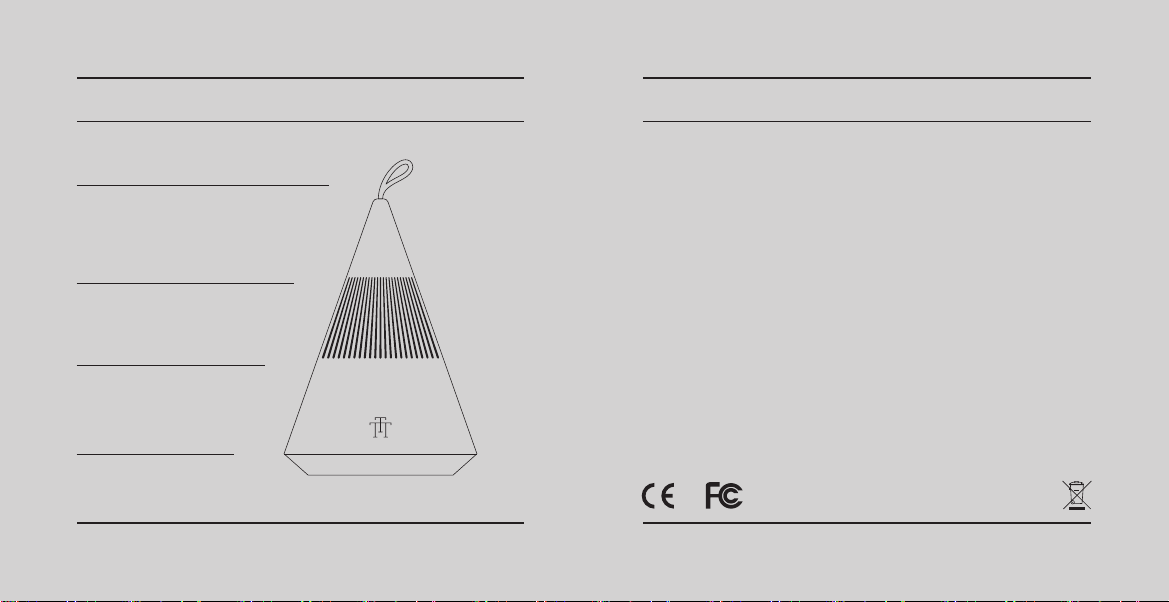
Handle Strap
Camping Light
1.75" Full-Range Speaker × 1
Passive Radiators × 1
Function Buttons, Power Input
PRODUCT DIAGRAM SPECIFICATIONS
USB-C 5V/2A
1800mAh
300LM
IP67
5.3
1.75" Full-Range Speaker
360° Surround Sound
1+1
83dB
>92dB
80Hz-20KHz
<10%
5W+3W
PC
90*90*130mm
175g
Input
Capacity
Lighting
International Protection
Bluetooth
Speaker
Sound Direction
TWS Pairing
Woofer Sensitivity
Max SPL
Frequency Response
THD
RMS
Material
Size
Weight

FAQ / TROUBLESHOOTING
PROBLEM SOLUTION
No power
Speaker does not pair
with a mobile device
No sound
Poor sound quality
• Check if the power is connected correctly.
• Check whether the power adapter is damaged.
• Check whether the speaker is fully charged.
• On your mobile device, turn the Bluetooth feature off and then on. Remove
your speaker from the Bluetooth list on your device. Pair your device again.
• Pair a different device.
• Clear your speaker's pairing list. Pair your device again.
• On your mobile device, turn the Bluetooth feature off and then on. Remove
your speaker from the Bluetooth list on your device. Pair your device again.
• Increase the volume on your speaker, your device and music source.
• Use a different music source.
• Pair a different device.
• Use a different music source.
• Pair a different device.
• Increase the volume on the device.
• Check device audio settings.
• Clean the surface of the speaker with a soft, damp cloth (water only).
• Do not use any sprays near the speaker.
• Do not use any solvents, chemicals, or cleaning solutions containing alcohol,
ammonia or abrasives.
• Do not allow liquids to spill into any openings.
MAINTENANCE
WARRANTY
What is not covered by the warranty:
1. The warranty immediately becomes void if the product has been tampered with, repaired or modified by
non-authorized personnel.
2. Damage (accidental or otherwise) to the product that does not impact the product's operation, including but
not limited to rust, change in color, texture or finish, wear and tear, and gradual deterioration is not covered.
3. Damage caused by accident, abuse, natural disaster, intentional or accidental misuse, fire, neglect or
improper maintenance, and use under abnormal conditions is not covered.
4. Products that have exceeded the warranty service period stipulated by our company are not covered.
5. The warranty immediately becomes void if the original serial number is removed, obliterated or altered from
the product.
6. Packaging and attached accessories, services and additional configurations other than those promised by
the salesperson are not covered.
7. The warranty immediately becomes void if the instructions in the user manual are not followed.
TRETTITRE warrants all products to be of the highest quality in material, craftsmanship and service,
effective from the date of purchase to the end of the warranty period.
This warranty extends only to personal use and does not extend to any product that has been used for
commercial, rental, or any other use in which the product is not intended for. There are no warranties other
than the warranties expressly set forth with each product.
This warranty is non-transferable. TRETTITRE is not responsible in any way for any damages, losses or
inconveniences caused by equipment failure caused by user negligence, abuse, or noncompliance with the
user manual or non-compliance with any additional safety recommendations or warnings included in the
product packaging and manual.

中文
請小心地從包裝裡取出音箱,避免碰撞。
放置原則:
•
•
設置揚聲器時,請考慮以下注意事項:
•
•
本機附件

露營燈
開機
長按2秒:開機 / 關機,待機10分鐘後自動關機;
1 2
長按(2秒)
開機自動開啟露營燈亮度1擋,手動關機會同時關閉露營燈。露營燈可單獨開啟。
短按
長按(2秒)
短按
雙擊
短按
短按
雙擊

3TWS 配對
僅支援2臺設備,支援左右聲道立體聲;TWS配對距離<10米。
連接配對
斷開配對
藍牙連接
藍牙
藍牙
未連結
4
啟動揚聲器時,揚聲器會自動搜尋行動裝置。
短按 長按(2秒)
Otros manuales para TreSound1
1
Tabla de contenidos
Idiomas:
Otros manuales de Oradores de TRETTITRE


