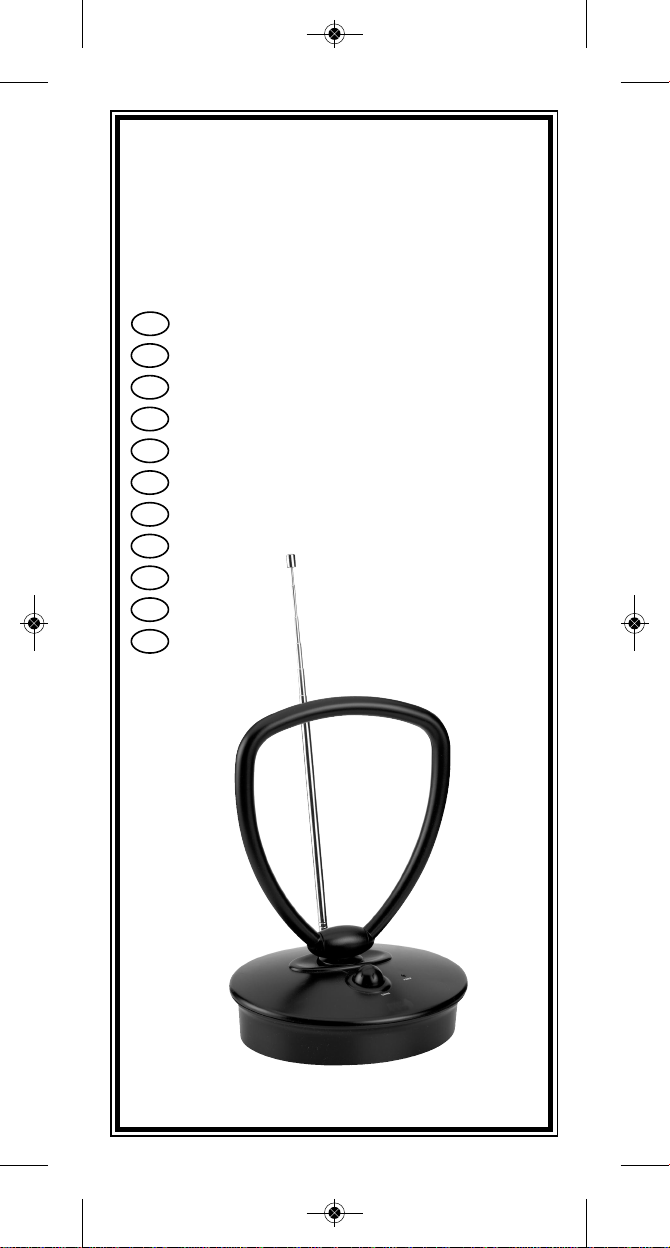
Total Control UC-A360 Manual de usuario

Indoor antenna
Zimmerantenne
Antenne d’intérieur
Antena interior
ANTENA interior
Antenna per interni
Kamer antenne
Sisäantenni
Inomhusantenn
Indendørs ANTENNE
Innendørs antenne
DK
E
F
D
I
NL
N
P
SF
S
GB
TOTAL
C O N T R O L
C - A360
Ult a_Cont ol_UC_A360 11 talen_ON_OFF:Ult a_Cont ol_UC_A360 11 talen 30-12-09 09:23 Pagina b
2015.10.30
發行

UC-A360
-
S
V
P
-
Indoor antenna . . . . . . . . . . . . . . . . . . . p. 03
Zimmerantenne . . . . . . . . . . . . . . . . . . . p. 06
Antenne d’intérieur . . . . . . . . . . . . . . p. 09
Antena interior . . . . . . . . . . . . . . . . . . . p. 12
ANTENA interior . . . . . . . . . . . . . . . . . . p. 15
Antenna per interni . . . . . . . . . . . . . . p. 18
Kamer antenne . . . . . . . . . . . . . . . . . . . p. 21
Sisäantenni . . . . . . . . . . . . . . . . . . . . . . . p. 24
Inomhusantenn . . . . . . . . . . . . . . . . . . . p. 27
Indendørs ANTENNE . . . . . . . . . . . . . . p. 30
Innendørs antenne . . . . . . . . . . . . . . . p. 33
Ult a_Cont ol_UC_A360 11 talen_ON_OFF:Ult a_Cont ol_UC_A360 11 talen 30-12-09 09:23 Pagina c

RADIO
TV RADIO
TV
C-A360
(1)
ON/OFF
(2)
(3)
12VDC
+
12VDC
+
12VDC
+
(A) (B) (C )
1
TV
TV
Ult a_Cont ol_UC_A360 11 talen_ON_OFF:Ult a_Cont ol_UC_A360 11 talen 30-12-09 09:23 Pagina 1

12VDC
+
(C )
TV/RADIO
(4)
(5)
(6)
(7)
(d)
2
Ult a_Cont ol_UC_A360 11 talen_ON_OFF:Ult a_Cont ol_UC_A360 11 talen 30-12-09 09:23 Pagina 2

3
The UC-A360 indoor antenna is designed to deliver the crispest and
cleanest amplified video and audio reception possible. The antenna can
receive channels on UHF and VHF for your TV, VCR or DVD recorder and
radio channels on FM.
Using the UC-A360 indoor antenna for single reception (video or audio)
USING THE UC-A360 INDOOR ANTENNA FOR YOUR VIDEO
EQUIPMENT (TV, VCR OR DVD RECORDER)
Follow the instructions below refering to diagram 1 (page 1)
1. Turn off the device (TV, VCR, DVD Rec.) to which you want to connect
the antenna.
2. Plug the antenna’s power supply cord into a 230V~ wall socket.
3. Switch ON the antenna.
4. Activate the antenna by turning the amplifier knob clockwise.
The red light on the front of the antenna will light up, indicating that
the antenna is on.
5. Connect the antenna coaxial cable to the antenna input on the back
of your device.
6. Turn on the device. You should now be able to receive UHF and VHF
channels on your TV.
You can adjust the reception by increasing the amplification (using the amplifier
knob) or by adjusting the orientation of the loop and telescopic antennas (for
more details about these operations refer to the "Reception" section)
Important:
- You need to programme the channels on your TV when using the UC-A360
antenna, please refer to the instruction manual of your TV.
- Do not use outdoors.
USING THE UC-A360 INDOOR ANTENNA FOR YOUR AUDIO
EQUIPMENT (TUNER)
Important: For this you need an additional "inline coax connector" (not
included). See diagram A (page 1).
Follow the instructions below refering to diagram 2 (page 1)
1. Turn off the audio equipment to which you want to connect the antenna.
2. Connect the antenna’s power supply cord to a 230V~ wall socket
3. Switch ON the antenna.
4. Activate the antenna by turning the amplifier knob clockwise.
The red light on the front of the antenna will light up, indicating that
the antenna is on.
5. Connect the "inline coax connector" to the antenna coaxial cable.
6. Connect the antenna coaxial cable to the antenna input on the back
of your audio equipment.
7. Turn on the audio equipment. You should now be able to receive FM
stations on your radio.
THE PROD CT
INSTALLATION
English
Ult a_Cont ol_UC_A360 11 talen_ON_OFF:Ult a_Cont ol_UC_A360 11 talen 30-12-09 09:23 Pagina 3

4
You can adjust the radio reception by increasing the amplification
(amplifier knob) or by adjusting the orientation of the telescopic antenna
(for more details about these operations refer to the "Reception" section).
Important:
-Do not use outdoors.
Using the UC-A360 indoor antenna for dual reception (video and audio)
Important: For this you need an additional "2-way coaxial splitter" (not
included) and two "coaxial cable connectors" (not included). See
diagrams B and C (page 1).
USING THE ANTENNA FOR BOTH TV (ON UHF AND VHF)
AND RADIO (ON FM)
Follow the instructions below refering to diagram 3 (page 1)
1. Turn off the TV and radio to which you want to connect the antenna.
2. Connect the antenna’s power supply cord to a 230V~ wall socket
3. Switch ON the antenna.
4. Activate the antenna by turning the amplifier knob clockwise.
The red light on the front of the antenna will light up, indicating that
the antenna is on.
5. Connect the "2-way coaxial splitter" to the antenna coaxial cable.
6. Connect the 2 different "coaxial cable connectors" to the two outputs
of the "2-way coaxial splitter".
7. Connect the "coaxial cable connectors" to the antenna input on the
back of your TV and radio.
8. Turn on your TV and radio. You should now be able to receive UHF
and VHF channels on your TV, and FM stations on your radio.
You can adjust the reception by increasing the amplification (using the
amplifier knob) or by adjusting the orientation of the loop and telescopic
antennas (for more details about these operations refer to the
“Reception” section).
Important:
- You need to programme the channels on your TV and radio when
using the UC-A360 antenna, please refer to the instruction manual
supplied with your TV and radio.
- Do not use outdoors.
Ult a_Cont ol_UC_A360 11 talen_ON_OFF:Ult a_Cont ol_UC_A360 11 talen 30-12-09 09:23 Pagina 4

5
After you have followed all the instructions you may still need to further
refine the audio or video reception. These refinements can be done by
changing the position of the different antennas (loop and telescopic
antenna), or by increasing/decreasing the amplification using the ampli-
fier knob.
Reception on VHF and FM frequencies (audio and video reception)
To improve reception on an FM radio station or VHF TV channel, change
the position (angle) of the telescopic antenna until you get the best
reception. See diagram 5 (page 2).
Reception on UHF frequency (video reception)
To improve reception on a UHF TV channel, change the position of the
loop antenna until you get the best reception. The position of the loop
antenna can be changed by rotating the loop antenna up to 330° or by
tilting it up to 180° (front to back). For more details refer to diagrams 6
and 7 (page 2).
Amplification
The reception (audio and video) can also be refined by increasing/
decreasing the amplification. Adjust the amplification by turning the
amplification knob (clockwise or anti-clockwise). See diagram 6.d (page 2).
Note: The amplification knob is also used to turn on and off the UC-
A360 antenna.
For best results, it is recommended (when possible) that you do not
place the UC-A360 antenna directly on top of the device you have
connected it to. Avoid placing the antenna near large metal objects, large
electrical appliances or directly against walls.
When installing your UC-A360 antenna, optimise its 1 meter length of
coaxial cable and move the antenna around to obtain the best possible
reception.
The quality of the reception you can get with the UC-A360 antenna
depends on the orientation of the loop and telescopic antenna, and the
amplification of the reception (for more details refer to the “Reception”
section).
Other external factors can affect the performance of your UC-A360
antenna. These include obstructions (man-made and natural),
atmospheric conditions and the distance from the transmitting source.
HELPF L HINTS
RECEPTION
Ult a_Cont ol_UC_A360 11 talen_ON_OFF:Ult a_Cont ol_UC_A360 11 talen 30-12-09 09:23 Pagina 5

6
Das Design der UC-A360 Zimmerantenne zielt darauf ab, einen störungs-
freien Video- und TV-Empfang zu ermöglichen.
Mit der UC-A360 können Sie TV- und Videokanäle im Empfangsbereich
UHF und VHF, sowie Radiokanäle im FM-(UKW-)Bereich empfangen.
Der Gebrauch der UC-A360 Zimmerantenne für den einfachen Empfang
(Video, Audio)
DER GEBRAUCH DER UC-A360 ZIMMERANTENNE FÜR IHR
VIDEO-EQUIPMENT
Beachten Sie bitte folgende Installationshinweise in Verbindung mit dem
Diagram 1 (Seite 1).
1. Schalten Sie das TV-Gerät (oder Videogerät) aus, mit dem Sie die
Antenne verbinden möchten.
2. Schließen Sie das Stromkabel an eine 230V-Wandstromquelle an.
3. Schalten Sie die Antenne EIN.
4. Aktivieren Sie die Antenne, indem Sie den Regler am Verstärker nach
rechts drehen. Die Antenne ist eingeschaltet, sobald das icht auf der
Vorderseite der Antenne aufleuchtet.
5. Verbinden Sie nun das Antennenkoaxialkabel mit dem
Antenneneingang auf der Rückseite des Gerätes (TV oder Video).
6. Schalten Sie nun das Gerät ein. Sie können nun VHF- und UHF-Kanäle
mit Ihrem TV empfangen.
Durch das Erweitern des Empfangsbereiches oder durch das Ausrichten
des Ringes und der Teleskopantenne können Sie den Empfang
adjustieren.
WICHTIGE HINWEISE:
- Für den Fall, daß Sie vor dem Gebrauch der UC-A360 Antenne Ihre
TV-Kanäle einprogrammieren müssen, entnehmen Sie die notwendigen
Informationen bitte ggf. der TV-Bedienungsanleitung.
- Nicht für auserhaus gebrauch.
DER GEBRAUCH DER UC-A360 VERSTÄRKER-
ZIMMERANTENNE FÜR IHR RADIO-EQUIPMENT (FM/UKW)
WICHTIGER HINWEIS:
Für diesen Einsatz der UC-A360 benötigen Sie zusätzlich einen
”Koax-Verbinder” (nicht enthalten). Siehe auch Diagram A (Seite 1).
Beachten Sie bitte folgende Hinweise in Verbindung mit dem Diagram 2
(Seite 1)
1. Schalten Sie das Audio-Equipment aus, das Sie mit der UC-A360
Antenne verbinden möchten.
2. Schließen Sie das Stromkabel an einer 230V Wandstromquelle an.
3. Schalten Sie die Antenne EIN.
4. Aktivieren Sie die Antenne, indem Sie den Regler am Verstärker nach
rechts drehen. Die Antenne ist eingeschaltet, sobald das icht auf der
Vorderseite der Antenne aufleuchtet.
5. Verbinden Sie nun den Koax Kabelverbinder mit dem Koaxialkabel der
Antenne.
6. Schließen Sie das Koaxialkabel der Antenne über den Antenneneingang
(Rückseite des Gerätes) mit dem Audio-Equipment an.
7. Schalten Sie nun das Audio-Equipment ein. Sie können nun FM-
Stationen mit Ihrem Radio empfangen.
DAS PROD KT
DIE INSTALLATION
Deutsch
Ult a_Cont ol_UC_A360 11 talen_ON_OFF:Ult a_Cont ol_UC_A360 11 talen 30-12-09 09:24 Pagina 6

7
Sie können den Radioempfang entweder durch die Erweiterung des
Empfangsbereichs (Empfangsknopf), oder auch durch das Verändern der
Orientierung der Teleskopantenne ändern (weitere Hinweise entnehmen
Sie bitte dem Kapitel "Empfang").
WICHTIGER HINWEIS:
- Nicht für auserhaus gebrauch.
Weitere Informationen entnehmen Sie bitte dem Benutzerhandbuch des
Audio-Equipments.
DER GEBRAUCH DER UC-A360 FÜR TV (VHF UND UHF)
UND RADIO (FM/UKW)
Wichtig: Sie benötigen einen "2-Wege Koaxial-Geräteverteiler" (nicht enthalten)
und zwei "Koaxialkabel-Verbinder" (nicht enthalten). Siehe Diagram B und C
(Seite 1).
Beachten Sie bitte folgende Installationshinweise in Verbindung mit dem
Diagram 3 (Seite 1)
1. Schalten Sie das Fernsehgerät und das Radio aus, an das Sie die
Antenne anschließen möchten.
2. Schließen Sie nun das Stromkabel der Antenne an eine 230V-
Wandstromquelle an.
3. Schalten Sie die Antenne EIN.
4. Aktivieren Sie die Antenne, indem Sie den Regler am Verstärker nach
rechts drehen. Die Antenne ist eingeschaltet, sobald das icht auf der
Vorderseite der Antenne aufleuchtet.
5. Verbinden Sie den "2-Wege Koaxial-Geräteverteiler" mit dem
Koaxialkabel der Antenne.
6. Verbinden Sie nun die zwei verschiedenen "Koaxialkabel-Verbinder"
mit den zwei Ausgängen des "2-Wege Koaxial-Geräteverteilers".
7. Verbinden Sie die "Koaxialkabel-Verbinder" mit dem Antenneneingang,
der sich auf der Rückseite des jeweiligen Gerätes befindet.
8. Schalten Sie nun TV und Radio ein. Sie können nun UHF- und VFH-
Kanäle mit Ihrem TV, und FM-Stationen Uber Ihr Radio empfangen.
Sie können den Empfang durch die Erweiterung des Empfangsbereiches
(durch das Umschalten des Empfängerknopfes) oder auch durch die
Adjustierung des Ringes und der teleskopischen Antenne verändern.
Weitere Informationen entnehmen Sie bitte ggf. dem Kapitel "Empfang".
WICHTIGER HINWEIS:
- Für den Fall, daß Sie die Programme auf dem TV und dem Radio noch ein-
stellen müssen, wenn Sie die UC-A360 Antenne benutzen, so entnehmen
Sie die notwendigen Informationen bitte ggf. dem Benutzerhandbuch des
jeweiligen Gerätes.
- Nicht für auserhaus gebrauch.
Ult a_Cont ol_UC_A360 11 talen_ON_OFF:Ult a_Cont ol_UC_A360 11 talen 30-12-09 09:24 Pagina 7

8
Sie werden den Audio- oder Video-Empfang noch verfeinern müssen,
nachdem Sie den Instruktionshinweisen gefolgt sind. Diese Verfeinerung
kann durch das Wechseln der Positionen der verschiedenen Antennen
(Schüssel, teleskopische Antenne) oder auch durch das Erweitern oder
Verkleinern des Empfangsbereiches durch das Umdrehen des
Empfangsknopfes durchgeführt werden.
Der Empfang von VHF- & FM-(UKW-)Frequenzen (Audio- & Video-Empfang)
Zur Verbesserung des Empfanges von FM-Radiostationen oder VHF TV-
Kanälen verändern Sie die Position (den Winkel) der teleskopischen
Antenne wie oben angeführt, bis Sie den optimalsten Empfang erhalten.
Siehe Diagram 5 (Seite 2).
Der Empfang von UHF-Frequenzen (Video-Empfang)
Zur Verbesserung des Empfanges von UHF TV Kanälen verändern Sie die
Position (den Winkel) des Ringes wie oben angeführt, bis Sie den
optimalsten Empfang erhalten. Die Position des Ringes kann durch das
Rotieren um bis zu 330° verändert werden und durch das Einrasten
desselben in einem Winkel von 180° verändert werden Siehe Diagram 6
und 7 (Seite 2).
Die Empfangsverstärkung
Der Empfang (Audio/Video) kann auch durch das Erweitern des
Empfangsbereichs verfeinert werden. Verändern Sie den Empfang durch
das Drehen des Empfangsknopfes (mit- und gegen den Uhrzeigersinn)
siehe Diagram 5.d (Seite 2).
Der Empfängerknopf schaltet die UC-A360 Antenne ein und aus
Vermeiden Sie, die Antenne in die Nähe von Metallobjekten, großen
elektrischen Geräten, oder direkt an der Wand zu plazieren.
Bitte beachten Sie bei der Installation Ihrer Zimmerantenne, daß Sie 1
Meter Koaxialkabel Spielraum haben, das Ihnen ermöglicht, verschiedene
Empfangspositionen der Antenne auszuprobieren. Dadurch wird Ihnen ein
optimaler Empfang ermöglicht.
Die Empfangsqualität der UC-A360 ist abhängig von der Orientierung des
Ringes und der teleskopischen Antenne und weiterhin von der
Empfangsverstärkung.
Andere Außeneinflüsse, wie z.B. Störungen (menschlicher, wie natürlicher
Art), atmosphärische Veränderungen und die Entfernung von der übertra-
genden Quelle, können die Effektivität der UC-A360 beeinflussen.
HILFREICHE HINWEISE
EMPFANG
Ult a_Cont ol_UC_A360 11 talen_ON_OFF:Ult a_Cont ol_UC_A360 11 talen 30-12-09 09:24 Pagina 8
Tabla de contenidos
Idiomas:
Manuales populares de Antena de otras marcas

Alfa Network
Alfa Network APA-L01 Manual de usuario

Naval
Naval PR-422CA Manual de usuario

Feig Electronic
Feig Electronic ID ISC.ANTH200/200 Series Manual de usuario

TERK Technologies
TERK Technologies TV44 Manual de usuario

Directive Systems & Engineering
Directive Systems & Engineering DSE2324LYRMK Manual de usuario

HP
HP J8999A Manual de usuario