
Tone2 Icarus Manual de usuario
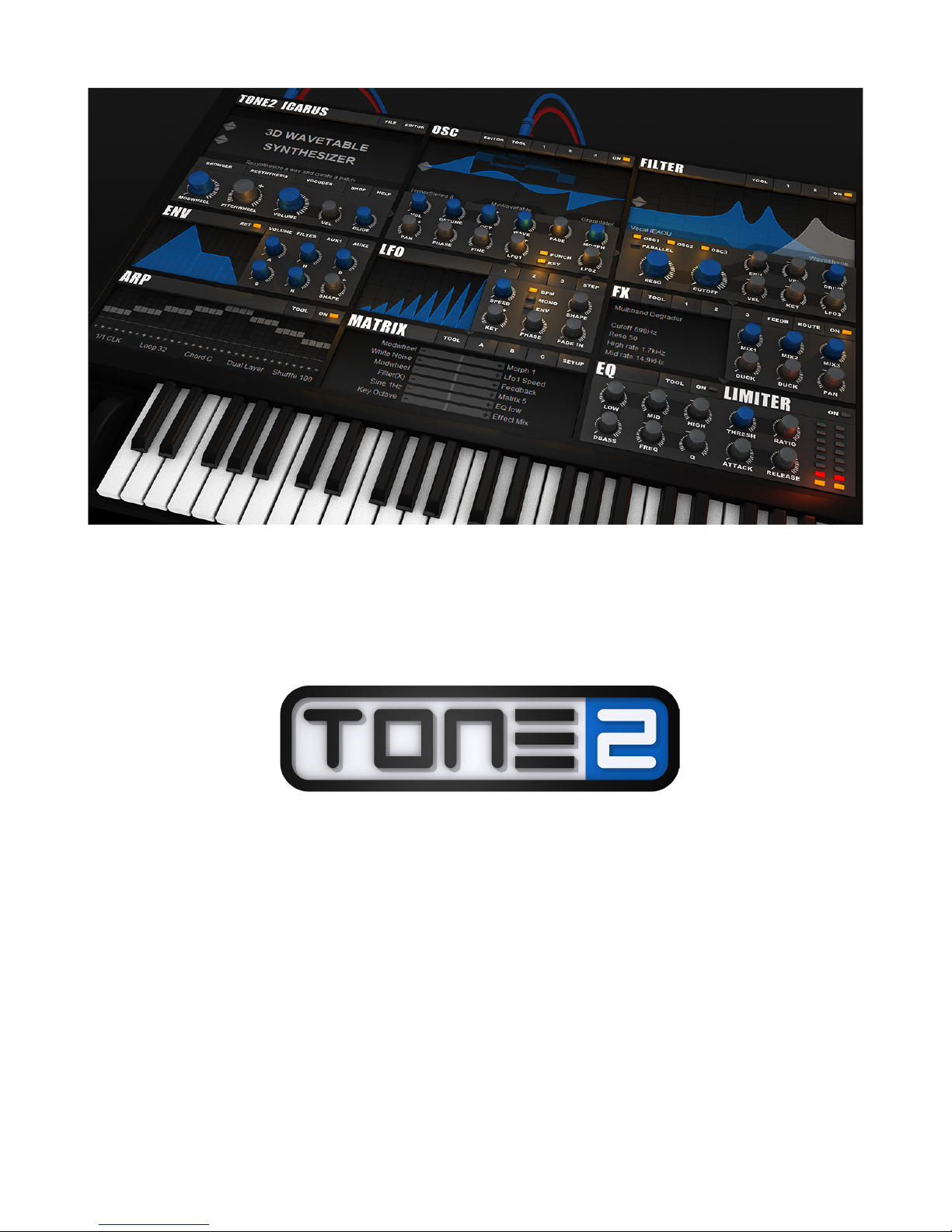
Icarus

Legal notice & Contact
The license included with this product is a single user license for an installation on a single
computer. Please contact our support team if you need additional licenses. This product is
copy protected and uses audio watermarks.
Please note that Tone2 will deactivate licenses of users who share our software without
permission. Violators will be excluded from customer resources, services and updates.
Under the MCA, copying and sharing copyrighted materials without a license is illegal,
violations to copyright law may carry heavy civil and criminal penalties.
If you have any difficulties installing or using Icarus, please contact us by visiting our website
and clicking the Support button.
Tone2 website http://www.tone2.com
Tone2 forum http://www.tone2.org/forum/index.php
Support [email protected]
http://www.youtube.com/user/Tone2Audiosoftware
https://www.facebook.com/Tone2Audiosoftware
https://plus.google.com/b/117394698401069212106
https://twitter.com/Tone2Audio
https://soundcloud.com/tone2-1
Credits
Development: Markus Krause
Programming & Graphics: Markus Krause
anual: Bastiaan van Noord, Markus Krause, Max arga (German manual)
Thanks go to: Anna Krause, family and friends, all sounddesigners & beta testers, and of
course to all Tone2 customers for their continued support.
2

Table of contents
Legal Notice & Contact..........................................................................................................2
Credits....................................................................................................................................2
Table of contents....................................................................................................................3
Installation & authorization procedure
Automatic installation for Mac & PC................................................................................4
Manual installation for PC...............................................................................................5
Manual installation for Mac.............................................................................................5
Welcome to Icarus ….............................................................................................................6
The Icarus User Interface …................................................................................................10
Top menu..............................................................................................................11
Patch display........................................................................................................12
Sound section......................................................................................................13
Oscillator section..................................................................................................................19
The Wavetable Editor...........................................................................................19
Oscillator top menu..............................................................................................32
Waveform display.................................................................................................39
Play Modes menu................................................................................................39
Morph Modes menu.............................................................................................42
Oscillator controls................................................................................................52
Filter section.........................................................................................................................54
Filter top menu.....................................................................................................55
Filter general controls..........................................................................................56
Filter display.........................................................................................................57
Envelope section..................................................................................................................60
LFO section..........................................................................................................................62
StepLFO...............................................................................................................................63
Arpeggiator...........................................................................................................................65
Top menu.............................................................................................................65
Bottom menu.......................................................................................................66
The Pattern sequencer........................................................................................67
Modulation Matrix................................................................................................................70
The Setup section...............................................................................................................78
Effects..................................................................................................................................82
EQ – Limiter.........................................................................................................................88
3
Installation & Authorization procedure
Together with the download link from Share-it you have received attached to the product
delivery email a keyfile called 'Icarus.t2k'.
This file contains your personal serial number & your name and is used to unlock the full
version.
Automatic Installation (recommended) for PC & ac
1. Close your host (Logic, Live, Cubase, etc.)
2. Install the full version of the plugin.
3. Open your host program
4. o a plugin rescan in the host if it does not list Icarus. etailed instructions on how to
perform a rescan can be found in your host's manual
5. Open Icarus
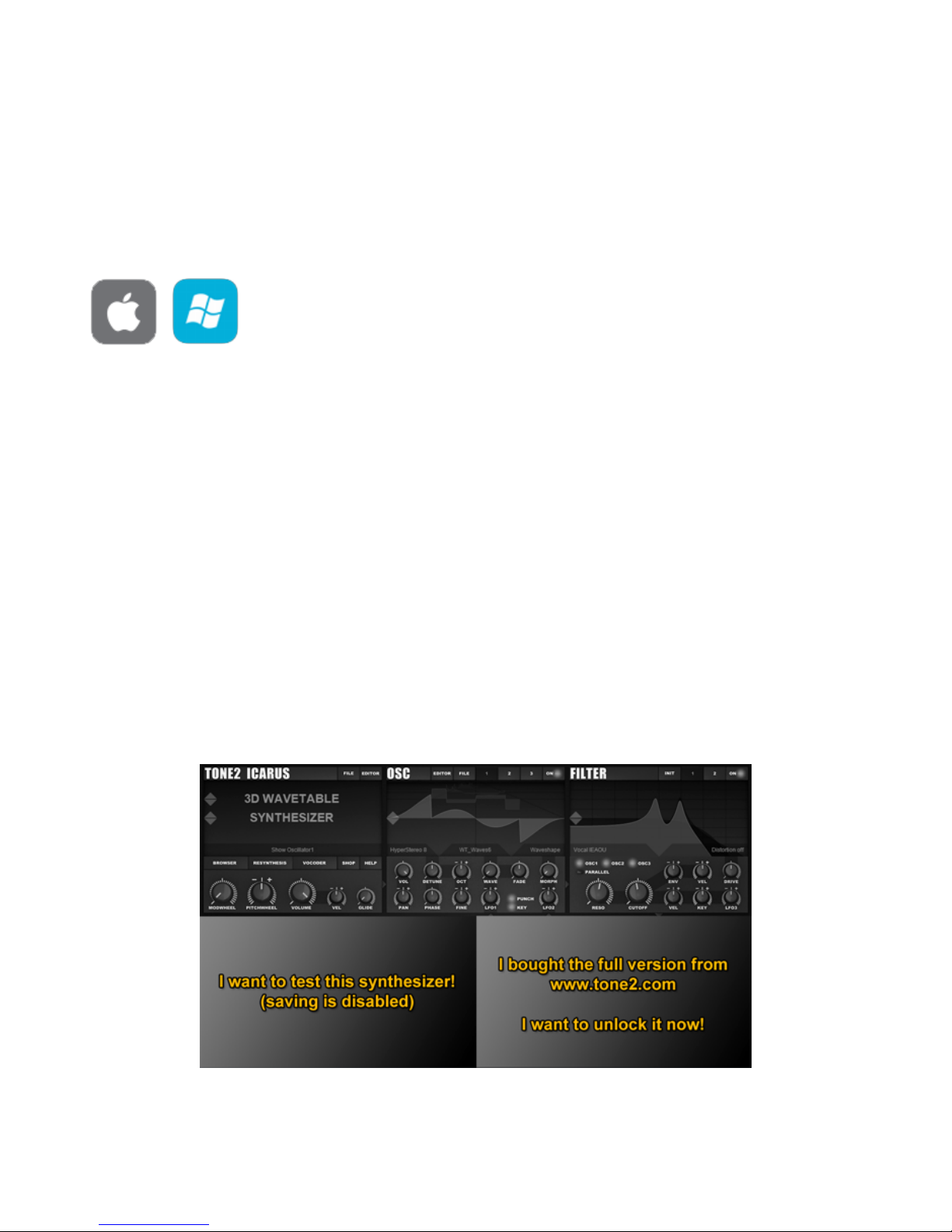
6. Click on the “I bought the full version.....” box on the bottom right part of the screen.
7. Click on the “Click here to activate now...”
8. Browse-to & select your keyfile 'Icarus.t2k' to activate the full version
9. Restart the plugin. Note that some host programs may require a complete restart
Click on the “I bought the full version...”screen to browse-to & select your Icarus.t2k keyfile
4

anual installation for PC
1. Close your host (Logic, Live, Cubase, etc.)
2. Install the full version of the plugin.
3. Copy 'Icarus.t2k' to the VST directory. Steinberg hosts often use C:\Program
files\Steinberg\VSTplugins as the default plugin path. You can also take a look at your
host's folder configuration. Note that the 'Icarus .t2k' keyfile should be inside the same
folder that the Icarus.dll is in.
4. Open your host program.
5. o a plugin rescan in the host if it does not list Icarus. etailed instructions on how to
perform a rescan are found in your host's manual.
6. Open Icarus. Now the normal user interface appears. If this is not the case, close your
host and go back to step 3, as most likely you did not copy the keyfile to the right
place.
anual installation for ac
1. Close your host (Logic, igital Performer, Live, Cubase, etc.)
2. Install the full version of the plugin.
3. Copy 'Icarus.t2k' to 'Library/Audio/Plug-ins'. The correct path for the file is:
'/Library/Audio/Plug-ins/Icarus.t2k'.
4. Open the host.
5. o a plugin rescan in the host if it does not list Icarus. etailed instructions on how to
perform a rescan can be found in your host's manual
6. Open Icarus. Now the normal user interface appears. If this is not the case, close your
host and go back to step 3, as most likely you did not copy the keyfile to the right
place.
5

Welcome to Icarus
Icarus is a wavetable synthesizer, equipped with a high-end quality sound engine. An engine
that is flexible as well as offer an enormous number of features, yet remains easy and intuitive
to work with.
We call Icarus a '3 wavetable synthesizer', because we expanded the wavetable concept,
allowing you to cross-blend waveforms, with an additional dimension for morphing.
Next to its wavetable capabilities it also offers resynthesis, true stereo architecture, hypersaw
oscillators, a wavetable editor, modular effects, a vocoder, dual filter section, programmable
arpeggiator and a comfortable patch browser. Which is why Icarus is one of the most
powerful synthesizers on the market.
Resynthesis
Working with conventional resynthesis methods you need a deep knowledge of sample
editing to achieve good results, doing consuming pre-processing with a sample editor as well
as require precisely tuned samples.
We have taken care of these problems and developed completely new algorithms. Icarus'
resynthesis works on nearly any kind of audio material, is very easy to use and provides you
with high quality results.
Simply click on the button - select a wav file - wait for some seconds and Icarus will
automatically create a patch, which sounds very similar to the original sound. Optionally you
can use the morph modes or the wavetable editor to further shape your sound.
Effects
Tone2 Icarus comes with a flexible effects section. Three Modular slots, each with 53 different
effect types. You can create your own custom effects, which can be saved & loaded
separately. The flexible routing allows you to route single oscillators to different effects.
The innovative ducking mode can change the dry/wet mix of delays and reverbs dynamically,
resulting in a more transparent mix. The additional feedback section allows you to route the
output back to the input, this way you can create completely new effects, like a delayed-
phaser or a feedbacked vibrato. An additional EQ and a limiter is provided to make your
sound sit right in the mix. We developed innovative microtuning algorithms, which make
chords sound more fat, harmonic and warm.
Oscillators
Icarus is a '3 wavetable synthesizer', we expanded the wavetable concept, allowing you to
cross-blend waveforms, with an additional dimension for morphing. You can use any of the 54
different 'morphmodes' to further shape the sound of your wavetables: Waveshaping, time-
stretching, pitch- shifting, granulizing, stacking, PWM, formant shifting, BPM syncing, phase
distortion, reversing, ringmodulation, sync, rearranging, FM, spectral editing, looping,
denoising, mixing,... - literally anything is possible.
Icarus offers three oscillator blocks with stereo architecture. Each oscillator block itself again
can contain up to 10 detuned hypersaw oscillators.
6

We've expanded the popular hypersaw concept with a stereo architecture, precise phase
control, punch and the ability to make single oscillators play chords.
37 different modes are available, including, hypersaw, supersaw, stereo hypersaw, unison,
stacking, chords and flanging.
The hypersaw modes can be combined with any kind of wavetable and morph mode.
Filters
Tone2 Icarus comes with a powerful, modular filter section. Two blocks, each equipped with
true stereo architecture and a multi-mode filter.
Over 60 different sounding filter types are available: Vocal, fractal, analog, digital, resonator,
EQ, ring modulation, amplitude modulation, FM, phaser, comb, physical modeling, multi-
mode, resampling, … All filters offer the highest possible sound quality, many of them
exclusive to Icarus.
The animated display offers an immediate visual overview of the filter's frequency response,
making it easy to understand and tweak the filters.
Flexible routing allows you to route every oscillator individually to filter1, filter2 or bypass.
Additionally, two distortion sections, each with 9 different modes allow you to further shape
the sound.
Vocoder
Icarus contains a high-end quality vocoder module with 1024 bands. It's very easy to use:
Simply click on 'Vocoder' and select a wav file containing speech, Icarus will analyze this file
and automatically create a patch.
Optionally, apply one of the morph modes to further shape your sound. Playing the sound
forwards, backwards, formant shifting, time-stretching and looping is also possible.
The vocoder sound is automatically stored within your patches and songs, you won't have to
worry about managing these additional files on your hard disc.
Arpeggiator
Almost a synth by itself, the arpeggiator section holds the key to all of your arpeggio needs. It
provides you with the tools to set up & use your own arpeggios, in a way that is both powerful
and easy.
Working with the arpeggiator is very simple, just lay down your notes inside the note
sequencer and select the play direction. The arpeggiator also supports advanced features
such as chords, glides, swing & shuffle, split, matrix integration, as well as giving you very
precise control over note-sorting, play direction and velocity.
on’t feel like programming your own patterns? Use one of the built-in patterns or load one of
the many external pattern presets to use as a starting point.
Working with an arpeggiator should be fun and inspiring, the arpeggiator in Icarus is as fun
and inspiring as it is powerful, flexible and easy to use.
Sounds
With a powerful and sonically versatile approach to audio production, Icarus provides you with
truly outstanding new sounds.
7

Icarus comes with an astounding sound collection of over 1000 production-ready sounds
designed by professional sound designers. A comfortable patch browser is provided to give
you an instant overview of the available categories and sounds, together with an on-screen
keyboard to audition them from within the patch browser. Picking the sound you want is as
easy as it can be. Icarus is ready for any type of music you play!
Interface
The user-friendly interface makes tweaking accessible to everyone, regardless of skill level or
experience. All controls provide you with visual feedback, making it easy to understand and
tweak the synthesizer. The animated displays and tool tips instantly visualize what the filters,
the LFOs, the envelopes and the oscillators are doing.
Over 40 different color schemes are available for the interface. With several instances of the
synthesizer loaded at the same time, it's even possible to show single instances with different
colors. Helping you to keep an overview when working on a complex project with many
instances of Icarus.
Wavetable editor
You can use the built-in wavetable editor to create your own wavetables or to edit one of the
many stock wavetables that ship with Icarus.
Using only a mouseclick, a smart wavetable generator allows you to generate an infinite
number of completely new and musically useful wavetables. Or even use the mouse to paint
your own waveforms.
The spectral editor turns Icarus into an additive synthesizer, giving you detailed control over
the partials and phase.
It is possible to drag & drop waveforms or wavetables into the editor or oscillators.
The wavetables are stored within your patches and songs, so you don't have to worry about
managing any additional files on your hard disc.
Many common wavetable & waveform formats are supported and it is possible to import and
export wavetables from-and-to other synthesizers.
A large, professional set of tools are available, giving you a comfortable and efficient way to
edit waveforms and wavetables. This includes basic features like, cutting, mixing and filtering,
as well as advanced tools like, denoising, enhancing, resynthesis, vocoder, spectral
modification and phase manipulation.
Icarus' flexible, compact and open file format allows sound designers & artists to easily create
their own soundsets, waveforms and wavetables.
odulation
Modulation is where the true power of a synthesizer emerges. By using the modulation matrix,
Icarus allows you to connect dozens of modulation sources to all-important sound
parameters.
Want to use an LFO to wobble your filter? Simply set the proper assignments inside of the
modulation matrix and you're on your way.
Modulate almost any parameter well up into the audio-rate speed, from internal modulation
sources like the LFOs, to a wide variety of MI I messages. We've also included midi-learn, so
assigning CC's is as simple as a right-click and a knob-turn.
8

Modulation can be as simple or complex as you want it to be. Icarus’ modulation system is
there to provide whichever modulation routing you require to create your perfect sound.
CPU
CPU load is always an important factor to consider, especially in light of today's complicated
multi-track projects. We made sure that Icarus is as easy on your CPU as possible. Icarus
offers a rich, deep sound, the very best sound quality, AN low CPU usage. What is the
advantage of good sound quality if it consistently brings your system to a halt with a mere
single instance of the synth?
The low CPU requirement ensures that you can easily use multiple instances of the synth
without overloading your project and without the need to render tracks right in the middle of a
creative session.
9

The Icarus User Interface
The Icarus user interface is designed to make patch designing and editing intuitive and fun.
All the sound editing parameters are kept on a single page so that you can see the signal flow
without getting lost in multiple tabs and pages.
The UI (User Interface) is larger than most software synthesizers but once your patch is built
you can switch off the E ITOR view (click the E ITOR button above the Patch Browser
section) leaving just the Rack GUI which saves considerable screen real-estate.
Parameter changes are always displayed in the bottom section of the PATCH BROWSER
display, values are displayed as soon as the mouse pointer is hovered over one of Icarus'
controls.
The Rack View shows just the patch / file management and basic sound editing functions of
Icarus – if you’re just loading a patch, or browsing for inspiration, this is all you’ll ever need.
10
Tabla de contenidos
Otros manuales de Sintetizador de Tone2


