Table of contents
1General operation of the Gate Control BASE......................................................................................4
1.1 Differences between the 2G, 3G, 3GA and the 4G models........................................................4
1.2 Setting the system time..............................................................................................................5
1.3 Data traffic..................................................................................................................................5
1.4 Operation of the contact inputs...................................................................................................5
2Processing of personal data................................................................................................................5
2.1 Responsibility of the Manufacturer .............................................................................................6
3Connecting the terminals and putting into operation ...........................................................................6
3.1 Under Voltage Lock Out (UVLO) function...................................................................................6
3.2 Input wiring.................................................................................................................................6
3.3 Output wiring..............................................................................................................................6
3.4 Connections...............................................................................................................................7
3.4.1 Wiring diagrams according to output control modes..........................................................7
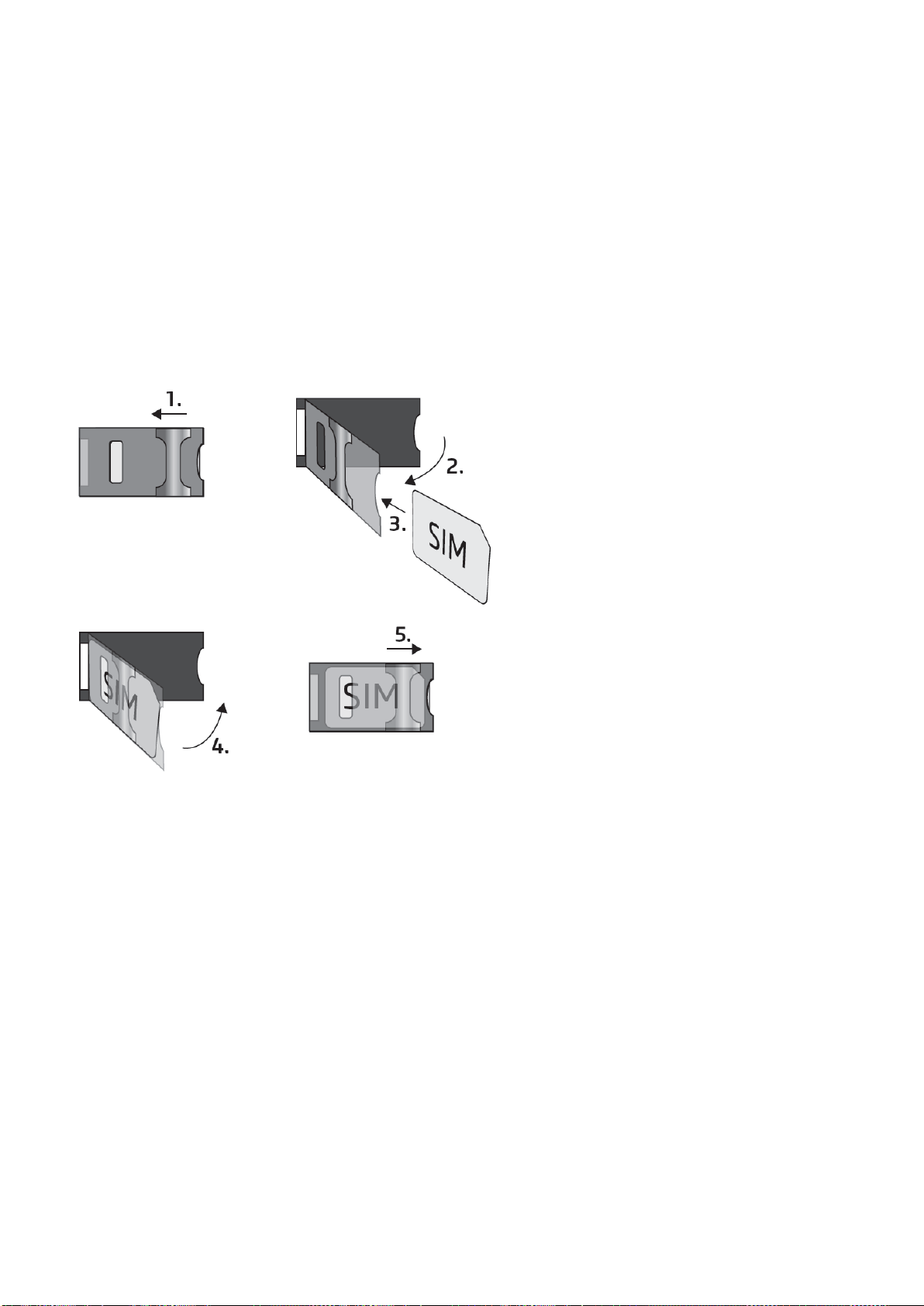
3.5 SIM card holder..........................................................................................................................9
3.6 Connecting the antenna.............................................................................................................9
3.7 Installation..................................................................................................................................9
3.8 Putting into operation ...............................................................................................................10
3.9 Status LED signals...................................................................................................................10
3.10 Technical specification.............................................................................................................10
4Configuring the Gate Control BASE device.......................................................................................11
4.1 The user interface and configuration options of the software: ..................................................11
4.2 Methods of connecting to the device........................................................................................12
4.2.1 Connecting to the device via USB ...................................................................................12
4.2.2 Connecting to the device over the Internet ......................................................................13
5Gate Control programming software usage and feature descriptions................................................16
5.1 Connection menu group...........................................................................................................16
5.1.1 Viewing the settings options and configuring offline ........................................................16
5.1.2 Connection type ..............................................................................................................17
5.1.3 Device register ................................................................................................................18
5.2 Device settings menu group.....................................................................................................20
5.2.1 General............................................................................................................................21
5.2.2 Inputs ..............................................................................................................................24
5.2.3 Reporting channels..........................................................................................................25
5.2.4 Input events.....................................................................................................................26
5.2.5 Outputs............................................................................................................................28
5.2.6 Advanced settings...........................................................................................................32
5.3 Users menu group....................................................................................................................35
5.3.1 Users...............................................................................................................................36
5.3.2 Remote access................................................................................................................40
5.4 Device status menu group........................................................................................................42
5.4.1 Status monitoring.............................................................................................................42
5.4.2 Event logs........................................................................................................................45
5.4.3 System logs.....................................................................................................................46
5.5 Software settings menu group..................................................................................................47
5.5.1 Settings ...........................................................................................................................47
5.5.2 About...............................................................................................................................48
6Configuring the Gate Control BASE by SMS, using a mobile phone.................................................49
6.1 Detailed specification of SMS commands: ...............................................................................50
7Updating the firmware.......................................................................................................................54
7.1 Updating via USB.....................................................................................................................54
7.2 Updating remotely over the Internet.........................................................................................55
8Restoring the factory default settings................................................................................................55
8.1 Restoring the factory default settings using the programming software....................................55
8.2 Restoring the factory default settings using the reset button....................................................55
9Package content ...............................................................................................................................55