2
Table of contents
1ecoLINE PRO operation............................................................................................................ 4
1.1 Key functions of the product............................................................................................... 4
1.2Differences between the 2G, 3G, 3GA, 4G and 4GA models............................................. 4
1.3 Under Voltage Lock Out (UVLO) function .......................................................................... 4
1.4 Remote monitoring application overview............................................................................ 5
1.4.1 Event sending and acknowledging................................................................................ 5
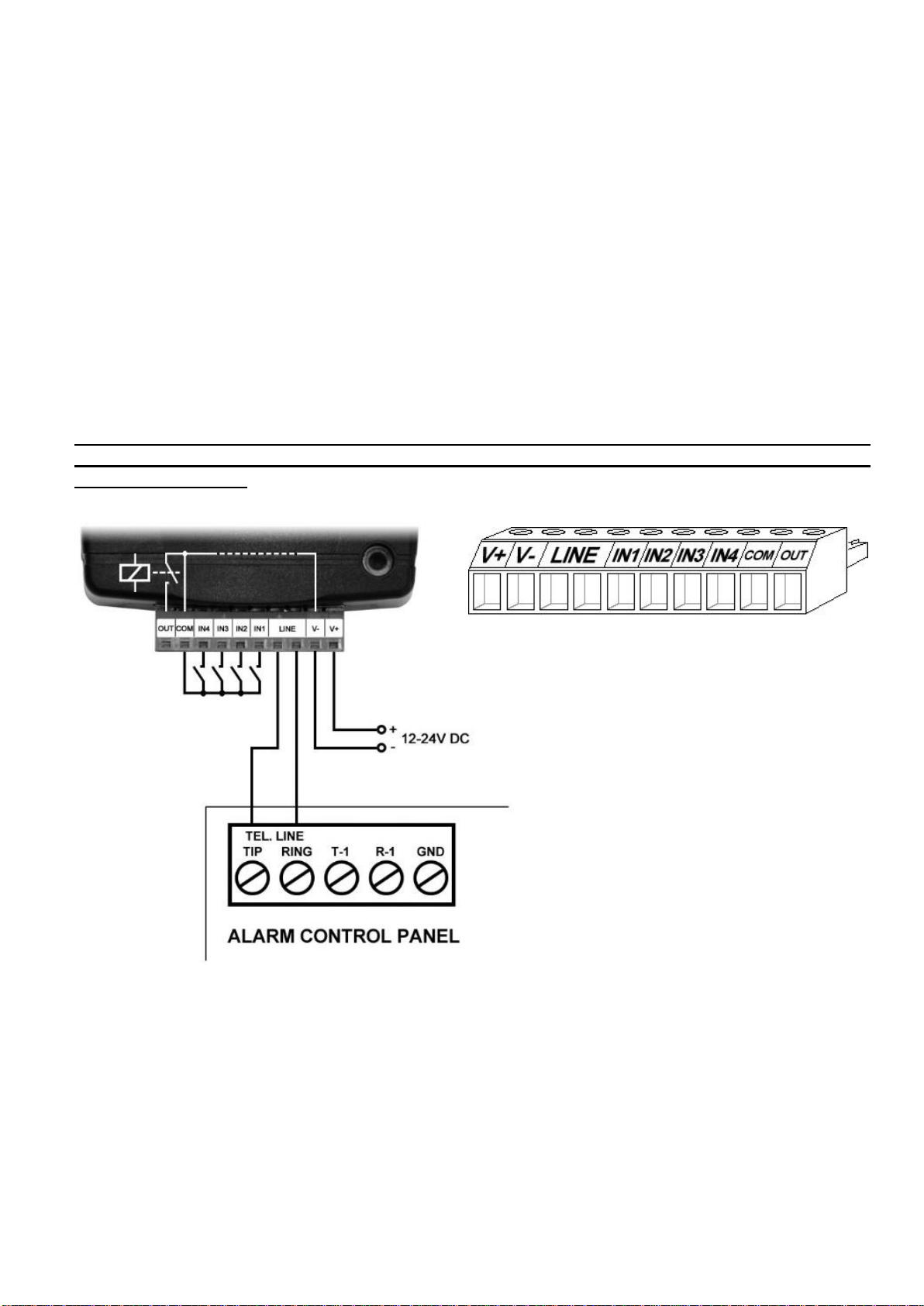
2Terminal wiring and putting into operation................................................................................. 6
2.1 Input wiring......................................................................................................................... 6
2.2 Connections and wiring...................................................................................................... 6
2.3 SIM card holder.................................................................................................................. 7
2.4 Connecting the antenna ..................................................................................................... 7
2.5 Installation.......................................................................................................................... 7
2.6 Putting into operation ......................................................................................................... 8
2.7 LED indicator signals.......................................................................................................... 8
2.8 Technical specification....................................................................................................... 8
3Configuring the ecoLINE PRO................................................................................................... 9
3.1 The user interface and configuration options of the software............................................. 9
3.2 Methods for connecting to the device................................................................................. 9
3.2.1 Configuring directly via USB ....................................................................................... 10
3.2.2 Remote connecting to devices via cloud service ........................................................ 11
3.2.3 Remote connecting to devices which are using the TEX-MVP protocol...................... 14
3.2.4 Remote connecting to devices which are using the TELLMon protocol...................... 15
4ecoLINE PRO programming software usage and feature descriptions ................................... 16
4.1 Connection menu............................................................................................................. 16
4.1.1 Viewing the settings options and configuring offline.................................................... 16
4.1.2 Connection type.......................................................................................................... 17
4.1.3 Device register............................................................................................................ 18
4.1.4 Server register ............................................................................................................ 20
4.2 Device settings menu....................................................................................................... 21
4.2.1 General....................................................................................................................... 22
4.2.2 Inputs.......................................................................................................................... 26
4.2.3 Output......................................................................................................................... 28
4.2.4 Mobile devices............................................................................................................ 30
4.2.5 Functions and permissions ......................................................................................... 32
4.3 Device status menu.......................................................................................................... 34
4.3.1 Status monitoring........................................................................................................ 34
4.3.2 Event monitoring......................................................................................................... 36
4.4 Software settings menu.................................................................................................... 38
4.4.1 Settings....................................................................................................................... 38
4.4.2 About .......................................................................................................................... 39