E
F-785
O
VERVIEW
......................................................3
eF-785 Benefits.............................................................................. 6
EF-785 Safety Features ..................................................................7
Segmented Machine Support.............................................7
Guard-lock Control ............................................................7
Automatic Safety System Checkout ...................................7
Controlled Stopping Function (ControlPoint™ Only) ..... 8
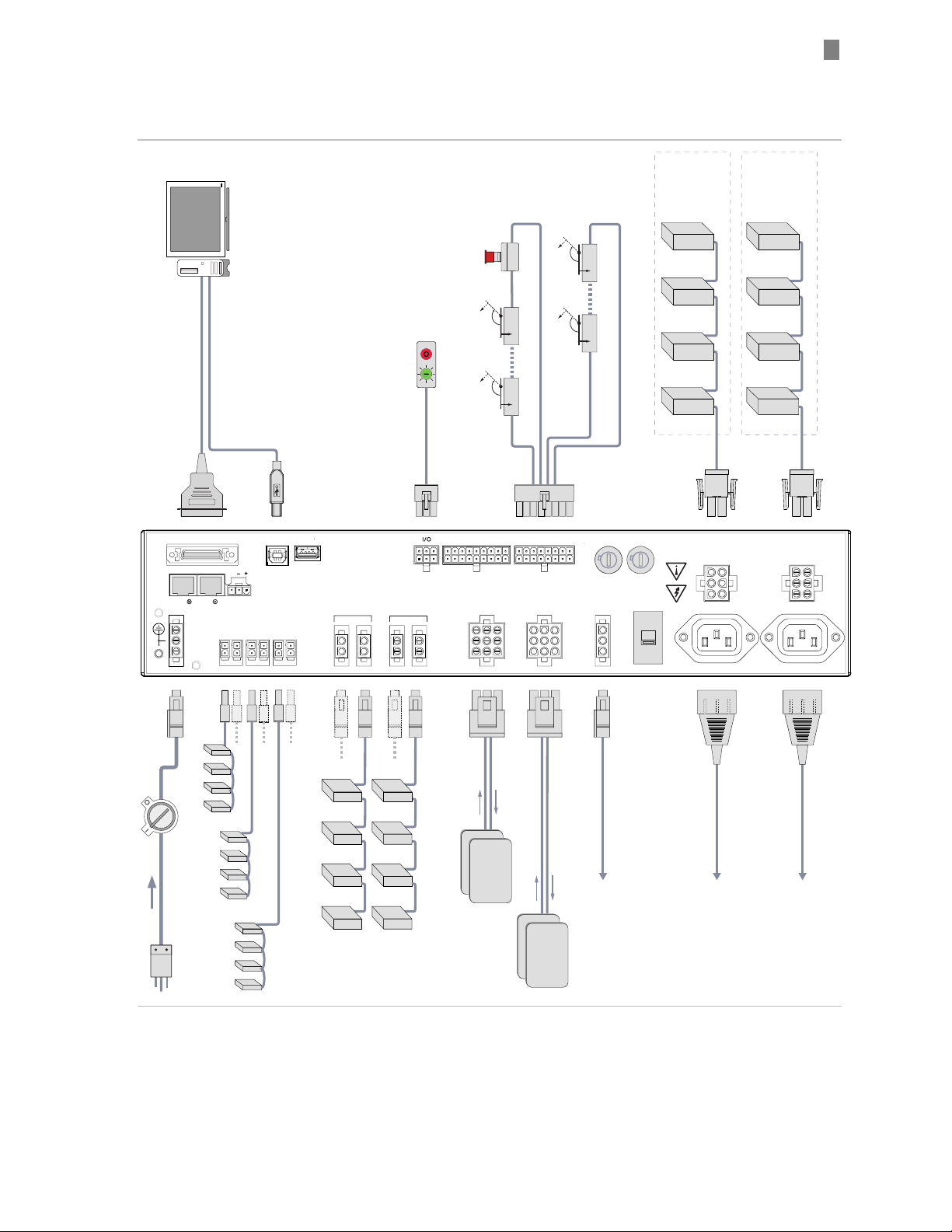
Integration Steps at a Glance........................................................ 8
I
NTEGRATION
S
TEPS
................................................10
Step 1: Complete a risk assessment and select guard-locks or
interlocks for guarded areas.........................................................10
EN1050 risk assessment ..................................................10
Select Guard-locks or Interlocks (for each guarded
Hazard) ..................................................................................10
Step 2: Select eF-785 configuration options................................ 11
Definitions........................................................................ 11
Step 3: Mount the eF-785 ............................................................21
Important Mounting Dimensions....................................21
Mounting Orientation ..................................................... 22
Cooling............................................................................. 22
Rack Slides ...................................................................... 23
Step 4: Set up the 24VDC Power Distribution............................ 24
Selecting the Power Supplies .......................................... 24
Connecting 24VDC Power supplies (J5)......................... 24
Connecting 24VDC loads (P9-P11) ..................................27
Step 5: Set up DC Motor Power Distribution 48-90VDC .......... 30
Selecting the Power Supplies .......................................... 30
Connecting DC Motor Power Supplies (P6) ................... 30
Connecting the Loads (DC Motor Drives) (P7A, P7B, J8A,
J8B)........................................................................................31
Step 6: Connect AC Powered Motor Drives (P3, J4) .................. 36
Wiring Configurations..................................................................37
Step 7: Connecting other miscellaneous AC loads (J2).............. 38
Step 8: Connect Incoming AC Power.......................................... 39
Incoming Power (P2) ...................................................... 39
Add a Power Disconnect Switch (if required)................. 39
Step 9: Connect the embedded control computer .......................41
CPU, Display and Peripheral Power (JA, JB)..................41
Host Control Connections................................................41
Step 10: Mount and connect the Power/Enable Switch(es)....... 43
Power/Enable Circuits (P14) .......................................... 43
Step 11: Mount and connect the safety control components...... 45
Selecting External Safety Devices ................................... 45
Safety harness for non-segmented machine (P12) ......... 48
Safety harness for segmented machine (P12)................. 49
Auxiliary Safety Connector (p13).................................... 50
Step 12: Optional: Connect ControlPoint™ Components.......... 52
Where does ControlPoint™ technology fit in? ............... 52
R
UNNING A
M
ACHINE WITH THE E
F-785 ..................53
Powering up......................................................................53
T
EKNIC
,
I
NC
F
AX
(585)784-7460
V
OICE
(585)784-7454