5
98-01504-ENUS R2
Aeros 9040 Field Computer
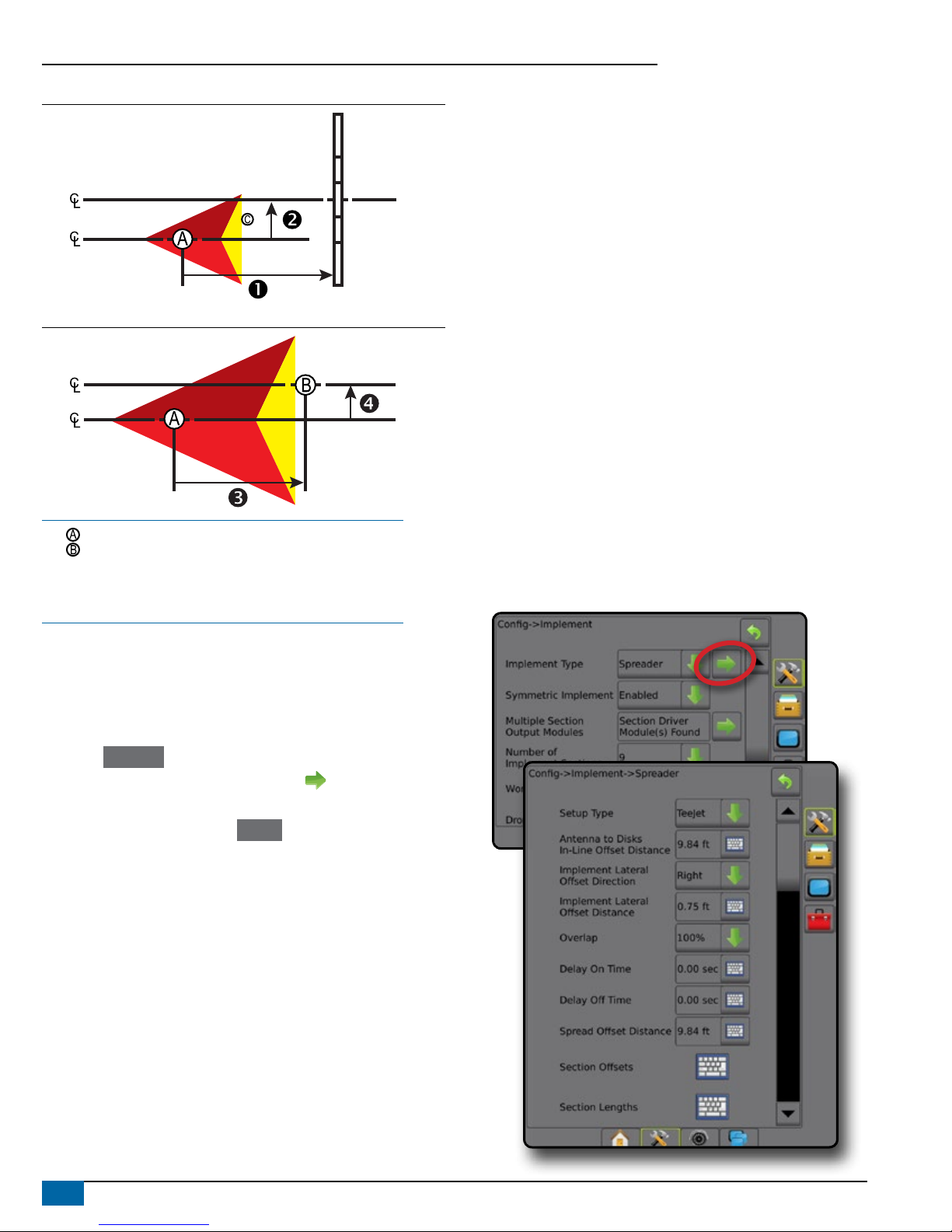
Figure 2: Implement Type – Spreader
5
6
7
43
2
1
Figure 3: Implement Type – Staggered
5
432
1
Section Numbers
Sections are numbered from left to right while facing in the machine’s
forward direction.
Straight
The boom sections have no length and are on a line a xed distance
from the antenna.
1. Select Straight implement type on Implement screen.
2. Press Implement Type NEXT PAGE arrow .
3. Select from:
►Connection Point In-line Offset Direction [ISOBUS only] –
establishes if reference point is located in front of (forward)
or behind (backward) the GNSS antenna while facing in the
machine’s forward direction
►Connection Point In-line Offset Distance [ISOBUS only]–
measured in parallel to the centerline of the machine, denes the
in-line distance from the GNSS antenna to reference point
►Connection Point Lateral Offset Direction [ISOBUS
only]– denes the lateral direction, either left or right, from the
centerline of the machine to the center of reference point
while facing in the machine’s forward direction
►Connection Point Lateral Offset Distance [ISOBUS only]–
denes the lateral distance from the centerline of the machine to
the center of reference point
►Implement In-line Offset Direction – displays if the implement
is located in front of (forward) or behind (backward) the GNSS
antenna while facing in the machine’s forward direction
►Implement In-line Offset Distance – measured in parallel to
the centerline of the machine, displays the in-line distance from
the GNSS antenna to the implement
►Implement Lateral Offset Direction – displays the lateral
direction, either left or right, from the centerline of the machine
to the center of the implement while facing in the machine’s
forward direction
►Implement Lateral Offset Distance – displays the lateral
distance from the centerline of the machine to the center of the
implement
►Overlap – used to dene the amount of overlap allowed when
using automatic boom section control
►Delay On Time – used to set the time when the section will
switch on when entering an area that has not been applied
NOTE: If the application turns on too soon when entering an
unapplied area, decrease the Delay On Time. If the application
turns on too late, increase the Delay On Time.
►Delay Off Time – used to set the time when the section will
switch off when entering an area that has been applied
NOTE: If the application turns off too soon when entering an
unapplied area, decrease the Delay Off Time. If the application
turns off too late, increase the Delay Off Time.
*Available with SmartCable, Section Driver Module (SDM) or Switch
Function Module (SFM) or ISOBUS)