
TechniSat DigitRadio 100 Manual de usuario

Manual
Digitalradio Adapter for DAB/DAB+
DigitRadio 100

2
Contents
Pictures 4
5
Safety of the appliance 6
Security 6
Setting up the device 6
Disposal 7
Guidelines and standards 8
Properties of the device 8
Preparing the device for operation 8
Improve antenna reception 8
Usage of headphones 9
The way of replace batteries: 9
DAB mode 9
What is DAB? 9
DAB Mode 10
Turn on 10
Shift to another DAB/DAB+ Station 10
Update Stations List 11
To Show the Signal Strength 11
Manual tune 11
The way to Prune 11
DRC (Dynamic Range Control) value 11
View Station Information 12
FM Mode 12
Tune in FM Mode 12
Scan setting 12
Audio Settings 12
Station Presets (for DAB/DAB+ and FM mode) 13
Preset Recall (for DAB/DAB+ and FM mode) 13

3
Bluetooth Mode 13
Shift to Bluetooth mode 13
Pairing with Bluetooth devices 13
To perform pairing with a Bluetooth device 13
To pair additional devices 13
Clearing memory 13
General Settings 14
Set Sleep 14
Set Time 14
Set Alarm 14
Postpone Alarm: 15
Turn off Alarm: 15
To cancel the Alarm: 15
Set Language 15
SW Version 15
Factory Reset 15
Specification 16

4
Pictures
Line out
socket: It is for inserting 3.5mm earphone.
Power cord
Socket:
Connect to DC adaptor.
Please use the power adaptor provided by manufacturer only.
Antenna
socket:
Connect to the provided antenna.
Power button Press to turn on radio, press again to standby mode.

5
Pictures
Line out
socket: It is for inserting 3.5mm earphone.
Power cord
Socket:
Connect to DC adaptor.
Please use the power adaptor provided by manufacturer only.
Antenna
socket:
Connect to the provided antenna.
Power button Press to turn on radio, press again to standby mode.
Control All mode Overview
Press to turn on radio, press again to enter
standby mode
When alarm sounds, press to turn alarm off
SNOOZE When alarm is sounding, press to postpone alarm
ALARM 1,
ALARM 2 Press to enter Alarm 1 or Alarm 2 setting
SLEEP Press to enter sleep time setting
CLOCK Press to set time and date
DRC DAB mode: press to set DRC level
DIMMER Press to adjust backlight
Bluetooth mode: press to previous track,
press to next track, press to play/pause
MENU Press to enter menu
SCAN Press to scan DAB/FM stations
INFO Press to browse station information.
SELECT Press to conrm selection
Pressa. or to browse items up/down
Pressb. or to browse items backwards/
forwards
FM modec. : Press to manually adjust frequency by
0.05MHz per step
MODE Press to convert among DAB, FM and Bluetooth
mode
MUTE Press to conrm mute, and press again to break
mute.
VOL. Press to adjust volume level
PRESETS
1-12
Press and hold one of presets button to store preset
stations;
Press one of presets button to load preset stations.

6
Safety of the appliance
Please read all the safety instructions carefully and save this manual for future refer-
ence. Always follow all warnings and instructions in this manual and on the back of the
device.
Security
The device should be connected only through the AC adapter to a mains voltage of•
230V,50Hzpower.Neverattempttooperatetheunitwithadierentvoltage.
If the power supply of the device is defective or if the device has other damage, it•
should not be put into operation.
Do not touch the AC adapter with wet hands, an electric shock can cause!•
Never allow unsupervised children to use this unit.•
Toavoidrehazardandtheriskofelectricshock,donotexposetheunittorainor•
moisture.
Do not use the appliance near a bathtub, etc. or splash water during operation.•
If you move the unit from a cold to a warm location, moisture may condense inside•
the unit. You should wait in this case, for about an hour before you take operate it
again.
Should any solid object or liquid fall into the unit, unplug the AC adapter from the•
outlet.Havetheunitcheckedbyqualiedpersonnelbeforeyouuseitagain.Other-
wise there is a risk of electric shock.
Never attempt to repair a defective product yourself.•
Donotopenthehousing.Otherwisethereisariskofelectricshock.•
Do not insert any foreign objects inside the machine.•
Thedeviceremainsconnectedtothemainsevenwhenswitchedo(standby).•
UnplugtheACadapterfromthewalloutletwhennotusingtheunitforanextend-•
ed period of time.
Do not touch the terminals on the rear panel with metal objects.•
High volume, especially when using headphones can cause hearing loss.•
Setting up the device
Set the equipment on a solid, secure and horizontal ground•
Ensure good ventilation.•
Place the unit on a soft surfaces like carpets, blankets, or near curtains, draperies.•
The device should not be concealed by curtains, blankets or newspapers•
Do not install the unit near heat sources such as radiators. Avoid direct sunlight•
andplaceswithexcessivedust.
Do not place heavy objects on the device.•
Donotplacetheunitneardevicesthatgeneratestrongmagneticelds.•
7
Disposal
Risk of suocation
RiskofsuocationduetothePackaginganditspartsforchildren.•
Disposal of packaging
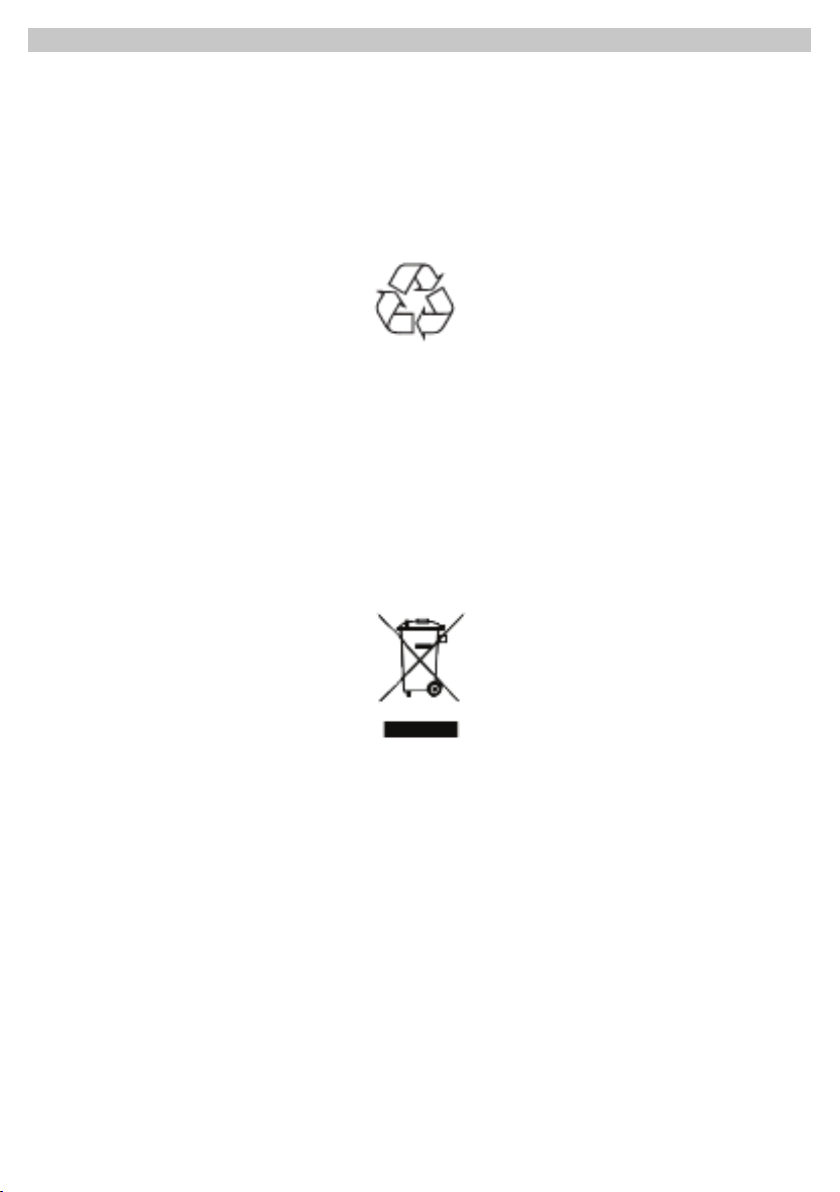
The packaging of your device consists entirely of recyclable materials. Please follow•
these sorted according to the “Dual System”.
About current means of disposal contact your dealer or at your community waste•
facility.
Disposal of the appliance
Oldappliancesarenotworthlessrubbish.Byrecyclingvaluablerawmaterialscan•
be recovered. Check with your municipal or local government options for environ-
mentally - friendly disposal of the device.
This appliance is marked according to the Directive 2002/96/EC on Waste Electri-•
calandElectronicEquipment(WEEE).
This product may not, at the end of his life be disposed via the normal household•
waste, but should be taken to a collection point for recycling of electrical and elec-
tronic equipment.
The symbol on the product, user manual or packaging indicates the recycling of•
the product. The materials are recyclable according to their labeling. With the reuse,
recycling or other forms of utilizing old devices, you are making an important contri-
bution to protecting our environment.

8
Guidelines and standards
This product meets guidelines and standards•
theLowVoltageDirective(2006/95/EC),-
theEMCDirective(2004/108/EC)andthe-
CE Mark Directive. Your unit carries the CE mark and complies with all relevant EU-
standards.
Package Contents Please make sure that all items shown below are available :
DAB/DABFMClockRadiowithwireantenna,•
Power Supply, 6V, 500 mA,•
Manual.•
Properties of the device
TheDAB+digitalradioisanewdigitalformat,throughwhichyoucanhearcrystal
clear sound in CD quality.
TheradioreceivesonFMfrequencies87.5-108MHz(analogue)174.9to239.2MHz
andDAB(digital).
Youcansave10stationonfavoriteprogramplacestheDABorFMmode.
Thedisplayhasalight.Thiscanbeactivatedatdierentstages(seedisplayillumina-
tion).
Preparing the device for operation
ConnectthedevicewiththesuppliedACadaptertothemains(230V~/50Hz).
>Tobringpowertothedevice,thecableoftheACadapterneedsrstbeconnected
intotheDC6V(page5#5)ontheunitandthenplugthepoweradapterintothe
socket230V~/50Hzplug.
>After the initial installation of the network connection temporarily “ Welcome to
digital radio “ appears.
Please unplug the AC adapter from the outlet when not in use, prolonged absence or
thunderstorms.
Improve antenna reception
The number and quality of received stations depends on the reception conditions at
theinstallationsite.Withthewiredantennaanexcellentreceptioncanbeachieved.
This antenna must be aligned in full to get the best reception. Use the small loop at

9
theendofthewiredantennatoxthisintherequiredpositionforabetterreception.
Usage of headphones
Using headphones may damage your hearing!
Do not listen to the radio at high volume through headphones. This can lead to per-
manenthearingdamage.Beforeusingheadphonesadjustthesoundvolumetothe
minimumlevelifyou(notsupplied)toconnectapairofheadphones,theinternal
speaker is muted.
>Use only headphones with 3.5mm stereo plug.
>Plugtheheadphonesintotheheadphonejack(page5#6)ofthedevice.Thesound
reproductionisnowdoneexclusivelythroughtheheadphones.
>If you want to listen through the speakers again, unplug the headphones from the
headphone jack of the device.
The way of replace batteries:
1.Openthebatterycompartmentcoverbyusingyourthumbdownwardpushthe
bulge of the back of your remote control.
2. Install 2 new batteries which are non-rechargeable.
Note:donotreverseanybatteryanddonotmixbatterytypes,alsodonotmixoldand
new batteries. When discard your old battery, please considering eco-friendly.
3.Fit2batteries,referringtothemarkingsdirectioninsidethebatterycompartment.
4.Coverthebatterycompartmentdoor.
DAB mode
What is DAB?
DABisanewdigitalformat,throughwhichyoucanhearcrystalclearsoundinCD
quality.DABBroadcastahigh-speeddatastreamintheradiochannel.Indierenceto
conventionalanalogradioDABtransmitsmultiplechannelsonthesametransmitter.
Thisiscalledensembleormultiplexes.Anensembleconsistsoftheradiostationas
well as several service components or data services, which are sent individually by the
radio stations. Learn e.g. under www.digitalradio.de or www.digitalradio.ch.
Data compression
Digital radio uses the of advantages of human hearing. The human ear does not
perceive sounds that are below a certain minimum level. Data which are under the
so-calledthresholdinquietcanbelteredout.Thisispossiblebecauseinadigital
data stream for each information unit, the corresponding relative volume is also saved
for other units. In addition in a sound signal, the quieter portions are overlapped by
the louder for a given threshold. All the sound information in a piece of music that are

10
belowtheso-calledhearingthresholdcanbelteredoutofthesignaltobetransmit-
ted. This leads to a reduction of the transmitted data stream, without any noticeable
dierenceinsoundtothelistener(MUSICAM)process.
Audio Stream
Audiostreamsarecontinuousdataows,MPEG1AudioLayer2framescontainand
thus represent acoustic information in digital radio. Thus, familiar radio programs can
betransferredandlistenatthereceiverside.ForDigitalradiotheMUSICAMformat
isused,whichprovidestwoMPEGcompliantPADs.ThisisreferredtoasPADdata
services.DigitalRadiobringsyounotonlyradiowitforadditionaldata.Theexcellent
Digitalradiodoesnotonlyoerperfectsoundqualitybutalsoadditionalinformation.
Thismayrelatetothecurrentprogram(e.g.title,artist)ormightbeindependent(e.g.,
news,weather,tractips).
DAB Mode
Turn on
Connect your antenna to ANTENNA socket on the back of radio.4.
Connect to your radio power adapter, your radio will be in standby mode. Press5.
to switch on radio.
To switch the radio off, remove the adapter from you radio.6.
For initial use, it will carry out a full scan and store stations list in memory.7.
Once the scanning is completed, the DAB/DAB+ stations will be displayed in8.
alphanumeric order. The rst station in the list will be selected.
Note :if no DAB/DAB+ signal is found in your area, it may be necessary to relocate
your radio to a stronger signal area.
Radio default language is German, to change to other language :9.
Press MENU, then press or to ‘Sprache’, conrm and browse for your preferred
language. Here, we select English for example.
Shift to another DAB/DAB+ Station
While a program is playing, press or to cycle through available stations, press
Tabla de contenidos
Otros manuales de Adaptador de TechniSat


