TDS EJ-640 Manual de funcionamiento

EJ-640 Maintenance Guide
How to Replace Ink Cartridges
Out-of-ink Warnings
If using 4 Colors (CMYK)
If one ink cartridge of the same color runs out, the machine continues printing using the other
ink cartridge. When all ink cartridges of the same color run out, printing pauses and a warning
beep sounds.
If using 7 Colors (CMYKLcLmLk)
When an ink cartridge runs out, printing pauses (unless the factory default settings have been
changed), and a warning beep sounds.

EJ-640 Maintenance Guide
Note: You can check the approximate amount of ink remaining on the screen so as to replace
ink cartridges before they run out.
How to Replace Ink Cartridges
When ink runs out, a warning beep sounds and printing pauses (unless the factory default
settings have been changed.) Pull out the empty cartridge and insert a new one. Printing
resumes.

EJ-640 Maintenance Guide
Note: Never store ink, cleaning liquid, or discharged fluid in any of the following locations.
-Any location exposed to an open flame.
-Any location where high temperatures may occur.
-Near bleach or any other such oxidizing agent or explosive material.
-Any location within reach of children.
Doing so may lead to fire. Accidental ingestion by children may pose a health hazard.
Maintenance That Should Be Performed Daily
Disposing of Discharged Fluid
Procedure

EJ-640 Maintenance Guide
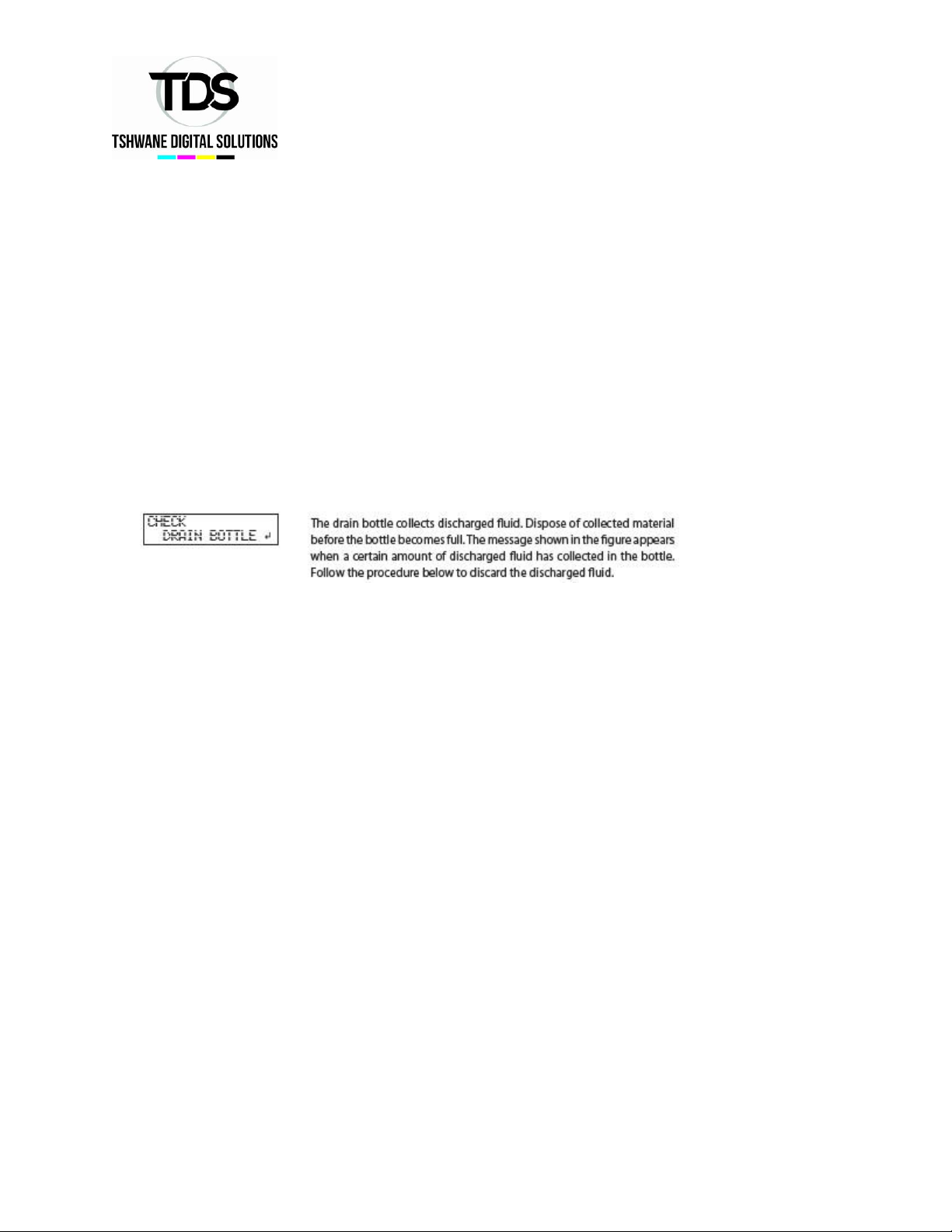
Note: Before you detach the drain bottle, be sure to wait for the screen to display “EMPTY
DRAIN BOTTLE.”
Failing to do so may cause discharged fluid to flow out of the machine and spill onto your hands or the floor and cause a
stain.

EJ-640 Maintenance Guide
Store discharged fluid in a location not exposed to direct sunlight.
When temporarily storing discharged fluid in the included drain bottle, keep the drain bottle
out of direct sunlight. Otherwise the discharged fluid may harden, the waste bottle may
become unusable, or the waste bottle may be deteriorated, the discharge fluid may leak.
Dispose of discharged fluid properly, in accordance with the laws in affect in your locale.
Discharged fluid is flammable and contains toxic ingredients. Never attempt to incinerate
discharged fluid or discard it with ordinary trash. Also, do not dispose of it in sewer systems,
rivers, or streams. Doing so may have an adverse impact on the environment.
If It Is Not Possible to Check the Amount of Discharged Fluid in the Drain Bottle.
Sometimes, ink affixes to the inside of the drain bottle, which makes it difficult to check the
amount of discharged fluid. In this situation, clean the inside of the drain bottle.
Cleaning method A
Scrape the inside of the drain bottle clean using one of the included cleaning sticks. Dispose
of used cleaning sticks. They cannot be used for any other cleaning. If this method is not
effective, perform cleaning method B, shown below.
Cleaning method B (when cleaning method A is not effective)

EJ-640 Maintenance Guide
Cleaning
Note: Never use solvent such as gasoline, alcohol, or thinner to perform cleaning.
Doing so may cause fire.
Note: Before attempting cleaning, switch off the sub power and wait until the platen and
dryer cool (approximately 30 minutes). Sudden movement of the machine may cause injury,
or hot components may cause burns.
Wipe away any ink or grime on the media path and any other areas as part of the daily
cleaning procedure. Pinch rollers, grit rollers, and the platen are particularly prone to the
buildup of grime. Clean by wiping with a cloth moistened with neutral detergent diluted
with water wrung dry.

EJ-640 Maintenance Guide
Care and Maintenance of the Print Heads
Care of the print heads is essential to ensuring optimal printing at all times. There are
maintenance tasks that should be performed daily and those that should be performed
periodically.
Daily Care and Maintenance
-Printing tests and normal cleaning.
We recommend performing a printing test and normal cleaning before day-to-day operation.

EJ-640 Maintenance Guide
Periodic Care and Maintenance
-Medium cleaning/powerful cleaning.
Perform medium cleaning or powerful cleaning when problems such as dot drop-out are
not corrected after performing normal cleaning.
-Manual cleaning
Perform manual cleaning periodically according to your frequency of use.
-Refreshing subtanks (REFRESH SUBTANKS)
Perform this procedure once every six months. (This procedure is effective when light
choke cleaning does not resolve uneven color issues.)
Care and Maintenance When Uneven Color Occurs
-Light choke cleaning
Perform this cleaning when printed colors are unstable or uneven, e.g. when color density
is inconsistent, even if the same data is printed with the same settings.
-Refresh subtanks (REFRESH SUBTANKS)
Use this procedure when light choke cleaning does not resolve uneven color issues. (Note
that it is necessary to perform this procedure once every six months regardless of whether
or not there are problems with uneven colors.)
Note: The print heads are components that ware out. Periodic replacement is required,
with the frequency of replacement depending on use.
When Normal Cleaning Is Not Effective
Medium Cleaning
When problems such as dot drop-out are not resolved by normal cleaning, perform the
more forceful “medium cleaning”to remove clogging from the print heads.
Procedure

EJ-640 Maintenance Guide

EJ-640 Maintenance Guide
Powerful Cleaning’
Procedure
When powerful cleaning is not effective
If problems such as dot drop-out persist even after you have performed powerful cleaning
several times, perform “manual cleaning.”Such cleaning can be effective when carried
out periodically, according to the frequency of use.
If Colors Are Uneven
Light Choke Cleaning
Perform this cleaning when printed colors are unstable or uneven, e.g. when color density
is inconsistent, even if the same data is printed out with the same settings. This will
stabilize the output colors by agitating the ink.
Tabla de contenidos
Otros manuales de Impresora de TDS