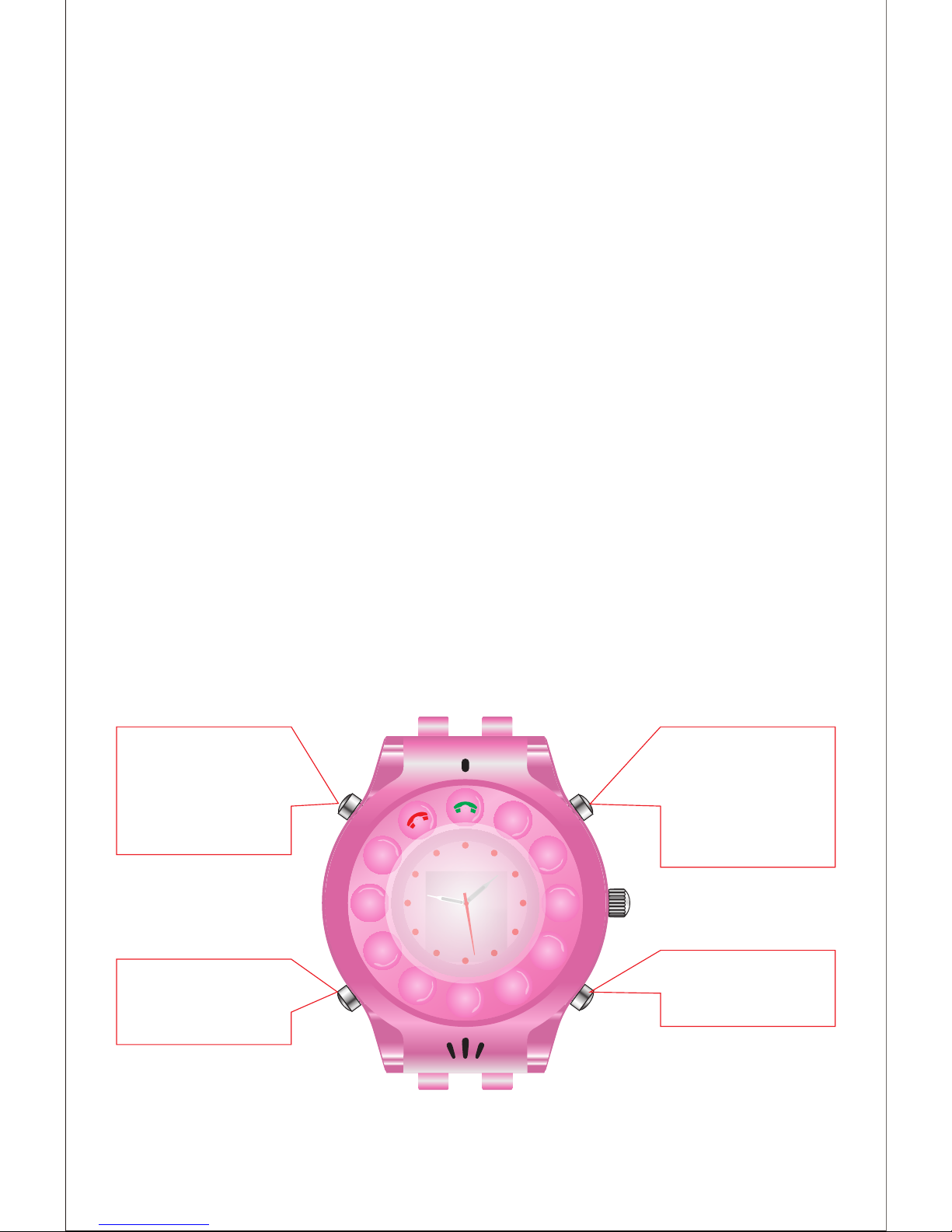
2. SIM Card installing
2.1 SIM Card slot
Notes: Please make sure the phone has been turned off before
you insert or remove the SIM card.
2.2 How to insert the SIM card
PS.:
> TBS GPS watch phone series are compable with Micro-SIM card
(15*12mm standard).
> TBS GPS watch phone series just support 2G: GSM 850/900/
1800/1900MHz.
3. Reset and Charge
3.1 Reboot and reset the watch phone
> Use a small pointed device to press the mini “Reboot” buon to
reboot the watch.
> Guardians send SMS “0#password” to the watch phone to reset
it. If the watch is malfunconing for any reason, Guardians can
send this SMS command to restore default sengs.
3.2 Charge the watch phone
> The watch phone has built-in Lithium Polymer Baery, you can
change it by connecng to power adapter or computer.
> When the watch is charging, the red LED light which the “Hang
up buon” is lit. When it is fully charged, the green LED light which
the “Calling buon” will be lit.
4. Turn on and Turn off
4.1 Turn on the watch pone
Note: Please make sure the SIM card have been inserted correctly.
> If the SIM card is installed correctly, user will hear voice prompt
“Entered the standby mode, self-check normal”.
> If the SIM card is installed incorrectly, user will hear voice
prompt “Entered the standby mode, please check the SIM card”.
> When you hear the voice prompt “Self-check normal”, it means
the watch phone is checking GPS signal automacally. If you are
indoors, you will hear voice prompt “It is out of GPS signal, please
go to outdoors”.
4.2 Turn off the watch phone.
> Hold down the “Power Buon” to turn off the watch phone.
7. Dial /Answer a phone call
7.1 Answer a phone call
> Press “Speed Dial buon 1-3” to answer the call. Or press to
answer the call. (For TBS3202-B only)
> Press “Turn on buon” to hang up the call. Or press to hang
up the call. (For TBS3202-B only)
> The watch will answer the phone automacally 10 seconds later
aer a call is coming, even though the user does not press any
buon to answer the phone.
7.2 Dial a phone call
> In standby state, press corresponding speed dial buon to call
the guardian, and you will hear voice prompt as “call out”.
> In default mode, users can call anyone by dial the number in the
keypad(For TBS3202-B only).
> Hold down buon of speed dial - 2 to start SOS call. Once user
starts SOS call, the watch phone will call guardians one by one ll
someone answers the phone.
8. Working mode seng
8.1 The watch phone supports 4 working modes:
> Mode 1 (Default) – Posioning acquiring system is acve + the
watch can get any incoming and all outgoing calls are allowed by
dialer or speed dial buons, speaker is acve, vibraon is acve.
> Mode 2 (Posioning only) – Posioning acquiring system is
acve without incoming and outgoing calls, speed dial buons are
disabled, dialer buons are disable, speaker is disable, vibraon is
disable.
> Mode 3 (Parents only) – Posioning acquiring system is acve +
only guardians are allowed for incoming and outgoing calls, speed
dial buons are acve, dialer buons are disabled, speaker is
acve, vibraon is acve.
> Mode 4 (Silent mode) – Posioning acquiring system is acve +
only guardians are allowed for incoming and outgoing calls. Speed
dial buons are acve, dialer buons are disables, speaker is
disable, vibraon is acve.
8.2 Guardians can change the working mode by sending SMS to
the watch:
> Send “3#password#1” to set up the “Mode 1”.
> Send “3#password#2” to set up the “Mode 2”.
> Send “3#password#3” to set up the “Mode 3”.
> Send “3#password#4” to set up the “Mode 4”.
8.3 If the working mode is changed successfully, guardian’s
phone will receive confirmaon SMS “MODE 1/2/3/4 SET, OK”
from the watch phone.
Note: GPS tracking funcon, SOS funcon, Monitoring funcons
are always workable in any mode.
9. GPS Posion
When the watch phone receives SMS “5#password” from
guardian’s number, it will reply guardian a GPS posion SMS with
Google map link, which includes longitude and latude.
Note: The watch should be taken to outdoor for GPS signal. If it
can’t receive GPS signal for the posion, it will reply the guardian
with locaon of the previous GPS posioning.
10. Audio Remote Monitor
> If guardians send SMS “6#password” to the watch phone, the
watch will call back guardian’s number automacally to have a
one-way conversaon.
> If guardians send SMS “6#password#assigned phone number”
to the watch phone, the watch phone will call the assigned
number automacally to have a one-way conversaon.
> If guardians send SMS “11#password” to the watch phone, the
watch phone will call back guardian’s number automacally to
have a two-way conversaon.
> If the phone server is too busy to make the call immediately, the
watch will reply to guardian with SMS “The server is currently
busy, please try again later”.
PS.:
One-way conversaon means the guardian phone can monitor
the sound around the TBS3202_b GPS watch phone, but
TBS3202-b GPS watch phone can’t hear any sound.
Two-way conversaon means TBS3202-b GPS watch phone and
guardian phone can talk with each other.
11. Alarm seng
> The guardian can set up 3 alarms by sending
SMS “10#password#alarm me1#alarm me2#alarm me3”,
For example: “10#password#0730#1230#1730”.
If seng is successful, the watch will reply guardian with SMS
“Alarm successful seng”.
> When the alarm is ringing, press power buon to stop it.
> The guardian can turn off the alarm by sending SMS “10#pass-
word#0”. If seng is successful, the watch will reply guardian with
SMS “alarm has been closed”.
> The guardian can turn on the alarm by sending SMS "10#
password #1", If seng is successful, the watch will reply guardian
with SMS "alarm turned on" in advanced the alarm me was set
up. Or else the watch will reply guardian with SMS "please set
alarm me".
9