Symcode X9 Manual de usuario

portable barcode
scanner


1
portable barcode scanner
Notices
1. Please read the user manual carefully before using this product.
2. The working voltage of this barcode scanner is 3.3V, charging voltage 5V.
Please use our original USB cable to ensure the scanner work properly.
3. Copyright and Patent Right
Our company has applied for patent rights, copyrights and software
copyrights for this product and its accessories(including hardware, setting
software, documentations,appearance,etc. )
4. OThe company reserves all rights and the company reserves the right to
make any changes to the product to improve its reliability, improve its
function or design. The company shall not be responsible for any product
liability related to or arising from the application or use of any products,
circuits, or other applications described herein.
5. Package Includes:
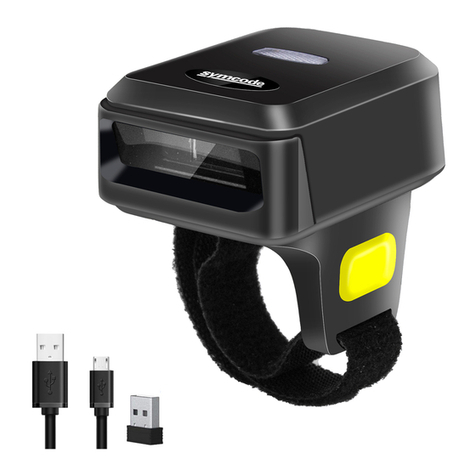
Standard Package: :Barcode scanner (1 piece),
WIFI dongle (1 piece),
USB cable (1 piece),
User manual (1 piece).
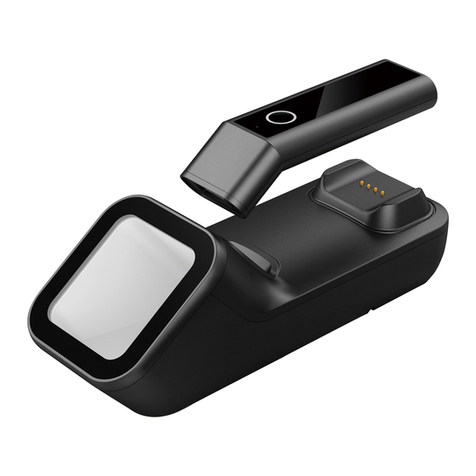
Optional Accessory:Base
Optional Function:Vibration
6. The contents of this manual are subject to change without prior notice.

2
portable barcode scanner
Contents
1.Notices..................................................................................................................1
2.Introduction&Features.........................................................................................3
3.Application&Parameters......................................................................................4
4.Working Environment&Related Regulations..................................................... 5
5.Outside Introduction...........................................................................................6
6.USB Cable Installation........................................................................................ 7
7.Initialization Settings&Version Information.......................................................8
8.BluetoothPairing Method....................................................................................8
9.Pull up/Hide keyboard(IOS system)&Caps Lock Switch&Caps Lock Switch.. 9
10.Pairing steps with receiver..................................................................................10
11.Sound/Vibration Setting....................................................................................11
12.Sleep Time Setting..............................................................................................11
13.Ending Character Setting...................................................................................12
14.Keyboard Language Setting............................................................................... 13-14
15.Transmission Speed Setting&Bluetooth Protocal..............................................15
16.Working Modes.................................................................................................16-17
17.Change Bluetooth Name....................................................................................18
18.Hide Pre-characters/Post-characters.................................................................19-20
19.Prefix/Suffix Setting............................................................................................21-22
20.Enable/Disable HID Searching by Pressing Scan Button 8S Settings................23
24.Screen Language Setting....................................................................................28
23.Screen Show Products Information Settings.....................................................26-28
22.Update Time......................................................................................................25
21.Add Time As Prefix or Suffix.............................................................................24
25.AppendixA:Controlled Characters...................................................................29-31
27.FAQ(Frequently Asked Questions)..............................................................36
26.AppendixB:Displayable Characters ..............................................................32-35
28.Buzzer description...............................................................................................37
29.LED indicator......................................................................................................38

3
Ring Barcode Scanner
The series of barcode scanner produced by our company feature as
strong light source,enhanced long-distance scanning technology. It can
read the damaged,stained and poor printed barcode fast under different
ambient light conditions.
It is durable in use, since it is protected by the industrial safty technique.
High volume buzzer is another hint of success scanning besides LED light
in the noisy industrial environment.
Wired ,wireless and bluetooth triple-mode freely switching.
Large capacity storage, safe and reliable.
Stores barcodes more than 50000pcs off-line scanning.
Unique power management system, ultra-long standby time.
Rich symbologies supported Adopting imported trigger button,
long lifespan, fitting perfectly in your hand for comfortable use.
Support Android/IOS devices/Windwos Support HID、SPP、
BLE protocol.
Mini size, fashion design,and portable.
Ultra low power consumption and standby time setup available.
Bluetooth transmission distance: indoor transmission distance up to
15 meters.
Support upload data and charge the battery via USB cable at the
same time.
Introduction
Features

4
Ring Barcode Scanner
* Applicable to Business (electrical, book, clothing, medicine,
cosmetics, etc.), retail industry, postal service, telecommunications
industry,warehousing, logistics industry, public security system,
customs systems,banking system, medical system.
* Compatible with Microsoft, Android, Linux and other operating
systems and bluetooth protocol
* Support multi-national keyboard language
Wireless protocol:bluetooth
Memory: 16Mb
Processor: ARM Cortex 32bits
Bluetooth version: Bluetooth 4.1Module
Supported symbologies: 1D: Codabar,Code 11,
Code93,MSI,Code 128,UCC/EAN-128,Code 39,EAN-8,
EAN-13,UPC-A,ISBN,Industrial 25,Interleaved 25,
Standard 25,2/5 Matrix,
2D:QR,DataMatrix,PDF417,Aztec,Hanxin ,
Micro PDF417(option)
Indicator: Led、Buzzer、Vibrator(option)
Battery capacity:600mA
Charging voltage/current: 5V/1A
Endurance:1D≤16H 2D≤12H(5seconds/scan)
Charge time:≤2hours
Standby: >30days
Application
Parameters

5
portable barcode scanner
Electrical safety:In accordance with UL1950、CSA C22.2 No.950、
EN60950/IEC950 EMI/RFI:FCC Part 15 Class B、
European Union EMC Directive、Taiwan EMC、
Environment Terms: In accordance with RoHS directive 2002/95/EEC
Working Temperature: 32°F to 104°F/0°C to 40°C
Storage Temperature:-40°F to 140°F/-40°C to 60°C
Humidity:5% to 95% relative humidity (no condensation)
Ruggedness: Resist about 6 times drops from 1.5m to concrete ground
Ambient Light Immunity: Under normal office and factory ambient
lighting conditions, or exposed to the sun
won’t take any effect to it.
Electrostatic discharge: In line with 15KV air discharge and
8KV contact discharge requirements
Working Environment
Related Regulations

6
portable barcode scanner
Outside Introduction
Turn On/Scan Button
Scan Window
IPS Screen
IPS Screen
Turn On/Scan Button
Type C interface
Threading Hole

7
1.Connect USB cable’s Square Side interface to the bottom
of the scanner;
2.Connect the other side of Type C interface to the computer host.
3.Our barcode scanner features with wireless transmission mode
and USB cable transmission mode. When triggered to wake up,
the scanner will auomatically identify whether the USB cable is
connected. If identify, it will work in USB cable transmission mode,
data transmitted via Type C interface; If not, will work in wireless
transmission mode, data transmitted via Bluetooth wireless .
sample graph
USB Cable Installation
Each barcode scanner is with oneType C interface,For connection,
please refer to above sample diagram.
Noted: Computer host can charge scanner via tpy-c cable
and USB cable can also be used as a wire to transmit barcodes.
The installation method is as follows:
portable barcode scanner

8
portable barcode scanner
1st.Pressing the trigger for 8 seconds or scanning following setting code to
to make the scanner to enter bluetooth searching mode
2nd.Turn on the bluetooth of your device and searching bluetooth device
BluetoothPairing Method
3rd.Click“BarcodeScannerHID”when it comes out.One beep show
that scanner and your device connected.
Notes:When the scanner is entered bluetooth pairing status and it does
not get connected with your device within 1minutes,it will beep twice lowly
and longly.You need to repeat above-mentioned 3 steps to make it connect
with you device.(When the scanner is in the bluetooth pairing status,
double-click can make it exit the pairing mode).
Initialization Settings&Version Information
B:If you have after-sales problems and need to contact our customer
service staff, please provide version information by scanning setting
code“Version Information”
A:You can scan the setting code“Initialization Settings”to make
the scanner back to factory default settings
Bluetooth Pairing Setup Code
Initialization Settings
Version Information
Tabla de contenidos
Otros manuales de Lector de código de barras de Symcode