SURE-FI, INC. | www.sure-fi.com
Sure-Fi APP for iOS/Android (Cont.):
Change the name of the unit (see Figures 25 – 26):
On the main screen, tap the ‘edit’ icon (see red arrows in Figure 25), then enter the new name for the unit.
Configuration of the Wiegand LED (see Figure 24):
From the main screen, select ‘Default Settings’ to get to the ‘LED SETTINGS’ section (see Figure 24). The
default setting for the Wiegand LED is for the LED output of the Remote unit to follow Relay 1. The LED can be
set to follow either Relay 2 or to follow the LED input on the Controller Interface unit.
Setting the System Heartbeat time:
The system Heartbeat (defaulted at 1 hour) is the time interval when the system will automatically perform a
system status check if there have not been radio communications between the units during that time. The
Heartbeat timer is reset each time any successful transmission occurs between units during regular usage.
The system status check verifies communication between units and that all input and output states are
correct. If a unit does not receive the Heartbeat, it will continue to attempt communications and it will keep
the relay outputs set at the current state. If the relay default setting was enabled, the unit will change the
relay state to the pre-configured default state when the set time interval is reached.
Setting the Relay default state and time (see Figures 31 & 32):
This feature is defaulted as disabled. The relays can be set to default to NO or NC after a set time interval has
passed. The time interval is based on multiples of the Heartbeat time. When the time interval is reached, the
relay(s) will go to the default state as configured in the APP and will remain in that state until regular system
activity returns, and a command is received to change the relay state and return to normal operation. This
feature provides for a way to define the relay default state if communications between units is interrupted for
some reason and for a period of one or more Heartbeat time intervals.
Relays:
Operating the relays:
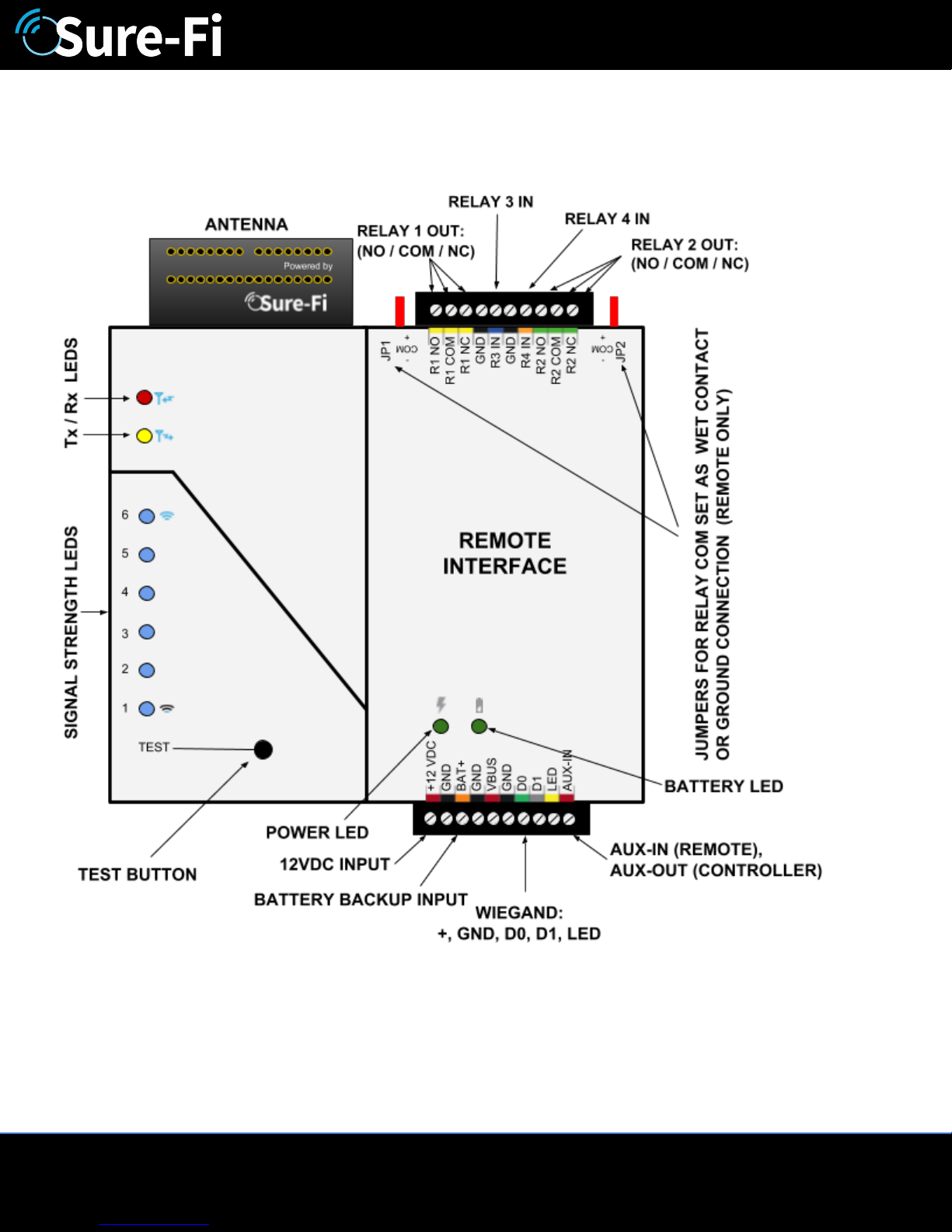
The relay outputs are operated by the corresponding relay inputs that are on the opposite Bridge interface
unit. For example, to activate Relay 1 on the Remote Interface, the Relay 1 input (R1 IN) on the Controller
Interface must be shorted to GND (active low). This can be accomplished by connecting a push-button to the
Controller Interface R1 IN and GND or connecting them to an access panel output relay NO and COM
terminals. When the Push-button or the access panel output relay closes, the R1 IN will be put to GND (0V)
and will cause the Relay 1 output on the Remote Interface to activate.
Relay In/out control:
Relay 1 & 2 Outputs located on the Remote Interface, Operated by R1 IN & R2 IN on the Controller Interface.
Relay 3 & 4 Outputs located on the Controller Interface, Operated by R3 IN & R4 IN on the Remote Interface.