
Sporty's SP-200 Manual de usuario
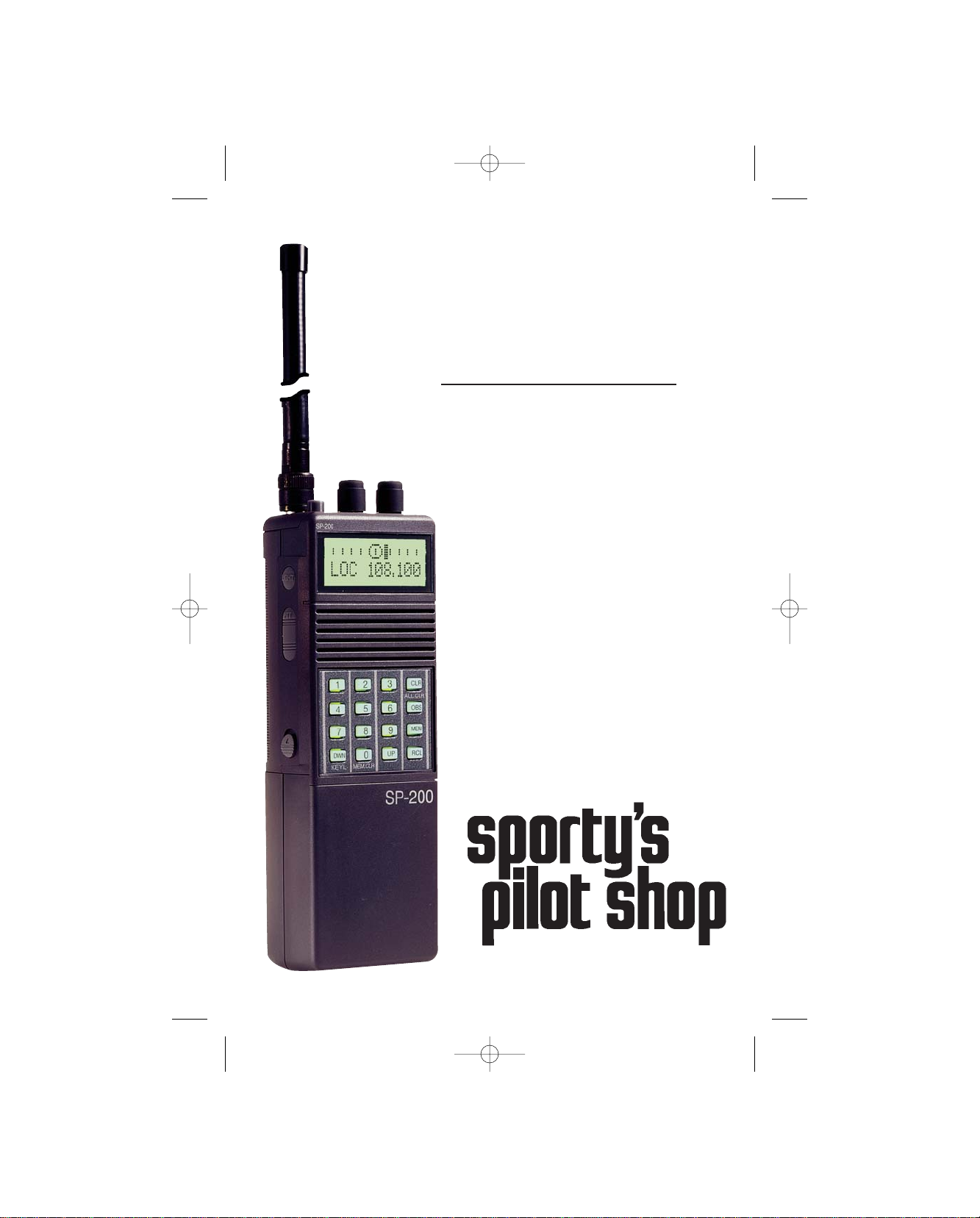
Sporty’s SP-200
Handheld NAV/COM
© 2003 Sportsman’s Market, Inc.
Operator’s Manual
SP-200 BOOKLET 9/28/04 5:46 PM Page 3

Simplified Directions
1. Install the batteries.
2. Turn the unit on (rotate volume knob clockwise).
3. Enter the first six digits of desired frequency
(1 2 2 9 7 5 for 122.975 MHz).
4. Listen and transmit.
SP-200 BOOKLET 9/28/04 5:46 PM Page 4

Table of Contents
General Information . . . . . . . . . . . . . . . . . . . . . . . . . . . . . . . . . . . 2
Introduction . . . . . . . . . . . . . . . . . . . . . . . . . . . . . . . . . . . . . . . 2
Features . . . . . . . . . . . . . . . . . . . . . . . . . . . . . . . . . . . . . . . . . . 2
Warranty . . . . . . . . . . . . . . . . . . . . . . . . . . . . . . . . . . . . . . . . . 3
License Requirements . . . . . . . . . . . . . . . . . . . . . . . . . . . . . . . 3
Antenna Requirements . . . . . . . . . . . . . . . . . . . . . . . . . . . . . . . 3
Batteries . . . . . . . . . . . . . . . . . . . . . . . . . . . . . . . . . . . . . . . . . . 4
Precautions . . . . . . . . . . . . . . . . . . . . . . . . . . . . . . . . . . . . . . . . 6
Controls . . . . . . . . . . . . . . . . . . . . . . . . . . . . . . . . . . . . . . . . . . . . . 8
Top View . . . . . . . . . . . . . . . . . . . . . . . . . . . . . . . . . . . . . . . . . 9
Left Side View . . . . . . . . . . . . . . . . . . . . . . . . . . . . . . . . . . . . 10
Front View . . . . . . . . . . . . . . . . . . . . . . . . . . . . . . . . . . . . . . . 10
Right Side View . . . . . . . . . . . . . . . . . . . . . . . . . . . . . . . . . . . 11
Operating Instructions . . . . . . . . . . . . . . . . . . . . . . . . . . . . . . . . 12
Manual Frequency Selection . . . . . . . . . . . . . . . . . . . . . . . . . . 12
Frequency Search . . . . . . . . . . . . . . . . . . . . . . . . . . . . . . . . . . 13
Frequency Memory . . . . . . . . . . . . . . . . . . . . . . . . . . . . . . . . 14
Memory Recall . . . . . . . . . . . . . . . . . . . . . . . . . . . . . . . . . . . . 15
Memory Scan . . . . . . . . . . . . . . . . . . . . . . . . . . . . . . . . . . . . . 16
Memory Clear . . . . . . . . . . . . . . . . . . . . . . . . . . . . . . . . . . . . 17
Transmitting . . . . . . . . . . . . . . . . . . . . . . . . . . . . . . . . . . . . . . 18
VOR Operations . . . . . . . . . . . . . . . . . . . . . . . . . . . . . . . . . . . 19
Localizer Operations . . . . . . . . . . . . . . . . . . . . . . . . . . . . . . . 21
Key Lock . . . . . . . . . . . . . . . . . . . . . . . . . . . . . . . . . . . . . . . . 22
Screen and Keypad Lighting . . . . . . . . . . . . . . . . . . . . . . . . . . 22
Last Frequency . . . . . . . . . . . . . . . . . . . . . . . . . . . . . . . . . . . . 22
Accessories . . . . . . . . . . . . . . . . . . . . . . . . . . . . . . . . . . . . . . . . . . 23
Specifications . . . . . . . . . . . . . . . . . . . . . . . . . . . . . . . . . . . . . . . . 27
SP-200 BOOKLET 9/28/04 5:46 PM Page 5

General Information
Introduction
This manual contains only operational information relative to
Sporty’s SP-200 NAV/COM. This manual is not intended as a
service or maintenance manual and does not contain any theory or
schematic diagrams.
Features
Sporty’s SP-200 is a hand-held, aircraft communication and
navigation transceiver with the following features:
•2,280 COMM frequencies (118.000 MHz to 136.975 MHz)
(unit will also receive 137.000 MHz to 142.975 MHz)
•8.33KHz spacing
•200 NAV frequencies (108.000 MHz to 117.950 MHz)
•Last Frequency Function
•Duplex communications — unit transmits on the Flight
Service Station (FSS) frequency, 122.100 MHz, while
listening over the VOR frequency
•Course Deviation Indicator (CDI) with Omni Bearing
Selector (OBS) and TO/FROM Indicator
•Localizer with CDI
•VOR with CDI
•Back-Lit Keypad and Screen
•20 Memory Channels
•Full Feature Scanner — Scan the 20 Memory Channels or
the entire frequency range
•Key Lock
•Low Battery Indicator
•External Power and Antenna Options
•Easiest to use hand-held transceiver available
2
SP-200 BOOKLET 9/28/04 5:46 PM Page 6

Warranty
Our Warranty is simple. If, in its first five years, your SP-200
NAV/COM fails due to defective workmanship or parts under normal
use, we will replace it or repair it at our option.
The warranty does not apply to units subject to misuse, battery
leakage, neglect or accidents. Nor does the warranty apply to units
damaged by lightning, excess current, moisture, units repaired or
altered outside the factory, units with altered or removed serial
numbers, or units used with accessories other than those listed in the
Accessories section of this manual.
To have your unit serviced under this warranty, return it postage
paid with proof of purchase to: Sporty’s Pilot Shop, Clermont
County/Sporty’s Airport, Batavia, Ohio 45103-9747.
Note: When returning your unit for warranty service, do NOT
include any accessories (belt clip, headset adapter, etc.).
If your SP-200 is no longer under warranty, you may still have it
serviced at Sporty’s. Call Sporty’s Customer Service at 513.735.9000
for instructions.
License Requirements
Operating the transceiver in an aircraft that has an aircraft radio station
license requires no additional license. To get an aircraft radio station
license fill out FCC Form 601. Operating the radio on the ground
requires a ground station authorization. This form is available from
the FCC by calling 800.418.3676.
Antenna Requirements
Included with the SP-200 is a flexible rubber antenna (Rubber Duck),
which may be used for both COMM and NAV frequencies. However,
an external antenna may be needed if operating inside an aircraft (must
be properly installed by an aircraft radio shop), automobile or other
metal enclosure.
3
SP-200 BOOKLET 9/28/04 5:46 PM Page 7

4
On top of the SP-200 is a BNC connector, which is standard for use
on aircraft radios. Therefore, little difficulty should be encountered in
connecting an existing aircraft radio antenna to the SP-200.
When using the flexible antenna inside an aircraft or other enclosure,
the optional remote antenna mount allows the antenna to be
positioned in a side window or other favorable location for improved
reception. The SP-200 can also be positioned in a side window or
other favorable location by using the optional suction cup transceiver
holder. See the accessories section of this manual for these products.
Batteries
An Alkaline Battery Pack is standard equipment with the SP-200.
Alkaline batteries, such as Eveready®Energizers, are a good power
source for a backup radio because they have excellent storage life and
no maintenance is required.
The Alkaline Battery Pack is NOT rechargeable. The batteries must
be replaced. To replace the batteries, turn the power OFF and then
remove the battery pack from the unit by pushing the Battery Pack
Release up (see Controls section of this manual) and sliding the
battery pack left toward the Battery Pack Release. The case splits into
two sections by pressing on the top of the case. Push in the center on
the positive (+) terminal side and gently pull the two sections apart.
Eight 1.5 volt AA alkaline batteries are required.
Replace the batteries by following the positive (+) and negative (-)
terminal markings inside the case. When the batteries are replaced, snap
the two sections back together and attach the battery pack to the radio.
To attach the Alkaline or Nicad Battery Pack, make sure the power is
OFF and then align the grooves on the SP-200 and battery pack.
Slide the battery pack onto the radio until it locks in place.
The following table is a conservative estimate of the life of fresh
Alkaline batteries at some common duty cycles with the audio
background noise silenced by the Squelch.
SP-200 BOOKLET 9/28/04 5:46 PM Page 8

Life Transmit Receive Standby Light
15.4 hrs 2% 3% 95% Off
12.8 hrs 2% 3% 95% On
9.5 hrs 10% 10% 80% Off
7.9 hrs 10% 10% 80% On
6.0 hrs 20% 20% 60% Off
5.0 hrs 20% 20% 60% On
The optional Nicad (nickel-cadmium) Battery Pack is rechargeable and
must be charged upon receipt before using. If possible, completely
discharge the Nicad Battery Pack before recharging. Repeated
recharging, after minimal usage (discharging) of Nicad batteries, results
in very poor battery performance.
The Nicad Battery Pack is not recommended when the SP-200
will be used as a backup radio. The storage life of Nicad batteries
is not as predictable as Alkaline batteries. The Nicad Battery Pack
is recommended when the SP-200 will be used on a daily or frequent
basis.
The following table is a conservative estimate of the life of a fully
charged Nicad Battery Pack at some common duty cycles with the
audio background noise silenced by the Squelch.
Life Transmit Receive Standby Light
6.0 hrs 2% 3% 95% Off
5.0 hrs 2% 3% 95% On
3.8 hrs 10% 10% 80% Off
3.2 hrs 10% 10% 80% On
2.5 hrs 20% 20% 60% Off
2.1 hrs 20% 20% 60% On
Use only the chargers listed in the Accessories section of this manual.
When the alkaline batteries need replaced or the Nicad Battery Pack
needs recharged, the screen will display “BATT” as shown below and
the selected frequency will flash.
Note: Will maintain memory one hour
with batteries removed.
122.975
BATT
5
SP-200 BOOKLET 9/28/04 5:46 PM Page 9

6
Precautions
•Changes or modifications not expressly approved by the
manufacturer for compliance could void the user’s authority
to operate the equipment.
•Never attempt to service this unit yourself. It should be
referred to qualified service personnel. Please read the
Warranty section in this manual.
•If liquid spills or some solid object falls into the unit, remove
the battery pack or external power adapter and have the unit
checked by a qualified person before further operation.
•The optional Nicad (nickel-cadmium) Battery Pack is
recyclable. It may be unlawful in your state to dispose of
Nicad batteries in a municipal landfill. Please contact your
local solid waste officials for disposal and recycling options.
•Never dispose of batteries or battery packs in a fire. They
may explode.
•Never leave weak or dead batteries in the Alkaline Battery
Pack. They may leak and cause permanent damage.
•Never store a battery pack where it may be accidentally
shorted.
•Never crush or disassemble a Nicad battery pack. Nicad
batteries contain toxic chemicals.
•Never store a discharged Nicad Battery Pack. The cell
polarity may reverse, making it impossible to recharge.
•Use only the approved external power adapters, Nicad
battery chargers and battery packs listed in the Accessories
section of this manual.
SP-200 BOOKLET 9/28/04 5:46 PM Page 10

7
•Never touch an external antenna when the danger of
lightning is present.
•Do not leave the transceiver near heat sources, such as
radiators or air ducts, or place the transceiver in an
environment where the radio will be subjected to moisture,
excessive dust, shock or mechanical vibration.
•Abrasive cleaners or chemical solvents may mar or damage
the case. Clean the transceiver with a soft cloth dampened
with a mild detergent solution.
•If operating the transceiver at temperatures outside the range
of -20°F to 122°F (-30°C to 50°C), the LCD (screen) may
not display the selected frequency. If the SP-200 is used
in temperatures lower than the recommended range, the
characters being displayed may change very slowly. These
irregularities will disappear, with no harm to the SP-200,
when operation is resumed within the recommended
temperature range.
SP-200 BOOKLET 9/28/04 5:46 PM Page 11

8
Controls
TOP
LEFT SIDE FRONT RIGHT SIDE
A
D
BC
F
E
G
H
I
J
K
L
M
N
O
P
Q
R
S
T
U
V
W
SP-200
SP-200
DC 9V
LIGHT
PTT
KEYLOC MEMCLR
ALLCLR
123
456
789
0
DWN UP
CLR
OBS
MEM
RCL
LASTFREQ
EAR MIC
SQ VOL
OFF
ANT
SP-200 BOOKLET 9/28/04 5:46 PM Page 12
Tabla de contenidos
Otros manuales de Transceptor de Sporty's


