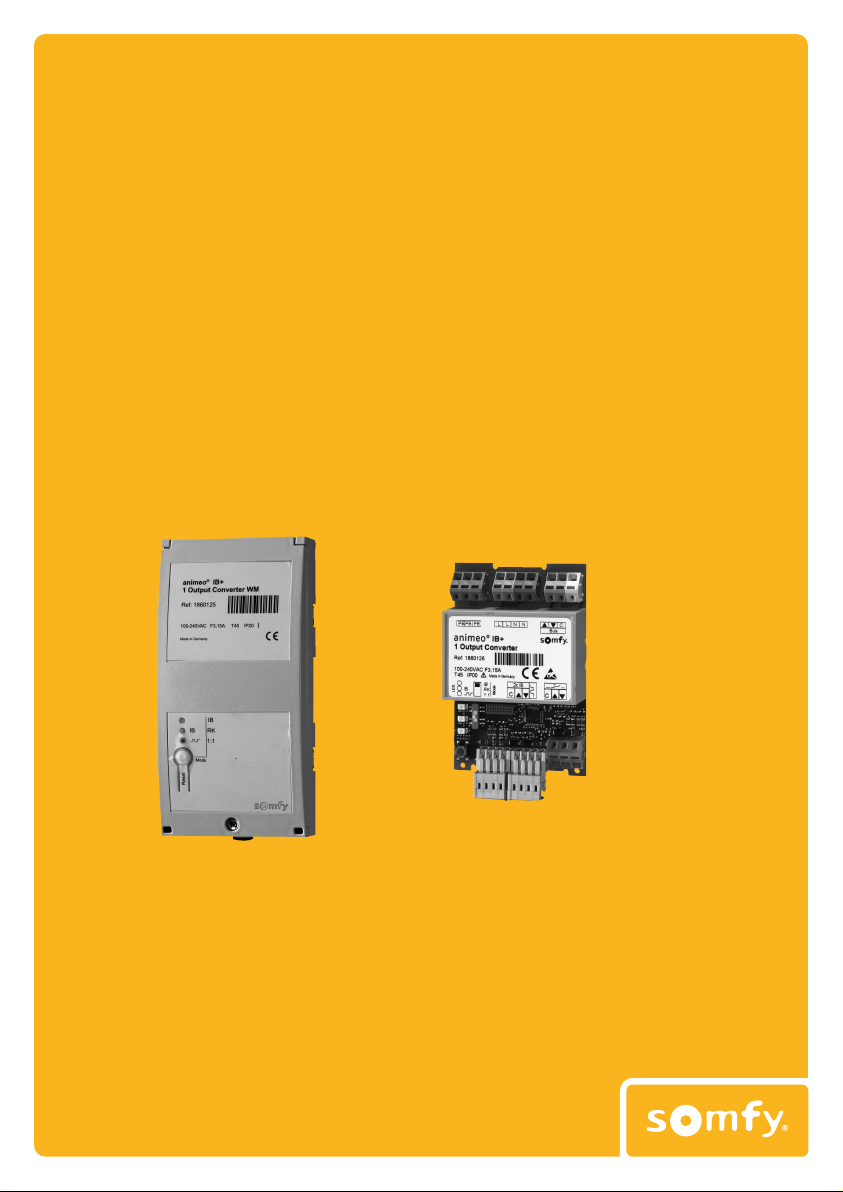
animeo IB+ 1 OUTPUT CONVERTER . REF. 5057401 - 7/12
FR
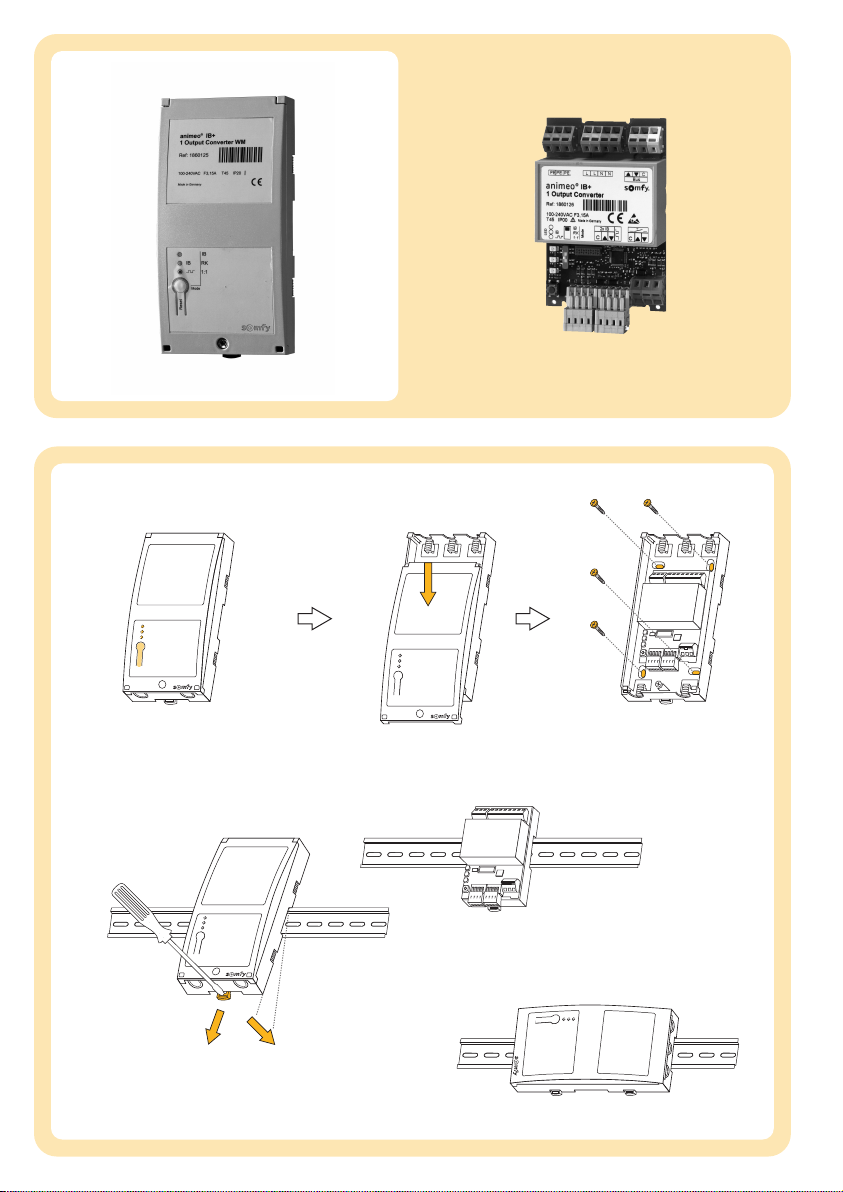
APICTURES
[1] 1Output Converter WM 100-240 V AC,
wall mounted version
[2] 1Output Converter PCB 100-240 V AC,
PCB version (with DIN rail clip, Ref. 9000910)
BMOUNTING
Choose the optimum location: flat and large surface,
open the housing.
[1] Mount the 1 Output Converter WM
[2] Mount the DIN rail version
1. Vertical (wall mounted or PCB version)
2. Horizontal (wall mounted version)
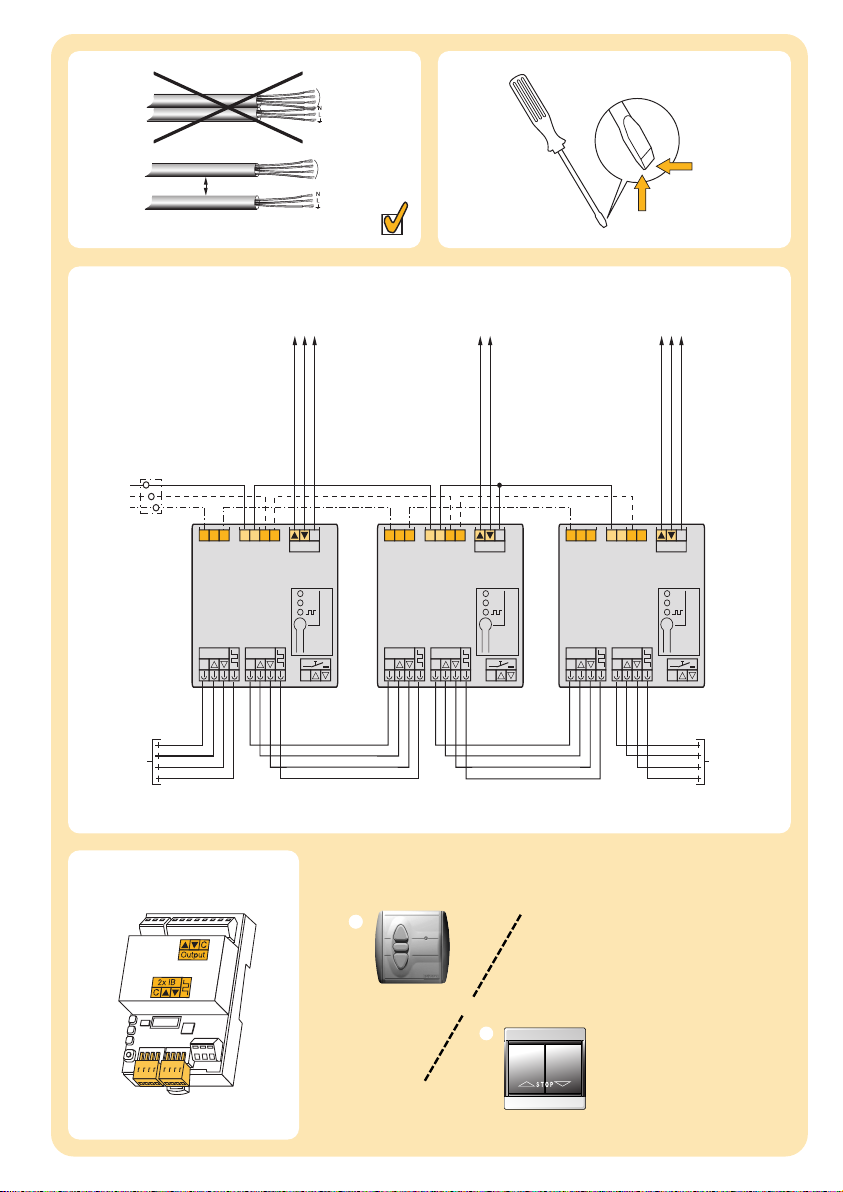
CWIRING
[1] Keep the minimum distance
[2] Insulated screwdriver
[3] Wiring diagram
[4]
Check the correct conversion of the incoming orders
UP: C+▲
STOP: C+▼+▲
DOWN: C+▼
[5] Possible switches
1. Inteo Centralis IB, Ref. 1810138
2. Double push button
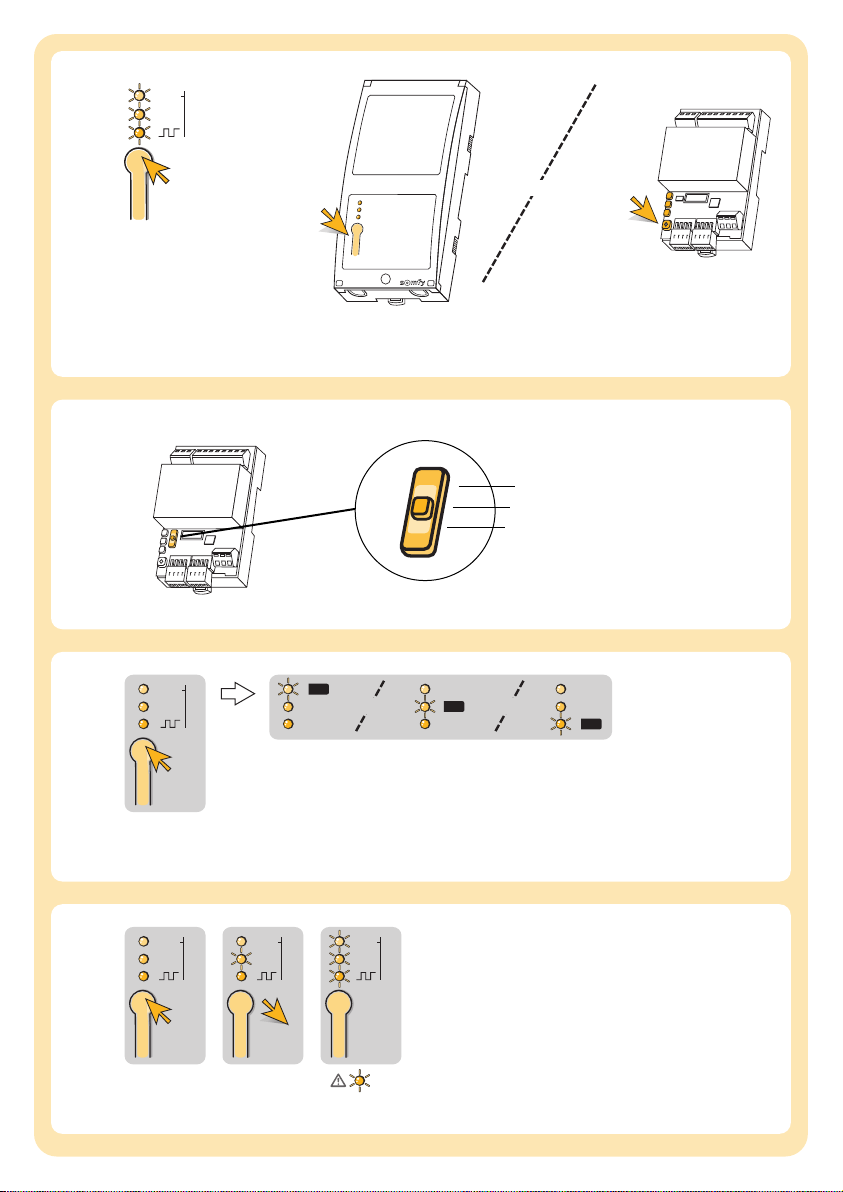
DCONFIGURATION
[1] Reset button
With this button, you can test the configuration of
the 1 Output Converter or reset the setting of the
running time.
1. Wall mounted version
2. PCB version
[2] Adjusting the output mode*)
Therequired output mode can be adjusted with
thesliding switch.
•IB Mode
•RK Mode
•1:1 Mode
[3] Monitoring of the programmed output mode *)
Theprogrammed mode is shown by the
correspondingLED.
•LED lights: running time is programmed
•LED flashes: no running time is programmed
[4] Reset of the programmed runnning time
*) Output Mode
IB-Mode: Conversion from IB+ commands to
IB commands
RK-Mode:
Conversion from IB+ commands to
RK commands
1:1-Mode(IB+ commands are not executed!):
One-to-one conversion from the input signal
at the output
mNo lockingbetween UP and DOWN!
Input C+▼+▲=Output C+▼+▲
GB
AIMAGES
[1] 1Output Converter WM 100-240 V AC,
montage mural
[2] 1Output Converter PCB 100-240 V AC,
version PCB (avec clip rail DIN, Ref. 9000910)
BINSTALLATION
Choisir le meilleur emplacement: surface plane
et spacieuse.
[1] Fixer le 1 Output Converter WM
[2] Version rail DIN
1. Vertical (montage mural ou version PCB)
2. Horizontale (montage mural)
CCÂBLAGE
[1] Gardez une distance miminale
[2] Tournevis isolé
[3] Schéma de câblage
[4]
Contrôler la bonne mise en oeuvre
MONTÉE: C+▲
ARRÊT: C+▼+▲
DESCENTE: C+▼
[5] Boutons poussoirs
1. Inteo Centralis IB, Ref. 1810138
2. Bouton double
DCONFIGURATION
[1] Bouton de réinitialisation
Avec ce bouton, vous pouvez contrôler la configu-
ration du produit ou remettre à zero les reglages du
temps de fonctionnement.
1. Montage mural
2. Version PCB
[2] Sélection du mode de sortie *)
Lemode de sortie désiré peut être ajustée avec
l'interrupteur coulissant.
•mode IB
•mode RK
•mode 1:1
[3] Visualisation du mode de programmation *)
Lemodedeprogrammation est identifié par la LED
corespondante.
•LED allumée: Temps de fonctionnement est
programmé
•LED clignote: Pas de temps de fonctionnement
[4] Remise à zero du temps de fonctionnement
*) Mode de sortie
IB-Mode: Conversion de commandes IB+ en IB
RK-Mode:
Conversion de commandes IB+ en RK
1:1-Modesignal d'entrée = signal de sortie sauf
pour les commandes IB+ qui ne sont pas
exécutées
mAucun blocage entre Montée et Descente!
Entrée C + ▼+▲=Sortie C + ▼+▲