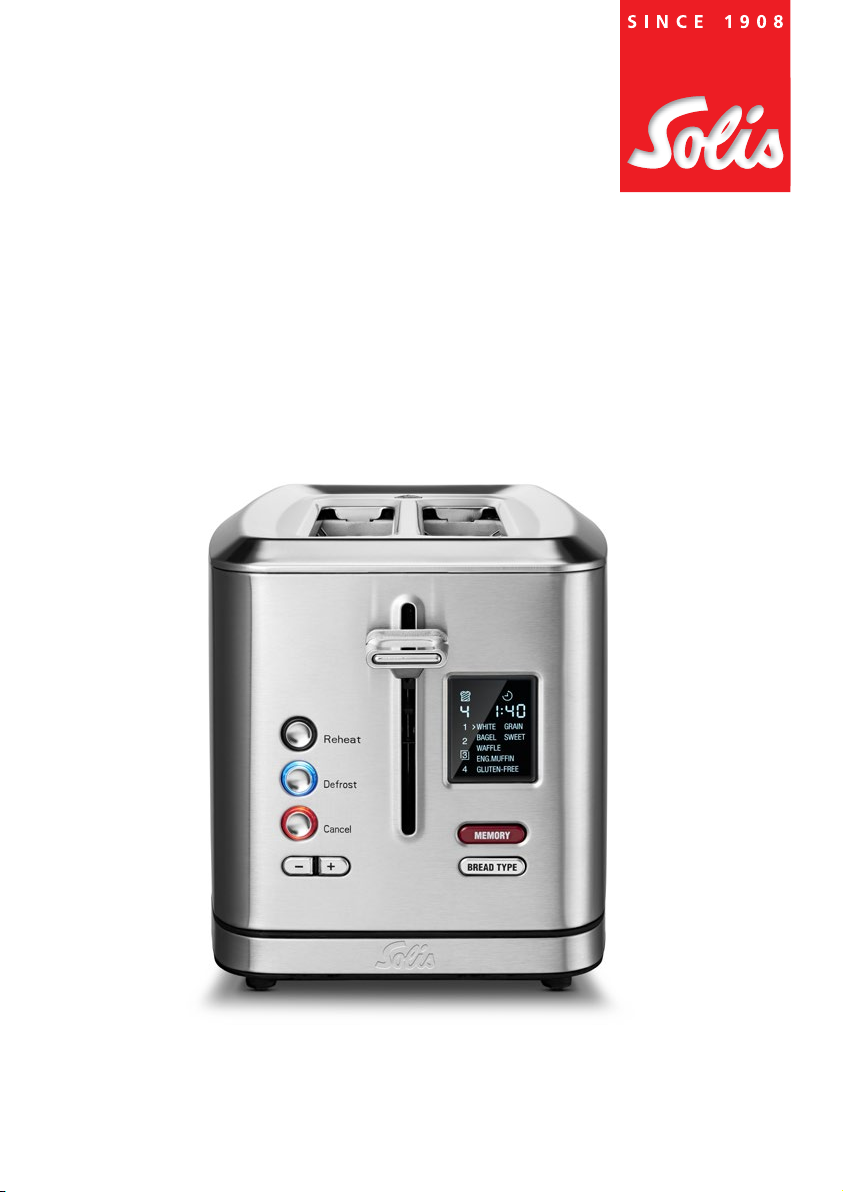
SOLIS FLEX TOASTER 8004 Manual de usuario

FLEX TOASTER
Type 8004
User manual

2
INTENDED USE 3
IMPORTANT SAFETY PRECAUTIONS 3
CONTENTS 6
APPLIANCE DESCRIPTION 7
CONTROL BUTTONS 8
INSTALLATION 8
TOASTING BREAD 9
USING THE DEFROST FUNCTION 9
USING THE REHEAT FUNCTION 10
USING THE MEMORY FUNCTION 10
CLEANING AND CARE 11
STORAGE 11
TECHNICAL SPECIFICATIONS 11
TROUBLESHOOTING 11
DISPOSAL 12
2 YEAR GUARANTEE 13
SOLIS CUSTOMER SERVICE 13
VCONTENTS

3
VINTENDED USE
• This appliance is intended to toast or heat various types of bread.
• Only use the appliance as described in this manual.
• This appliance is intended to be used in household and similar applications such as:
– sta kitchen areas in shops, oces and other working environments;
– farm houses;
– by clients in hotels, motels and other residential type environments;
– bed and breakfast type environments.
• This appliance is intended for indoor use only.
• This appliance is not intended for use by persons (including children) with reduced
physical, sensory or mental capabilities or lack of experience and knowledge unless
they have been given supervision or instruction concerning use of the appliance by
a person responsible for their safety.
• Any use of the appliance other than described in this manual is regarded as misuse
and may cause injury, damage to the appliance and void warranty.
VIMPORTANT SAFETY PRECAUTIONS
GENERAL SAFETY INSTRUCTIONS
6WARNING
•Ensure you have fully read and understood the instructions
in this user manual before you install or use the appliance.
Keep this document for future reference.
•Do not use the appliance if a part is damaged or defective.
Replace a damaged or defective appliance immediately.
•If the power cable is damaged, replace it with an original
special cable or assembly available from the manufacturer or
its service agent.

4
SAFETY INSTRUCTIONS REGARDING INSTALLATION
6WARNING
•Do not drop the appliance and avoid bumping.
•Place the appliance on a stable, at, heat and moisture
resistant surface.
•Keep a minimum safety distance of 20 cm between the
appliance and walls, curtains or other materials and objects
and make sure that the air around the appliance can
circulate freely.
•Do not place the appliance in direct sunlight.
•Do not use a timer or a separate remote-control system that
switches on the device automatically.
•Do not leave the power cable hanging over table edges
to prevent the appliance from being pulled down. Make
sure that neither the appliance nor the power cord or plug
comes into contact with hot surfaces, such as hotplates or a
radiator, or that they come into contact with the appliance
itself.
•Never place the appliance in such a way that it is at risk of
falling into water or coming into contact with water resp.
other liquids (e.g. in or near a sink).
•Never reach for an appliance that has fallen into water or
other liquids:
–Always wear dry rubber gloves to unplug the appliance
before taking it out of the water.
–Do not start using the appliance again before having it
checked for functionality and safety by Solis or a service
center authorized by Solis.

5
•Do not place the appliance directly under a power outlet.
•Switch o and unplug the appliance before moving the
appliance.
•Fully unwind the power cable before use.
SAFETY INSTRUCTIONS REGARDING USE
6WARNING
•Children must be supervised to ensure that they not play
with the appliance.
•Do not operate the appliance with wet hands.
•Only use the appliance with the provided accessories or
accessories recommended by Solis. Incorrect accessories or
misuse can lead to damage to the appliance.
•Parts of the appliance may get hot during use. When the
appliance is operating, only touch the control panel.
•Do not move the appliance when in use.
•Do not cover the air vents when the appliance is in use.
•Do not switch on the appliance when it is empty.
•Unplug the appliance when it is not in use.
•Let the appliance cool down before storage.
•Do not use cutlery or another metal object to remove a
stuck piece of bread when the appliance is switched on. First
switch o and disconnect the appliance.

6
SAFETY INSTRUCTIONS REGARDING MAINTENANCE
6WARNING
•Disconnect the appliance from the power source before
service and when replacing parts.
•Let the appliance cool down before cleaning.
•Never immerse the appliance in water or place it in a
dishwasher.
•Do not use abrasive chemical cleaning agents such as
ammonia, acid or acetone when cleaning the appliance. This
can damage the appliance.
VCONTENTS
Please check the contents of the package:
1x FLEX TOASTER
1x Bun warmer
1x User manual

7
VAPPLIANCE DESCRIPTION
With the FLEX TOASTER you can toast your bread perfectly. Thanks to the bun warmer
the appliance can also be used to heat bigger types of bread. The appliance comes with
a reheat function, a defrost function, several presets and a memory function to save your
own settings. The appliance does not need to preheat, so every time you use the same
settings, the result will be the same!
1
3
4
5
2
A
1Bun warmer
2Bread slots
3Crumb tray
4Control buttons
5Power cable

8
VCONTROL BUTTONS
Reheat
Defrost
Cancel
BREAD TYPE
6
7
8
9
q
w
e
r
B
6Activation handle
7Reheat button
8Defrost button
9Cancel button
qSetting buttons
wDisplay
eMemory button
rBread type button
VINSTALLATION
To install the appliance:
1. Place the appliance on a stable, at, and heat and moisture resistant surface.
2. Plug the power cable 5into a power outlet.
The appliance switches on. All icons on the display light up for 2 seconds. The appliance
is ready for use.

9
VTOASTING BREAD
To toast bread:
1. Place one slice of bread in each bread slot 2.
4When you want to heat a bread type that does not t in the bread slots, install the
bun warmer on the bread slots and place the bread on top.
2. Press the bread type button rmultiple times to select the desired bread type.
The selected bread type is marked with a white right-arrow icon.
4You can also use the setting buttons to change the browning degree.
3. Push down the activation handle 6to start the toasting process. A timer on the
display shows the remaining toasting time. When the timer runs out, the activation
handle jumps up.
4Press the cancel button to stop the toasting process before the timer runs out.
4. If you need to toast or heat more bread, repeat the steps in this chapter.
5. Switch o and unplug the appliance after use.
VUSING THE DEFROST FUNCTION
If your bread is still frozen, use the defrost function. To use the defrost function:
1. When setting up the appliance, press the defrost button 8to add 25 – 30
seconds to the toasting time for defrosting. The defrost button lights up blue.
4When the defrosting function is activated, it stays on when the toasting process is
nished.
2. Press the defrost button 8again to switch o the defrost function.

10
VUSING THE REHEAT FUNCTION
To reheat toast:
1. Press the reheat button 7to activate the reheating function. The reheat button
lights up blue.
2. Push down the activation handle 6to start the toasting process. A timer on the
display shows the remaining toasting time. When the timer runs out, the activation
handle jumps up.
3. Press the reheat button 7again to switch o the reheat function.
VUSING THE MEMORY FUNCTION
To use the memory function:
1. Press the memory button eto enter the memory function.
2. Press the memory button emultiple times to navigate to the memory slot you
want to use. The white box indicates the selected memory slot.
3. Press and hold the memory button efor 3 seconds to select the memory slot.
The white box starts blinking.
4. Change the settings of the memory slot:
a. Use the setting buttons qto change the toasting time.
b. Use the bread type button rto select the desired bread type.
5. Press and hold the memory button efor 2 seconds to save the settings to the
memory slot.
The settings are saved to the memory slot. To use the memory slot:
1. Press the memory button emultiple times to select the desired memory slot.
2. Push down the activation handle 6to start the toasting process. A timer on the
display shows the remaining toasting time. When the timer runs out, the activation
handle jumps up.
4To reset all memory slots, press and hold the defrost button and the reheat button
simultaneously and plug the power cable into a power outlet.
Tabla de contenidos
Otros manuales de Tostadora de SOLIS


