
SJ SJ-L869 Manual de usuario

Catalog
Appearance ........................................................................................................................................................5
Installation Steps................................................................................................................................................8
Learning the remote control............................................................................................................................17
Reset the default settings......................................................................................................................17
Multimedia Message Setting ...........................................................................................................................18
Authorized Number .........................................................................................................................................20
SOS –Send MMS Message...............................................................................................................................21
GPS real-time position tracking via mobile......................................................................................................22
GPS real-time position tracking via server.......................................................................................................23
Security Alarm..................................................................................................................................................26
Security Alarm sensitivity.................................................................................................................................26
Time Zone.........................................................................................................................................................27
Geo-Fence ........................................................................................................................................................27
Cellular Positioning ..........................................................................................................................................29
Low-voltage alert .............................................................................................................................................30
Photo shot........................................................................................................................................................30
SMS Configuration ...........................................................................................................................................31
Surrounding Setting and the information of device ........................................................................................32
IMEI ..................................................................................................................................................................32
Language ..........................................................................................................................................................32
Input / Output the setting file..........................................................................................................................32
Radar Speed Camera Detector.........................................................................................................................34
1- Switch On .............................................................................................................................................34
2- Radar Speed Camera Detector - System Function Setting...................................................................35
3- Driving mode setting............................................................................................................................36
4- Radar Signal Detector Setting ..............................................................................................................37
5- The introduction of self-created coordinate........................................................................................37
Constant Speed Setting and Collect the relative consider value.............................................................39
GPS and Specification of Radar........................................................................................................................39
Instruction of E-dog driver downloading and installation ...............................................................................40

Warranty Service and Responsibility
The information contained in this document is proprietary and confidential information of Sheng Jay
Automation Technologies Co., Ltd. Any unauthorized reproduction, use or distribution is strictly
prohibited.
This document and information is intended solely for authorized hang Jay Automation Technologies
Co., Ltd. customers as permitted by Sheng Jay Automation Technologies Co., Ltd. and for the limited
purposes set forth herein.
The incorrect installation or utilization could cause damage to device or user. We shall not be liable
for result, incidental damages or other losses that incurred by user in relation with user's mistake
to obey the information and instructions contained herein. The product is designed to record, store,
play and analyzes videos caused by impacts but we do not guarantee the product records every event
without missing. Furthermore, if the impact is too weak, the vibration sensor may not be able to
detect the impact, which induces that the system will be unable to automatically start recording
the video file. The information within this manual may change without notice due to technical changes
or upgrades.
Over view
This product provides the precise and stabile GPS function. Include the speed cameras detector
function voice warning and anti-theft system. You can use this by easy installation.
Speed Camera Detector
It alerts you kinds of speed cameras. Radar Detector and database are built-in L869. GPS system starts
to work after being turned on. The front panel displays your direction and GPS time.
Vehicle monitoring system
Highly sensitive GPS chip and localization sensors can trace your position and send the location
where you are to the cellphone or IP address.
Anti-theft system
Ultrasonic wave and G-sensor detect unusual invasion, break of car window and tow. Front lens take
pictures and store in Micro SD Card which is built-in, after warning mode being started. L869 is
different from the other speed camera detector, it can provide you a more detailed situation in your
car.
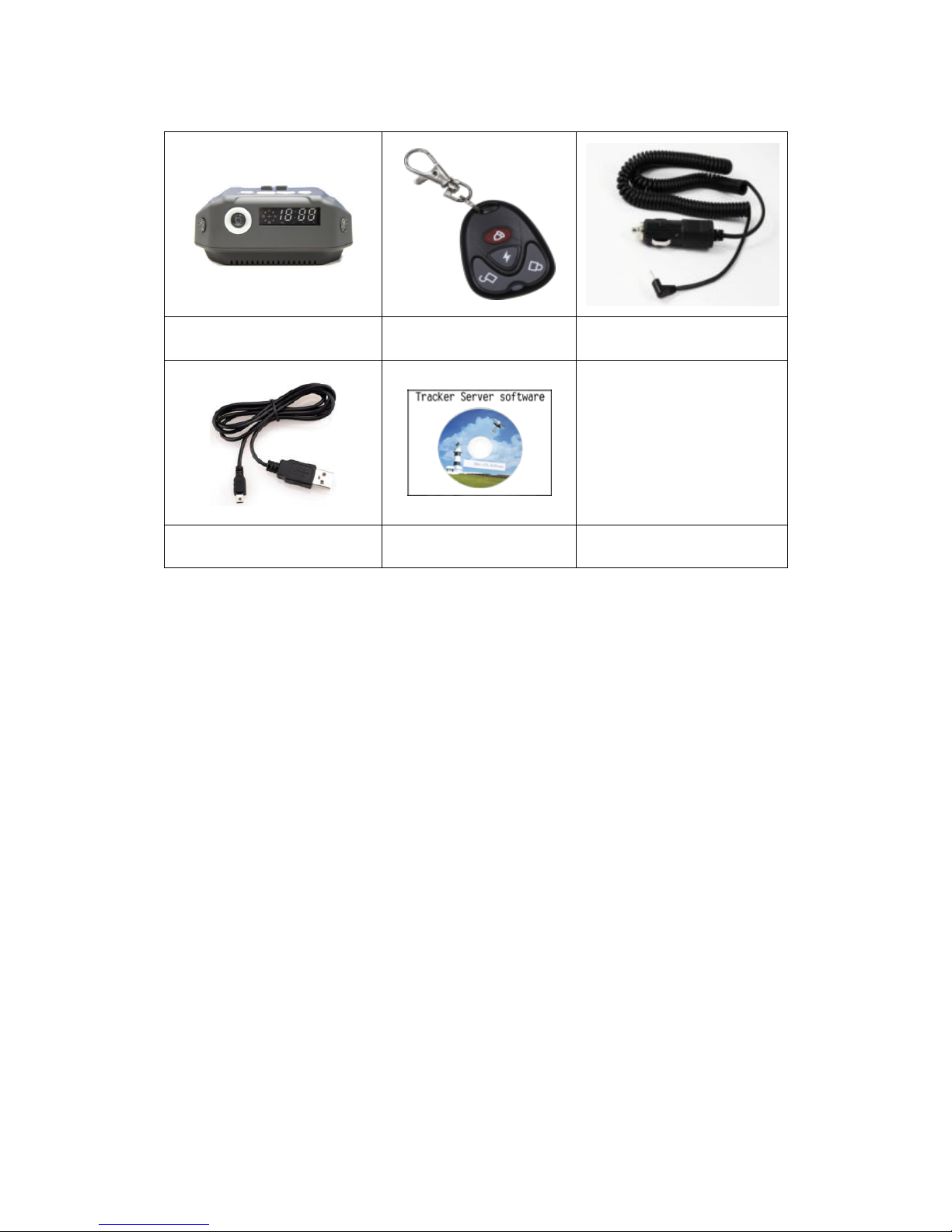
Standard Package
Device
RF remote-control
Car Charger
USB extension cable
Software CD
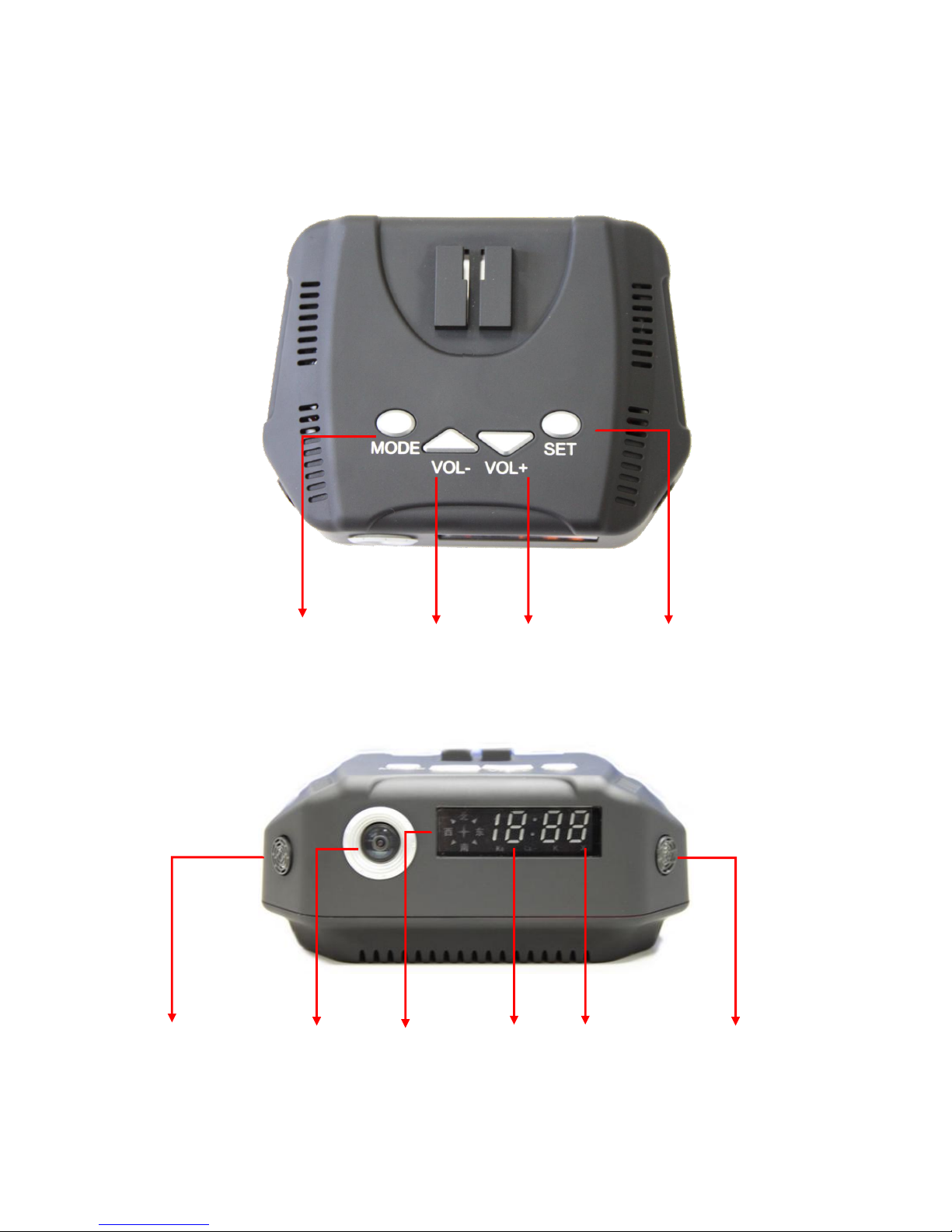
Appearance
Power Button
Volume down
Volume up
Set-up
Ultrasonic
wave
Camera
electronic
compass
o'clock
Time
Ultrasonic
wave
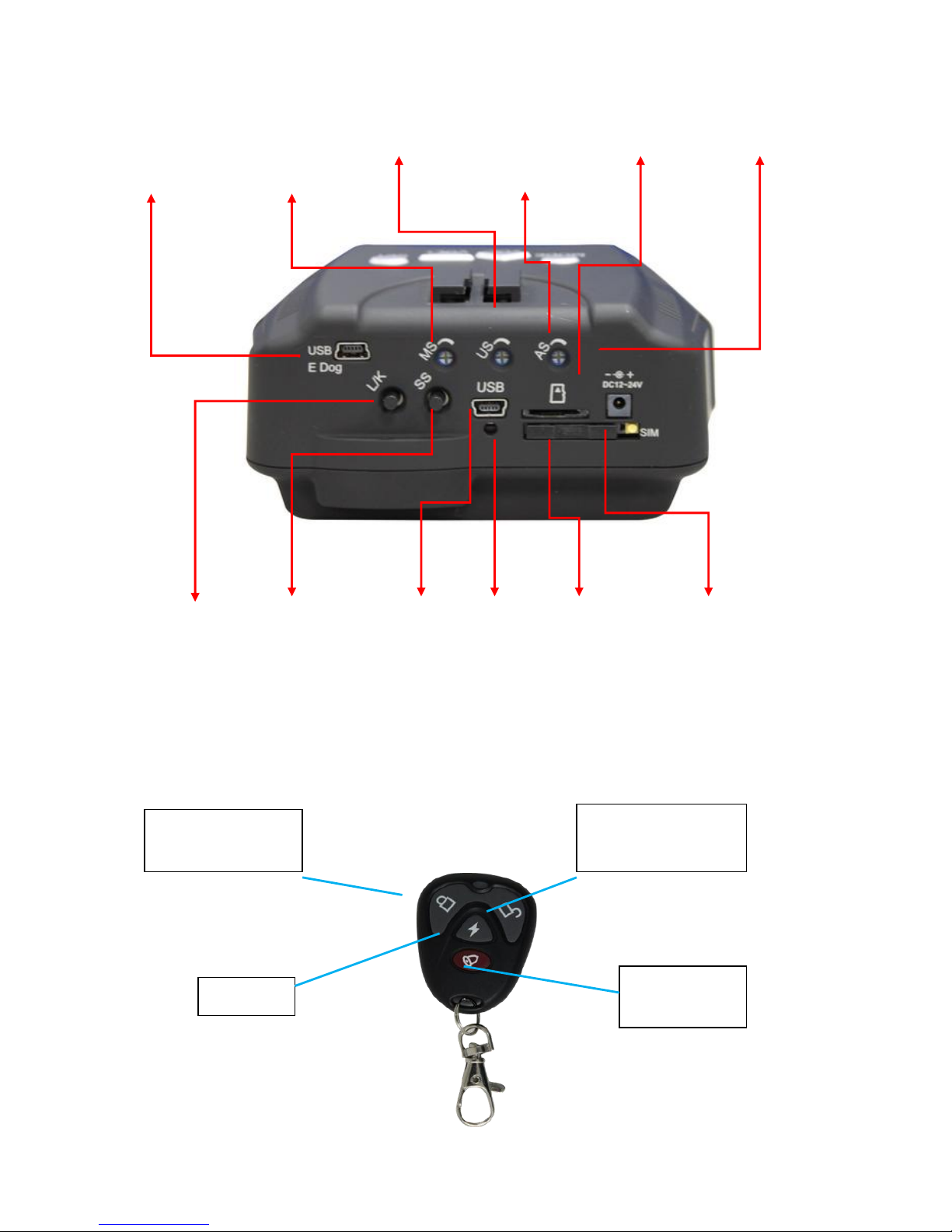
Appearance2
E dog set-up
G-sensor
Ultrasonic
wave sensor
air pressure
sensor
Micro SD slot
Power input
Learning
remote
control
Sensor
setting
System
setting
port
System
reset
SIM card
slot
退卡鈕
RF remote-control
Anti-theft system
on
Undefine
d
SOS urgent
button
Anti-theft system off
Hardware
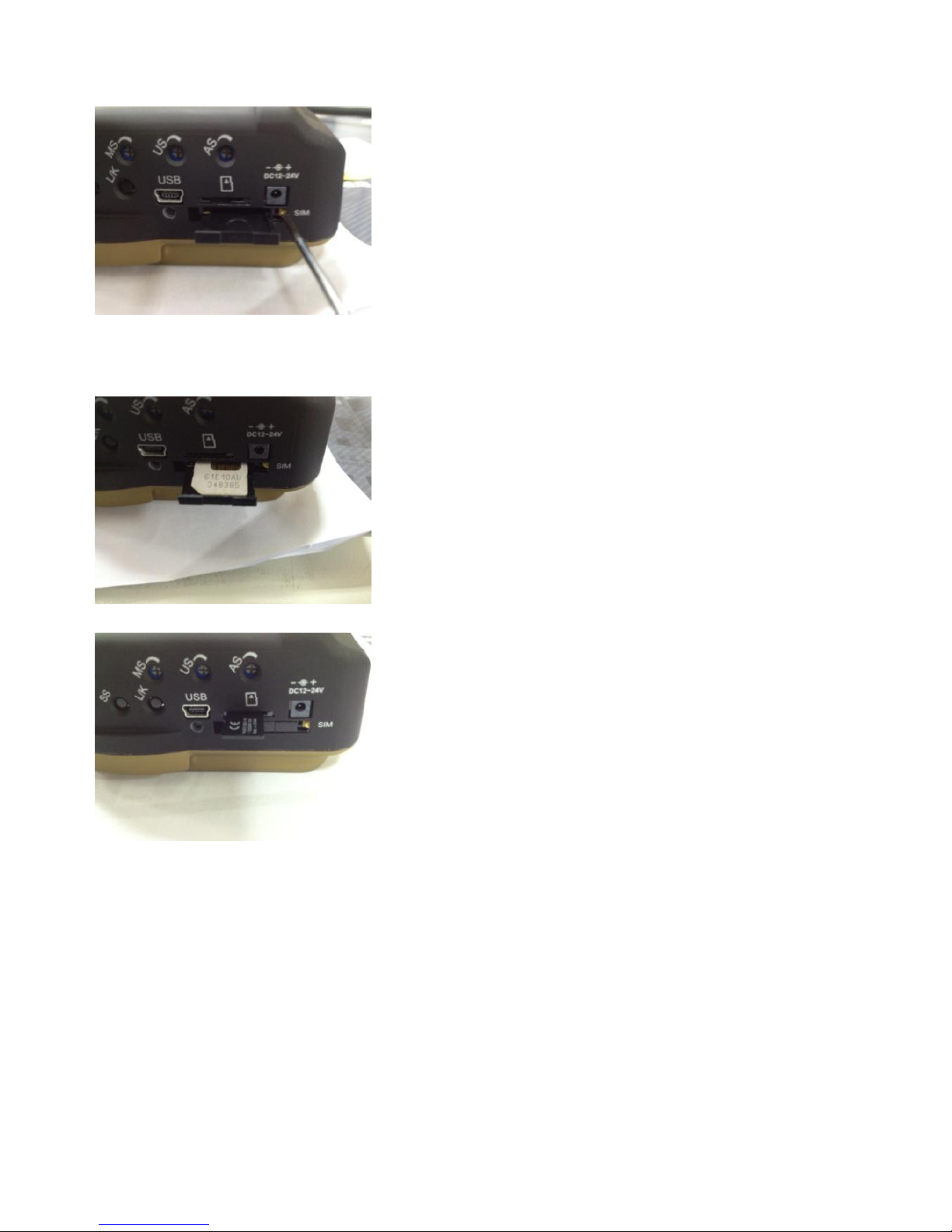
1. Use tool to take out SIM card socket
2. Insert the SIM card, with the chip side on the top. Please remember to remove the PIN code in
your SIM card before setting.
3. Set Micro SD card in your SJ-L869. The Micro SD card supports up to 2G.
Installation Steps
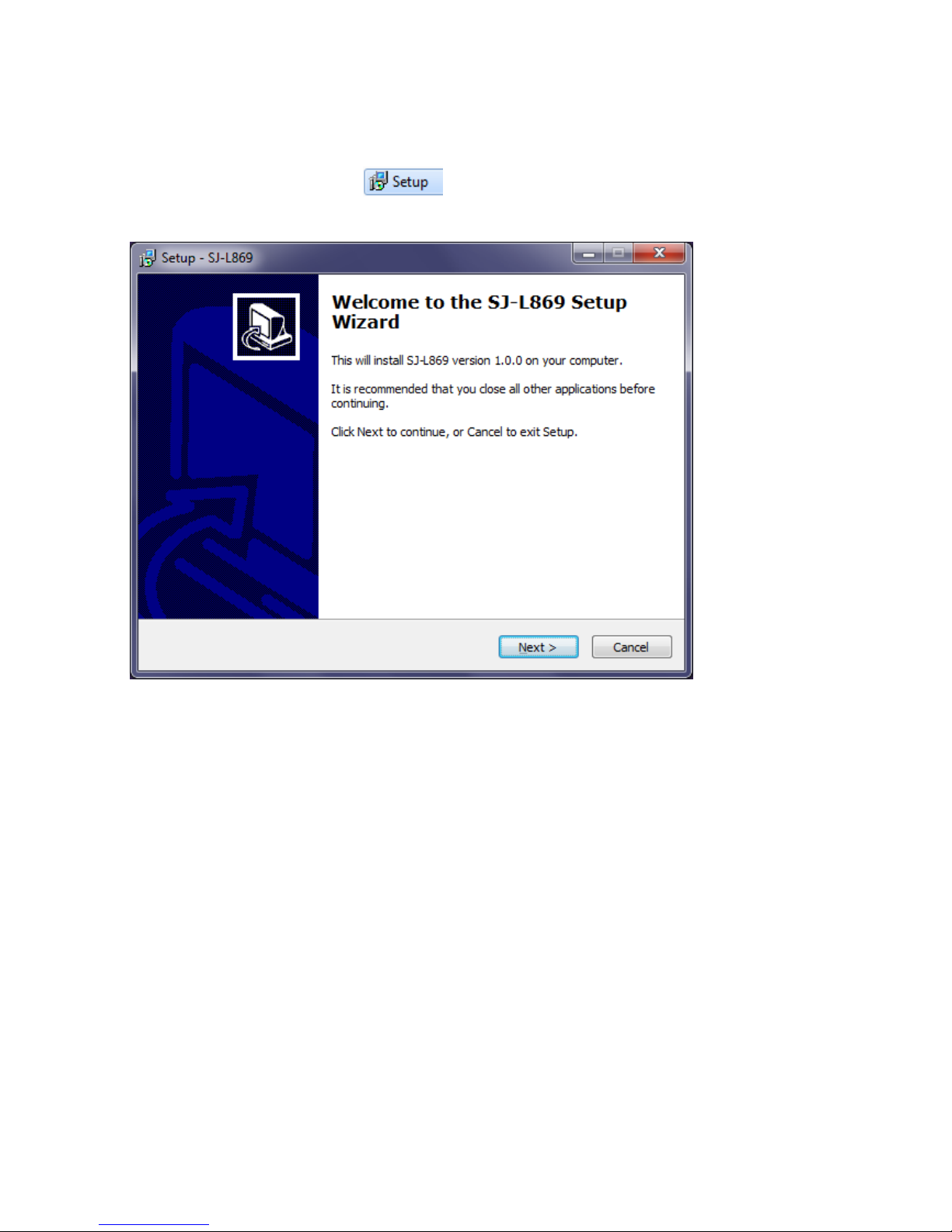
1. Execute the Setup file in CD , open the setup interface, and click Next.
2. Execute the Setup file in CD, open the setup interface, and click next.
3. Enter the password 「sja」with lowercase and click Next.
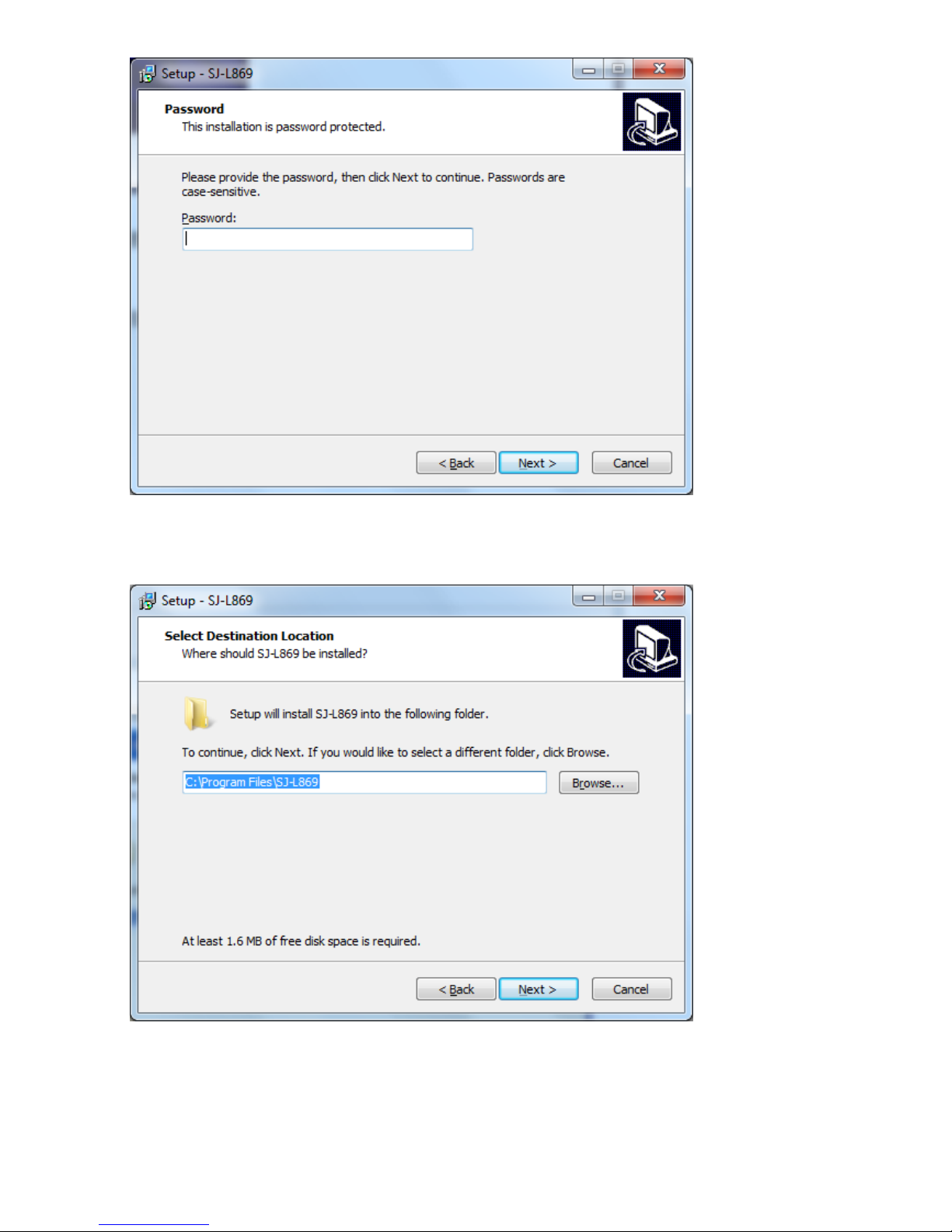
4. You can also select the destination location and click Next.
5. Install it in the following Start Menu folder, You can designate any name you like, set it as
SJ-L869, and click Next to continue.
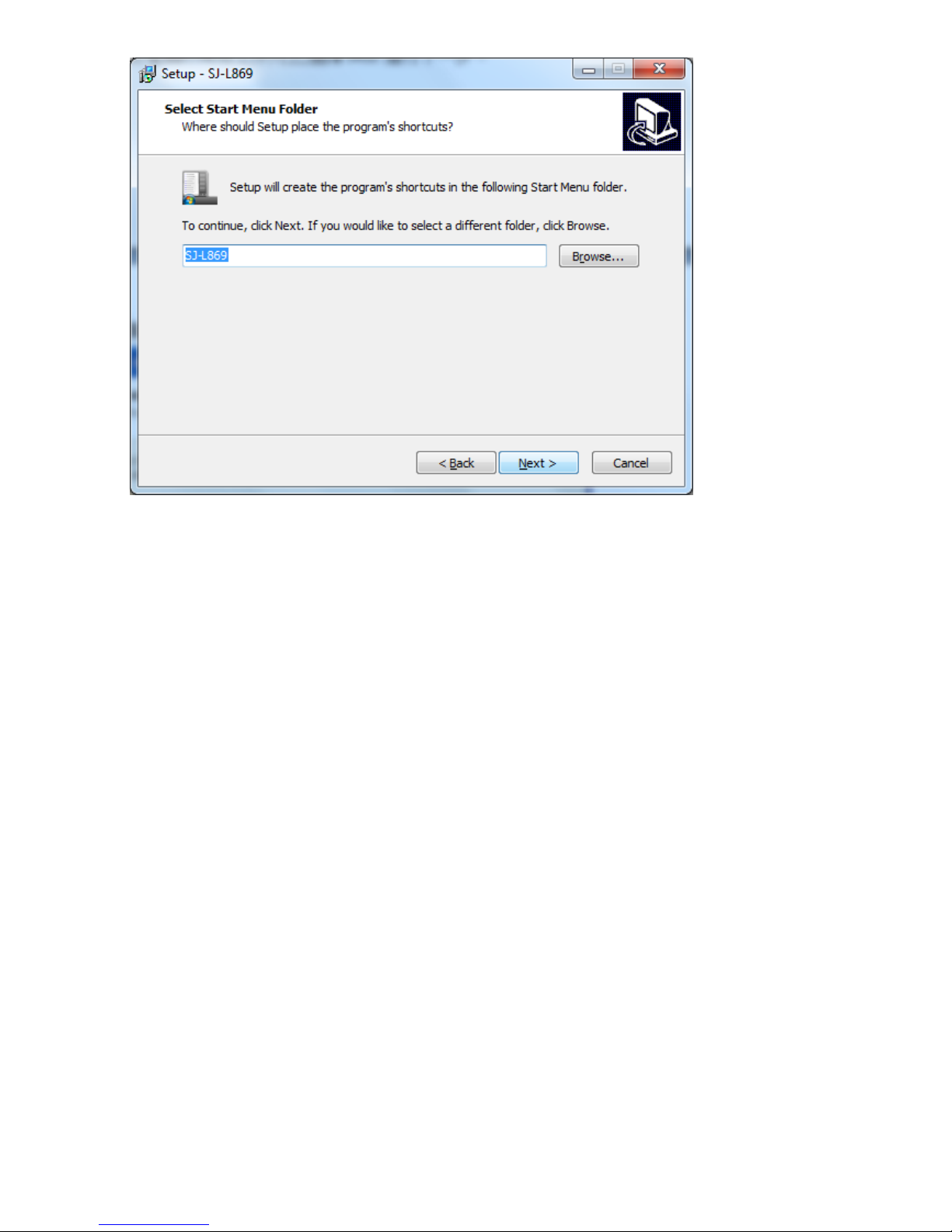
Tabla de contenidos


