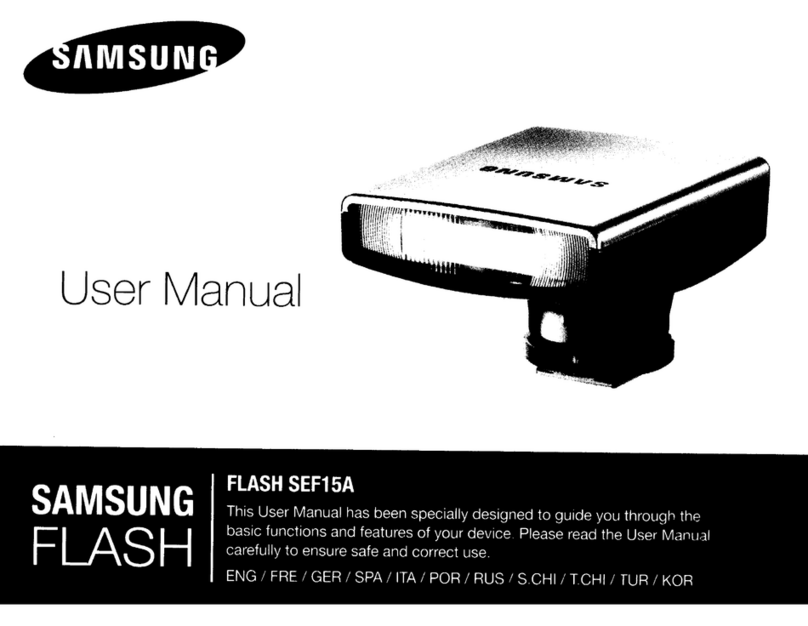
Samsung SEF-36PZF Manual de usuario

SAMSUNG TECHWIN CO., LTD.
OPTICS & DIGITAL IMAGING DIVISION
145-3, SANGDAEWON 1-DONG, JUNGWONGU,
SUNGNAM-CITY, KYUNGKI-DO, KOREA
462-121
TEL : (82)31-740-8086, 8088, 8090, 8092, 8099
FAX : (82)31-740-8398
www.samsungcamera.com
SAMSUNG OPTO-ELECTRONICS AMERICA, INC.
HEADQUARTERS
40 SEAVIEW DRIVE, SECAUCUS,
NJ07094, U.S.A.
TEL : (1)201-902-0347
FAX : (1)201-902-9342
WESTERN REGIONAL OFFICE
18600 BROADWICK ST.,
RANCHO DOMINGUEZ, CA 90220, U.S.A.
TEL : (1)310-900-5263/5264
FAX : (1)310-537-1566
www.samsungcamerausa.com
SAMSUNG FRANCE S.A.S.
BP 51 TOUR MAINE MONTPARNASSE 33,
AV .DU MAINE 75755, PARIS CEDEX 15, FRANCE
HOTLINE PHOTO NUMÉRIQUE :
00 800 22 26 37 27(Numéro Vert-Appel Gratuit)
TEL : (33)1-4279-2200
FAX : (33)1-4320-4510
www.samsungphoto.fr
SAMSUNG OPTO-ELECTRONICS GMBH
AM KRONBERGER HANG 6
D-65824 SCHWALBACH/TS., GERMANY
TEL : 49 (0)6196 66 53 03
FAX : 49 (0)6196 66 53 66
www.samsungcamera.de
TIANJIN SAMSUNG OPTO-ELECTRONICS CO.,LTD.
7 PINGCHANG ROAD NANKAI DIST., TIANJIN
P.R CHINA POST CODE:300190
TEL : (86)22-2761-4599
FAX : (86)22-2769-7558
www.samsungcamera.com.cn
SAMSUNG OPTO-ELECTRONICS UK LIMITED
SAMSUNG HOUSE 1000 HILLSWOOD DRIVE
HILLSWOOD BUSINESS PARK
CHERTSEY KT16 OPS U.K.
TEL : 00800 12263727
(free for calls from UK only)
UK Service Hotline : 01932455320
www.samsungcamera.co.uk
RUSSIA INFORMATION CENTER
SAMSUNG ELECTRONICS
117545 ST. DOROZHNAYA BUILDING 3,
KORPUS 6, ENTRANCE 2, MOSCOW, RUSSIA
TEL : (7)095-363-1700
CALL FREE : (8) 800 200 0 400 (from Russia only)
www.samsungcamera.ru
The CE Mark is a Directive conformity
mark of the European Community (EC)
Internet address - http : //www.samsungcamera.com
6806-3291

2
Thank you for buying a Samsung Flash.
This manual will guide you through using the flash.
Please read this manual carefully before using the flash.
Thank you for purchasing the SEF-36PZF.
The SEF-36PZF also allows wireless P-TTL photography and high-speed sync. It is clip-on type flash which
enables accurate focus adjustments even in dark locations with built-in AF-assist spot beam.

3
FOR SAFE USE OF YOUR FLASH UNIT
Although we have carefully designed this flash unit for safe operation, please be sure to follow precautions
given on page 4-6.
WARNING This mark indicates precautions that, if not followed, could result in
serious injury to the user.
CAUTION This mark indicates precautions that, if not followed, could result in
minor or medium injury to the user or damage to the equipment.
is a symbol indicating items that are prohibited.
is a symbol emphasizing a warning.

4
WARNING
The electronic circuits inside the flash contain
high voltage working parts. Never attempt to
disassemble the flash unit yourself.
Never touch internal parts of the flash unit if
they become exposed from dropping the
camera or for some other reason, as there is
danger of an electric shock.
Do not expose the flash unit to water or
moisture. This is to prevent electrical shock.
As the flash head is hot when it is firing, do not
touch the Flash head when it is firing.
CAUTION
Do not use the flash near anyone's eyes, as it
may hurt them. Be particularly careful with the
flash around infants.
Never try to disassemble or short the battery.
Also, do not dispose of the battery in fire, as it
may explode.
Misuse of the battery can cause hazards such
as leakage, overheating, explosion, etc. The
battery should be inserted with the "+" and "-"
sides facing correctly.
Remove the batteries from the camera
immediately if they become hot or begin to
smoke. Be careful not burn yourself during
removal.

5
PRECAUTIONS FOR YOUR FLASH UNIT
•Never use solvents such as paint thinner, alcohol or benzene to clean the flash unit.
•Avoid leaving the flash unit for extend period in places where the humidity and temperature are very high such as
in a car.
•Be careful not to subject the flash unit to strong vibrations, shock or pressure. Use a cushion to protect the flash
unit when carrying it in a motorcycle, car, boat, etc.
•Shield the flash unit from salty air and water at the beach, splashing liquid of any kind, and rain. When the flash
unit is subjected to rain or moisture, wipe it off with a dry soft.
•Replace the batteries at the same time. Do not mix battery brands, type or an old battery with a new one. It may
cause explosion or overheating.
•When mounting the flash unit to the camera's hot shoe, hold the portion near the hot shoe bracket to avoid
damage to the hot shoe, and do not mount/dismount it by force.
•Do not attach any accessories having the wrong number of electrical contacts for the hot shoe or grip. Otherwise,
the flash might not work properly.
•When using the flash unit off the camera, do not try to attach any metallic object to the electric contacts or to
mount incompatible accessories. Otherwise, the flash may be damaged or rendered inoperable. Use only
compatible Samsung accessories.

6
•To maintain the flash’s high performance, check the flash every 1-2 year.
If the unit has not been used for an extended period of time, or is being readied for an important shoot, it is
recommended that you take a test flash with the test button and test shoot with it.
•Shield the flash unit from salty air and water at the beach, splashing liquid of any kind, and rain. When the flash
unit is subjected to rain or moisture, wipe it off with a dry soft.
•Manganese batteries are not recommended for use as they provide a lower number of flashes per set of batteries.
•If the unit has not been used for an extended period of time, or is being readied for an important shoot, it is
recommended that you take a test flash with the test button and test shoot with it. Test flash is also important to
maintain optimum performance.
•Battery performance may temporarily be hindered in low temperatures. Batteries should be kept warm in
temperatures below freezing for proper performance.
•Dark or low-reflectance subjects may result in underexposure. Set the camera's exposure compensation to the +
side.

7
TABLE OF CONTENTS
FOR SAFE USE OF YOUR FLASH UNIT.............3
PRECAUTIONS FOR YOUR FLASH UNIT...........5
NAMES OF WORKING PARTS.............................8
INSERTING THE BATTERIES.............................12
NOTES ON THE POWER SUPPLY ....................14
MOUNTING TO CAMERA ...................................15
SEF-36PZF FLASH MODES ...............................16
PICTURE FORMATS AND FLASH
COVERAGE.........................................................17
DEDICATED FUNCTIONS WITH THE
SAMSUNG CAMERAS ........................................20
P-TTL AUTO FLASH............................................21
AUTO FLASH ......................................................23
MANUAL FLASH..................................................25
TRAILING-SHUTTER-CURTAIN SYNC FLASH
.....28
HIGH-SPEED SYNC MODE................................29
CONTRAST-CONTROL-SYNC FLASH...............32
WIRELESS MODE...............................................34
SELECT BUTTON [S]/ADJUSTMENT DIAL
FUNCTIONS ........................................................39
WIRELESS CHANNEL SETTING........................41
WIRELESS SLAVE MODE SETTING .................42
BOUNCE FLASH .................................................43
WIDE-ANGLE PANEL AND CATCHLIGHT PANEL
.....44
MODELING FLASH/TEST FLASH .....................45
AF SPOTBEAM ...................................................46
USING THE SEF-36PZF DETACHED FROM
THE CAMERA .....................................................47
MAJOR SPECIFICATIONS..................................48

8
LCD panel illumination button/Format button
Flash zoom button/Channel button
Test button/Modeling flash button/Ready lamp
Setting switch
Power switch
Wireless mode switch
Sync mode switch
Adjustment dial
Select button
Flash mode button
LCD panel
Bounce angle adjustment
Flash head
AF spot beam emitter
Slave sensor
Auto flash sensor
Catchlight panel
Wide - angle panel
Hot - shoe bracket
Flash signal contacts
Shoe lock pin
Locking lever
Battery chamber cover
Bounce lock release button
NAMES OF WORKING PARTS

9

10
LCD Panel Indication
Zoom indicator
:
[A. Zoom] →[M. Zoom] xxmm = 20, 24, 28, 35, 50, 70, 85 [35mm format]
35, 45, 55, 70, 100, 135, 150 [645 format]
55, 60, 70, 90, 120, 180, 190 [67 format]
Format display : [35mm] →[645] →[67]
Flash mode display : [P-TTL] →[A] →[M] →[SB]
Flash exposure compensation indicator : [-3.0 ~ +1.0 stops, 0.5 stop increments]
ISO indicator : ISO 25 ~ 1600
Bar graph
Effective flash range indicator : [Closest distance] - [Maximum distance] (in P-TTL, TTL, A modes)
Optimum distance in manual mode
AF spot beam : [SB]
Synchronization mode indicator : [Leading-shutter-curtain sync: ] - [Trailing-shutter-curtain sync: ] -
[Contrast-control-sync: ] -[High-speed-sync: ]
Bounce flash warning : [ ]
Flash adjustment display : [
/
]
f/number display : F2 ~ F22
Channel indicator : Channels 1 ~ 4
Wireless mode indicator : [MASTER], [CONTROL], [SLAVE]
Tabla de contenidos
Otros manuales de Flash de la cámara de Samsung