
Salda Ptouch Manual de usuario

Ragainės g. 100, LT-78109 Šiauliai, Lithuania
Tel. (+370 41) 540415
Fax. (+370 41) 540417
www.salda.lt
Art.-no. PRGPU081
Ptouch
MCB
MCB_P0096_AZ_0001

.................................................................................................... 4
............................................................................................................................ 4
........................................................................................................................ 5
...................................................................................................................................... 6
4.1. Service login ..................................................................................................................... 6
4.2. Service menu ................................................................................................................... 6
4.3. Main settings menu ....................................................................................................... 8
4.3.1. System blocking settings ................................................................................... 9
................................................................ 10
........................................................ 11
............................................................................ 12
.................................................................................... 13
......................................................................... 14
.................................................................................... 15
................................................................. 16
....................................................................................... 17
................................................................................................................... 18
13.1. Fan speed control settings .................................................................................... 18
.............................................................................................. 20
..................................................................................... 21
......................................................................................................... 22
16.1. Supply/extract damper settings ..................................................................... 22
.................................................................... 23
............................................................................................... 24
TABLE OF
CONTENTS

.................................................................................... 25
........................................................................................................... 26
20.1. Supplied air heater settings ................................................................................... 26
......................................................................... 27
....................................................... 28
......................................................................... 29
........................................................................................................... 30
............................................................................................ 31
25.1. External control input settings ............................................................................. 32
....................................................................... 33
............................................................... 34
.............................................................. 35
........................................................ 35
............................................................. 36
.......................................................................... 37
........................................................................................................... 37
32.1. 0-10vdc sensor settings ........................................................................................... 38
...................................................... 38
.................................................. 39
......................................................................... 40
..................................................................................... 42
36.1. Internal modbus port settings .............................................................................. 42
................................................................................ 43

4
1
EN
1. GENERAL INFORMATION
• SALDA ventilation units and other devices based on PRV, MCB or ECO controllers;
• Modbus-controlled devices.
Remote control panels guarantee optimal comfort of operation, monitoring, maintenance and service. All
operations can be performed using remote panel, which displays the status of the system, fault reports
and service settings.
• Simple use;
• Surface mounted;
• 4.3 touch-screen;
• Display of functions and set points;
• Acoustic response to touch;
• Maximum fan speed setting for limited time period (BOOST);
• Blocking (locking) - protection from children;
• User menu for fan speed, mode, status, CO2 control settings.
• 1x Ptouch control panel;
• 1x Cable;
• 1x Manual;
• 2x Fastening elements (screw 3,9 x 25 DIN 7981 – 2 pcs nylon plug 5x25 – 2 pcs, hammered steel plug
12x30 – 2 pcs).
2. DIMENSIONS 2

5
Turn over the panel. Use a screwdriver to lift the cover as shown in g..
Take the cover apart.
Put it at desired location on the wall. The arrow must point upwards. Mark the positions of mounting
holes (distance center-to-center is 106 ± 0.5 mm). Also mark the position of the square hole for the cable
(30 x 20 mm).
Drill two 5 mm holes at the marked positions for nylon plugs and the hole throughout the wall to install
the cable. Insert the nylon plugs.
Use included 2,9x16 DIN7981C screws and mount the panel to the wall as indicated in g. 6.
Connect the included cable to the panel and pass another end of the cable through the square hole in
the wall.
Put the panel on the mounting bracket by aligning the upper identations. Then push the lower part
of the panel.
1
4
7
2
5
8
3
6
3
EN

6
B2
B1
Number Function
Entered code (masked) 2200
Number Function
Clear last entered digit
Conrm entered code
B1
B2
4
EN
B2
B6
B1
B5
B3
B4
B7
B8

7
4
EN
B10
B9
B13
B11
B12
Number Function
Main settings.
Fan settings.
Damper settings.
Heat exchanger settings.
Heater settings.
Cooler settings.
Digital input settings.
Sensor settings.
Communication settings.
B1
B4
B2
B3
B5
B6
B7
B8
B9
B10
B14 B15
B11
B12
B13
B14
B15

8
4
EN
B2
B10
B6
B1
B9
B5
B13
B3
B11
B12
B4
B7
B8
Number Function
System blocking settings.
Air temperature control settings.
Air temperature protection settings.
System mode switch settings.
Fan speed settings.
Air lter protection settings.
Fire protection settings.
Controller box heating settings.
Fans speed switch settings.
Air lters protections settings.
B1
B4
B2
B3
B5
B6
B7
B8
B9
B10

9
4
EN
Fire protection settings.
Controller box heating settings.
CO2 reduction settings.
B11
B12
Number Function
Block automatic control:
Auto: automatic control is enabled;
Block: automatic control is disabled.
Standby blocking mode:
Never: standby is allowed;
Always: standby is not allowed;
Heating season: standby is prohibited during heating season;
Cooling season: standby is prohibited during cooling season.
Standby time limit per day (in minutes). Maximum allowed standby
time per 12 h. Standby timer resets at 0:00 and 12:00.
B13
Number Function
Current setting indication.

10
5
EN
Number Function
Temperature control type:
By supply air: supplied air temperature is equal to set desired
temperature;
Extract (room) air: supplied air temperature is variable and includes
supply temperature compensation.
Supply temperature compensation. Only available if temperature con-
trol type is“extract (room) air”. Supplied air temperature is room_tem-
perature + (desired_temperature – room_temperature) * compensation.
Number Function
Current setting indication.
Otros manuales para Ptouch
3
Tabla de contenidos
Otros manuales de Panel de control de Salda

Salda
Salda FLEX RIS 400 HE 3.0 Manual de usuario

Salda
Salda Ptouch Manual de usuario
Salda
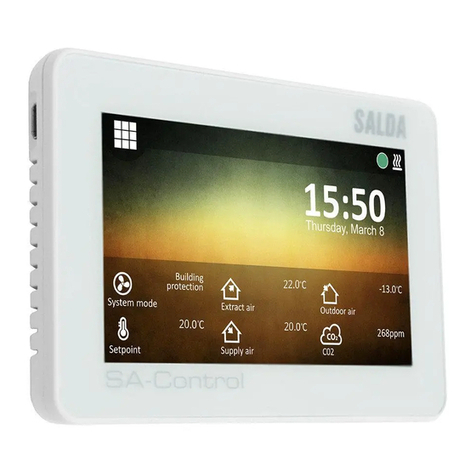
Salda SA-Control Manual del operador

Salda
Salda PTOUCH PRGPU081 Manual de usuario

Salda
Salda MC-HRS Manual de usuario

Salda
Salda FLEX Manual de usuario

Salda
Salda FLEX MCB Manual de usuario

Salda
Salda MCB Manual de usuario

Salda
Salda FLEX Manual de usuario

Salda
Salda FLEX Manual de usuario


