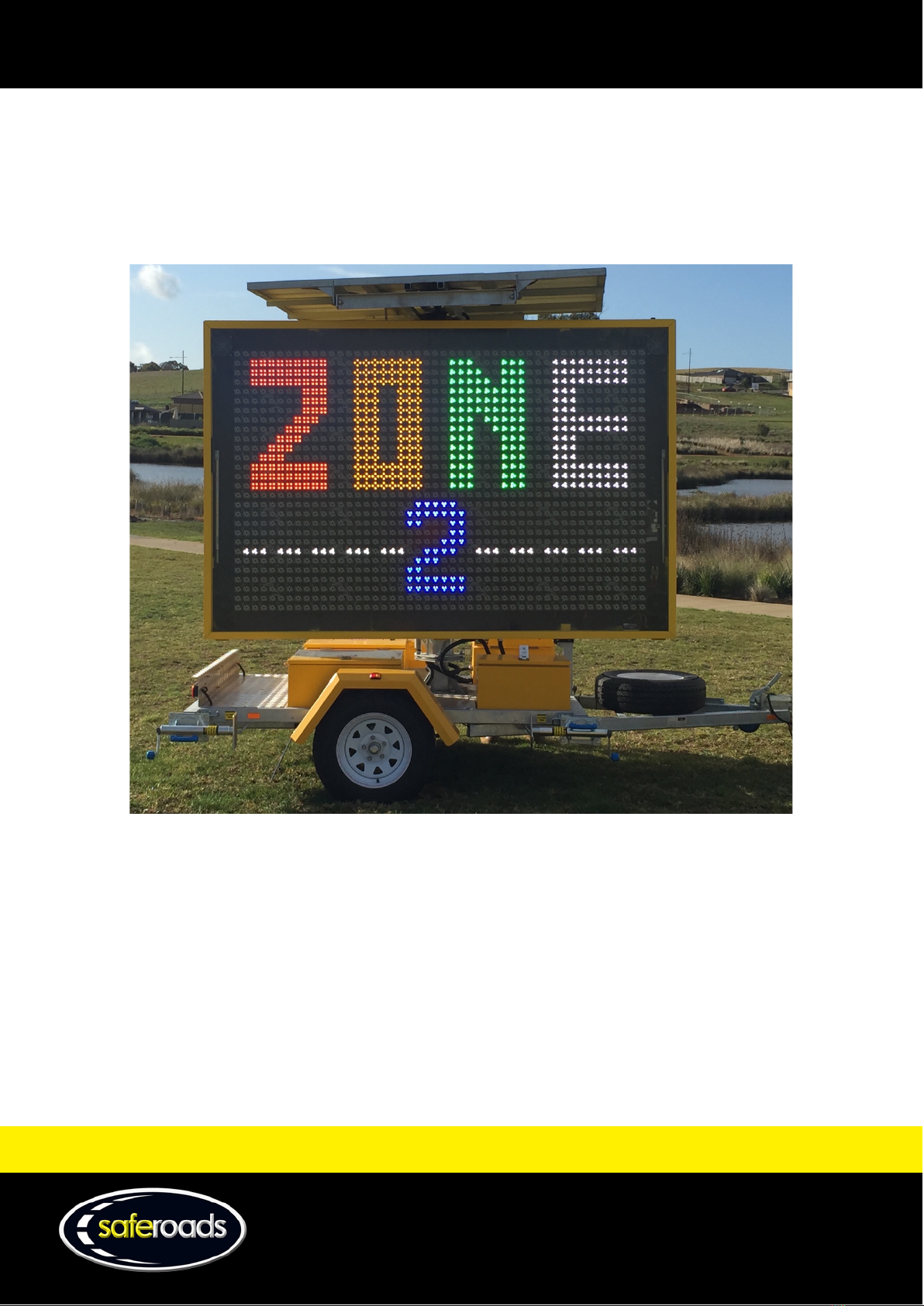
Saferoads Zone 2 VMS Manual de usuario

W www.saferoads.com.au
T 1800 060 672
Australian Version 3.1
June 2020
VMS Manual

W www.saferoads.com.au
T 1800 060 672
Australian Version 3.1
June 2020
Page 1
Contents
Preface .............................................................................................................................................................................. 4
Introduction ...................................................................................................................................................................... 4
Applications....................................................................................................................................................................... 4
Quick Start Guide.................................................................................................................................................5
How to Login to Zone Website.......................................................................................................................................... 5
How to Display a Simple Message .................................................................................................................................... 5
How to Adjust Settings...................................................................................................................................................... 7
How to Setup Radar .......................................................................................................................................................... 8
How to Set Alarms ..........................................................................................................................................................11
Deployment.....................................................................................................................................................................12
Pack Up ........................................................................................................................................................................... 12
Operation Guide ................................................................................................................................................ 13
Solar Panels.....................................................................................................................................................................13
Solar Panel Tilt Switch............................................................................................................................................. 13
Solar Panel Pivot ..................................................................................................................................................... 14
Mast ................................................................................................................................................................................15
Mast Assembly........................................................................................................................................................15
Mast Locking Pin .....................................................................................................................................................15
Mast Pivot Lock .......................................................................................................................................................16
Mast Up/Down Switch ............................................................................................................................................16
Hydraulic Reservoir and Mast Motor......................................................................................................................16
Trailer ..............................................................................................................................................................................17
Stabilising Jacks .......................................................................................................................................................17
Jockey Wheel ..........................................................................................................................................................18
Transport Support................................................................................................................................................... 18
Front Toolboxes ......................................................................................................................................................19
Rear Toolboxes........................................................................................................................................................ 19
Display Panel................................................................................................................................................................... 20
Display Panel Case................................................................................................................................................... 20
Display Panel Locks .................................................................................................................................................20
LED Panels ...............................................................................................................................................................20
VMS Display Switch................................................................................................................................................. 20
Onboard Message Manager....................................................................................................................................21

W www.saferoads.com.au
T 1800 060 672
Australian Version 3.1
June 2020
Page 2
3G/GPS Assembly....................................................................................................................................................21
Motherboard (CPU)................................................................................................................................................. 22
Radar (where fitted)................................................................................................................................................ 22
Website ............................................................................................................................................................. 23
Login Page ....................................................................................................................................................................... 23
Dashboard....................................................................................................................................................................... 24
Status Page......................................................................................................................................................................25
Maps Page....................................................................................................................................................................... 27
Messages Page................................................................................................................................................................ 28
Scheduling Page .............................................................................................................................................................. 32
Radar Page ......................................................................................................................................................................34
Troubleshooting Page .....................................................................................................................................................35
Settings Page...................................................................................................................................................................36
Alarms Page .................................................................................................................................................................... 37
Favourites Page...............................................................................................................................................................38
Admin Users Page ...........................................................................................................................................................39
Support Pages .................................................................................................................................................................40
Manuals Page.......................................................................................................................................................... 40
Newsletter Page...................................................................................................................................................... 40
Support Page........................................................................................................................................................... 41
Contact Page ...........................................................................................................................................................42
Manage User Page .......................................................................................................................................................... 42
Maintenance ..................................................................................................................................................... 43
Opening the Display Case ............................................................................................................................................... 43
Removal and Installation ................................................................................................................................................ 44
LED Panel Removal and Installation........................................................................................................................ 44
SIM Card Removal and Installation.................................................................................................................................46
Motherboard (CPU) Removal.......................................................................................................................................... 47
Modem Removal and Installation...................................................................................................................................48
Reset Procedure for VMS Board (CPU) ........................................................................................................................... 52
Testing............................................................................................................................................................................. 52
Testing the Battery Voltage ....................................................................................................................................52
Testing SIM Card Serviceability............................................................................................................................... 52
Troubleshooting ...................................................................................................................................................... 53

W www.saferoads.com.au
T 1800 060 672
Australian Version 3.1
June 2020
Page 3
Message Manager.............................................................................................................................................. 54
Introduction .................................................................................................................................................................... 54
Power On.................................................................................................................................................................55
Button Description..................................................................................................................................................56
Built in Library Picture Selection .............................................................................................................................58
Menu Options .................................................................................................................................................................63
File Menu ................................................................................................................................................................ 63
Operate Menu.........................................................................................................................................................65
Set Menu.................................................................................................................................................................69
Help Menu...............................................................................................................................................................72
Sending Files to the VMS Display.................................................................................................................................... 72
Send Built-In Library File to the VMS Display.......................................................................................................... 72
Create a New VMS File............................................................................................................................................74
Personal Protective Equipment ......................................................................................................................................77

W www.saferoads.com.au
T 1800 060 672
Australian Version 3.1
June 2020
Page 4
Preface
For optimum performance, Saferoads Zone 2 VMS Electronic Traffic System must be installed, used and maintained
as per this manual. Please thoroughly review and understand this manual before using the Zone 2 VMS Electronic
Traffic System.
Local requirements may also impose restrictions. Please refer to local governing body for further information.
If more information is required, please contact Saferoads:
Website: www.saferoads.com.au
Australia: 1800 060 672
International: +61 3 5945 6600
Introduction
Saferoads Zone 2 VMS Electronic Traffic System is a solar-powered variable message sign. There are two different
models available, Classic and Essential, with each model being available in either amber or five colour lighting
displays. The Classic model differs from the Essential model in terms of the inclusion of extra features, such as an
onboard battery charger, an onboard message manager, a spare wheel, fully sealed toolboxes, and the ability to tilt
and rotate the solar panels. These all come standard on the Classic model, and the first three are optional on the
Essential model.
The Zone 2 VMS Electronic Traffic System utilises Zone 2 software to program the messages shown on the display.
The remote access website allows the user to easily update and schedule messages from anywhere with an internet
connection.
The trailer is designed in Australia and is constructed from a heavy-duty galvanised and powder-coated frame,
ensuring durability.
Applications
Saferoads Zone 2 VMS Electronic Traffic System suits many applications, including but not limited to:
•Advertising
•Traffic control
•Lane closures
•Events
•Roadworks

W www.saferoads.com.au
T 1800 060 672
Australian Version 3.1
June 2020
Page 5
Quick Start Guide
How to Login to Zone Website
1. Go to the website http://zonecloud.com.au
2. Enter email address.
3. Enter password.
Figure 1
4. Click on Log in button.
How to Display a Simple Message
1. Select Messages from the menu or the Editor icon from the Zone main screen
Figure 2

W www.saferoads.com.au
T 1800 060 672
Australian Version 3.1
June 2020
Page 6
2. Select the Project
3. Select the VMS
4. Choose image
•Click on image from Library/Favourites
or
•Create a custom image using the drawing tools
5. Click on the Add button to move the image to frames
Figure 6
6. Click on the Send to VMS button. Ensure the VMS Display is switched on, so the message can be displayed.
Figure 7
7. Select the VMS to play the message on. Multiple VMS can be added by clicking on the Select VMS
text box
Figure 3
Figure 4
Figure 5

W www.saferoads.com.au
T 1800 060 672
Australian Version 3.1
June 2020
Page 7
Figure 8
8. Click on the Send button to send the message to the VMS
How to Adjust Settings
1. Select Settings from the menu or the Settings icon from the Zone main screen
2. Select the Project
3. Select the VMS
Figure 10
Figure 9

W www.saferoads.com.au
T 1800 060 672
Australian Version 3.1
June 2020
Page 8
4. Adjust the settings
Figure 11
5. Click on the Save button to send the settings to the VMS
How to Setup Radar
1. Select Radar from the menu or the Radar icon from the Zone main screen
Figure 12

W www.saferoads.com.au
T 1800 060 672
Australian Version 3.1
June 2020
Page 9
2. Select the Project
3. Select the VMS
4. To display an Approach Message
a. Drag an image from the Library to Approach Message image box
Figure 14
b. Enable Approach Message by turning the switch on
Figure 15
5. To display Correct Speed
a. Drag an image from the Library to Correct Speed image box
Figure 16
b. Enable Correct Speed by turning the switch on
Figure 17
Figure 13
Tabla de contenidos
Manuales populares de Electricidad industrial de otras marcas

S&C
S&C Vista SD Manual de usuario

Murata
Murata GRM0335C2A7R3CA01 Series Manual de usuario

Siemens
Siemens 3VA9988-0BM10 Manual de usuario

Siemens
Siemens SITRANS LVS100 Manual de usuario

Murata
Murata GRM32ER60G227ME05 Series Manual de usuario

Siemens
Siemens SENTRON SUPERSWITCH 3KL82 Series Manual de usuario