
Robotis USB2Dynamixel Manual de usuario


User’s Manual
Table of Contents
1. Product Introduction······················· 3
1-1. Product Features ···························· 3
1-2. Product Components ·························· 4
1-3. System Requirements ·························· 4
1-4. USB2Dynamixel Connection ······················· 5
1-4-1. USB2Dynamixel Components ······················· 5
1-4-2. CONNECTING AX SERIES DYNAMIXEL ····················· 6
1-4-3. CONNECTING DX / RX SERIES DYNAMIXEL ··················· 7
1-4-4. CONVERTING USB PORT TO SERIAL PORT ··················· 8
1-4-5. Pin Figure ································ 9
1-4-6. The methord of inputting power ····················· 10
1-5. Installation ·······························12
1-5-1. Driver Installation ···························· 12
1-5-2. Dynamixel Configurator Installation ···················· 14
2. Operation of Dynamixel ····················· 15
2-1. Communication ·····························15
2-2. Status Display ·····························16
2-3. Operation Command Input ························17
2-4. Items & Values ·····························18
2-5. Control Table ······························19
2

User’s Manual
1. Product Introduction
1-1.
oreover, USB2Dynamixel can be used in a notebook
or S
a
DYNAMIXEL CONTROL USING PC
◎ Conversion of serial port
Wireless communication
Product Features
USB2Dynamixel is a device that can directly control
Dynamixel from PC. 3P connector and 4P connector are
built-in, allowing USB2Dynamixel to connect to various
Dynamixels and it is used by connecting to a USB port.
M
in PC that has no serial port by converting a U B
port to a seri l port. This capability allows users to
connect Bioloid robot’s CM 5 to a USB port or by connecting ZIG2Serial to the same port to
control the robot remotely. The following pictures illustrate how to use USB2Dynamixel.
.
◎
USB PORT
USB PORT
Power line
◎
ZIG2Serial
USB PORT
3
User’s Manual
1-2. Product Co nts
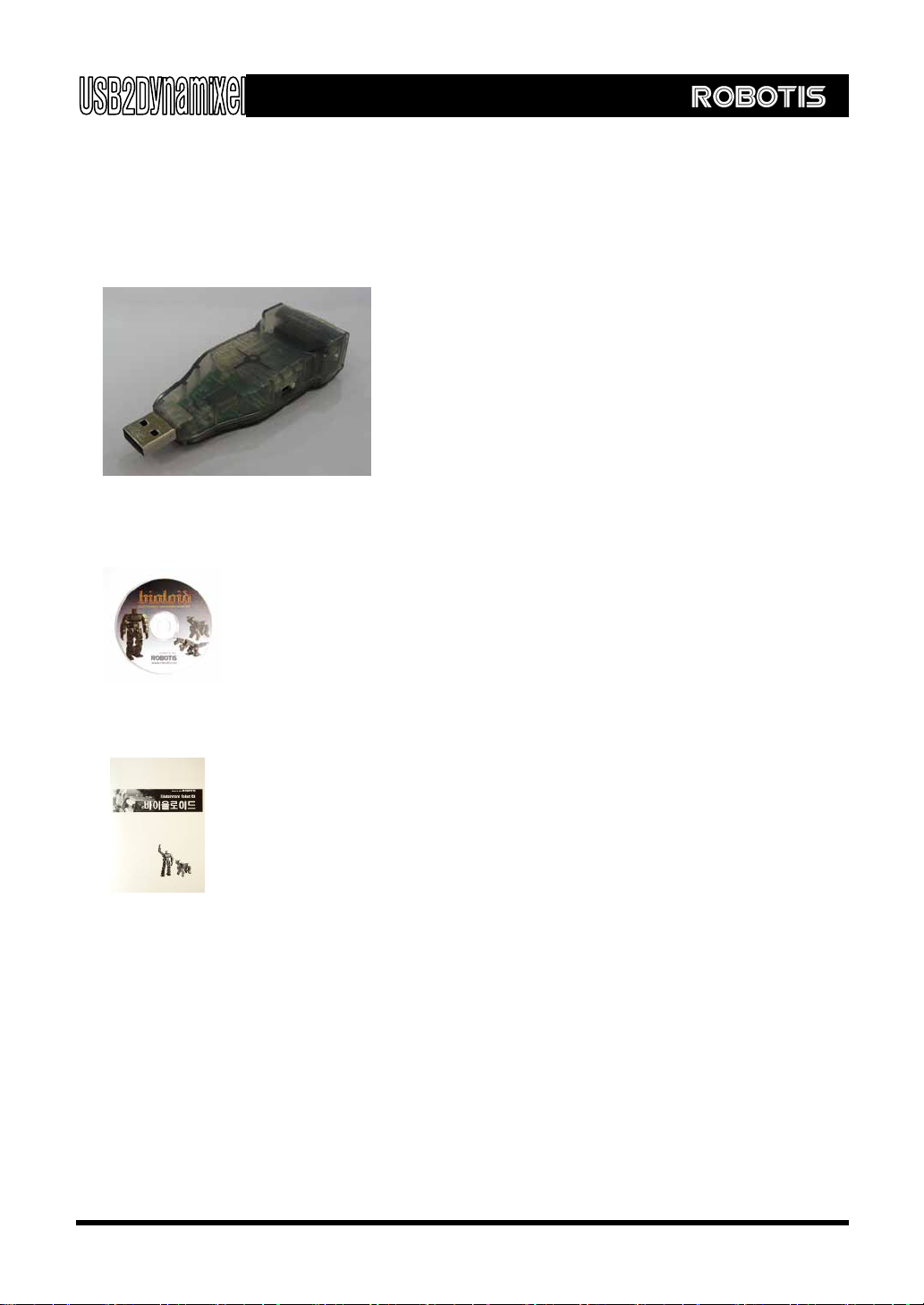
◎ USB2Dynamixel
Use to directly operate Dynamixel from PC.
hen converting a USB port to a serial port.
◎ Software
Inside the software, rivers and utilities are provided so that users can
directly operate Dynamixel from PC. You can download it from Homepage.
(www.robotis.com)
explains how to install drivers and utilities, as well as
usage method for USB2Dynamixel.
Requirements
Compatible PC (Required)
SB 1.1 or higher (Required)
◎ OS : Windows 2000 or Windows XP (Required)
◎ CPU : Intel Pentium III 1GHz , AMD Athlon XP 1GHz or higher (Recommended)
◎ RAM : 256MB or higher (Recommended)
mpone
Or w
d
◎ Manual
This printed manual
1-3. System
◎ PC : IBM
U
4

User’s Manual
1-4. ction
1 . U
Status display LED : Displays power status, TxD(data write), and RxD(data read).
Function select switch : Allows the selection of TTL, RX-485, or RX-232
3P connector : Connects to the AX series Dynamixel via TTL.
4P connector : Connects to the DX, RX series Dynamixel via RX-485.
Serial connector : Converts a USB port to a serial port via RX-232.
USB2Dynamixel Conne
-4-1 SB2Dynamixel Components
3P / 4P
connector
Serial
connector
Status display
LED
Function select
switch
5

User’s Manual
1-4-2. CONNECTING AX SERIES DYNAMIXEL
Set the function select switch to TTL
mode.
or
of USB2Dynamixel and amixel
connector (either one can be
connected).
By using the 3P cable, el can
be daisy chained.
Lastly, connect Dynamixel to a power
line.
Connect 3P cable to the 3P connect
Dyn
Dynamix
warning
USB2Dyanmixel does not provide power to the Dynamixel. For further details on power
source, refer to the chapter 1-4-6.
POWER (DC 7~10V)
6

User’s Manual
1-4-3. IXEL
Se
onnect 4P cable to the 4P connector
of
CONNECTING DX / RX SERIES DYNAM
t the function select switch to RS 485
mode.
C
USB2Dynamixel and Dynamixel
connector (either one can be
connected).
By using the 4P cable, Dynamixel can
be daisy chained.
Lastly, connect Dynamixel to a power
line.
POWER (DC15~17V)
USB2Dyanmixel does not provide power to the Dynamixel. For further details on
p
ower
source, refer to the chapter 1-4-6.
warning
7

User’s Manual
1-4-4.
y converting a USB port to a serial port, USB2Dynamixel can be used in a notebook or in PC
t the function select switch to RS
232 mode.
s a serial port to
communicate. By using USB2Dynamixel,
users can communicate with CM-5 via
USB port. For more details, refer to the
Bi oid manual.
use ZIG2Serial as a USB port
without the separate need for power
source. fer to the
ZI al manual.
CONVERTING USB PORT TO SERIAL PORT
B
that does not have a serial port.
Se
CM-5 use
ol
By using USB2Dynamixel, users can
also
For more details, re
G2Seri
warning
Do not connect to a device that consumes more than 500mA. It can dama
g
e USB
board.
8

User’s Manual
1-4-5. P
s.
e c
in Figure
The following illustration shows the connector pins used in USB2Dynamixel. Users can use the
pins in accordance with their need
Pin Figure of MOLEX Cabl onnector
Pin No. Signal Pin Figure Pin No. Signal Pin Figure
1 DATA - (RS-485) 1 DATA (TTL)
2 DATA + (RS-485) 2 NOT Connected
3 NOT Connected 3 GND
4GND
4 Pin 3 Pin
123
1234
Pin Figure of Serial Connector
Pin No. Signal Pin Figure
1 Data (TTL)
2 RXD (RS-232)
3 TXD (RS-232)
4 D+ (RS-485)
5GND
6 D- (RS-485)
7 Short the 8th pin
8 Short the 7th pin
9 USB power (5V)
Do not connect to a device that consumes more than 500mA. It can dama
g
e USB
board.
warning
9

User’s Manual
1-4-6. rd of inputting power
ing methords. Indivisual appropriated power supply ( eg.
Ax/DX/RX series) is described at the dynamixel manuals.
● Input power into the last Dynamixel
Divide the 1
st
cable, data cable, with
connector (refer to the chapter 1-4-5 ).
Input the positive (+) power into the 2
nd
cable and the negative (-) power to the
3
rd
cable.
● Input power into the first Dynamixel
If you cannot input power to the last
dynamixel, input the power into the first
dynamixel.
Divide the 2
nd
cable with the connector
(refer to the chapter 1-4-5) and then
connect it with positive(+) power.
Join the 3
th
cable to another cable and
connect it with negative (-) power
The metho
USB2Dyanmixel does not provide power to the Dynamixel. in order to drive dynamixels, the
power should be provided as follow
Tips on inputing Power (AX seriesDynamixel )
-
+
-
+
10
Otros manuales para USB2Dynamixel
1
Tabla de contenidos
Otros manuales de Adaptador de Robotis


