
Rittal CMC III VX Hoja de información del producto
Installations- und Kurz-Bedienungsanleitung
Installation and Short User Guide
Notice d'installation et d'utilisation succincte
CMC III Online-Komfortgri VX
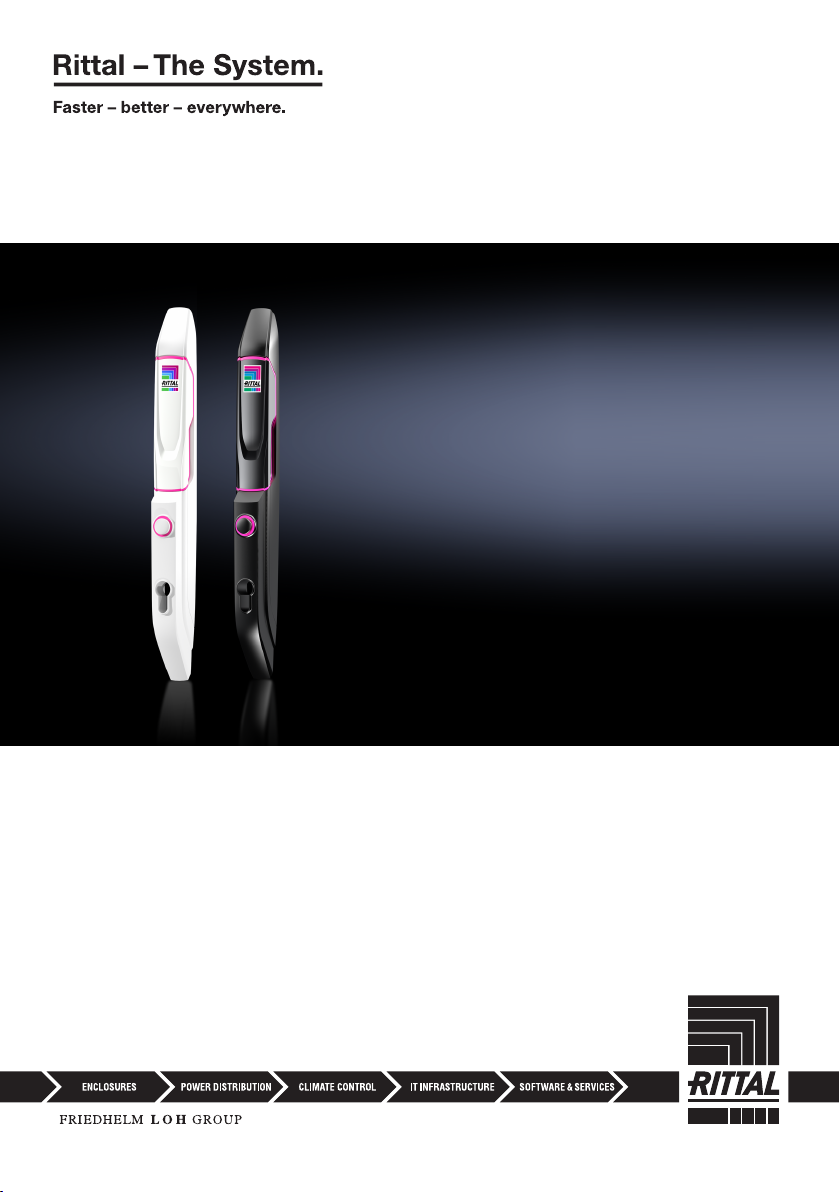
CMC III online comfort handle VX
Poignée Confort Online VX CMC III
DK7030.610
DK7030.611

2 Rittal CMC III Online-Komfortgri VX / Online comfort handle VX / Poignée Confort Online VX
Abbildungen / Figures / Figures
1x
1x
M4x12 1x1x M4x16
1x 4x16
M4x25
1x M5x8
1x
1x
1x
Abb./Fig./Fig.1: Beigelegtes Zubehör / Accessories supplied loose / Accessoires joints à la livraison
42
1
3
Abb./Fig./Fig.2: Bedien- und Anzeigeelemente / Operating and display elements / Organes de commande
et de signalisation
Abb./Fig./Fig.3: Sicherheitshinweise / Safety instructions / Consignes de sécurité

Rittal CMC III Online-Komfortgri VX / Online comfort handle VX / Poignée Confort Online VX 3
Abb./Fig./Fig.4: Montage Stahlblechtür VX und VX IT/ Mounting on the sheet steel door VX and VX IT /
Montage sur la porte en tôle d'acier VX et VX IT
168 mm
36 mm
Ø 4,5
Abbildungen / Figures / Figures
Kabelführung
Cable routing
Guide câble
Rechtsanschlag/Hinge on right/Porte avec charnières à droite
M4x12
Montage/Mounting/Montage
MA= 1,5 ±
0,5 Nm
Bohrbild/Drilling pattern/Gabarit de perçage
123
5 6a 6b4
168 mm
36 mm
Ø 4,5
Linksanschlag/Hinge on left/Porte avec charnières à gauche
Montage/Mounting/MontageBohrbild/Drilling pattern/Gabarit de perçage
123
5 6a 6b4
Kabelführung
Cable routing
Guide câble
M4x12
MA= 1,5 ±
0,5 Nm

4 Rittal CMC III Online-Komfortgri VX / Online comfort handle VX / Poignée Confort Online VX
182,5 mm
17,5 mm
Ø 4,5
Ø 4,5
182,5 mm
17,5 mm
Abb./Fig./Fig.5: Montage Sichttür VX / Mounting on the glazed door VX / Montage sur la porte vitrée VX
Abbildungen / Figures / Figures
Kabelführung
Cable routing
Guide câble
Rechtsanschlag/Hinge on right/Porte avec charnières à droite
M4x16
Montage/Mounting/Montage
MA= 1,5 ±
0,5 Nm
Bohrbild/Drilling pattern/Gabarit de perçage
1 2 3
5 6a 6b4
Linksanschlag/Hinge on left/Porte avec charnières à gauche
Montage/Mounting/MontageBohrbild/Drilling pattern/Gabarit de perçage
1 2 3
5 6a 6b4
Kabelführung
Cable routing
Guide câble
M4x16
MA= 1,5 ±
0,5 Nm

Rittal CMC III Online-Komfortgri VX / Online comfort handle VX / Poignée Confort Online VX 5
Abb./Fig./Fig.6: Montage Sichttür VX IT, belüftete Tür VX IT / Mounting on the glazed door VX IT, vented
door VX IT / Montage sur la porte vitrée VX IT, porte avec aération VX IT
156 mm
20,6 mm
Ø 4,5
156 mm
20,6 mm
Ø 4,5
Abbildungen / Figures / Figures
Kabelführung
Cable routing
Guide câble
Rechtsanschlag/Hinge on right/Porte avec charnières à droite
M4x25
Montage/Mounting/Montage
MA= 1,5 ±
0,5 Nm
Bohrbild/Drilling pattern/Gabarit de perçage
123
5 6a 6b4
Linksanschlag/Hinge on left/Porte avec charnières à gauche
Montage/Mounting/MontageBohrbild/Drilling pattern/Gabarit de perçage
123
5 6a 6b4
Kabelführung
Cable routing
Guide câble
M4x25
MA= 1,5 ±
0,5 Nm
ISO 7380
ISO 7380

6 Rittal CMC III Online-Komfortgri VX / Online comfort handle VX / Poignée Confort Online VX
Abb./Fig./Fig.7: Anschluss des Kabels am Komfortgri und Steckerbelegung / Connecting the cable to
the comfort handle and pin assignment / Raccordement du câble à la poignée Confort et
emplacement des fiches
Abb./Fig./Fig.8: Montage eines Sicherheitseinsatz Nr.3524E / Fitting lock insert no. 3524 E / Montage
d'une serrure N° 3524 E
Abb./Fig./Fig.9: Montage eines Profilhalbzylinders / Fitting a profile half-cylinder / Montage d'une serrure
demi-cylindre
P
in 1
P
in 6
P
in 6
P
in 1
M5x8
4x16
M5x8
4x16
Abbildungen / Figures / Figures

Rittal CMC III Online-Komfortgri VX 7
DE
1 Hinweise zur Dokumentation
Diese Installations- und Kurz-Bedienungsanleitung richtet sich an versiertes Fachpersonal und enthält
nur die wichtigsten Informationen zur Montage, Installation und Funktion des CMC III Online-Komfort-
gri VX (nachfolgend Komfortgri genannt).
1.1 Mitgeltende Unterlagen
Montage-, Installations- und Bedienungsanleitung CMCIII Online-Komfortgri VX.
Sie ist unter www.rittal.de verfügbar und enthält die vollständigen anwendungsrelevanten Informatio-
nen und technischen Daten zum Komfortgri in Hinblick auf:
– Weitere Montagemöglichkeiten
– Funktionen
– Konfigurationsmöglichkeiten
– Detaillierte Bedienungsanweisungen
– Fehlerbehebung
2 Sicherheitshinweise
– Montage und Installation des Komfortgri dürfen nur durch versiertes Fachpersonal erfolgen.
– Das Gehäuse des Komfortgries darf nicht geönet werden.
– Der Komfortgri darf nicht in Kontakt mit Wasser, aggressiven oder entzündbaren Gasen und
Dämpfen kommen.
– Der Komfortgri darf nur innerhalb der spezifizierten Umgebungsbedingungen betrieben werden
(vgl. Abschnitt3.4).
– Siehe auch Abb.3.
3 Produktbeschreibung
3.1 Funktionsbeschreibung
Der Komfortgri übernimmt die Funktion einer Türverriegelung, einer Grihebel-Überwachung und
einer optischen LED Statusanzeige. Für die Master-Key-Funktion ist der Einsatz eines Profilhalbzylin-
ders 40mm nach DIN18252 vorbereitet. Dieser kann als Notönung eingesetzt werden. Wird der
Grihebel geschlossen, verriegelt automatisch die im Komfortgri integrierte Verriegelungs-Mechanik.
Der Gri kann in das CMCIII-System eingebunden werden. Hierzu wird ein CMC III Access Control
(DK7030.202) benötigt, das im Bereich der entsprechenden Tür befestigt wird in Verbindung mit
einem Basissystem. Ein Basissystem kann eine CMC III Processing Unit (DK7030.000), eine CMCIII
Processing Unit Compact (DK7030.010), ein Rittal IoTInterface (SK3124.300) sowie eine Rittal PDU
(DK7979.xxx, außer PDU basic) sein. Die Freigabe des Gries kann in diesem Fall über das Basissys-
tem oder über optionale Zusatzsysteme erfolgen, z.B. ein Zahlencodeschloss (DK7030.222/.223)
oder einen Transponderleser (DK7030.232/.233). Der Komfortgri enthält eine Kennung, durch die er
automatisch vom Basissystem erkannt wird.
Alternativ kann die Önungssteuerung des Komfortgris auch über eine externe Steuerung erfolgen.
In diesem Fall wird sowohl die Versorgungsspannung als auch das Signal zum Önen des Grihebels
von der externen Steuerung über die SPS-Schnittstelle bereitgestellt.
3.2 Bestimmungsgemäße Verwendung
Der CMC III Online-Komfortgri VX dient ausschließlich zur Türverriegelung und der Grihebel-Über-
wachung. Er darf nur zusammen mit einem Basissystem und ggf. dem Access Control (DK 7030.202)
oder alternativ mit einer Ansteuerung über die SPS-Schnittstelle verwendet werden. Eine andere
Verwendung ist nicht bestimmungsgemäß.
Hinweise zur Dokumentation, Sicherheitshinweise, Produktbeschreibung

8 Rittal CMC III Online-Komfortgri VX
DE
3.3 Lieferumfang
– CMC III Online-Komfortgri VX
– Beigelegtes Zubehör (Abb.1)
– Installations- und Kurz-Bedienungsanleitung
3.4 Betriebsbedingungen
Der Komfortgri darf nur unter folgenden Betriebsbedingungen betrieben werden:
Betriebsbedingung CMCIII Online-Komfortgri VX
Temperatur-Einsatzbereich +5°C bis +55°C
Feuchtigkeits-Einsatzbereich 5% bis 70% relative Feuchte, nicht kondensierend
Schutzart IP 40 nach IEC 60 529
4 Montage
4.1 Montageanweisung
Die Montage des Komfortgris erfolgt gemäß Abb.4, Abb.5 bzw. Abb.6.
Hinweis:
Stecker mit den langen Kabeln unten in die Buchse einstecken. Stecker mit den kur-
zen Kabeln oben in die Buchse einstecken (vgl. Abb.7).
5 Installation und Bedienung
5.1 Bedien- und Anzeigeelemente
Die Bedien- und Anzeigeelemente sind in Abb.2 dargestellt.
Legende zu Abb.2
1 Grihebel
2 Taster
3 Master-Key (Profilhalbzylinder)
4 Multi-LED (Ring)
5.2 Installation
Hinweis:
Im Folgenden wird der Anschluss des Komfortgris an ein Basissystem inkl. Access
Control beschrieben. Informationen zum Anschluss über die SPS-Schnittstelle mit
einer externen Steuerung finden Sie in der Hauptanleitung auf www.rittal.de (vgl. Ab-
schnitt1.1).
◾ Trennen Sie zunächst den CAN-Bus am Access Control.
◾ Bringen Sie den Gri an der zu überwachenden Tür an (vgl. Abschnitt4.1 „Montageanweisung“).
◾ Verbinden Sie den Gri ggf. über das Anschlusskabel mit dem Access Control.
◾ Verbinden Sie ggf. ein Lesegerät über das Anschlusskabel mit dem Access Control.
◾ Schließen Sie den CAN-Bus am Access Control wieder an.
Anzeige der Statusänderung:
Produktbeschreibung, Montage, Installation und Bedienung

Rittal CMC III Online-Komfortgri VX 9
DE
– Beim CMC III Access Control blinken während der Initialisierung die beiden grünen sowie die
beiden roten CAN-Bus LEDs am CAN-Bus-Anschluss. Danach leuchten nur noch die grünen
LEDs.
– Die Multi-LED der Processing Unit blinkt dauerhaft in der Reihenfolge grün – orange – rot.
– Die Multi-LED des Access Control blinkt dauerhaft grün, wenn Grihebel und Tür geschlossen
sind. Ansonsten blinkt die Multi-LED rot.
– Die Multi-LED des Komfortgris zeigt blaues Dauerlicht, wenn Grihebel und Tür geschlossen
sind.
– Die Multi-LED des Komfortgris zeigt grünes Dauerlicht bei Freigabe des Grihebels.
– Die Multi-LED des Komfortgris zeigt gelbes Dauerlicht wenn Grihebel und/oder Tür geönet
sind.
◾ Bestätigen Sie je nach verwendetem Basissystem den Anschluss des Komfortgris.
Anzeige der Statusänderung an den CAN-Bus LEDs des Access Control:
– Dauerlicht grüne LEDs: Status CAN-Bus „OK“.
– Dauerlicht rote LEDs: Status CAN-Bus fehlerhaft.
Anzeige der Statusänderung an der Multi-LED der Processing Unit:
– Grünes Dauerlicht: Alle am CAN-Bus angeschlossenen Geräte haben den Status „OK“.
– Oranges Dauerlicht: Mindestens ein am CAN-Bus angeschlossenes Gerät hat den Status
„Warnung“.
– Rotes Dauerlicht: Mindestens ein am CAN-Bus angeschlossenes Gerät hat den Status „Alarm“.
Bei nicht erfolgreicher Installation: vgl. Abschnitt1.1.
5.3 Einstellungen
Standardmäßig ist für den Komfortgri der Mode „Access“ aktiviert. Die Konfiguration des Komfort-
gris erfolgt auf der Registerkarte Monitoring der Weboberfläche des Basissystems.
Weitere Informationen hierzu finden Sie in der Hauptanleitung zum Access Control (DK7030.202) auf
www.rittal.de (vgl. Abschnitt1.1).
Eventuell notwendige Softwareupdates: siehe www.rittal.de oder Anfrage bei Rittal Service (vgl.
Abschnitt6).
6 Service
Zu technischen Fragen wenden Sie sich bitte an:
Tel.: +49(0)2772 505-9052
E-Mail: [email protected]
Homepage: www.rittal.de
Bei Reklamationen oder Servicebedarf wenden Sie sich bitte an:
Tel.: +49(0)2772 505-1855
E-Mail: [email protected]
Installation und Bedienung, Service

10 Rittal CMC III online comfort handle VX
EN
1 Notes on documentation
This installation and short user guide is intended for experienced trained specialists and contains
only the most important information concerning the assembly, installation and function of the CMC III
online comfort handle VX (subsequently called comfort handle).
1.1 Other applicable documents
CMC III online comfort handle VX assembly and operating instructions.
It is available at www.rittal.com and contains the complete application-relevant information and tech-
nical data for the comfort handle with regard to:
– Further assembly possibilities
– Functions
– Configuration possibilities
– Detailed operating instructions
– Troubleshooting
2 Safety instructions
– Assembly and installation of the comfort handle may only be performed by experienced trained
specialists.
– The housing of the handle must not be opened.
– The comfort handle must not come in contact with water, aggressive or inflammable gases and
vapours.
– The comfort handle must only be operated within the specified environmental conditions (see
section3.4).
– See also fig.3.
3 Product description
3.1 Functional description
The comfort handle functions as a door latch, handle lever monitor and visual LED status display. A
40mm semi-cylinder to DIN 18 252 serves as the master key. This can be used to open the handle
in an emergency. If the lever handle is closed, the latch mechanism integrated into the comfort handle
locks automatically.
The handle can be incorporated into the CMCIII system. This requires a CMC III Access Control
(DK7030.202) which is attached near the door in conjunction with a base system. An example of a
base system might be a CMCIII Processing Unit (DK7030.000), a CMCIII Processing Unit Compact
(DK7030.010), a Rittal IoT Interface (SK3124.300) and a Rittal PDU (DK7979.xxx, except PDU
basic). In such cases, the handle can be released via the base system or using additional optional
systems such as a coded lock (DK7030.222/.223) or transponder reader (DK7030.232/.233). The
comfort handle has an identifier enabling it to be detected automatically by the base system.
Alternatively, the opening of the comfort handle can also be controlled via an external controller. In
such cases, the external controller provides both the supply voltage and the signal for opening the
lever handle via the PLC interface.
3.2 Proper use
The CMC III online comfort handle VX is only used for locking the door and monitoring the lever han-
dle. It may only be used in conjunction with a base system and, where applicable, the Access Control
(DK7030.2020) or alternatively with activation via the PLC interface. Any other use is not permitted.
Notes on documentation, Safety instructions, Product description
Otros manuales para CMC III VX
1
Este manual sirve para los siguientes modelos
3
Tabla de contenidos
Otros manuales de Hardware de red de Rittal


Manuales populares de Hardware de red de otras marcas

Matrix Switch Corporation
Matrix Switch Corporation MSC-HD161DEL Manual de usuario

B&B Electronics
B&B Electronics ZXT9-IO-222R2 Manual de usuario

Yudor
Yudor YDS-16 Manual de usuario

D-Link
D-Link ShareCenter DNS-320L Manual de usuario

Samsung
Samsung ES1642dc Instrucciones de uso

Honeywell Home
Honeywell Home LTEM-PV Instrucciones de montaje


