Rail King SW-8 Manual de usuario

PLEASE READ BEFORE USE AND SAVE
www.mthtrains.com
RAILKING SW-8
DIESEL ENGINE
OPERATOR’S MANUAL
Compatibility
This engine will operate on any
traditional O-27 Gauge track system,
including M.T.H.’s RealTrax® or
ScaleTrax™ or traditional tubular
track. It is also compatible with most
standard AC transformers. (See pages
46 and 47 for a complete list of
compatible transformers, power packs
and wiring instructions.)
Freight Yard Sound

This product may be protected by one or more of the following patents: 6,019,289; 6,280,278; 6,281,606;
6,291,263; 6,457,681; 6,491,263; 6,604,641; 6,619,594; 6,624,537; 6,655,640.
©2013, M.T.H. Electric Trains®, Columbia, MD 21046
CAUTION: ELECTRICALLY OPERATED PRODUCT:
WARNING: When using electrical products, basic safety precautions should be observed, including the following:
Read this manual thoroughly before using this device.
M.T.H. recommends that all users and persons supervising use examine the hobby transformer and other electronic equipment
periodically for conditions that may result in the risk of fire, electric shock, or injury to persons, such as damage to the primary cord,
plug blades, housing, output jacks or other parts. In the event such conditions exist, the train set should not be used until properly
repaired.
Do not operate your layout unattended. Obstructed accessories or stalled trains may overheat, resulting in damage to your layout.
This train set is intended for indoor use. Do not use if water is present. Serious injury or fatality may result.
Do not operate the hobby transformer with damaged cord, plug, switches, buttons or case.
Recommended for Ages 14 and up. Not recommended for children under 14 years of age without adult supervision. As with
all electric products, precautions should be observed during handling and use to prevent electric shock.
Table of Contents
Before you Begin..........................................................3
Set Up Checklist..........................................................3
Lubrication .............................................................3
PS 3.0 Enhancements......................................................4
Conventional AC/DC Start-up/Shut-down . . . . . . . . . . . . . . . . . . . . . . . . . . . . . . . . . 4
DCS/DCC Switch .......................................................4
Programming Track (for DCC operation) . . . . . . . . . . . . . . . . . . . . . . . . . . . . . . . . . . 5
Loading Engine Firmware.................................................5
LED Lighting............................................................5
Modes of Operation.......................................................5
Conventional AC Operation.........................................6
®
Proto-Sound 3.0 Conventional AC Operating Instructions . . . . . . . . . . . 7
®
Activating Proto-Sound 3.0 Conventional AC Mode Features. . . . . . . . . . 7
Manual Volume Control...........................................8
Marker Lights (if equipped).........................................8
PFA..............................................................9
Proto-Coupler™ Operation.........................................10
Speed Control ....................................................10
Ditch Lights (if equipped)..........................................11
Locking Locomotive Into A Direction . . . . . . . . . . . . . . . . . . . . . . . . . . . . . . . 11
Reset To Factory Default...........................................12
Automatic Sound Effects...........................................12
Conventional DC Operation.........................................12
DCS Operation....................................................13
DCC / Digital Command Control....................................13
Basic DCC Operation..............................................14
Start up / Shut Down..............................................14
Sounds...........................................................15
Lights............................................................15
Master Volume ...................................................16
Couplers .........................................................16
Forward/Reverse Signal ............................................16
Crossing Signal ...................................................16
Engine Sounds....................................................16
Additional F Functions ............................................17
Function Chart....................................................19
CV29.............................................................20
Long and Short Addressing.........................................20
Feature/Factory Resetting...........................................21
M.T.H. Proto-Sound® 3.0 Expanded DCC Functionality . . . . . . . . . . . . . . . . . . . . . . . 23
Advanced DCC Operation................................................23
Configuration Variables ..................................................23
Advanced Consisting.....................................................27
Programming Track......................................................30
Maintenance.............................................................33
Lubricating and Greasing Instructions. . . . . . . . . . . . . . . . . . . . . . . . . . . . . . . . . . . . . . 33
Cleaning The Wheels, Tires and Track. . . . . . . . . . . . . . . . . . . . . . . . . . . . . . . . . . . . . . 34
Traction Tire Replacement Instructions . . . . . . . . . . . . . . . . . . . . . . . . . . . . . . . . . . . . 35
Headlight Replacement Instructions .......................................37
®
Troubleshooting Proto-Sound 3.0 Problems . . . . . . . . . . . . . . . . . . . . . . . . . . . . . . . . 35
Transformer Compatibility and Wiring Chart. . . . . . . . . . . . . . . . . . . . . . . . . . . . . . . 43
DC Power Supply Chart..................................................44
Additional Features Accessible Of DCS Remote Control System . . . . . . . . . . . . . . 45
Service & Warranty Information...........................................46
Limited One-Year Warranty ..............................................46
Rev: _RK SW-8 Diesel 5/1/13

BEFORE YOU BEGIN:
By visiting the M.T.H. website, www.mthtrains.com, you will be able to view any
additional manual updates that affect your engine. Enter the MTH Item number of the
engine you want to check and select the manual icon to download or view it. You will
need Adobe Acrobat Reader to view the manual.
(Order online: www.mthtrains.com, e-mail: parts@mth-
railking.com,Fax: 410-423-0009, Phone: 410-381-2580, Mail: 7020 Columbia Gateway
Drive, Columbia MD 21046-1532).
Set Up Checklist
-Lubricate Engine
-Read all General Maintenance and Operation Instructions
-Apply power to run as described in the Modes of Operation
Lubrication
You should lubricate the engine to prevent it from squeaking and to prevent excessive
wear. Use light household oil and follow the lubrication points marked “L” (shown
below). Do not over-oil. Use only a drop or two on each pivot point.
You can obtain replacement parts and replacement instructions from the M.T.H.
Parts Department
RailKing SW- Diesel Engine w/Proto-Sound 3.0
3
8 ®
DO NOT
OVER OIL
DO NOT
OVER OIL
Figure 1: Lubrication Points on the Locomotive
Lubricate Pick Up Roller Axles (L)
Lubricate All Wheel Axles (L)

PS 3.0 Enhancements
®
There are 4 options for operating your MTH Proto-Sound 3.0-equipped engine;
-Conventional AC
-Conventional DC
-DCS [MTH Digital Command System]
-DCC
When the locomotive is placed on the track and power is applied to the track the
locomotive will detect the type of control system being used and respond accordingly.
Below is an overview of the 4 different systems.
NOTE: You’ll need to have the DCC/DCS switch set correctly if your using one of
those two modes.
®
Here are some of the exciting changes incorporated into your new MTH Proto-Sound
3.0 Locomotives. More advanced features such as Custom Speed Tables and Advanced
Consisting can be found in the DCC section of this manual.
Conventional (Analog) AC/DC Start-up/Shut-down
Your new MTH PS3.0-equipped locomotive no longer has batteries. It uses Super
Capacitors to hold the engine board alive for a short time when you shut off or
interrupt track power. Because of this, when you first apply track power to your PS3.0-
equipped O Gauge engine, you will notice the headlight comes on but nothing else.
This is perfectly normal. The capacitors are charging up during this time. The wait
time depends upon how long it’s been since you last applied power to the engine.
Typically it will take 1-15 seconds to fully charge. NOTE: The 1-15 second charging
wait time ONLY applies to conventional AC track power.
Once the headlight shuts off, the engine will play its start-up sounds and all the lights will
come back on, simultaneously. Smoke too if you have it turned on.
The capacitors hold enough charge to play the full shut-down sounds. Also, the
capacitors allow you to operate your engine in conventional mode just like you would
any other conventionally-controlled engine. Finally, because there are no batteries, you
will notice there is no external charge jack on the engine.
RailKing SW- Diesel Engine w/Proto-Sound® 3.0
4
8
DCS/DCC Switch
Figure 2: Changing from DCS to DCC Mode

DCS/DCC Switch
Your MTH PS3.0-equipped engine has a DCS/DCC selector switch (located on the
underside of the tender in steam engines). To operate the engine in DCS mode, ensure
the switch is set to DCS. If you wish to run the engine in DCC mode, ensure the
switch is set to DCC.
If you inadvertently leave the switch in DCC it won’t hurt anything, you just won’t be
able to communicate with your engine with your DCS system. Likewise, if you leave
the switch in DCS and try to operate the engine under DCC you may notice a
humming coming from your engine and you will likely notice that your DCC
system’s overload light will be on.
Programming Track (for DCC operation)
Your MTH PS3.0-equipped O Gauge engine can function on Programming Track
outputs from DCC systems. Most DCC systems can support the current requirements
of the engine as long as it’s not started up. If you plan on powering up the MTH
engine on your programming track, you may want to consider a DCC Programming
Track Booster.
Loading Engine Firmware
Your new MTH PS3.0-equipped O-Gauge engine affords you the ability to load Engine
firmware. Loader version 2.30 or later will allow you to do this. Please refer to the Loader
program’s instructions for more details. So, as MTH releases new features or updates you
will be able to take full advantage without having to ship your favorite engine anywhere.
All new updates are available on our website. MTH will make announcements as they are
available. Not all updates will apply to all engines.
NOTE: Requires a TIU w/ version 4.20 or later firmware, and requires Consumer
Loader version 2.30 or later.
LED Lighting
Gone are the incandescent bulbs. Your new PS3.0-equipped engine has LED lighting.
MTH uses various colored LEDs to simulate the correct lighting on your engines from
the warm, yellow-orange colored light coming out of an old lantern on your favorite
steam engine to the high-intensity halogen lamp on the latest modern diesels, LED's
allow for various, correct colors. Also, they require less power and do not emit as much
heat as incandescent bulbs.
Modes of Operation
The following pages have detailed descriptions of the 4 different modes of operation:
-Conventional AC
-Conventional DC
-DCS [MTH Digital Command System]
-DCC
RailKing SW- Diesel Engine w/Proto-Sound® 3.0
5
8

Conventional AC Operation
When using conventional AC power, the engine will respond to changes in track
voltage. An increase in track voltage will increase the locomotive speed and a
reduction in track voltage will reduce the engine speed.
A short interruption (approximately 1 to 2 seconds) in the track voltage will cause the
engine to cycle in the sequence for each track voltage interruption (neutral – forward –
neutral – reverse) When power is first applied to the track, the locomotive will be
silent for 1-20 seconds and the headlight will be on, indicating the super capacitors are
charging (The super capacitors provide power to the sound system during direction
changes or intermittent drops in track power due to dirty track switches, when
operating in conventional mode). When the super capacitors are charged, all the lights
will come on and the engine sounds will start up. There should be no movement, as
the engine is in neutral. Causing a short interruption of track power by using the
direction button on the transformer, or by bringing the throttle to 0 volts and back
again, will change the sequence to the forward state. Then increasing the throttle will
begin to move the engine forward, and speed will increase as the throttle is advanced.
If there is another interruption in track power the sequence will change to the neutral
position again. The engine will remain in the neutral state until there is another
interruption in track power. The next interruption in track power will move the
sequence to the reverse state. The engine will now move in the reverse direction. If the
power interruption was accomplished by using the direction button and the throttle
position was not changed, the engine will run in the reverse direction at the same
speed that it was traveling in the forward position.
Subsequent interruptions in track power of 1-2 seconds will continue the sequence
rotation. If you happen to interrupt track power for longer than about 2 seconds, the
engine will begin its shut down sounds. If this occurs you can cycle the direction
sequence again to get back to the direction you wish to move and once the engine
starts moving its shut down sounds will stop playing (SEE PAGE 7 (direction cycle
phases)).
In conventional AC operation the whistle sound, the bell sound, PFA sounds and
other operational functions can be accessed if your transformer has a horn/whistle
button and a bell button. By using combinations of button presses, different
commands besides blowing the whistle and ringing the bell can be initiated.
or on
RailKing SW- Diesel Engine w/Proto-Sound® 3.0
6
8

®
Proto-Sound 3.0 Conventional AC Operating
Instructions
®
Activating Proto-Sound 3.0 Conventional AC Mode Features
Throttle - To increase or decrease track voltage, and therefore train speed, turn the
throttle control knob. Turning clockwise will increase voltage and speed, while
turning counterclockwise will decrease voltage and speed. The engine will maintain
the speed you set after you release the throttle until you turn it again to change the
voltage and speed.
Bell - To sound the bell, in an engine equipped with a bell firmly press and release the
Bell button. To turn the bell off, press and release the Bell button again. The bell will
continue to ring from the time you turn it on until you press and release the button
again to turn it off.
Horn/Whistle - To sound the whistle, firmly press the Horn/Whistle button. The
whistle will sound for as long as you continue to depress the button. It will stop
when you release the button.
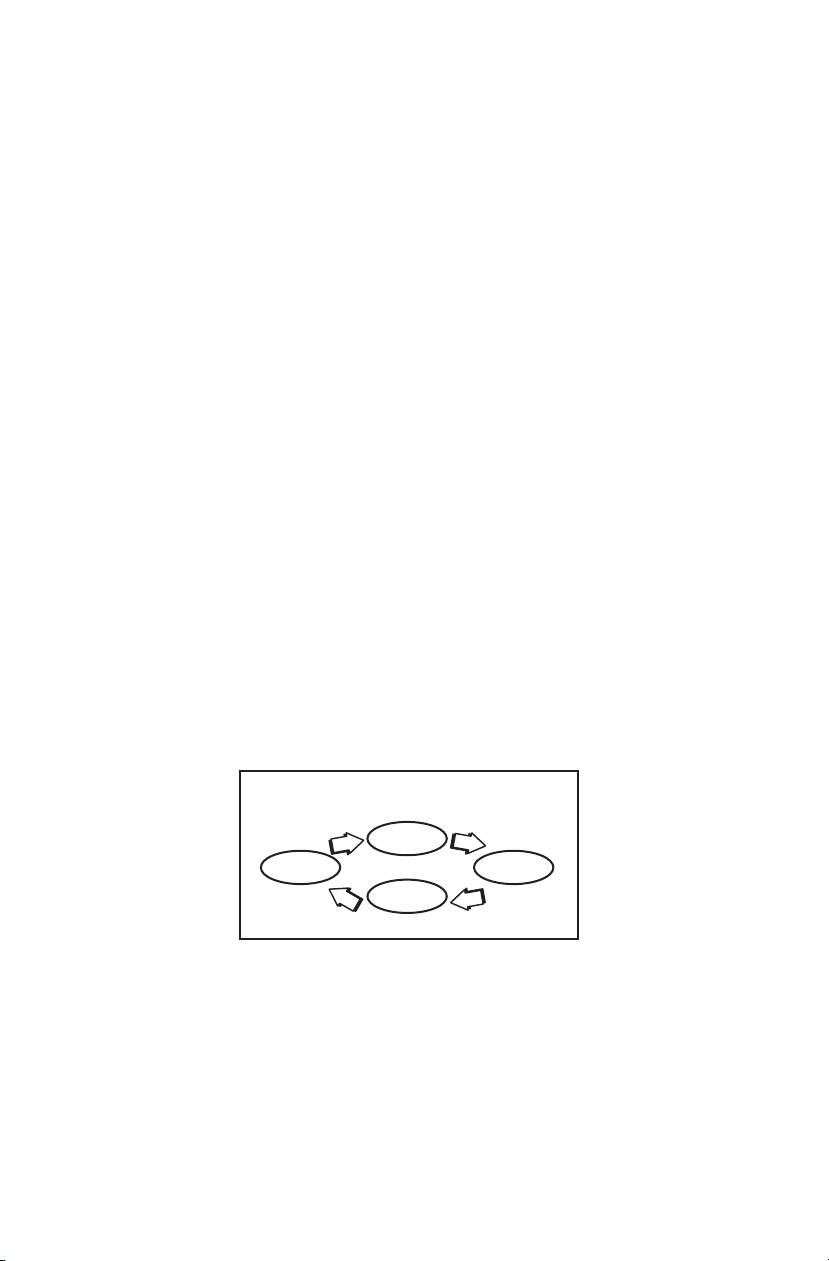
Direction - Your train is programmed to start in neutral. The train will always cycle
neutral-forward-neutral-reverse with each press and release of the direction button.
The engine is programmed to restart in neutral each time the track voltage is turned
off for 25 seconds or more.
Cycle Phases
Neutral
Neutral
ForwardReverse
RailKing SW- Diesel Engine w/Proto-Sound® 3.0
7
8

®
Proto-Sound 3.0
Manual Volume
Control Figure 3: Manual Volume Control
®
Proto-Sound 3.0 features are activated by sequences of Bell and Horn button pushes
described below. Please read the full descriptions of each feature before using it. To
use these buttons to activate features rather than to blow the horn or ring the bell,
you should tap the buttons very quickly with a ½-second pause between button
presses. You may need to practice your timing to make this work smoothly.
Timing Chart
Total Time Lapse: 1 Seconds½
Press
Horn
Short &
Firm
½ Sec.
Pause
½ Sec.
Pause
Press
Bell
Short &
Firm
Press
Bell
Short &
Firm
Manual Volume Control
To adjust the volume of all
sounds made by this engine,
turn the manual volume
control (fig. 3) clockwise to
increase the volume and
counterclockwise to reduce
the volume. Turning the
manual volume control
completely counterclockwise
will turn of all of the engine
sounds and announcements.
RailKing SW- Diesel Engine w/Proto-Sound® 3.0
8
8
Feature to Be Activated Button Code:
Marker Lights*
PFA (Passenger/Freight Announcements)
Fire the Rear Coupler
Fire the Front Coupler
Speed Control On/Off
Lock into a Direction
Ditch Lights (On/Off)*
Reset to Factory Defaults
1 Bell, 1 Horn/Whistles
1 Bell, 2 Horn/Whistles
1 Bell, 3 Horn/Whistles
1 Bell, 4 Horn/Whistles
1 Horn/Whistle, 2 Bells (from Neutral only)
1 Horn/Whistle, 3 Bells
1 Horn/Whistle, 4 Bells
1 Horn/Whistle, 5 Bells (from Neutral only)
*Only applicable to engines equipped with ditch and/or marker lights
Marker Lights (On/Off) (if equipped)
By default your Marker Lights are set to ON. To toggle the Marker Lights, perform
the following sequence on your AC transformer:
Marker Lights
(On/Off)
Horn
Place
Engine in
Neutral =
Bell

Your engine is equipped with a sound package of either passenger station announce-
ments or freight yard sounds that you can play when you pull into a station or a yard.
Each sequence described below will play as long as it is left on, randomly generating
sounds, but be sure to allow approximately 30 seconds between the button pushes
described below to allow the PFA sufficient time to run through each sequence.
•To cue the sound system to play the quickly but firmly tap the Bell
button once followed by 2 quick taps of the Horn button while the
engine is moving. Tap the buttons quickly but allow approximately
½ second between each press.
• Press the Direction button once to stop the engine. This will trigger the
first sequence of PFA. The reverse unit is temporarily disabled so that the
train will not move as you use the Direction button to trigger the sounds.
Proto-Sound 3.0 has disabled operator control over the Horn and Bell
buttons until the full PFA sequence is complete.
•After waiting about 30 seconds for that sequence to run, press the
Direction button again to trigger the second sequence of PFA.
•After about 30 seconds, press the Direction button again to trigger the
third PFA sequence.
•Again, after allowing about 30 seconds for that sequence to run, press the
Direction button one more time to trigger the fourth and final PFA
sequence. The PFA will continue and within a few seconds the bell will
begin ringing, then the engine will begin moving at the current throttle
setting, in the same direction it was traveling when you began the sequence.
Once the bell turns off, the operator regains control of the transformer's bell
and Horn buttons and can ring the bell or blow the Horn as usual.
PFA,
Passenger/Freight Announcements (PFA)
RailKing SW- Diesel Engine w/Proto-Sound® 3.0
9
8

™
Proto-Coupler Operation
This locomotive is equipped with one or more coil-wound Proto-Couplers for remote
®
uncoupling action. Because Proto-Couplers are controlled through the Proto-Sound
3.0 microprocessor, they do not require an uncoupling track section or modification to
your layout to function. You can fire a coupler from neutral or while in motion. Use
the code shown below (and in the chart on p. 24) to fire the coupler(s).
Rear Coupler:
To fire the rear coupler, quickly tap the Bell button once followed by three quick taps of
the Horn button, allowing approximately ½ second to lapse between each quick button
press. The sound of the liftbar and air line depletion will play, and the knuckle will be
released.
Front Coupler:
To fire the front coupler (if your engine has one), quickly tap the Bell button once followed by
four quick taps of the Horn button, allowing approximately ½ second to lapse between each
quick button press. The sound of the liftbar and air line depletion will play, and the knuckle
will be released.
Horn Horn
Fire
Rear
Coupler
=
Horn
Bell
Horn Horn
Fire
Front
Coupler
=
Horn Horn
Bell
Tips on Using PFA
•You can terminate PFA at any time by turning off power to the track for 15 seconds.
•You do not have to be in Forward to use PFA. At the conclusion of the full sequence,
the train will pull away from the station or yard in whatever direction you were going
when you activated the feature.
•You can use PFA even if you are double-heading with another engine. If the second
®
engine is not equipped with Proto-Sound 3.0, you must remember not to leave the
throttle at a high voltage level once you have stopped the engine to run the PFA.
Otherwise, the engine without PFA will begin vibrating on the track as its motors strain
to move the train, since they cannot be automatically disabled during the PFA cycle (or
®
if an original Proto-Sound engine, PFA are triggered differently and that engine's
®
motor-disable feature will not be active when you run PFA in Proto-Sound 3.0).
•PFA can be triggered from Neutral. It will operate the same as if triggered while in
motion except that, at the conclusion of the PFA, the engine will depart in the next
direction of travel, as opposed to the direction it was traveling before entering Neutral.
RailKing SW- Diesel Engine w/Proto-Sound® 3.0
10
8
M.T.H. engines equipped with Proto-Sound 3.0 have speed control capabilities that
allow the engine to maintain a constant speed up and down grades and around curves,
much like an automobile cruise control. You can add or drop cars on the run, and the
engine will maintain the speed you set.
Speed Control
Tabla de contenidos