
Quicktest microPAT Manual de usuario

microPAT
user manual

microPATCalibration
Your microPAT is calibrated for twelve months from the
date of purchase.
Have your microPAT re-calibrated with Quick Test any
time during the twelfth month and the calibration will be
valid for a full twelve months from the due date.
Contact calibration@quick-test.biz for details.
PAT Test Training
The Quick Test training team have successfully trained
thousands of people with all levels of experience.
We provide training in a professional and friendly
manner.
Contact training@quick-test.biz for details

1
Contents
Contents - - - 1
Introduction - - - 2
Features - - - 2
In-service Inspection & Testing 2
Overview - - - 3
Getting Started - - 4
Accessories - - - 4
Charging - - - 4
Battery Indication - - 4
Controls - - - 5
Results Display - - 5
Switched On Indicator - 5
Tests - - - - 6
Test Table - - - 6
Identifying Class 1 and Class 2 7
Testing a Class 1 Appliance 7
Testing a Class 2 Appliance 8
Testing an Extension Lead 9
Testing an IEC Lead - 10
User Cal Check - - 10
110V & 3-Phase Equipment 11
Specifications - - 12
Regulatory Information - 12
For your future reference please record your tester serial number:
Issue 1
MPAT -

2
Introduction
The microPAT Portable Appliance Tester provides the following features
in an attractive compact unit:-
Testing of Class 1 and Class 2 Appliances
Testing of IEC Leads
Testing of Extension Leads
It uses high tech electronics to ensure accurate and reliable operation
while being extremely simple and user friendly.
Features
In addition to carrying out the standard tests, the microPAT includes a
number of features:-
Additional 250V insulation test for surge protected extension leads
Tests different lengths of extension leads
Appliance 'switched on' check
User calibration check
In-service Inspection & Testing
Always carry out a full visual inspection of the appliance before
undertaking any tests. Although the microPAT is easy to operate, the HSE
recommend training to correctly carry out a regime of PAT testing.
Training with Quick Test will include guidance on what to look for when
carrying out a formal visual inspection, how to operate a PAT tester and
how often to carry out formal visual inspection and tests on appliances in
different environments.
Please contact Quick Test to arrange your training.

3
Overview
Charger
Connector
Results
Indicators
Test
Buttons
Battery/Charge
Indicator
IEC
Connector
Test Lead
Connector
Switched On
Indicator
Appliance
Socket

4
Getting Started
Accessories
The microPAT is supplied with the following accessories:-
Charger
Test Lead Set
Short IEC Lead ( used for testing extension leads )
Charging
The microPAT must only be charged with the supplied charger. It is
supplied partly charged but we suggest you charge your tester for at least
1 hour to boost the charge before using for the first time.
Your MicroPAT tester will perform in excess of 2000 tests per full battery
charge. It can also be used while plugged into the charger.
Battery Indicator
The Battery/Charging indicator will flash green for the
first hour when connected to the charger. This is a fast
charge period. After this the indicator will be a steady
green. To fully charge the microPAT it needs to be
charged for 24 hours. It is ok to leave it connected to
the charger.
If an incorrect charger is connected the indicator will flash red and green.
During testing if the battery is low, the indicator will flash red. When the
battery is too low for the microPAT to operate correctly the indicator will be
steady red and the test will stop.
WARNING
Under no circumstance must mains voltage be
connected to the microPAT

5
Controls
Results Display
Switched On Indicator
The microPAT is very simple to operate. The only controls
are four buttons used to select the required test.
To operate, simply press and release the appropriate test
button.
The indicator next to the test button will flash amber while
the test is being performed.
The test results are displayed for ten seconds after the test
is completed, the microPAT then shuts down.
When the test is complete the results appear on the results display.
If all the required tests pass, the green PASS indicator will light up.
If any of the required tests are a fail, the corresponding red FAIL indicator
will light up.
Additionally the indicator next to the test button will be green or red.
A new test can be started as soon as the results are being displayed,
there is no need to wait until the microPAT has shut down.
Any appliance switch must be in the ‘on’ position during
testing.
When testing Class 1 or Class 2, the microPAT will attempt
to determine if the appliance is switched on.
If it is unable to detect the appliance is switched on, the
‘Switched on ?’ indicator will flash red. If the appliance is
then switched on within five seconds the test will continue.
However because of the design of some appliances it is not
always possible for the tester to determine if it is switched
on. In this case pressing the corresponding test button will
continue the test immediately.

6
Tests
The microPAT carries out three different types of test. The actual tests
carried out depend on the equipment connected to the tester.
Earth Continuity
The earth continuity test measures the electrical resistance from the earth
pin of the mains plug to an earthed point on the appliance. This has to
have a very low electrical resistance to provide safe earth protection.
Insulation Resistance
The insulation resistance applies a high voltage ( 500V ) to the live and
neutral connections. This is then used to measure the electrical resistance
of the appliance to earth, or any exposed metal part.
This resistance has to be very high to protect the user.
Insulation Resistance - Surge Protected Extension Leads
The microPAT features an option to perform this test at 250V, this avoids
false fail indications when testing surge suppressed extension leads.
Polarity
This is used for extension leads and IEC leads. It checks that there is
correct connection between the live and neutral conductors through the
lead.
Test Table
Test Selected Earth Continuity Insulation
Resistance Polarity
Class 1 Y500V N
Class 2 N500V N
Cable Y500V Y
Cable Surge Y250V Y

7
Identifying Class 1 and Class 2
Testing a Class 1 appliance
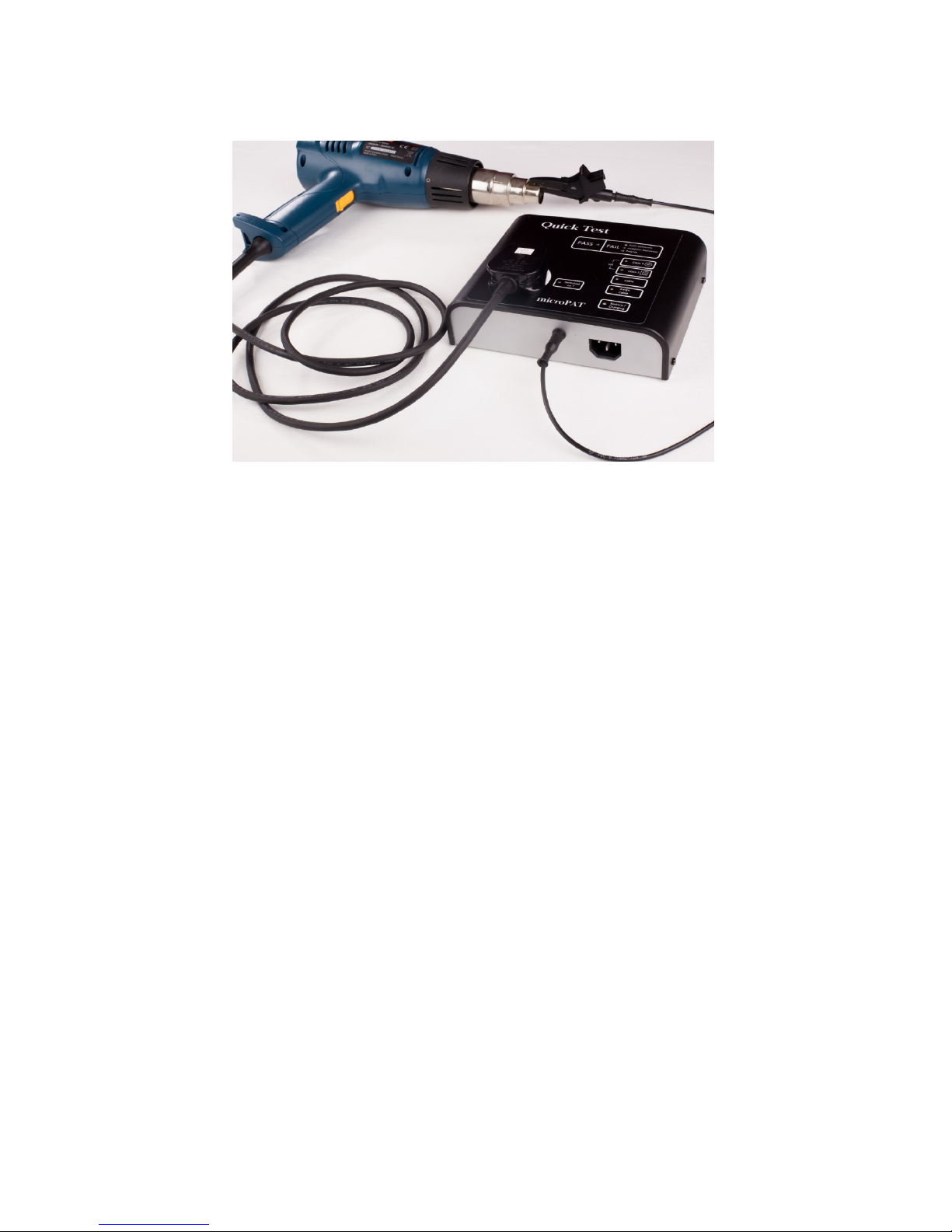
1. Plug the test lead into the tester
2. Plug your class 1 appliance into the socket on top of the tester
3. Connect the crocodile clip or probe to some exposed metal on the
appliance
4. Press the Class 1 button
If the appliance is not switched on, the ‘ Switched on? ’ indicator will flash
to prompt you to do so. If the appliance is then switched on the tester will
proceed with the test. If it is not possible to switch the appliance on, press
the Class 1 button again to proceed with the test. The Class 1 test button
will flash amber while the test is underway.
When the test is finished, either the green PASS indicator will light up, or
the appropriate red FAIL indicators will light up. The Class 1 button will
also be green or red.
If the Class 1 appliance has no accessible metal part (including fixing
screws), then test as Class 2.
Class 1 appliances use an earth connection as a means
of protection.
Class 2 appliances do not use an earth connection. They
are frequently referred to as ‘double insulated’.
Class 2 appliances display the ‘double box’ symbol. Class 2 Symbol
8
Testing a Class 2 appliance
1. Plug the test lead into the tester
2. Plug your class 2 appliance into the socket on top of the tester
3. Connect the crocodile clip or probe to any exposed metal on the
appliance
4. Press the Class 2 button
If the appliance is not switched on, the ‘ Switched on? ’ indicator will flash
to prompt you to do so. If the appliance is then switched on the tester will
proceed with the test. If it is not possible to switch the appliance on, press
the Class 2 button again to proceed with the test. The Class 2 test button
will flash amber while the test is underway.
When the test is finished, either the green PASS indicator will light up, or
the appropriate red FAIL indicators will light up. The Class 2 button will
also be green or red.
Tabla de contenidos
Otros manuales de Equipo de prueba de Quicktest


Manuales populares de Equipo de prueba de otras marcas

SMART
SMART KANAAD SBT XTREME 3G Series Manual de usuario

Agilent Technologies
Agilent Technologies BERT Serial Manual de usuario

Agilent Technologies
Agilent Technologies N3280A Manual de usuario

Vernier
Vernier Go Direct Voltage Manual de usuario

Lifeloc
Lifeloc R.A.D.A.R. Manual de usuario

Fluke
Fluke T5-600 Instrucciones de funcionamiento e instalación


