
Q2 QT0010 Manual de usuario

MARQUE : Q2
REFERENCE : QT0010
CODIC : 3694232
FRA
DEU
ESP
ITA
SVE
NED
ENG
Guía de inicio rápido
Quick Start Guide
Kurzanleitung
Guide de démarrage rapide
Guida rapida
Snelstartgids
Snabbstartguide
INTERNET RADIO EINSTELLEN
CONFIGUREZ VOTRE RADIO INTERNET
CONFIGURATE LA VOSTRA INTERNET RADIO
INSTALE LA RADIO EN INTERNET
STEL UW INTERNETRADIO IN
SETUP YOUR INTERNET RADIO

INTERNET RADIO EINSTELLEN
CONFIGUREZ VOTRE RADIO INTERNET
CONFIGURATE LA VOSTRA INTERNET RADIO
INSTALE LA RADIO EN INTERNET
STEL UW INTERNETRADIO IN
STÄLL IN DIN INTERNETRADIO
SETUP YOUR INTERNET RADIO
NON COLLEGATE IL DISPOSITIVO
AL COMPUTER
DO NOT CONNECT TO COMPUTER
NICHT AM COMPUTER ANSCHLIEßEN
NE PAS CONNECT A L'ORDINATEUR
NO LA CONECTE AL ORDENADOR
NIET AANSLUITEN OP EEN COMPUTER
ANSLUT INTE TILL DATOR

1
INTERNET RADIO EINSTELLEN
CONFIGUREZ VOTRE RADIO INTERNET
CONFIGURATE LA VOSTRA INTERNET RADIO
INSTALE LA RADIO EN INTERNET
STEL UW INTERNETRADIO IN
STÄLL IN DIN INTERNETRADIO
SETUP YOUR INTERNET RADIO
NON COLLEGATE IL DISPOSITIVO
AL COMPUTER
DO NOT CONNECT TO COMPUTER
NICHT AM COMPUTER ANSCHLIEßEN
NE PAS CONNECT A L'ORDINATEUR
NO LA CONECTE AL ORDENADOR
NIET AANSLUITEN OP EEN COMPUTER
ANSLUT INTE TILL DATOR
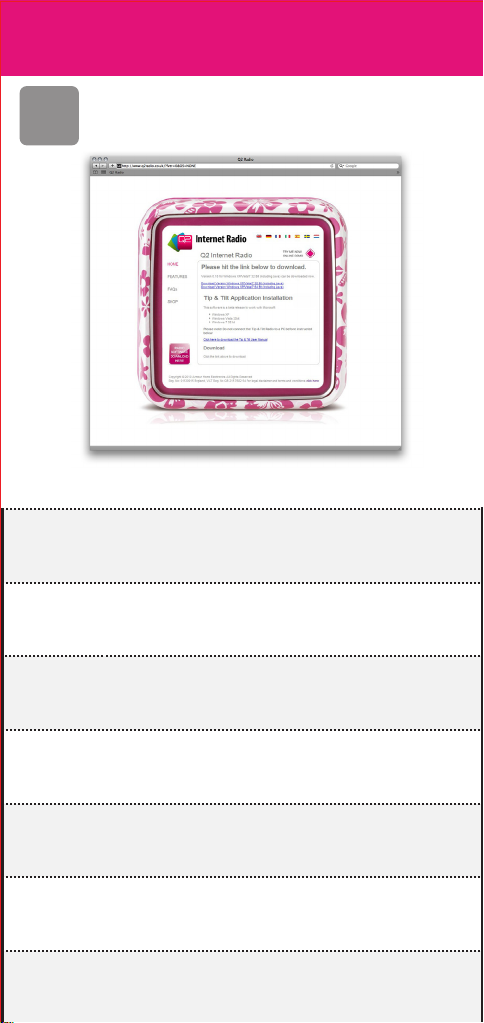
Vai a www.q2rad.io/download
Go to www.q2rad.io/download
Navigieren Sie zu www.q2rad.io/download
Aller à www.q2rad.io/download
Vaya a la www.q2rad.io/download
Ga naar www.q2rad.io/download
Gå till www.q2rad.io/download
2
NON COLLEGATE IL DISPOSITIVO
AL COMPUTER
DO NOT CONNECT TO COMPUTER
NICHT AM COMPUTER ANSCHLIEßEN
NE PAS CONNECT A L'ORDINATEUR
NO LA CONECTE AL ORDENADOR
NIET AANSLUITEN OP EEN COMPUTER
ANSLUT INTE TILL DATOR
Vai a www.q2rad.io/download
Go to www.q2rad.io/download
Navigieren Sie zu www.q2rad.io/download
Aller à www.q2rad.io/download
Vaya a la www.q2rad.io/download
Ga naar www.q2rad.io/download
Gå till www.q2rad.io/download
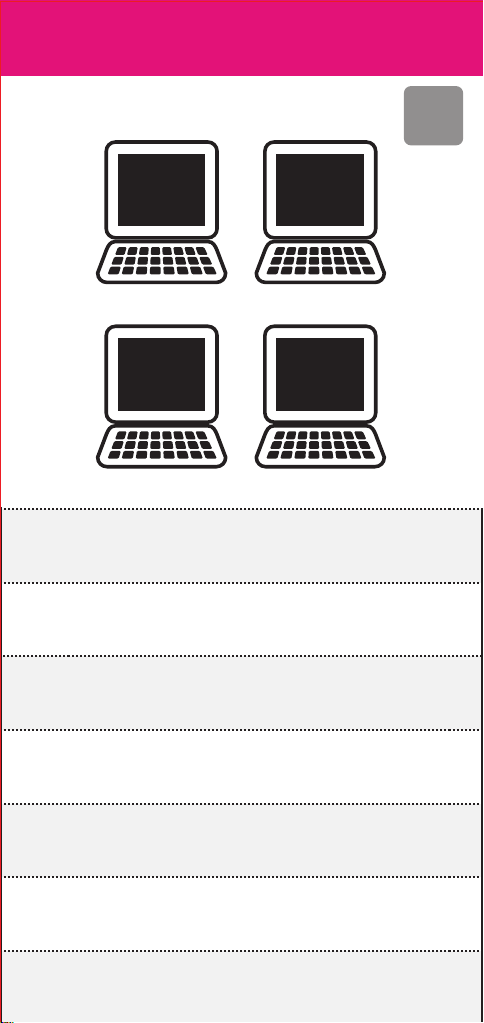
Installate l'applicazione sul vostro computer
Install the application for your computer
Software für Computer installieren
Installez l'application pour votre ordinateur
Instale la aplicacion para
su ordenador
Installeer de applicatie voor uw computer
Installera programmet för din dator
XP
Windows
VISTA
Windows
7
Windows
10.5/10.6
MAC OS X
3
Vai a www.q2rad.io/download
Go to www.q2rad.io/download
Navigieren Sie zu www.q2rad.io/download
Aller à www.q2rad.io/download
Vaya a la www.q2rad.io/download
Ga naar www.q2rad.io/download
Gå till www.q2rad.io/download
Installate l'applicazione sul vostro computer
Install the application for your computer
Software für Computer installieren
Installez l'application pour votre ordinateur
Instale la aplicacion para
su ordenador
Installeer de applicatie voor uw computer
Installera programmet för din dator
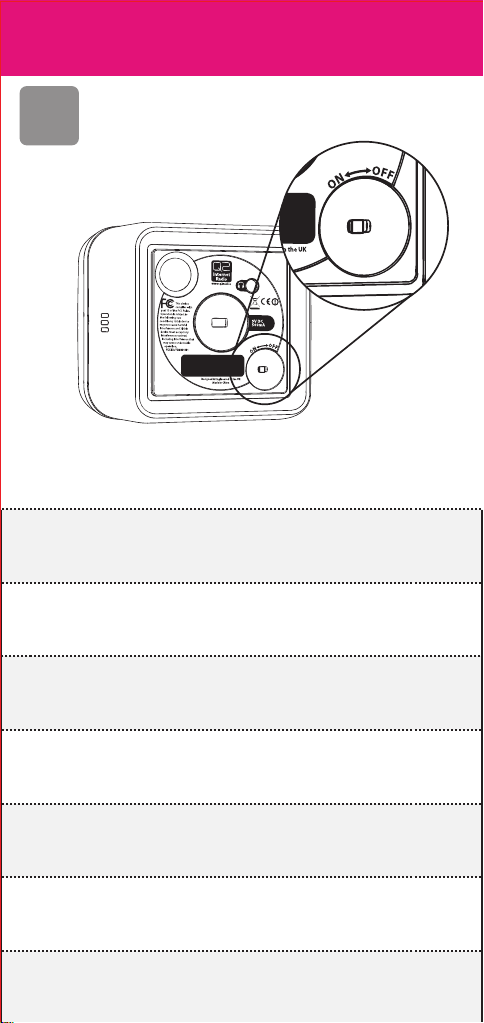
Accendete la internet radio
Switch your internet radio on
Internet Radio einschalten
Allumez votre radio internet
Encienda su radio en internet
Zet uw internetradio aan
Sätt igång din internetradio
4
Installate l'applicazione sul vostro computer
Install the application for your computer
Software für Computer installieren
Installez l'application pour votre ordinateur
Instale la aplicacion para
su ordenador
Installeer de applicatie voor uw computer
Installera programmet för din dator
Accendete la internet radio
Switch your internet radio on
Internet Radio einschalten
Allumez votre radio internet
Encienda su radio en internet
Zet uw internetradio aan
Sätt igång din internetradio
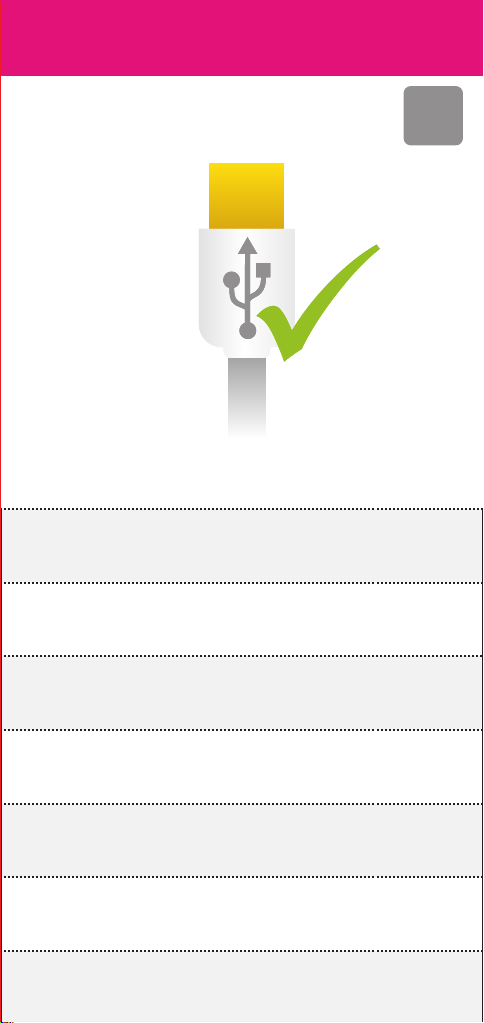
Collegatela al vostro computer
con il cavo USB fornito
Connect to your computer
with the supplied USB cable
Über mitgeliefertes USB-Kabel am
Computer anschließen
Connectez votre ordinateur avec le cable USB fourni
Conecte su ordenador con el cable USB
que viene incluido
Met de meegeleverde USB-kabel aansluiten op uw
computer
Anslut till datorn med den
medföljande USB-kabeln
5
Accendete la internet radio
Switch your internet radio on
Internet Radio einschalten
Allumez votre radio internet
Encienda su radio en internet
Zet uw internetradio aan
Sätt igång din internetradio
Collegatela al vostro computer
con il cavo USB fornito
Connect to your computer
with the supplied USB cable
Über mitgeliefertes USB-Kabel am
Computer anschließen
Connectez votre ordinateur avec le cable USB fourni
Conecte su ordenador con el cable USB
que viene incluido
Met de meegeleverde USB-kabel aansluiten op uw
computer
Anslut till datorn med den
medföljande USB-kabeln
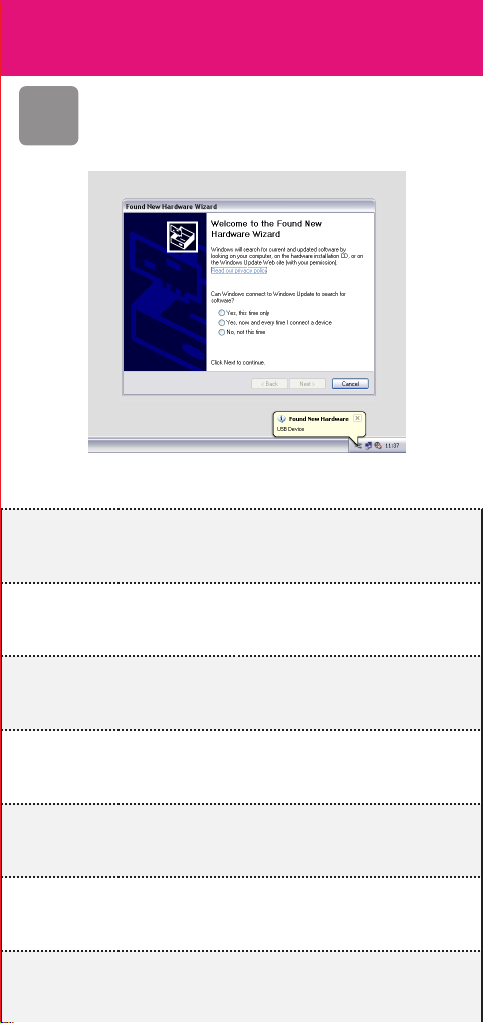
Seguite i suggerimenti sullo schermo per installare
i driver (solo per Windows), fate riferimento al sito web
per ulteriori dettagli.
Follow the on-screen prompts to install
the driver (Windows only). Refer to website
for details
Folgen Sie den Bildschirmanleitungen zur Installation
des Treibers (nur Windows), siehe Website für weitere
Einzelheiten.
Suivez les instructions à l'écran pour installer le pilote
(Windows seulement), reportez-vous au site Web pour
plus de détails.
Siga las instrucciones de las ventanas emergentes para
instalar el driver (sólo en ambiente Windows), vaya al
sitio web para obtener más información
Volg de aanwijzingen op het scherm om het
stuurprogramma te installeren (alleen Windows), kijk op
de website voor meer details.
Följ instruktionerna på skärmen för att installera
drivrutinen (enbart Windows), gå till webbplatsen för
mer information.
6
Collegatela al vostro computer
con il cavo USB fornito
Connect to your computer
with the supplied USB cable
Über mitgeliefertes USB-Kabel am
Computer anschließen
Connectez votre ordinateur avec le cable USB fourni
Conecte su ordenador con el cable USB
que viene incluido
Met de meegeleverde USB-kabel aansluiten op uw
computer
Anslut till datorn med den
medföljande USB-kabeln
Seguite i suggerimenti sullo schermo per installare
i driver (solo per Windows), fate riferimento al sito web
per ulteriori dettagli.
Follow the on-screen prompts to install
the driver (Windows only). Refer to website
for details
Folgen Sie den Bildschirmanleitungen zur Installation
des Treibers (nur Windows), siehe Website für weitere
Einzelheiten.
Suivez les instructions à l'écran pour installer le pilote
(Windows seulement), reportez-vous au site Web pour
plus de détails.
Siga las instrucciones de las ventanas emergentes para
instalar el driver (sólo en ambiente Windows), vaya al
sitio web para obtener más información
Volg de aanwijzingen op het scherm om het
stuurprogramma te installeren (alleen Windows), kijk op
de website voor meer details.
Följ instruktionerna på skärmen för att installera
drivrutinen (enbart Windows), gå till webbplatsen för
mer information.
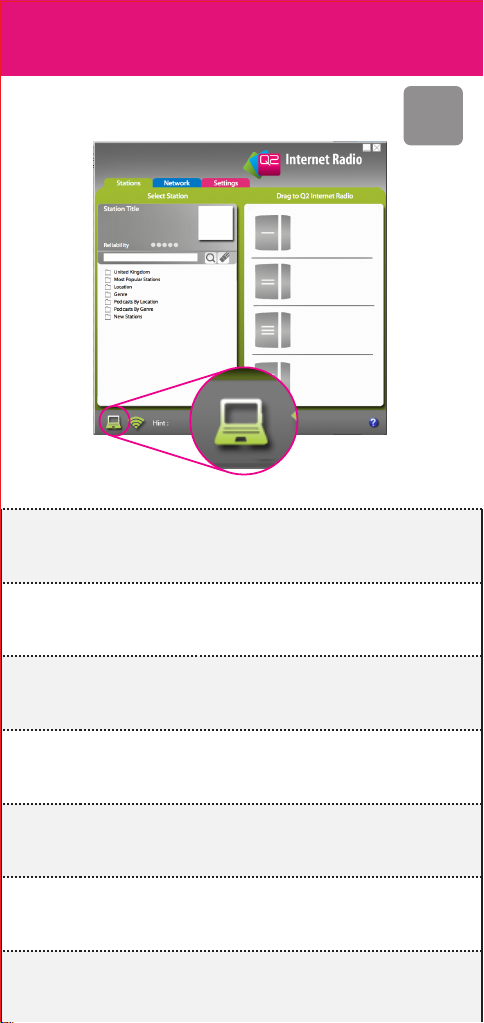
Controllate che la radio sia collegata al computer.
Check your radio is connected
to your computer
Vergewissern Sie sich, dass Ihr Radio am Computer
angeschlossen ist
Vériez que votre radio est connectée
à votre ordinateur
Verique que la radio está conectada a su ordenador
Kontrollera att din radio är ansluten till datorn
Controleer of uw radio is aangesloten op uw computer
7
Seguite i suggerimenti sullo schermo per installare
i driver (solo per Windows), fate riferimento al sito web
per ulteriori dettagli.
Follow the on-screen prompts to install
the driver (Windows only). Refer to website
for details
Folgen Sie den Bildschirmanleitungen zur Installation
des Treibers (nur Windows), siehe Website für weitere
Einzelheiten.
Suivez les instructions à l'écran pour installer le pilote
(Windows seulement), reportez-vous au site Web pour
plus de détails.
Siga las instrucciones de las ventanas emergentes para
instalar el driver (sólo en ambiente Windows), vaya al
sitio web para obtener más información
Volg de aanwijzingen op het scherm om het
stuurprogramma te installeren (alleen Windows), kijk op
de website voor meer details.
Följ instruktionerna på skärmen för att installera
drivrutinen (enbart Windows), gå till webbplatsen för
mer information.
Controllate che la radio sia collegata al computer.
Check your radio is connected
to your computer
Vergewissern Sie sich, dass Ihr Radio am Computer
angeschlossen ist
Vériez que votre radio est connectée
à votre ordinateur
Verique que la radio está conectada a su ordenador
Kontrollera att din radio är ansluten till datorn
Controleer of uw radio is aangesloten op uw computer
Cliccate e spostate la stazione scelta.
Click and drag your network
Klicken und kopieren Sie Ihr Netzwerk
Cliquez et faites glisser votre réseau
Clic en la opción mis sitios de red y arrástrela
Klik en sleep uw netwerk
Klicka och dra för ditt nätverk
Este manual sirve para los siguientes modelos
1
Otros manuales de Radio de Q2


