protech XC5078 Manual de usuario

LAN
TESTER
DATA
HOLD
2000
DISPLAY
COUNT
CAT III
600V
LIFETIME
WARRANTY
Network
Cable Tester
Digital Multimeter
SPECIALIST

PAGE INTENTIONALLY LEFT BLANK
2

Network Cable Tester
Digital Multimeter User Manual
XC5078
Thank you for purchasing this Network Cable Tester Digital Multimeter.
This innovative combination LAN tester and multimeter is ideal for network
installers or technicians. It allows for easy checking of cable integrity and
measurement of AC & DC voltage and current, resistance and continuity.
Cables can be checked for continuity, open circuits, short circuits and cross
connects. Utlise the remote tester to check wall jacks or patch panels.
Please familiarise yourself with the functions of the multimeter before use. We
recommend retaining this manual for ease of reference.
• Improper use of this meter can cause damage, shock, injury or death.
• Always remove the test leads before replacing the battery or fuses.
• Before using the meter, please inspect the condition of the test leads and the
meter itself for any damage. If damage is present, please discontinue use.
• Do not measure voltage if the voltage on the terminals exceeds 1000V above
earth ground.
• Use great care if voltages are greater than 30VAC RMS. Anything above this
is considered a shock hazard.
• Do not apply voltage to the meter when the resistance is selected.
• Do not exceed the maximum limits of the input values shown in the
specication tables on pages 9-11 of this manual.
• Remove the batteries from the meter if it will be unused for an extended
period of time.
3

FUNCTIONS
Max. Display 2000 Count
Basic Accuracy 0.5%
DC Voltage Range 200mV - 600V
AC Voltage Range 200mV - 600V
DC Current Range 2mA - 200mA
AC Current Range 2mA - 200mA
Resistance 200Ω - 20MΩ
Diode Test Yes
Remote Terminator Yes
LAN Tester Yes
Base-T Test Yes
Modular Cable Test Yes
Coaxial Cable Test Yes
Remote Test Yes
Max Hold Yes
Data Hold Yes
Autoranging Yes
Auto Power Off Yes
4

The battery compartment is at the rear of the multimeter.
Positive Input Jack
Function Switch
Test Button
On/Off Button
LAN LED Display
Auto/Manual
Ranging Button
LCD Screen
Jack RJ45
Jack RJ45
Remote
Terminator
COM Input Jack
Mode Button
Hold Button
Max Hold Button
5

FUNCTIONS
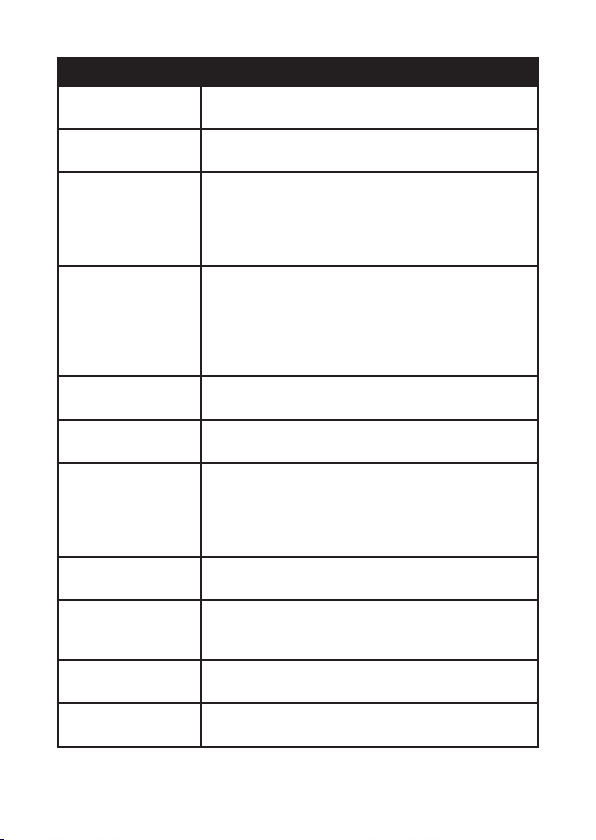
LAN LED Display Displays test results for sourcing end (Jack 1) and
receiving end (Jack 2).
Remote Terminator Uses a combination of LED lights to indicate
results at receiving end.
Autoranging/
Manual
For use with the LAN testing function. The upper
row of LEDs will start to scan in sequence if the
Auto/Manual button is set on “Auto” mode.
The LED for pin 1 will light up if the button is in
manual mode.
Max Hold To hold the highest measurement/reading on
the screen of the multimeter:
• Press the MAX hold button. The meter will not
change as the readings change.
• Press the MAX hold button again to deactivate
the function.
Hold Button Press the “HOLD” button to lock readings as
displayed on the screen. Press again to unlock.
Test Button In manual mode, pressing the square “Test”
button will advance testing to the next pin.
Mode The MODE button helps you to move through
various operations with various icons displayed
on screen. It works in conjunction with the
function switch to measure things like resistance,
continuity, and AC/DC current measurements.
Multimeter LCD
Display
Readings and measurements taken by the
multimeter appear in this area.
On/Off Button This is the LAN Tester Power Switch. Use it to
switch between multimeter and LAN tester
functionality.
Auto Power Off The multimeter will automatically turn off after
15 minutes of inactivity.
Low Battery BAT will appear on screen when battery power is
low and the battery needs replacing.
6

AC & DC VOLTAGE MEASUREMENT
Do not measure AC/DC voltages if a motor on the circuit is being
switched on or off. Large voltage surges may occur that can damage the
meter.
1) Insert the black test lead into the negative COM input jack.
2) Insert the red test lead into the positive V input jack.
3) Set the function switch to the VAC or VDC position.
4) Connect the test leads in parallel to the circuit under test.
5) Read the voltage measurement displayed on the LCD screen.
AC & DC CURRENT MEASUREMENT
Use the proper terminals, function and range for any current
measurement.
1) Set the function switch:
• For current measurements up to 2000µA AC/DC, set the function switch
to the mA position.
• If the range of the measured current is not known, select the higher
range rst, then move to the lower range if necessary.
2) Insert the black test lead into the negative COM input jack.
3) Insert the red test lead into the positive V input jack.
4) Press the mode button to select AC or DC measurement.
5) Remove power from the circuit under test, then open up the circuit at
the point where you wish to measure current.
6) Touch the black test probe tip to the negative side of the circuit and
touch the red test probe tip to the positive side.
7) Apply power to the circuit.
8) Read the measurements displayed on the screen.
Function Switch Select a measurement range by turning the
switch to the preferred option.
Input Jacks • V: positive input jack
• COM: negative input jack
7

DIODE TEST & CONTINUITY MEASUREMENT
To avoid electric shock, never measure continuity on circuits or wires that
have voltage on them.
1) Insert the black test lead banana plug in tothe negative COM input
jack.
2) Insert the red test lead banana plug into the positive V input jack.
3) Turn the function switch to the position.
4) To perform the diode test, press the mode button until appears on
the screen.
5) Touch the test probes to the diode under test. Forward voltage will
indicate 0.4V to 0.7V. Reverse voltage will indicate OL. Shorted devices
will display 0mV and an Open device will indicate OL in both polarities.
6) To measure continuity, press the mode button until appears on the
screen.
7) Touch the test probe tips to the circuit or wire you wish to test. If
the resistance is less than approximately 150Ω, an audible signal will
sound. If the circuit is open, the display will indicate OL.
RESISTANCE MEASUREMENT
To avoid electric shock, disconnect power to the unit under test and
discharge all capacitors before taking any resistance measurements.
Remove the batteries and unplug the line cords.
1) Insert the black test lead banana plug into the negative COM input
jack.
2) Insert the red test lead banana plug into the positive V input jack.
3) Turn the function switch to the Ω position.
4) Touch the test probe tips across the circuit or component under test
so that the rest of the circuit will not interfere with the resistance
reading.
5) For resistance tests, read the resistance on the LCD display.
8

10 BASE-T TEST
1) Plug one end of the tested cable into the transmitting RJ45 jack on
the master unit and the other end of the cable into the remaining
receiving RJ45 jack.
2) Slide power switch on. The upper row of LEDs will start to scan in
sequence if the Auto/Manual button is set on “Auto” mode. The LED
for pin 1 will light up if the button is in “Manual” mode.
3) Switch back and forth from Auto or Manual scanning mode by
pressing the Auto/Manual button on the side of the master-testing
unit.
4) Once both ends of the cable are plugged in properly, the second row
of LEDs will illuminate according to the corresponding LEDs in the top
row.
5) Read the results of the LED display for the pin conguration status of
the tested cable. If you fail to read the results the rst time in Auto
mode, you may wait for the second LED scan, or simply switch to
Manual mode for pin by pin testing. In Manual mode, pressing the
square “Test” button will advance testing to the next pin.
RJ11 MODULAR CABLE TEST
Please follow directions for the UTP/STP Cable Test and refer to the
sample test results on page 9 for the correct LED pin out display.
COAXIAL CABLE TEST
The center pin of BNC should be read on LED 2. As the coaxial cable has
only two wires, we suggest you read the result of the LED scan using
Manual mode.
REMOTE TEST
The LED display on the remote unit will scan in sequence, corresponding
to the transmitting end of the master unit.
1) Plug one end of the tested cable to the transmitting RJ45 jack on the
master unit and plug the other end into the remote terminator. If the
tested cable is installed in a patch panel or wall plate, you may use the
included patch cable to solve the connector gender problem.
2) Set the Auto/Manual switch to Auto mode for one-person testing.
3) Read the test results from the LED display on remote terminator.
9

SAMPLE TEST RESULTS
1 2 3 4 5 6 7 8 G
1) Continuity: Pin 2 has continuity
1 2 3 4 5 6 7 8 G
2) Open: Pin 2 is opened
1 2 3 4 5 6 7 8 G
3) Short: Pin 2 and Pin 3 are shorted
1 2 3 4 5 6 7 8 G
4) Miswire: Pin 3 and Pin 6 are miswired
RANGE ACCURACY
200mV ±(0.5% reading + 3 digits)
2V
±(1.0% reading + 3 digits)
20V
200V
600V
MEASUREMENT SPECIFICATIONS
The following guide is based on an environmental temperature of
18-28°C and humidity <80%.
DC VOLTAGE
10
Tabla de contenidos
Manuales populares de Comprobador de cables de otras marcas

Radiodetection
Radiodetection RD8100 Manual de usuario

Vonaq
Vonaq EasyCheck 900 Manual de usuario

Softing
Softing CableMaster CM200 Manual de usuario

Microtest
Microtest 8751 Manual de usuario

Psiber Data Systems
Psiber Data Systems 20 Manual de usuario

Platinum Tools
Platinum Tools LANSeeker TP500C Manual de usuario