
Powerplus AP-8220 Guía de configuración

1
AP-8220 Thermo-Printer
How to use & set up ETHERNET
1. Connection of Ethernet
1) Host <-> Printer
-Lan Cable : Use of cross Cable
-This is a method of communication without Hub and it will make possible
only 1:1 communication with the Host

2
2) Host <-> Hub <-> Printer
-Lan Cable : Use of direct Cable
-This method is a communication through Hub between Host and Printer and
it will make possible N:1 communication with the Host.
-This also makes possible the connection with outer network by way of using
the Hub.

3
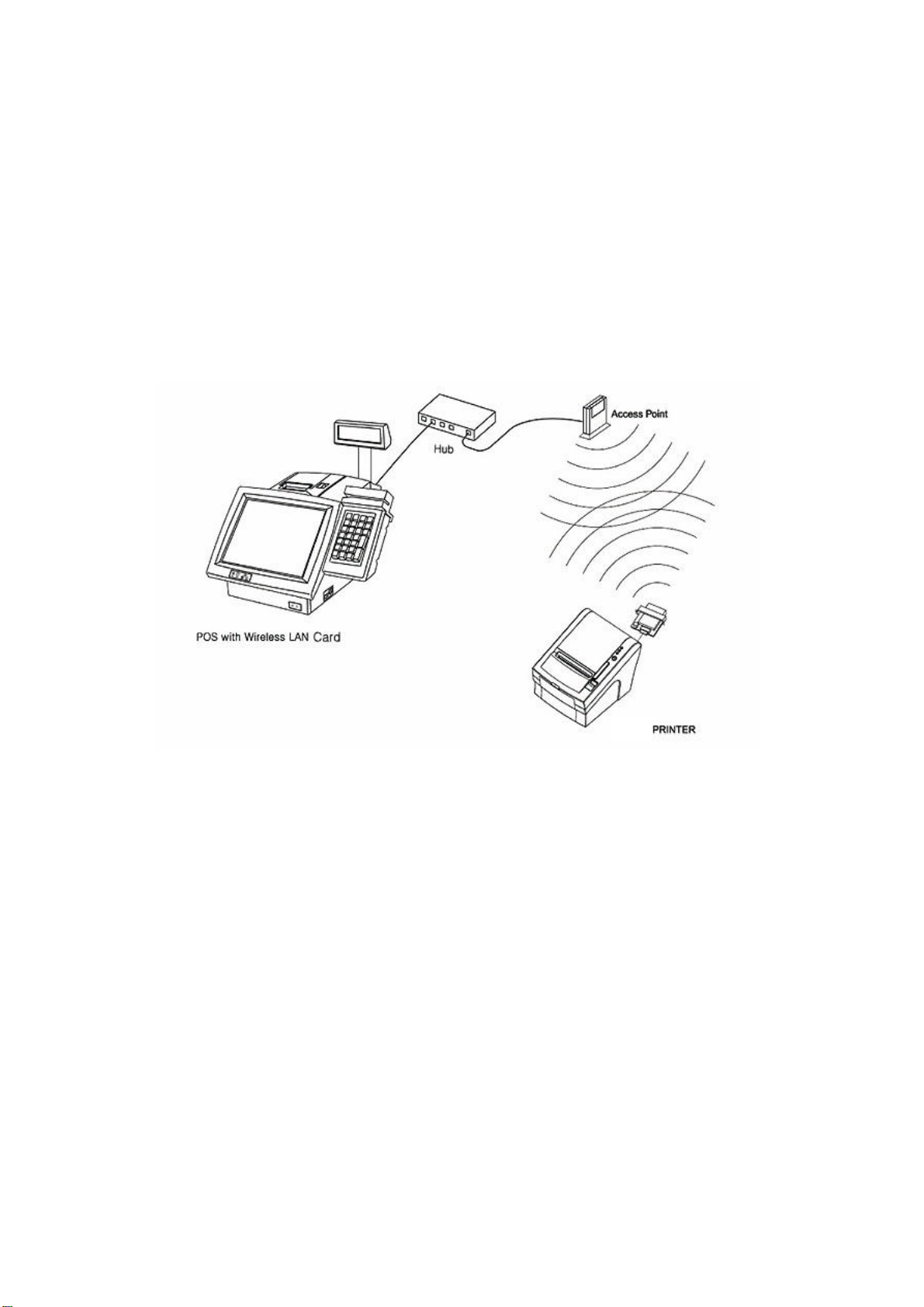
Connection of Wireless LAN
1) Adhoc Mode
-Ad-hoc is a method of communication without AP(Access Point).
Because the communication is made without AP, it cannot be connected to an
external network or internet. This method is also called ‘peer-to-peer’mode
4
2) Infrastructure Mode
-Infrastructure mode is a communication method through AP(Access Point)
between Host and Printer. Organizing a network by Infrastructure makes
possible wired/wireless internet communication by way of wired network
communication through AP.

5
Basic setting
1) Ethernet
-IP Address : 192.168.0.192
-Subnet Mask : 255.255.255.0
-Gateway : 192.168.0.1
-Port : 9100
2) Wireless Lan
-Network Mode : Ad-hoc
-IP Address : 192.168.0.192
-Subnet Mask : 255.255.255.0
-Gateway : 192.168.0.1
-Port : 9100
6
How to check on setting
1) Ethernet
(1) Self Test
-Turn off the printer.
-Turn the printer back on while holding the Feed Button and
-the printer will print out information on basic configuration
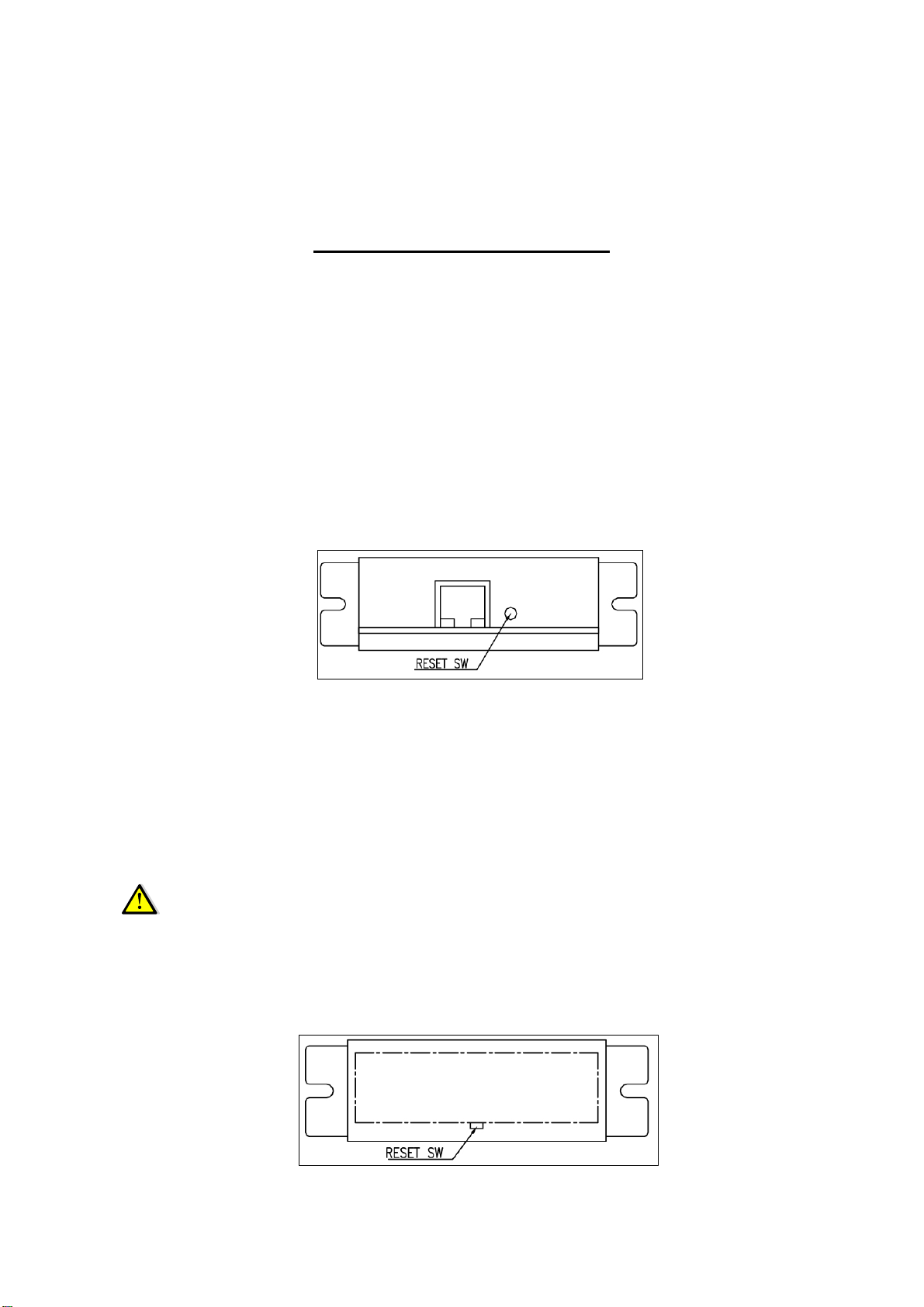
(2) Ethernet Interface Reset S/W
-Please press Reset S/W with any objects with a pointed tip while leaving the
power of the printer on and it will print out information on configuration
2) Wireless Lan
(1) Self Test
-Turn off the printer
-Turn the printer back on while holding the Feed Button and
-the printer will print out information on basic setting.
(3)
Wireless Lan Interface Reset S/W
-
Press Reset S/W of Wireless Lan Interface with a
pointed tip while leaving
the power of printer on and the printer will print out setting information.
(2) How to see IP from Wireless Lan Interface
-Press Reset S/W of Wireless Lan Interface short and the IP will print out

7
How to reset setting
1) Ethernet
There is no way to reset the setting in Ethernet.
Please check on the setting and modify it directly.
2) Wireless Lan
-You can reset setting of Wireless LAN by obeying the following instruction.
-To reset setting, turn off the printer and turn the printer back on while
holding Reset S/W of Wireless Lan and it will be reset after 2-3 seconds.
Setting of reset is the same as basic setting information.
Ethernet LED
1) Link LED
(1) When connected with Host, LED becomes the status of ‘On’
2) Status LED
(1) It flickers depending on the status of standby or of communication.
Tabla de contenidos


