
Polaroid SS35 LE Instrucciones de funcionamiento

Repair Manual
Americas Business Center
Technical Services
201 Burlington Road
Bedford MA 01730
TEL: 1.781.386.5309
FAX: 1.781.386.5988
SprintScan Slide Scanner
SS35 LE
September 1996

2
SprintScan 35LE Service Manual Table of Contents
Table of Contents
Page
1 - Functional Description ................................................................................ 4
Photoelectric Converter .............................................................................. 4
Analog-to-Digital Converter ........................................................................ 5
Data Transfer Module ................................................................................. 6
Command and Message Transfer............................................................... 6
2 - Disassembly ................................................................................................. 7
Removing Scanner Upper Housing............................................................. 7
Removing Scanner Lamp............................................................................ 10
Removing Main PC Board........................................................................... 11
Removing Chassis Assembly (with Filter/Motor)......................................... 13
Removing Power Supply............................................................................. 15
Removing Scanner Fuses........................................................................... 16
Replacing System Fuse............................................................................ 16
Replacing Power Supply Fuse ................................................................. 17
Removing AC Inverter................................................................................. 18
3 - Troubleshooting........................................................................................... 19
Electrical Problems ..................................................................................... 19
Checking Power Supply Output Voltages................................................. 23
Checking for Short Circuit on Main PC Board.......................................... 24
Checking Scanner Lamp .......................................................................... 25
Checking CCD Module............................................................................. 26
Checking for Main PC Board Failure........................................................ 28
Checking SCSI Port.................................................................................. 28
Checking Filter Stepper Motor Malfunction.............................................. 29
Checking Carriage Stepper Motor Malfunction ........................................ 30
Photo Sensor Error ................................................................................ 30
Stepper Motor Malfunction..................................................................... 31
Optical Problems......................................................................................... 32
Checking Focus and Alignment................................................................ 32
Correcting Focus and Alignment Problems.............................................. 35
Noise Problems........................................................................................... 36

3
SprintScan 35LE Service Manual Table of contents
List of Illustrations
Figure Page
1-1 Simplified Block Diagram....................................................................... 4
1-2 Photoelectric Converter......................................................................... 4
1-3 CCD Output Waveform .......................................................................... 5
1-4 CCD Output Signal After Bias Restored................................................ 5
2-1 Removing Lamp Lid............................................................................... 7
2-2 Removing Scanner Lamp ...................................................................... 8
2-3 Removing Upper Housing...................................................................... 8
2-4 Installing Upper Housing ....................................................................... 9
2-5 Replacing Scanner Lamp ...................................................................... 10
2-6 Removing Main PC Board ..................................................................... 11
2-7 Main PC Board ...................................................................................... 11
2-8 Major Component Numbers ................................................................... 12
2-9 Chassis Assembly Mounting Screws..................................................... 13
2-10 Filter/Motor Assembly Alignment........................................................... 14
2-11 Removing Power Supply........................................................................ 15
2-12 Replacing System Fuse......................................................................... 16
2-13 Replacing Power Supply Fuse............................................................... 17
2-14 Replacing AC Inverter ........................................................................... 18
3-1 Simplified Troubleshooting Diagram...................................................... 19
3-2 Power Supply Output Connector J6 Pin Assignment............................. 23
3-3 Pre/Post Processing CCD Output Waveforms....................................... 26
3-4 Pin Assignment for Connector J7 .......................................................... 27
3-5 Preprocessing CCD Output Waveform at J7, Pin 16............................. 27
3-6 Post-processing CCD Output Waveform at TP2 ................................... 28
3-7 CCD Response (Correct Focus and Alignment).................................... 33
3-8 CCD Response (Incorrect Focus and Alignment).................................. 34
List of Tables
Table Page
3-1 Troubleshooting Guide .......................................................................... 20

SprintScan 35LE Service Manual Functional Description
4
1 - Functional Description
TheSprintScan35LE(Figure1-1)isahigh-speed,high-resolutionslidescannerthat
convertspicturesonslideintobinarycodeforfurtherprocessingbyahostcomputer.
Figure 1-1. Simplified block diagram
Theimageisfirstconvertedintoanalogsignalswhichvaryinmagnitudeaccordingto
shadingintheoriginaldocument. Inthesecondphase,theanalogsignalsaredigitized.
Theresultingbinarycodesstoredinavideobufferandtransmittedvia the SCSI bus to the
host. Individualfunctionalblocksaredescribedinthefollowingsections.
Photoelectric Converter
Thephotoelectricconverter(Figure1-2)consistsofalightsource,lens,andlinear-array
CCDwithassociateddrivingcircuitry.
Figure 1-2. Photoelectric converter (slide view)
Image Photo-
Electric
Converter
Analog-
To-Digital
Converter
Data
Transfer
Module Host
Transparent
CCD
Lens Filter
Lamp

SprintScan 35LE Service Manual Functional Description
5
AsshowninFigure1-2,lightfromthelamppassesthroughtheslideontothesurfaceofthe
CCD,whichgenerateselectricalsignalsproportionaltotheintensityofthelight. TheCCD
isoperatedso thatthemagnitudeoftheelectricalsignalislinearlyproportional tothe
intensity of received light. Since the CCD scans one line at a time, a stepping motor is
used to move the slide so the CCD can scan the entire slide.
Analog-to-Digital Converter
OutputfromtheCCDisfed to thismodule,andmostofthescanned-data processing is
doneinthisstage.ThewaveformoutputbytheCCDisshowninFigure1-3,wherethe
magnitudeoftheoutputsignalwithrespecttothebiasvoltageisafunctionoftheintensity
ofthelightincidentupon the CCD.
Figure 1-3. CCD output waveform
Sinceoutput-signalbiasvoltagevariesfordifferentCCDs,andoutputnotchesdegrade
systemresponse,theoutput-signalbiasvoltageisfirstrestoredtoground,andthena
sample-and-holdoperationiscarriedouttoeliminateoutputnotches.Theresultant
waveformisshowninFigure1-4.
Figure 1-4. CCD output signal after bias restored
Output Notch
Valid Data
Vbias
Vaild Data
Vbias = Ground

SprintScan 35LE Service Manual Functional Description
6
From Figure 1-4 it can be seen that the CCD signal is smoother and the bias voltage is
independentofCCDcharacteristics.
Thereferencevoltageisderivedthroughaprocesscalled calibration. Becauseofthe
characteristicsoflampandlens,themagnitudeoftheCCD’soutputislowertowardthe
beginningandendofascanlinethan it is in the centralportion,evenwhentheinputslide
isuniformlywhite. Calibrationisusedtocompensateforthisspatialvariation.
Data Transfer Modules
Inthethirdphaseofscanneroperation,thescanneddataaretransferredtothevideoping-
pongbuffer. Thenthe data in the buffer are moved out to thehostcomputerviatheSCSI
bus.
Command and Message Transfer
Thescanneracceptscommandsfrom,andsendsmessagesto,thehostcomputerviathe
SCSIbus. Allcommandsand messages aretransmittedintheform of recordswithafixed
syntax. Commandformatandrecordsyntaxaredescribeddetailin theSprintScan35LE
CommandSetManual.

SprintScan 35LE Service Manual Disassembly
7
2 - Disassembly
This section of the Service Manual describes SprintScan 35LE disassembly
procedures. Before carrying out any of the procedures described in this section, make
sure that the scanner has been turned off and the power cord has been disconnected.
To prevent any chance of electric shock, the SprintScan 35LE housing should only be
opened by qualified service personnel, and only after the scanner has been
disconnected from the power source.
Care should be taken throughout all disassembly and reassemble procedures never to
smudge or soil the lens or either mirror.
Removing Scanner Upper Housing
1. Turn off the power and disconnect the power cord.
2. Removethescannerlamplid(Figure2-1).
Figure 2-1. Removing lamp lid

SprintScan 35LE Service Manual Disassembly
8
3. Removethescannerlamp(Figure2-2).
Figure 2-2. Removing scanner lamp
4. Removethefour(4)screws(Figure2-3)securingthebottomcase,thenremovethe
upperhousing. Thelatchofthebasehousingmayfalloff.
Figure 2-3. Removing upper housing

SprintScan 35LE Service Manual Disassembly
9
To put the scanner upper housing back on, follow these steps:
5. Put the latch seated into its position, close the upper housing, align the tabs on the
bottomoftheupperhousingwiththeslotsatthefrontandrearofthebottomcase,
snapthehousingback on(Figure2-4).
6. Then retighten the four (4) screws.
Figure 2-4. Installing upper housing

SprintScan 35LE Service Manual Disassembly
10
Removing Scanner Lamp
Notes: • The scanner lamp should be replaced if it begins to flicker or dim,
or if the READY indicator fails to come on and a lamp failure report is
returned when the N or S command is sent.
• Only use replacement lamps obtained from Polaroid or an authorized
distributor. Use of any other lamp may adversely affect scanning
results.
1. Turn off the power and disconnect the power cord.
2. Removethescannerlamplid(Figure2-5).
3. Replace the scanner lamp with a new one.
Figure 2-5. Removing scanner lamp
Scanning Lamp Specifications
Microtek Part Number 570-22-000004
Length
Diameter
Power Consumption
5.9" (149.9 mm)
0.6" (15.5 mm)
4W
Polaroid 1E6624A
Tabla de contenidos
Otros manuales de Escáner de Polaroid

Polaroid
Polaroid Sprint Scan 45i Manual de operación y mantenimiento

Polaroid
Polaroid SprintScan 4000 Instrucciones generales

Polaroid
Polaroid SprintScan 120 Manual de usuario

Polaroid
Polaroid CS-600 Manual de usuario

Polaroid
Polaroid SprintScan SS35 Instrucciones de funcionamiento

Polaroid
Polaroid SprintScan 120 Manual de operación y mantenimiento

Polaroid
Polaroid SprintScan 4000 Manual de usuario

Polaroid
Polaroid SprintScan 45 Manual de usuario
Polaroid
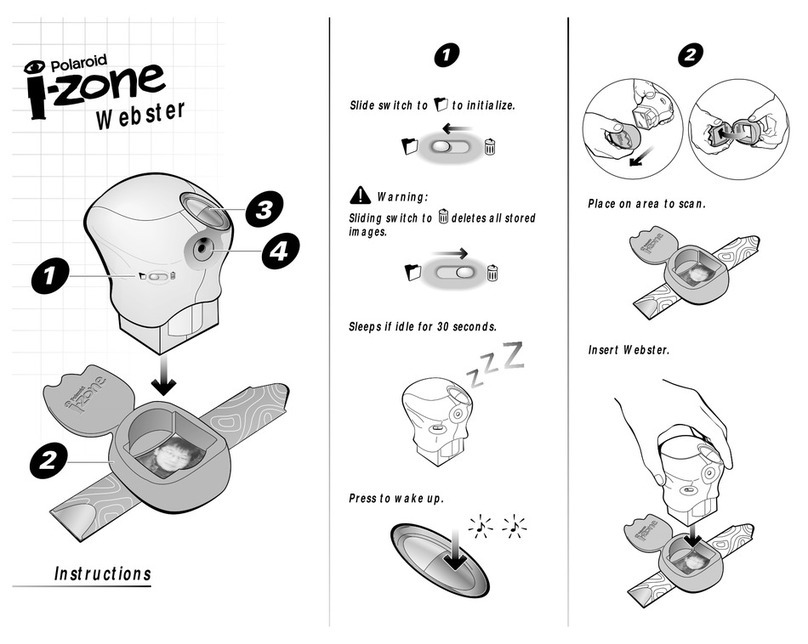
Polaroid i-Zone Webster Manual de usuario

Polaroid
Polaroid SprintScan 45 Ultra Hoja de datos


