
oticon Streamer 1.4 Manual de usuario

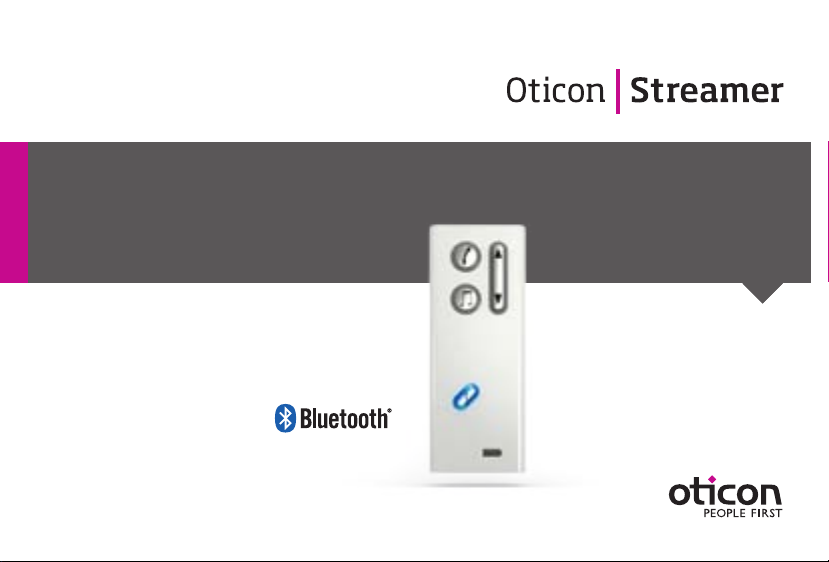
INSTRUCTIONS FOR USE STREAMER 1.4

3
Introduction
We would like to congratulate you on selecting one of the most user friendly and
advanced hearing device accessories on the market to enhance your hearing solution
for important and valuable everyday purposes.
The Oticon Streamer is the key to connecting your hearing instruments to the expanding
world of electronic media. Streamer allows Audio Sound from modern communication
devices such as mobile phones to be streamed directly into your hearing instruments.
This solution gives you the world’s smallest headset and personal headphones for many
listening and communication purposes. Streamer uses Bluetooth to connect to electronic
media and will support connectivity with most Bluetooth-enabled sound sources in the
market. To get a quick understanding of the basic functions and operations, we ask you to
study the “Getting Started” guide included in the package.
We furthermore advise you to carefully read these instructions and familiarise yourself
with the entire contents before using Streamer. This will help you to achieve the optimal
benefits of the product for the longest time possible.
Table of Contents
1. Package contents 6
2. Product overview Buttons and connectors 8
3. Basic use and wearing 10
3.1 What is a Streamer? 10
3.2 How to wear it 11
3.3 Protective skin 13
3.4 How to achieve the best experience 14
4. Streamer wireless ranges 16
4.1 EarStream range 16
4.2 Connect range 17
5. Battery life and maintenance 18
5.1 Charging Streamer 19

4 5
6. Functional description 22
6.1 Key lock 22
6.2 General operation 24
6.3 Using a mobile phone 26
6.3.1 Preparing Streamer and mobile phone 27
6.3.2 Incoming call 28
6.3.3 Making a phone call 29
6.3.4 Phone button 30
6.3.5 Microphone 31
6.3.6 Call waiting 32
6.3.7 Mobile phone sounds 33
6.4 Listening to audio sources 35
6.4.1 Connecting to wired audio input 36
6.4.2 Connecting to a wireless audio source 37
6.4.3 Audio button 39
6.5 Up-Down button 41
6.5.1 Volume control 41
6.5.2 Programme shift 43
6.6 Connect button 44
6.7 Connecting to Bluetooth devices 47
6.8 Out of Connect range handling 47
6.9 Pairing to a Bluetooth device 48
6.9.1 Clearing stored pairings 50
7. Visual indicators 51
8. Audible indicators 54
9. Resetting Streamer 56
10. Cleaning and maintenance 57
11. Trouble shooting 58
12. International Warranty 66
13. Product approval, precautions and markings 69
Warnings Yellow Pages

6 7
1. Package contents Optional
Getting Started guide
USB charger cord
Dedicated Power supply Audio cable, 1 m (40 inches) Pocket clip
Streamer Charger cradleProtective skin
(cover)
This manual
Neck strap x 2
(1 short + 1 long)

8 9
2. Product overview Buttons and connectors
A. Phone button
– Short press:
Accept incoming calls
Hook off for outgoing calls
Disconnect calls
Activate Voice Dial*
– Long press:
Reject call*
Last number re-dial*
B. Audio button
– Short press:
Start/Stop TV, music
Jack connector for
audio input
Mini USB connector for
charging the battery
Key lockMicrophone
* Only with Bluetooth mobile phones
Operate
Locked
B
D
A C
E
C. Up-Down button
– Short press:
Volume control
– Long press:
Program change
D. Connect button
– Short press:
Connect on
– Long press:
Connect off
– Very long press:
Start pairing mode
E. Battery status indicator

10 11
3. Basic use and wearing
3.1 What is a Streamer?
Streamer is a body-worn device that can connect your hearing instruments wirelessly
to many different sound and communication media, thus enabling your instruments to
function as wireless headphones.
If you have two hearing instruments, the sound will be streamed to both ears.
Through Streamer, your hearing instruments can connect to a number of ConnectLine
devices and other audio sources which allows you to
• use the home phone hands-free
• use a mobile phone hands-free
• listen to TV sound
• listen to music and audio from portable music players, etc.
Streamer also works as a remote control for the hearing instruments.
3.2 How to wear it
To make sure that you receive the best signal through Streamer,
it must be kept inside the Body Area Network. This is the area
surrounding the hearing instruments within a range of approx.
0.5 metres. The wireless function enabling Streamer and hearing
instruments to communicate, called EarStream, operates at
extremely low power levels.
When using Streamer the best result is always achieved by using
the neck strap.
Fig: Body
Area Network
definition
ON OFF

12 13
IMPORTANT NOTICE
Please use the neck strap carefully. Due to security reasons (to avoid strangulation)
the neck strap will automatically break if it gets caught in something. Do not shorten or
modify the neck strap in any way, i.e. such as tie a knot to shorten the length. If a neck
strap breaks, it cannot be repaired and must be replaced. Consult your Hearing Care
Professional for a replacement.
3.3 Protective skin
The included skin is a silicone cover, which can be used to protect Streamer against
scratches and moisture and in general prolonging its fresh appearance.
3.4 How to achieve the best experience
1. The best listening quality is achieved by using the neck strap, i.e.
hands-free around the neck. The neck strap enhances the sound quality because it has
an additional antenna built-in.
2. Streamer can be kept in a pocket when not streaming audio, however still ready to
receive a phone call.
3. Streamer can be handheld during a phone conversation by holding it close to the
mouth. This ensures good quality of your speech brought to the remote party.
4. When using Streamer outside in strong wind, the sensitive microphone should be
protected against wind noise, i.e. avoid the wind going directly into the microphone.
5. Like a normal phone, Streamer microphone is sensitive to mechanical noise (handling,
knocking and scratching). Make sure that Streamer is positioned and held still during a
phone conversation.
1 2 3 4

14 15
Purpose: landline phone,
mobile phone, TV, music,
remote control, stand-by
Purpose: Remote control,
incoming call notification,
and stand-by
In your pocket
(pocket clip)
Purpose: landline phone,
mobile phone, remote
control
Handheld
In your hand
Hands-free
Neck strap
6. The microphone must be oriented directly towards your mouth while speaking within
a distance from 10 to 30 cm (4 – 12 inches). This is ensured when using the neck strap.
7. Depending on the placement of Streamer, minor dropouts of sound can occur. If you
have two hearing instruments, sound should remain in one ear even though a dropout
is happening. (To prevent dropouts the neck strap should be used.)
The following illustrations show how Streamer should be placed during use.

16 17
4. Streamer wireless ranges
4.1 EarStream range
Streamer has a digital wireless transmitter (EarStream) built-in that streams informa-
tion to your hearing instruments. The EarStream radio is activated automatically when
requested and cannot be permanently switched off.
When Streamer is streaming audio, the range to the hearing instrument is approx.
0.5 metres (20 inches). This means that the Body Area Network has an outer perimeter
0.5 metres from the ears and that Streamer must be used inside this perimeter.
The range could be reduced by metal objects and strong magnetic fields. Use of the neck
strap is strongly recommended to achieve optimal EarStream performance.
Streamer to hearing instruments: 0.5 metre
range. When Streamer is used for remote volume
control only or just “stand-by” (ready for incoming
phone call) the range is up to 1 metre.
4.2 Connect range
Streamer connects to the ConnectLine devices and other wireless sound sources by
means of Bluetooth. When the Connect function is turned on, Streamer establishes a
connection to ConnectLine devices accessible within 10 meters (30 feet) range.
The wireless range from Streamer to a Bluetooth enabled mobile phone is also 10 meters.
The Connect range is reduced by objects between Streamer and the connected sound
sources. The range may also be reduced by wireless equipment or networks in the
environment and also depends on the quality of the antenna in the mobile phone.
Mobile phone distance to/from Streamer:
10 metres range.
Otros manuales para Streamer 1.4
2
Tabla de contenidos
Otros manuales de Reproductor multimedia de oticon


